
Are you diving into the world of WordPress and stumbled upon something called ‘page.php’? You’re not alone.
As you craft or customize your website, understanding what page. php is can unlock a new level of creativity and control. Imagine having the power to tailor your website exactly how you envision it, without the confusion or complexity. This article will guide you through the essentials of page.
php, making it simple and clear. You’ll discover how this file acts as a backbone for your web pages and how mastering it can enhance your website’s functionality and appearance. Ready to take your WordPress skills to the next level? Let’s unravel the mysteries of page. php together.
Page.php In WordPress
Page.php is an important file in WordPress themes. It controls the design and layout of pages. Every theme has a page.php file. This file makes each page look unique. Without it, pages might look plain or broken.
You can change page.php to make pages look better. Customize your website’s look by editing this file. Changing it can be fun and creative. But be careful. Small mistakes can break a page. Always save a backup before changes.
Page.php helps with the user experience. It ensures every page looks good. Visitors enjoy websites that look nice. Use page.php to make your site special.
Role Of Page.php
The page.php file is important in WordPress themes. It helps show how a single page looks. Each page can have its own style. This file makes sure pages look right. It controls the layout and design. Without it, pages may not display well. Developers use it to create unique page templates. This lets each page have special features.
Page.php helps keep the website organized. It separates content from design. This file is a building block for WordPress sites. Many themes include it by default. It helps users create a consistent site look. Understanding it can improve website design skills.
Template Hierarchy
WordPress uses a system called Template Hierarchy. It decides which template file to use. Each page in WordPress follows this order. A page.php file is important. It tells WordPress how a page should look. If page.php is missing, WordPress looks for other files. It searches in a specific order.
Template files have a special order. This is called their position in the hierarchy. The order is clear. First, WordPress checks for a custom template. If it’s not there, it uses the page.php file. If that’s missing, it uses index.php. Understanding this helps in designing sites.
Customization
WordPress allows you to create a custom page template. This helps in giving a unique look to your pages. First, open your text editor. Create a new PHP file. Name it as you like, for example, custom-template.php. Add the template name at the top of the file. This should be in a comment like this: php / Template Name: Custom Template / ?. Save this file in your theme’s folder. Now, you can use this template for any page. Just select it from the Page Attributes section. It’s simple and effective.
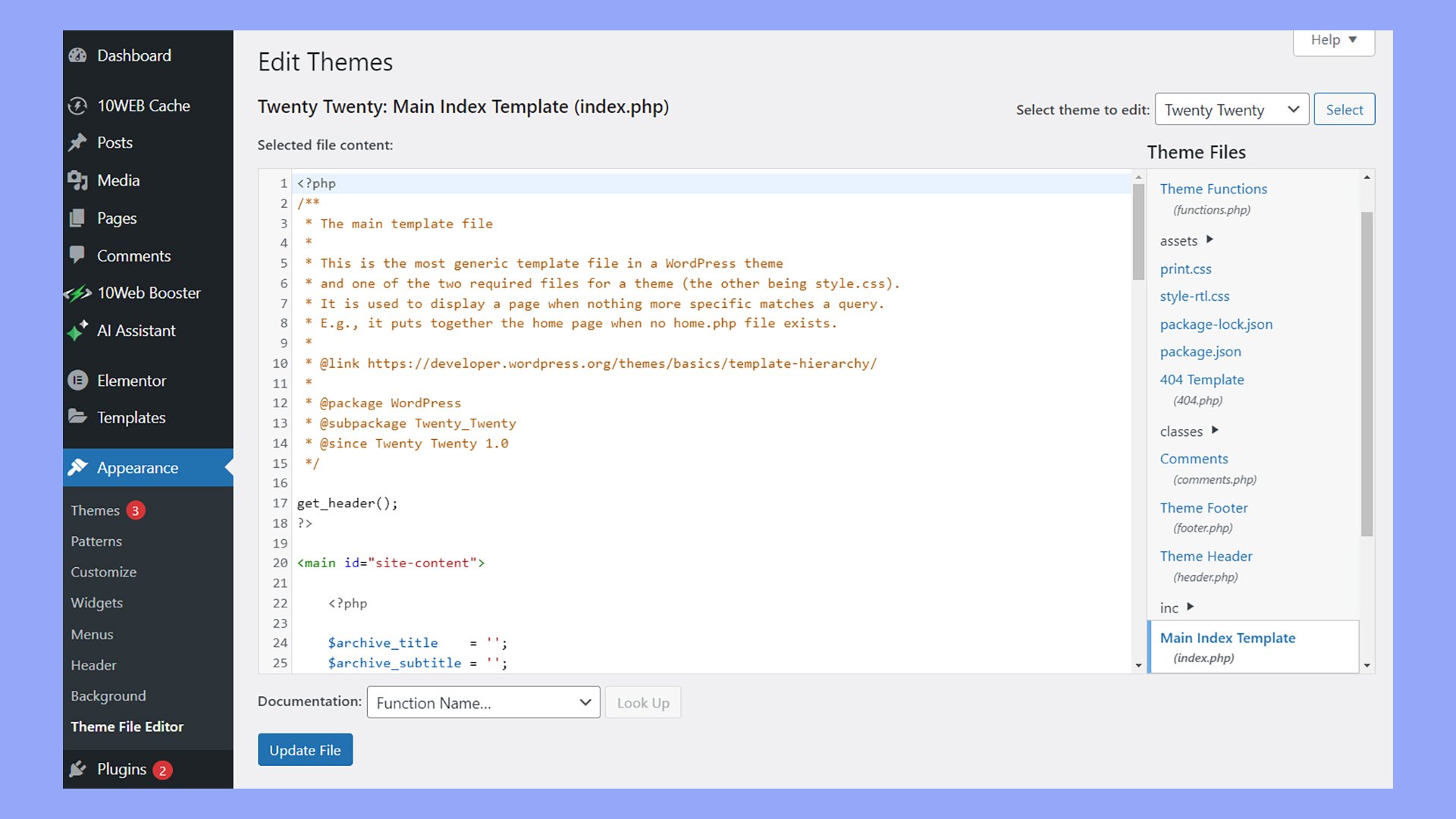
The page.php file controls how pages look. You can edit it to change the layout. Open the file using a text editor. Make changes to the HTML and PHP code. This will alter the page’s design. Be careful while editing. A small mistake can cause errors. Always back up your file before editing. This ensures you can restore it if needed. Changes here will apply to all pages using this template.
Common Uses
Page. php in WordPress is a template file used to display individual pages on a website. It helps customize the look and feel of different pages, allowing users to set unique layouts and designs for each. This file is essential for creating static content like ‘About Us’ or ‘Contact’ pages.
Static Page Design
Page PHP helps create static pages in WordPress. These pages include homepages and contact pages. They remain the same until edited. Users can design unique layouts for these pages. This makes every site look special. Designers use Page PHP for a custom look. Static pages load faster. This enhances user experience.
Unique Layouts
Page PHP allows creative layouts. Each page can have a different design. This makes the site stand out. Designers can use different colors and styles. Visitors enjoy seeing unique pages. It keeps them interested. Page PHP makes it easy to change layouts. Users can update designs without coding.
Credit: 10web.io
Best Practices
Page. php in WordPress serves as the template for individual pages, defining their layout and appearance. It ensures each page maintains a consistent design, enhancing user experience. Customizing page. php allows for unique page styling, catering to specific content needs.
Maintaining Code Quality
Good code makes websites work well. Clean code is easy to read. It helps when fixing problems. Keep code simple for better results. Remove unused parts to keep it tidy. Use comments to explain tricky bits. This helps others understand your work. Check code often for mistakes. Use tools to find errors fast. Correct errors to keep quality high.
Ensuring Compatibility
Websites must work on different devices. They must also work with various browsers. Test your code on different platforms. Make sure it works everywhere. Use standard coding rules. This helps with compatibility. Update plugins and themes regularly. This prevents problems. Check for conflicts between plugins. Fix them quickly to keep the site running smoothly.
Troubleshooting
Page. php is a template file in WordPress, essential for displaying individual pages. It structures content layout, ensuring each page appears correctly. Troubleshooting page. php involves checking code errors or plugin conflicts that may disrupt its functionality.
Common Errors
Page PHP in WordPress can have common errors. One error is the “syntax error.” It happens if a code is wrong. Another is the “500 Internal Server Error.” This shows when there is a server problem. Users might see a “white screen of death.” This means the page is blank. A “404 Error” is also common. It shows when a page is not found. Fixing these errors needs careful checking. Always back up your site before changes. It helps to avoid data loss.
Debugging Tips
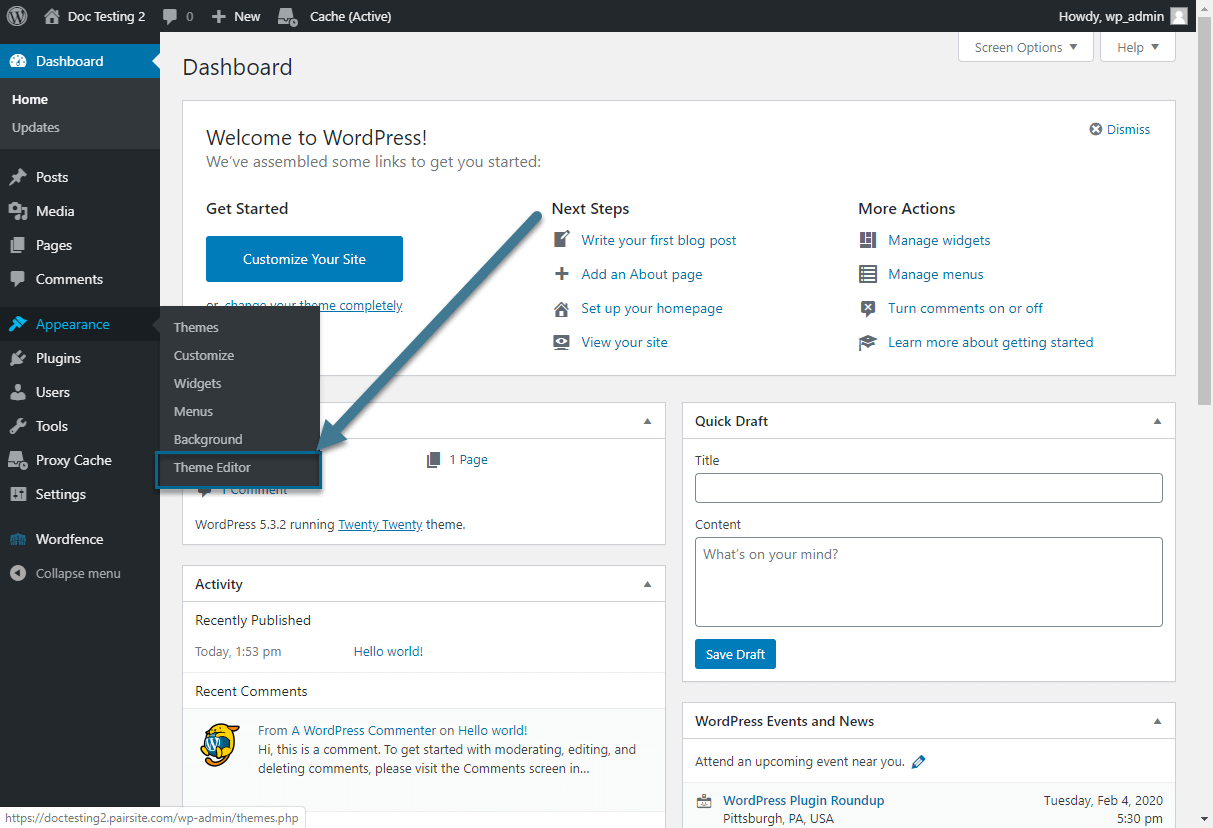
Debugging helps find and fix errors. Enable the WordPress debug mode. It shows error messages. Check the error logs for more details. Deactivate all plugins to see if one causes problems. Switch to a default theme. This helps check if the theme is the issue. Remember to clear your cache. Sometimes it holds old errors. Try these steps one by one. Always save changes after testing each.

Credit: www.geeksforgeeks.org
Credit: www.pair.com
Frequently Asked Questions
What Is The Purpose Of Page.php In WordPress?
Page. php is a template file in WordPress themes. It defines the layout for individual pages on a website. This file helps customize the appearance of pages separate from posts. It is essential for creating a consistent look across different pages.
Modifying page. php allows for tailored page designs.
How Does Page.php Differ From Single.php?
Page. php is used for static pages, while single. php is for blog posts. Static pages include About or Contact pages. Single. php customizes individual post layouts. Each serves distinct purposes within WordPress theme design. Understanding their differences helps in creating specialized content structures.
Can I Customize Page.php In WordPress?
Yes, you can customize page. php to fit your design needs. Editing this file allows for unique layouts and styles. Use CSS or PHP to modify page elements. Customization helps differentiate pages and improve user experience. Always backup your theme files before making changes.
Why Is Page.php Important For Seo?
Page. php impacts SEO by controlling page structure and layout. A well-designed page improves user experience and engagement. Good structure can enhance readability and navigation. This contributes to better search engine rankings. Optimizing page. php supports your site’s overall SEO strategy.
Conclusion
Understanding page. php in WordPress is crucial for website management. It controls your site’s layout and structure. Developers use it to customize pages. This file makes your website look professional. You can edit it with basic coding skills. Changes reflect on all pages.
Use page. php to enhance user experience. It helps with SEO too. Proper use attracts more visitors. Keep it simple and organized. Experiment, but back up files first. Mistakes can affect your site. Learning page. php boosts your WordPress skills.
It’s a valuable tool for every website owner.



