
Have you ever wished for a safe playground where you can test changes on your WordPress site without the risk of breaking it? Imagine having the freedom to experiment, tweak, and refine your website with complete peace of mind.
Sounds like a dream, right? Well, it’s time to discover the magic of a “One Click Staging Site” in WordPress. This powerful feature allows you to create an exact replica of your website, giving you the perfect testing ground to make changes without fear.
Curious about how this works and why it’s a game-changer for your online presence? Stick around to uncover the secrets of hassle-free website management and innovation, all at the tip of your fingers. Your digital transformation awaits!
Introduction To One Click Staging
A staging site is a copy of your live website. It helps you test changes safely. With one click staging, you can create this copy easily. No need for complex coding or technical skills. It’s like a playground for your website. Try new ideas without fear. Mistakes won’t affect your real site. If you are happy with the changes, move them to the live site. One click staging makes it simple and fast. It saves time and prevents big problems. Many WordPress tools offer this feature. It’s a smart choice for website owners.
Benefits Of Staging Sites
A staging site offers a safe space for testing. Changes won’t affect the live site. This helps in finding errors before going live. Developers can try new ideas without risk. No worries about breaking the main site.
Developers work in a risk-free zone. It helps in catching bugs early. The main site stays untouched. Clients can see changes before launch. No fear of showing mistakes on the live site.
Staging sites make teamwork easy. Team members can test and edit freely. This saves time and effort. Everyone sees the updates together. It makes the work smoother and faster.
Setting Up A One Click Staging Site
Selecting the correct hosting provider is crucial. The provider should offer easy staging options. Check for automatic backups and security features. These features protect your site. Ensure they support WordPress. Look for good customer service. Quick help is important.
Staging sites need one-click setup. This makes it simple. Easy syncing between live and staging sites is essential. You want fast performance. SSL support is also important. It keeps data safe. Reliable hosting prevents downtime. Automatic updates simplify management. Ensure the host provides these features.
First, log in to your hosting account. Find the staging option. Click to create a new staging site. Choose your site to clone. Wait as it sets up. Once ready, test changes. Sync changes back to live site. Follow these steps. They make staging easy.
Managing Your Staging Site
Syncing changes is crucial for your staging site. First, ensure all updates on the staging site. This keeps your main site safe. Use plugins to make syncing easy. Plugins can copy changes to the live site. Always check for errors before syncing. Testing prevents issues later. Back up the live site first. This helps restore if something goes wrong.
Keep the staging site clean and updated. Remove old plugins and themes. They take up space and slow down the site. Regularly update WordPress and plugins. Updated tools fix bugs and enhance security. Always test new updates. This ensures they work well together. Back up the staging site often. Backups save time in case of problems.
Sometimes the staging site may have issues. A common problem is slow speed. This might be due to heavy plugins. Try disabling some to see if speed improves. Another issue is broken links. Check links to ensure they work. Use tools to find broken links. If changes do not sync, check plugin settings. Ensure all settings are correct.
Security Considerations
Creating a one-click staging site in WordPress offers a safe environment to test changes without affecting the live site. Security considerations include ensuring backups and using secure plugins to protect data. Regular updates and monitoring help maintain a secure staging environment.
Protecting Sensitive Data
Keeping data safe is very important. Use strong passwords to protect your site. Ensure your site uses SSL certificates. This helps keep data private. Encrypt sensitive information whenever possible.
Implementing Access Controls
Limit who can access your site. Only give access to people who need it. Use two-factor authentication for extra security. Change passwords regularly to keep them secure.
Regular Security Audits
Check your site often for security problems. Conduct audits to find any weak spots. Fix issues quickly to keep your site safe. Use tools that help monitor security. Stay updated with new security practices.

Credit: www.youtube.com
Comparison With Traditional Staging Methods
One Click Staging is simple. Just press a button. It creates a copy of your site. No tech skills needed. Traditional methods are harder. They require more steps. You might need help. This can confuse some users.
One Click Staging saves money. No extra tools needed. Traditional methods might cost more. You pay for tools. You might hire experts. This adds up. Many people want to save money.
One Click Staging grows with your site. As your site gets bigger, staging stays easy. Traditional methods can slow down. They might not handle large sites well. You might need more resources. This can be a problem.
Popular Tools And Plugins
One Click Staging Site in WordPress allows you to create a duplicate of your website for testing. It helps in making changes without affecting the live site. Popular tools and plugins simplify this process, offering easy management and updates.
Top Staging Plugins
WordPress has many plugins for staging sites. WP Staging is a good choice. It is easy to use. Duplicator helps make site copies. It is useful for backups too. BlogVault offers staging and backups. It is trusted by many users.
Pros And Cons Of Each
| Plugin | Pros | Cons |
|---|---|---|
| WP Staging | Easy setup | Limited free features |
| Duplicator | Great for backups | Can be slow for big sites |
| BlogVault | Trusted by many | Costs money |
Integration With WordPress
Staging plugins work well with WordPress. They help test changes safely. No risks to the main site. Most plugins are easy to install. Just a few clicks. Some plugins offer extra features. Like backups and security checks. They improve site safety. Make managing sites easy.
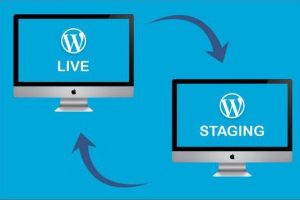
Credit: trulywp.com
Real-world Applications
One Click Staging Site in WordPress allows users to create a test version of their website effortlessly. This feature helps developers and designers experiment and make changes without affecting the live site. It’s a practical tool for testing updates and new designs safely.
Case Studies
One Click Staging Sites help developers test changes safely. They create a copy of the live site. This makes it easy to try new designs. Developers share stories of improved workflow. Mistakes are fixed before going live.
Testimonials From Developers
Many developers love One Click Staging Sites. They say it saves time. Changes can be tested quickly. No fear of breaking the live site. Developers feel more confident. Their clients are happier too.
Success Stories
Some sites saw big improvements. Bugs were found early. Site speed got better. User experience improved. Happy users visit more often. One Click Staging made a big difference. Developers share their success stories proudly.

Credit: runcloud.io
Frequently Asked Questions
What Is A One-click Staging Site?
A one-click staging site allows you to create a duplicate of your WordPress website easily. This feature helps in testing changes without affecting the live site. It simplifies the process of updates, troubleshooting, and development, ensuring your main site remains functional and uninterrupted during modifications.
How Does One-click Staging Benefit WordPress Users?
One-click staging benefits WordPress users by providing a safe environment for testing. It helps prevent errors on the live site and allows experimentation. Users can try new plugins, themes, or updates without risk. This ensures reliability and efficiency in website management and development processes.
Is One-click Staging Easy To Use?
Yes, one-click staging is designed to be user-friendly. Most WordPress hosting providers offer intuitive interfaces for creating and managing staging sites. Even users with minimal technical knowledge can set up a staging site with just a few clicks, making it accessible and convenient for everyone.
Can I Revert Changes From The Staging Site?
Yes, you can revert changes from the staging site to the live site. Most staging tools offer options to push changes live or discard them. This flexibility ensures that only successful updates make it to your live site, preserving its integrity and functionality.
Conclusion
One Click Staging Site in WordPress simplifies website management. It reduces risks during updates. Testing becomes straightforward, keeping the live site safe. Changes are easy to preview before going public. This tool supports efficient workflows, saving time and effort. Perfect for both beginners and experts.
It enhances WordPress site management with minimal hassle. By using staging sites, you ensure website stability. Make smart updates without stress. Explore this feature to improve your online presence. Embrace the benefits of staging sites today. Keep your website running smoothly and securely.
Enjoy a safer, more reliable WordPress experience.



