
Ever found a strange code like “ ” while editing your WordPress site and wondered what it means? You’re not alone.
This little piece of code often pops up unexpectedly, leaving many WordPress users scratching their heads. But don’t worry, this blog post is here to clear the confusion. We’ll explain what “ ” is, why it appears, and how it can actually be useful for your WordPress site.
By the end of this article, you’ll not only understand “ ,” but you’ll also be able to use it to improve your site’s formatting. So, let’s dive in and uncover the mystery of “ ” together. Keep reading to take control of your WordPress editing like never before.
Understanding  
HTML special characters help in displaying symbols that are not on your keyboard. &Nbsp is one such character. It stands for non-breaking space. This space won’t break into a new line. This helps to keep words together. For example, “Mr. Smith” keeps the name intact.
In WordPress, &Nbsp is often used to control text layout. It makes text spacing look neat. Sometimes, regular spaces don’t work well. That’s where &Nbsp comes in handy. It avoids awkward breaks. This is useful in titles or paragraphs. It keeps everything aligned. Even in tables or lists.
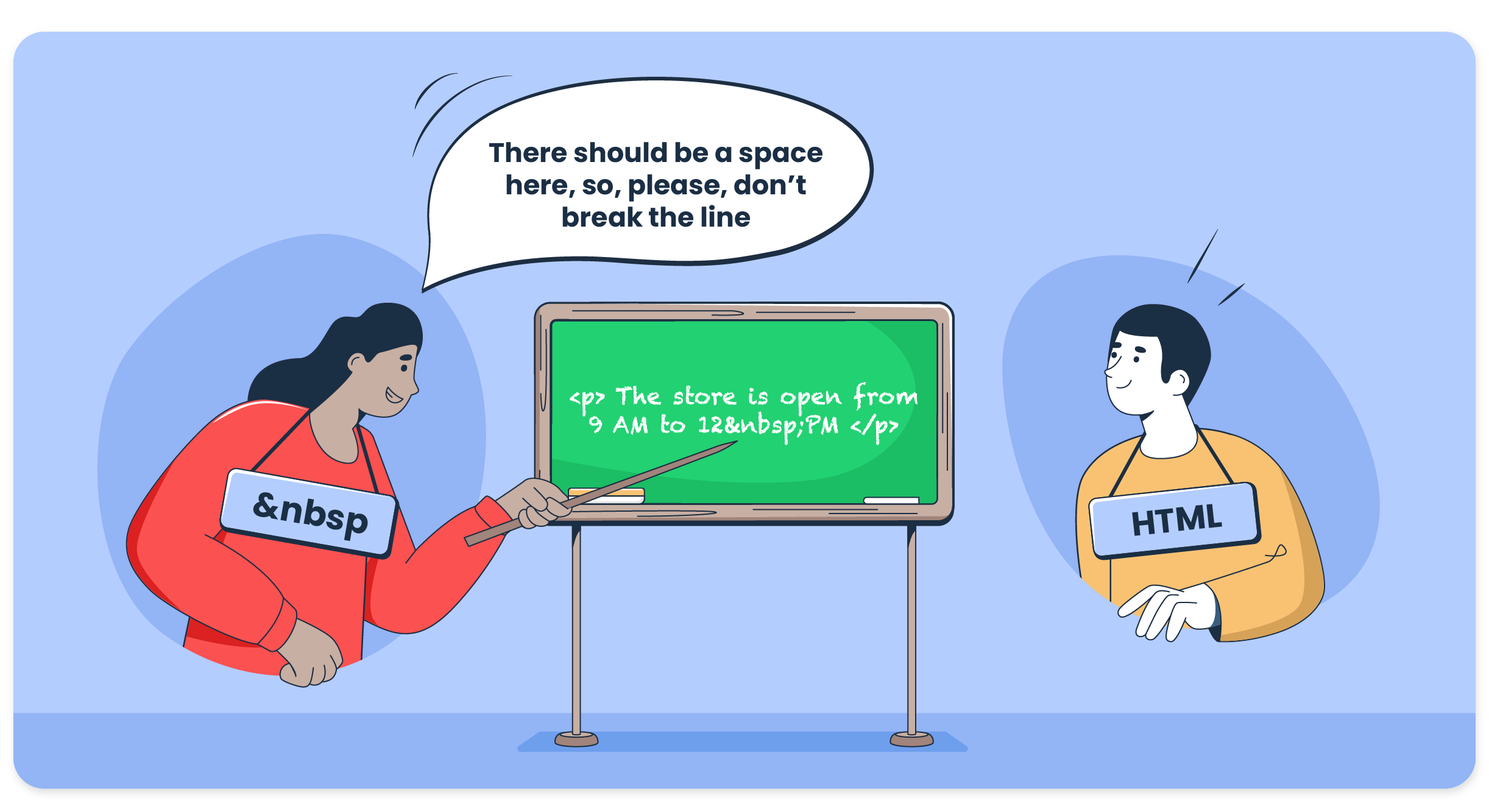
Credit: mailtrap.io
Usage In WordPress
&Nbsp is a special tool for adding extra spaces in WordPress. Sometimes, spaces disappear between words. &Nbsp can fix this. It helps keep text neat and tidy. It is simple to use. Place &Nbsp where you need space. The text will look better.
Writers often face spacing issues in WordPress. &Nbsp is useful for lists and menus. It helps align text. It also helps when copying from other places. Text may lose spaces. &Nbsp restores them. It ensures everything looks right.
Impact On Seo
The use of can change how text looks. It creates extra space between words. This space can make text hard to read. Readers may get confused. They might not understand sentences well. Extra spaces can also make text look messy.
When text is clear, people stay on the page longer. This is good for SEO. Clear text helps people find what they need. Using too many can hurt readability. It’s best to use it carefully. Make sure text stays easy to read.
Search engines like Google read websites. They like clear, easy text. Extra spaces from can confuse them. This might affect page ranking. Using too much can cause problems.
Search engines may see text as broken. This can make a site less visible. It’s best to use only when needed. Keeping text clean helps search engines. It helps them understand the content better.

Credit: stackoverflow.com
Best Practices
Use to add extra space between words. It helps in making text more readable. Useful when you need more space than a regular space. It keeps text from breaking at the end of a line.
Avoid using it too much. Too many spaces can look bad. Just a few spaces can make a big difference. Remember, balance is key.
Instead of , try using CSS for space. CSS can add margins and padding. This keeps your design clean. Use margin for outside space. Use padding for inside space. Another way is using a br tag. It adds a line break. Choose the best option for your needs.
Technical Details
The term ‘ ‘ in WordPress represents a non-breaking space. It prevents text from breaking into a new line. This code is often used to maintain spacing and formatting in web content.
How Works
&Nbsp is a special code. It stands for non-breaking space. This code prevents text from breaking into a new line. Web browsers use it to keep words together. If you type two spaces, only one shows. But &Nbsp keeps them both. It ensures text looks neat. Bloggers use it often. It helps in layout design. Text stays in the right place. Coding &Nbsp in HTML is easy. You type ` ` where you want extra space. It’s simple and handy. Just like a space bar, but smarter. Keep text neat and tidy.
Coding In Html
Coding &Nbsp in HTML is simple. Type ` ` to add space. It’s a special character. Useful for formatting text. Helps keep words from breaking. Makes text look nice. Ensures consistent layout. Web developers use it often. It’s like adding invisible glue. Keeps paragraphs together. Very handy tool in web design.

Credit: wordpress.stackexchange.com
Frequently Asked Questions
What Does   Mean In WordPress?
  stands for non-breaking space in HTML. It is used to create extra spaces between elements on a webpage. WordPress users might encounter   when editing HTML code or using text editors. It helps prevent automatic line breaks in text, ensuring consistent formatting across different devices and browsers.
How Do I Insert   In WordPress?
To insert   in WordPress, switch to HTML editing mode. You can manually type   in the desired location within your text. Alternatively, use a text editor plugin that supports HTML codes. This ensures precise space adjustments without affecting the overall layout of your content.
Why Is   Useful In WordPress?
  is useful for maintaining text formatting in WordPress. It prevents unwanted line breaks or text wrapping in your content. This HTML entity ensures your text appears consistently across different browsers and devices. It helps achieve precise control over spacing, enhancing the readability and aesthetics of your web pages.
Can   Affect Seo In WordPress?
  doesn’t directly impact SEO in WordPress. It primarily influences formatting and presentation of text. While it ensures better readability, it doesn’t alter keyword density or metadata. Proper use of   can enhance user experience, which indirectly contributes to improved SEO performance and engagement on your site.
Conclusion
Understanding “ ” in WordPress improves your site’s readability. It helps create spaces without breaking lines. This simple tool makes your text more organized. Visitors find content easier to read and more pleasant. Neat text keeps users engaged longer. By using “ ”, your posts look better.
It enhances your site’s overall appearance. Small changes can make a big difference in user experience. So, keep practicing with “ ” to enhance your WordPress skills. Your site will thank you with happier visitors. Happy editing!



