
Are you looking to unlock the hidden potential of your WordPress site and expand your reach effortlessly? Discovering your WordPress RSS feed address could be the key.
Imagine having a tool that automatically shares your content, keeping your audience engaged without the constant hustle. Knowing your RSS feed address is the first step towards streamlining your content distribution and amplifying your influence. But how do you find it, and why is it so important?
We’ll demystify the concept of RSS feeds, guide you through locating yours, and reveal the ways it can supercharge your online presence. Ready to simplify your blogging journey and captivate your audience like never before? Let’s dive in and uncover the magic behind your WordPress RSS feed address.
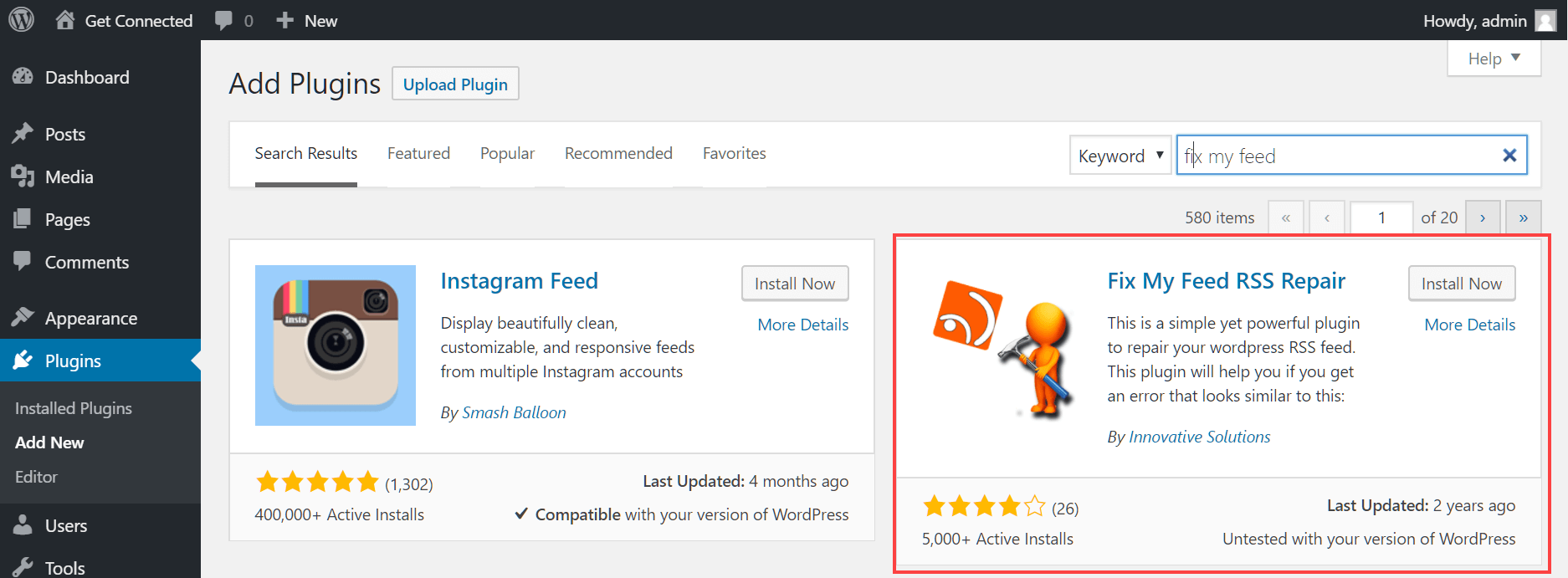
Credit: www.hostpapa.com
Understanding Rss Feeds
RSS feeds help share updates easily. They deliver new content fast. Users get the latest posts straight away. Feeds keep readers informed without visiting many sites. This saves time and effort. RSS stands for Really Simple Syndication. It’s a simple way to follow updates.
Content creators reach more people. RSS feeds grow their audience. More readers see their posts quickly. Feeds also help keep loyal readers. Creators can focus on making great content. They don’t worry about sharing it manually. Feeds automate the process.
Readers get updates in one place. They don’t miss new posts. Feeds save time as they don’t visit many sites. RSS feeds organize content. This makes reading easy and fun. Users stay informed about their favorite topics. They enjoy a smooth reading experience.
Locating Your WordPress Rss Feed
Every WordPress site has a default RSS feed URL. This is a simple web address. It usually looks like this: www.yourwebsite.com/feed/. You can find it by adding “/feed/” to your site URL. This URL helps users follow your blog. They get updates when you post new articles.
You can find your RSS feed in the WordPress dashboard. Log into your site. Go to the admin panel. Click on Settings, then go to Reading. You will see the feed settings here. Check the feed URL. It should be there. This lets you share your feed with others.
You can customize the RSS feed URL. Use plugins like Yoast SEO or RSS Feed Customizer. They help you change the URL easily. You can add categories or tags. This makes it more specific. Your readers can choose what they want to follow. It makes the feed more useful.
Types Of Rss Feeds In WordPress
WordPress offers different RSS feed types like posts, comments, and category-specific feeds. Find your WordPress RSS feed address by adding “/feed/” to your site’s URL. This helps users stay updated with your content easily.
Main Site Feed
The main site feed shows all new posts. You can find it by adding /feed after your site’s URL. This feed includes updates from every category and tag. It’s useful for readers who want all updates in one place.
Category-specific Feeds
Category feeds focus on specific topics. You can access these feeds by adding /category/category-name/feed to your URL. This way, readers get updates only on topics they care about. It’s a great option for sites with diverse content.
Tag-based Feeds
Tag feeds are similar to category feeds. They provide updates based on tags. You access them by adding /tag/tag-name/feed to your URL. These feeds help users follow specific subjects. They keep readers engaged with their interests.
Author-specific Feeds
Author feeds focus on posts by a specific writer. Access them by adding /author/author-name/feed to your URL. Readers can follow their favorite authors. It helps in building a loyal audience.
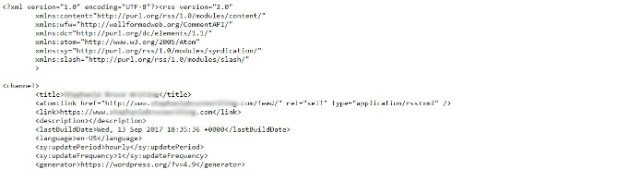
Credit: wpengine.com
Accessing Rss Feeds For WordPress.com
WordPress.com has a simple way to find RSS feeds. Just add /feed to your blog URL. For example, https://yourblog.wordpress.com/feed. This link shows your recent posts. RSS feeds help readers stay updated. They are like news for your blog. Easy to use. Easy to find.
Third-party tools can find RSS feeds too. Many websites offer these tools. They help locate feeds from any site. Just enter the blog URL. The tool finds the feed for you. This is useful if the feed link is hidden. Some tools even show more feed details. Try them out to explore more options.
Customizing Your Rss Feed
Many plugins help in customizing your RSS feed. Plugins like Feedzy and WP RSS Aggregator are popular. These tools add extra features to your feed. You can change the appearance and add extra information easily. These plugins make the process simple. No technical skills are needed. Just a few clicks and your feed looks different. This helps in making your content unique. Readers will like the changes. It makes your site more interesting.
WordPress has settings for your RSS feed. You can find these in the Reading Settings. Choose how many items appear in the feed. Decide if you want full text or a summary. These settings help control your feed’s look. They ensure only the best content shows. It’s important to check these settings regularly. This keeps your feed updated and relevant. Users will appreciate the fresh content.
Adding more to your feed makes it better. Include images and videos. These make the feed more engaging. Try adding custom messages too. This can be done using plugins. They help include extra context. It’s easy and takes little time. Enhancements make your feed stand out. Readers will enjoy the added content. It keeps them coming back for more.
Troubleshooting Rss Feed Issues
Identify your WordPress RSS feed address by adding “/feed” to your site’s URL. This address helps share content easily. Troubleshoot any issues by checking theme compatibility or plugin conflicts.
Common Rss Feed Errors
RSS feeds sometimes show errors. The most frequent error is a syntax mistake. This occurs when the feed code is wrong. Another common issue is missing tags. Tags help organize content. Without them, feeds may not work right.
Fixing Feed Validation Problems
Feed validation checks if your RSS feed is correct. Use online tools to test your feed. They find errors and suggest fixes. Fixing these problems is vital. A valid feed ensures smooth operation. Check regularly to prevent future issues.
Ensuring Compatibility With Feed Readers
Feed readers need compatibility. Not all readers support every format. Ensure your feed uses standard formats. Popular formats are RSS 2.0 and Atom. These formats are widely accepted. Compatibility leads to better accessibility. More users can access your content easily.
Utilizing Rss Feeds Effectively
RSS feeds can share content on social media. Tools help connect feeds to platforms. This means posts go out automatically. You set it once, and it keeps working. Simple and fast. Your followers see your updates without extra work. This saves time and effort.
Automation makes life easier. You don’t need to post by hand. Your blog posts appear on social media. This keeps your audience engaged. They get fresh content often. It helps you stay active online. Everything runs smoothly.
Watching feed performance is key. Analytics show how many people click. This helps you know if content is good. Adjust based on feedback. Better understanding leads to better results. Use data to improve your strategy.

Credit: www.youtube.com
Frequently Asked Questions
How Do I Find My WordPress Rss Feed?
Your WordPress RSS feed is typically located at “yourwebsite. com/feed”. Access it by adding “/feed” to your site’s URL. Alternatively, most themes and plugins offer options to display RSS feed links in the footer or sidebar.
Can I Customize My WordPress Rss Feed Url?
Yes, you can customize your RSS feed URL using plugins like “Custom Feeds”. These allow you to change the default URL structure. Ensure you update any links to your RSS feed on your site and elsewhere.
Is WordPress Rss Feed Available For Specific Categories?
Yes, WordPress offers category-specific RSS feeds. Append “/category/categoryname/feed” to your URL for category-specific feeds. This helps users subscribe to updates from particular categories, enhancing user experience and engagement.
Do Plugins Affect My WordPress Rss Feed?
Yes, some plugins may modify your RSS feed. Plugins like SEO tools or feed enhancers can add extra data to your feed. Check plugin settings to manage how they interact with your feed, maintaining feed integrity.
Conclusion
Finding your WordPress RSS feed address is simpler than it seems. Just follow the steps mentioned in this guide. You’ll easily locate it and enhance your site’s connectivity. RSS feeds help share updates with your audience quickly. They keep your followers informed.
This boosts engagement and improves your site’s visibility. Make sure to check your RSS feed settings regularly. A well-functioning feed supports your content strategy. Keep learning and exploring WordPress features. They offer many tools to grow your site. Enjoy the process and watch your site thrive!



