
Are you ready to dive into the world of WordPress but find yourself stuck at the very first hurdle – logging into your admin panel? You’re not alone.
Many users feel a wave of frustration and confusion when faced with the question, “What is my WordPress admin login? ” You might be wondering why a seemingly simple task feels like decoding a secret message. But don’t worry, this guide is here to simplify the process for you.
Imagine the relief of accessing your WordPress dashboard with ease, empowering you to create, manage, and transform your site. Keep reading, and soon you’ll have the key to unlocking your WordPress admin portal, giving you the confidence to take control of your online presence.
Credit: www.wpbeginner.com
WordPress Admin Login Url
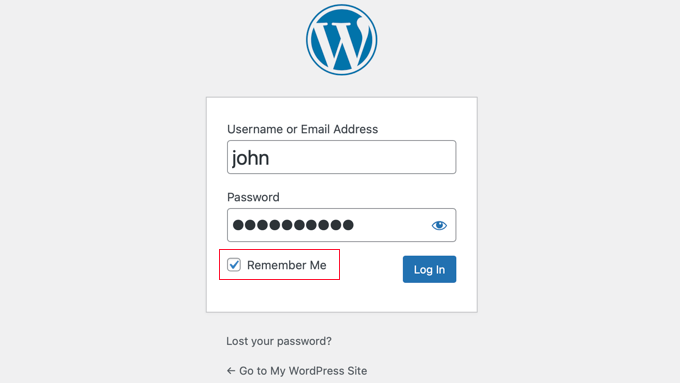
The WordPress Admin Login URL is important to know. It helps you access your website’s control panel. Usually, this URL is easy to find. The common format is yourwebsite.com/wp-admin. You type this in your browser. This takes you to the login page.
Sometimes, the URL is different. Your site might have a custom URL. This happens for security reasons. Check with your website manager if unsure. Always keep this URL safe. It is your website’s key. Remember, never share it with strangers.
After finding the URL, enter your username and password. These details let you in. Keep them secure too. If you forget them, you can reset. Follow the steps on the login page. Stay safe online!
Accessing The Login Page
Most WordPress sites use the same login URL. This makes it easy to find. Type /wp-admin after your site address. This is the default login page. Example: www.yoursite.com/wp-admin. Remember this link. It’s important for logging in.
Some websites change their login URL. This helps keep the site safe. Check with the site owner if you cannot find it. They might use a special link. Write it down once you know it. Always keep it safe. You need it to access the admin area.
Resetting WordPress Password
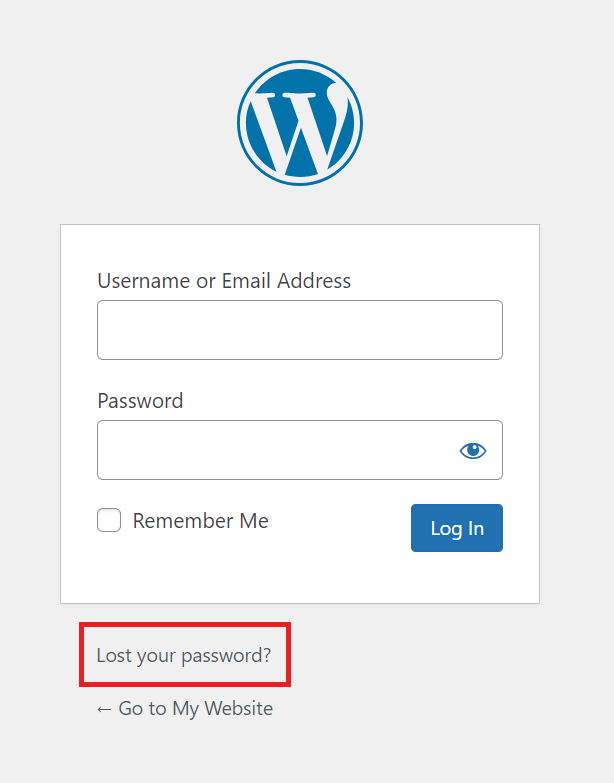
Lost your WordPress password? Don’t worry! You can easily reset it. First, go to the login page. Look for the “Lost your password?” link. Click on it. Enter your email address. Check your email inbox. You will find a reset link. Click the link. Follow the steps to set a new password. Keep your new password safe. Remember it well!
Sometimes email recovery doesn’t work. Then, you can use the database. Open your hosting control panel. Find the phpMyAdmin tool. Select your WordPress database. Look for the wp_users table. Find your username. Click Edit. In the user_pass field, enter a new password. Make sure to choose MD5 from the function menu. Save your changes. Now, try logging in with your new password.
Securing Your Admin Login
Two-Factor Authentication (2FA) adds an extra layer of security. It needs two steps to log in. First, enter your password. Then, use a special code sent to your phone. This makes it harder for hackers. They need both your password and your phone. Protect your site with this easy step. Many plugins can help you add 2FA. Search for them in the plugin store. Choose one that is easy to use. Follow the setup steps carefully. This keeps your site safer.
Limit login attempts to block hackers. They try many passwords to get in. Limit the tries they have. Use a plugin to set a max number. If someone tries too much, they get locked out. This stops many hacking attempts. It keeps your site secure. Check plugin settings to adjust limits. Make sure the plugin is active and working. This adds another layer of safety. Simple steps like this protect your site well.
Troubleshooting Login Issues
Incorrect usernames or passwords can block access. Always check these first. Try typing slowly. Keep caps lock off. Sometimes, the keyboard layout causes errors. Ensure you have the correct language set.
Cache and cookies can create login problems. Clear them to fix issues. This removes old data that may cause trouble. Use your browser settings. Look for options to clear history. Choose to delete cookies and cache. This often solves login errors quickly.
Credit: www.hostinger.com
Using Plugins For Enhanced Security
Enhancing security with plugins protects your WordPress admin login. Plugins like Wordfence or Sucuri add layers of security. They help monitor login attempts, block unauthorized access, and keep your site safe from hackers.
Popular Security Plugins
Security plugins protect your WordPress site from threats. Wordfence is widely used. It offers firewall protection. Another popular choice is Sucuri. It provides malware scanning. iThemes Security improves login security. These plugins help keep your site safe. They are easy to install. They provide alerts for suspicious activity. Regular updates ensure better protection. Choose a plugin that suits your needs.
Configuring Security Settings
Configuring security settings is crucial. Always update plugins regularly. Enable two-factor authentication for extra security. Limit login attempts to prevent hacking. Use strong passwords for admin login. Set alerts for failed login attempts. Regularly check your site for vulnerabilities. Back up your site often. Secure your WordPress admin login effectively. Ensuring your settings are correct protects your site. These steps boost your site’s defense.
Credit: kinsta.com
Frequently Asked Questions
How Do I Find My WordPress Admin Login Url?
The default WordPress admin login URL is usually “yourwebsite. com/wp-admin”. Some websites may customize this URL for security reasons. If you’re unable to find it, check your website’s documentation or contact your hosting provider for assistance.
What If I Forget My WordPress Admin Password?
If you forget your WordPress admin password, you can reset it through the “Lost your password? ” Link on the login page. Enter your username or email address, and you’ll receive a password reset link via email.
Why Can’t I Access My WordPress Admin Login?
If you can’t access your WordPress admin login, check your internet connection and ensure your browser is up-to-date. It might also be due to incorrect login credentials or a plugin conflict. Try clearing your browser cache or disabling plugins.
Can I Change My WordPress Admin Login Url?
Yes, you can change your WordPress admin login URL for added security. Use a plugin like WPS Hide Login to easily customize your login URL. This helps prevent unauthorized access attempts by hackers or bots.
Conclusion
Understanding your WordPress admin login is essential. It keeps your site secure. Regularly update your passwords for safety. Always bookmark your login page. This saves time and stress. Use strong, unique passwords. Avoid using common words. Consider a password manager.
They simplify the process. Stay informed about WordPress updates. These often improve security. Being proactive helps prevent problems. Take time to explore WordPress features. This enhances your website’s performance. Remember, a secure website builds trust. Your efforts ensure smooth operations.
Happy blogging!



