
Are you feeling lost trying to find your WordPress admin login page? You’re not alone.
Navigating through the vast world of WordPress can sometimes feel overwhelming, especially when you just want to log in and get things done. Imagine the relief of knowing exactly where to go each time you need to access your website’s backend.
This simple piece of knowledge can save you time, reduce stress, and make managing your site a breeze. We’ll guide you step-by-step to locate your admin login page, ensuring you can quickly and effortlessly access your WordPress dashboard whenever you need. Ready to take control? Let’s dive in!
Credit: www.hostinger.com
WordPress Admin Login Url
To access your WordPress dashboard, you need a specific URL. This URL is known as the WordPress Admin Login URL. Typically, the format is your website’s address followed by “/wp-admin”. So, if your site is example.com, your login URL is example.com/wp-admin.
You will need your username and password to log in. Make sure to keep these credentials safe. Sometimes, web hosts provide a different login URL. Always check with them if your usual URL doesn’t work.
Accessing The Login Page
Most WordPress sites use a default login URL. This URL is easy to remember. Just add /wp-admin to your site address. For example, if your site is example.com, type example.com/wp-admin. This takes you to the login page.
Sometimes, the URL is /wp-login.php. This is the same page. You can use either URL to log in. Make sure to keep your username and password safe.
Some sites use a custom login URL. This helps keep the site secure. You might use a plugin to change this. Ask your site admin for the URL if needed.
Remember, your login page is important. Always use a strong password. This keeps your site safe and secure.
Common Login Issues
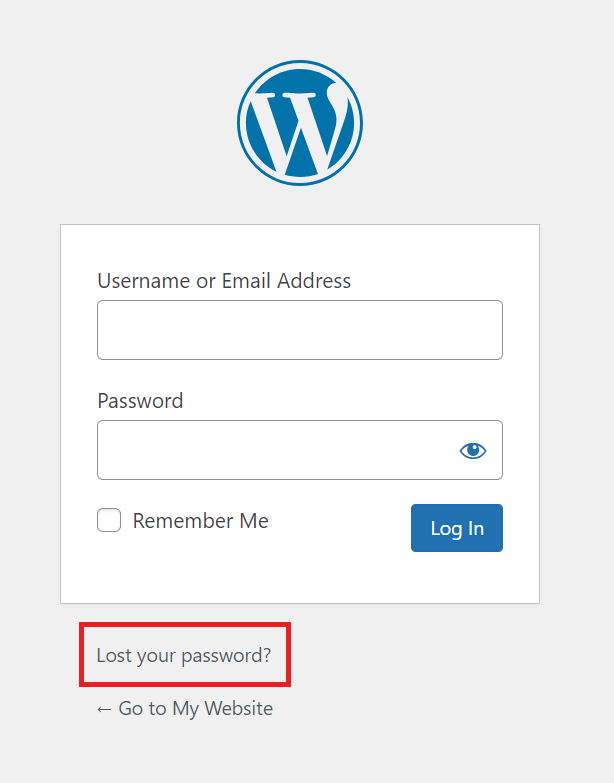
Forget your password? It happens often. You can reset it easily. Click on “Lost your password?” on the login page. Follow the steps to get a new password. Use a strong password and write it down somewhere safe.
Sometimes, users type the wrong username. Check if caps lock is on. Double-check your spelling. Your username is not your email. Make sure you use the correct one.
Being locked out is frustrating. This can happen due to too many failed attempts. Wait a few minutes and try again. You can also use a plugin to help with login issues. Contact your hosting provider if the problem persists.
Credit: www.wpbeginner.com
Enhancing Login Security
Securing the admin login page for WordPress is crucial to protect your website from unauthorized access. Changing the default login URL can help enhance security by reducing the risk of brute force attacks. Simple steps can significantly improve your website’s safety.
Two-factor Authentication
Two-factor authentication adds an extra layer of safety. It uses both a password and a code. The code is often sent to your phone. This way, if someone knows your password, they can’t log in. They need the code too. This makes it harder for bad people to access your site.
Limit Login Attempts
Limiting login attempts helps stop hackers. They can’t try too many passwords. After a few wrong tries, they get locked out. This reduces the chance of guessing your password. It keeps your site safer from attacks.
Strong Password Policies
Strong passwords are hard to guess. They mix letters, numbers, and symbols. A good password is long. It should not be easy to guess. Using strong passwords protects your account. It keeps your information safe.
Customizing The Login Page
Plugins help make the WordPress login page better. Many plugins are easy to use. They allow you to add logos and change backgrounds. Plugins can also add social login buttons. This means users can log in with Facebook or Google. Most plugins have drag-and-drop features. This makes design simple. Always choose a plugin with good reviews. Check if it gets regular updates.
Custom CSS changes the login page look. Use it to change colors and fonts. This makes the page match your site’s style. Many themes come with built-in options. These options help change the login page fast. Always check your theme settings. Some themes even allow full customization. Use these tools to make the page unique and friendly.
Credit: www.veerotech.net
Troubleshooting Login Problems
Browser cache can cause login issues. Clear it to fix problems. Locate the settings in your browser. Find the option to clear cache. Click on it. This removes old data. It can solve login troubles. Make sure to refresh your browser after clearing.
Sometimes plugins interfere with login. Deactivate them one by one. Check if the problem is solved. Use the WordPress dashboard for deactivation. It is easy and quick. Some plugins may be causing issues. You can reactivate them later.
Contact your hosting provider for help. They can assist with login problems. Explain the issue clearly. Providers have tools to help. They can check server settings. They can also look at logs. This might solve your login troubles.
Frequently Asked Questions
How Do I Find My WordPress Admin Login Url?
To locate your WordPress admin login URL, typically add “/wp-admin” or “/wp-login. php” to your website’s domain. For instance, if your site is “example. com,” your admin page would be “example. com/wp-admin”. Ensure you have the correct domain name to access the login page securely.
Can I Change My WordPress Login Url?
Yes, you can change your WordPress login URL for added security. Use plugins like WPS Hide Login to customize the URL. This helps protect your site from unauthorized access attempts. Always remember the new URL to avoid lockouts.
Why Can’t I Access My WordPress Admin Page?
If you can’t access your WordPress admin page, check your internet connection and browser settings. Sometimes, plugin conflicts or server issues may block access. Clear your browser cache or contact your hosting provider for assistance.
Is My WordPress Login Page Secure?
Your WordPress login page can be secure with proper measures. Use strong passwords, enable two-factor authentication, and update regularly. Consider using security plugins to protect against unauthorized access. Always use HTTPS for a secure connection.
Conclusion
Finding your WordPress admin login page is crucial. It helps manage your site. Bookmark the URL for easy access. Keep your login details safe. Use strong passwords for security. Regular updates ensure protection from threats. Explore WordPress settings to optimize your site.
Remember, your admin page is the gateway. It allows you to control your content. Practice caution and stay informed. This enhances your WordPress experience. Empower yourself with knowledge. Stay proactive with your website management. Understanding this page boosts efficiency. It simplifies your workflow.
So, manage your WordPress with confidence.



