
Imagine having a crystal ball for your WordPress website. A tool that not only shows you where your website traffic is coming from but also which pages keep your visitors glued and which ones make them leave.
This is exactly what MonsterInsights does for you. If you’ve ever felt lost trying to understand Google Analytics data, you’re not alone. But what if I told you that MonsterInsights can turn those confusing numbers into easy-to-read reports right on your WordPress dashboard?
You’ll finally know what’s working and what isn’t, helping you make smarter decisions to grow your website. Stick around, and you’ll learn how this powerful tool can transform the way you look at your site analytics, making data not just accessible but actionable.
Introduction To Monster Insights
Monster Insights is a tool for WordPress websites. It helps you see how people find your site. It shows what they like and do not like. It is easy to use and helpful for beginners.
This tool connects with Google Analytics. You can watch your website’s traffic without leaving WordPress. It gives you important data. You can make better decisions with this information.
Many people choose Monster Insights for its simple setup. No coding is needed. It is made for people who want to learn more about their site. Easy reports make it fun to use.
Features Of Monster Insights
Real-Time Analytics shows data as it happens. See who visits your site now. View current page views, locations, and devices. This helps in understanding user behavior instantly.
Enhanced Ecommerce Tracking helps in viewing sales data. Track products and transactions. Understand customer shopping habits. Improve your sales with these insights.
Custom Dimensions let you track specific data. It can be any info you want. Measure author performance or post types. It helps in gathering specific data for analysis.
Affiliate Link Tracking is crucial for partners. Know how many clicks your links get. Measure success of your affiliate campaigns. It helps in optimizing your strategies.
GDPR Compliance ensures your site follows rules. Protect user data and privacy. Monster Insights makes it easy. It helps in staying compliant with legal standards.
Installation Process
First, visit the WordPress dashboard. Go to the Plugins section. Click on Add New. In the search bar, type Monster Insights. Find the plugin and click on Install Now. Wait for the installation to complete.
After installing, click on the Activate button. The plugin is now active. Check the left panel for the Insights tab. This means the plugin is ready to use.
Open the Insights tab. Follow the setup wizard. Choose your website category. Connect to your Google Analytics account. Allow the required permissions. Complete the setup by clicking Finish Setup.

Credit: wordpress.org
Setting Up Monster Insights
First, install Monster Insights on your WordPress site. Then, go to the settings. Find the option to connect. Click on it. You’ll be asked to log into your Google account. Choose the account linked to Google Analytics. Allow the required permissions. Your site is now connected. You can see your data easily.
Open the tracking settings in Monster Insights. You’ll find many options. Enable the basic tracking first. This includes page views and sessions. You can turn on more options later. Make sure to save changes. Now, your site tracks visitors properly. This helps in understanding user behavior.
Explore the advanced features in Monster Insights. They offer more insights. Enable eCommerce tracking if you run a store. Check out form tracking for contact pages. You can also track custom events. These features are useful for detailed reports. Make sure to review each setting. Use features that suit your needs.
Dashboard Overview
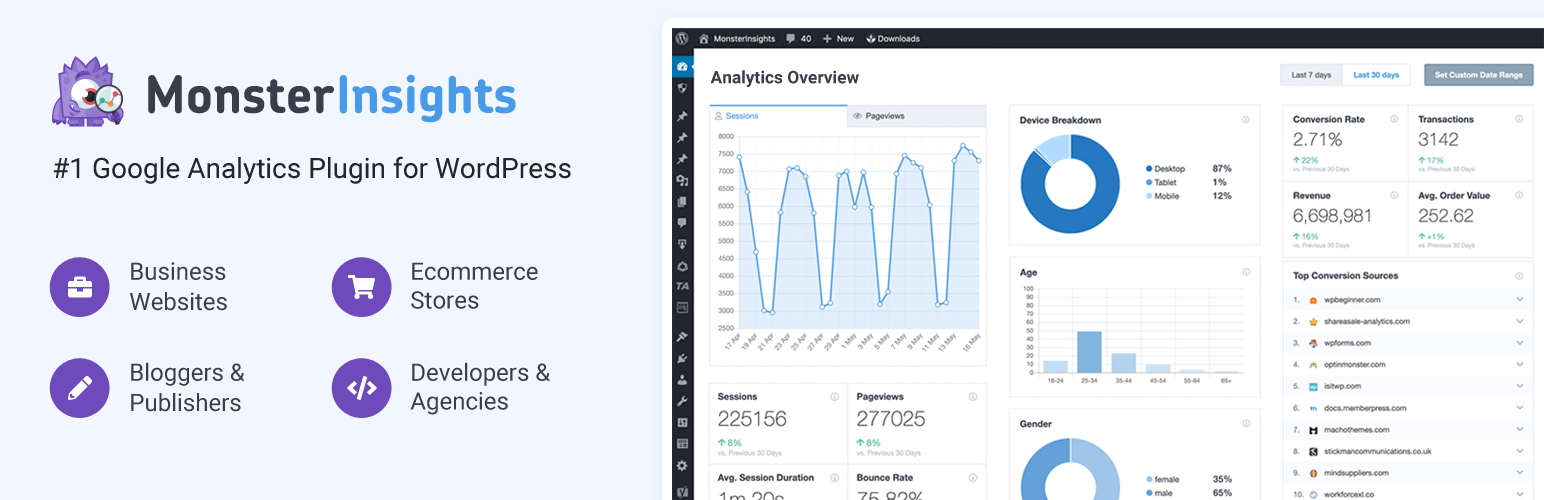
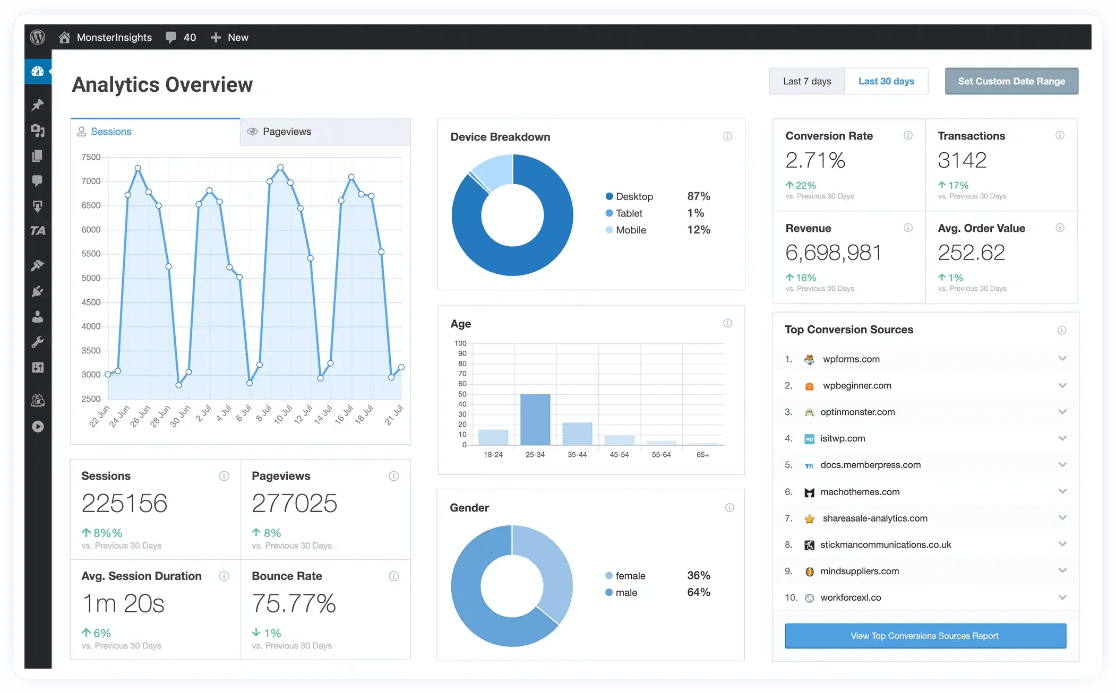
Monster Insights helps you see website data clearly. You can view traffic and user behavior. Reports are easy to read. They show visitor numbers, popular pages, and referral sources. This helps you know what works well on your site.
Make your dashboard fit your needs. Choose which metrics are shown. You can add or remove widgets. This helps to focus on important data. Personalize layout for better understanding. A neat dashboard makes tracking easier.
Learn to interpret data correctly. See what users like and dislike. Numbers tell you about user engagement. Use insights to improve your site. Analytics help in making smart decisions. Understand trends and patterns for better results.
Monster Insights Add-ons
This add-on helps you track your online store’s performance. Sales data is collected and shown. You can see conversion rates easily. Understand what products sell best. Improve your store with this data. Simple reports make it easy.
Forms Tracking lets you know how forms perform. Get insights on form submissions. See which forms are most popular. Understand how users interact with forms. Use this data to enhance user experience. Optimize forms for better results.
Ads Tracking add-on shows ad performance. Know which ads get clicks. See impressions and engagement rates. Understand which ads work best. Improve ad strategies with this data. Get clear and simple reports.
Benefits For Website Owners
Monster Insights helps you make better choices. You can see what works best. Find out which pages people like. Understand where visitors come from. This data helps you plan smarter.
Make your website easier to use. With Monster Insights, you learn what visitors need. Improve page speed and make navigation simple. Happy visitors return often.
More visitors can mean more money. Monster Insights shows which products sell well. Track sales and see trends. Use this information to boost your sales.
Credit: wpengine.com
Common Challenges
Integration can be tricky for some users. Sometimes, the tool doesn’t connect well. This can cause frustration. It might not show the data you expect. Make sure to follow all the steps. Check the settings carefully. Ask for help if needed. Support can guide you through the process.
Data accuracy is important for all users. Wrong data can mislead decisions. Always check your data twice. Compare it with other tools. If numbers don’t match, look for errors. Fixing them early helps a lot. Keep your data clean and correct.
Plugin conflicts can cause problems. Some plugins don’t work well together. This might break your site. Always test new plugins first. Use a backup just in case. This keeps your site safe. Check plugin updates regularly. Updated plugins are often better.
Alternatives To Monster Insights
Google Analytics by Yoast is a popular choice. It connects your site to Google Analytics. This tool is easy to use. It helps you track visitor data. You can see how people find your website. Many users find it helpful.
Analytify is another option. It displays stats right in your WordPress dashboard. No need to leave your site to check data. It offers easy-to-read reports. Analytify is great for beginners. It helps you understand website traffic.
WP Statistics is a powerful tool. It does not require external services. All stats are stored on your server. This tool is simple yet effective. You can see visitor details easily. It’s good for those who like privacy.
Credit: www.monsterinsights.com
Frequently Asked Questions
What Is Monster Insights In WordPress?
Monster Insights is a powerful analytics plugin for WordPress. It helps users track website performance easily. You can view detailed reports without leaving your WordPress dashboard. It simplifies Google Analytics integration. This tool is ideal for beginners and experts alike.
How To Install Monster Insights On WordPress?
To install Monster Insights, log in to your WordPress dashboard. Navigate to the ‘Plugins’ section. Click ‘Add New’ and search for Monster Insights. Install and activate the plugin. Follow the setup wizard to integrate Google Analytics. It’s quick and user-friendly.
Is Monster Insights Free To Use?
Monster Insights offers both free and premium versions. The free version includes basic analytics features. Premium plans provide advanced tracking, reports, and support. Choose a plan based on your needs. The free version is suitable for beginners.
What Features Does Monster Insights Offer?
Monster Insights offers various features for website analytics. It provides real-time stats, eCommerce tracking, and custom reports. You can track user behavior, conversions, and more. Its user-friendly interface makes it easy to understand complex data. It’s designed to enhance your website’s performance.
Conclusion
Monster Insights simplifies tracking website performance on WordPress. It offers user-friendly insights. No coding skills needed. Get clear analytics and understand visitor behavior easily. Make informed decisions to improve your site. Enhance user experience with accessible data. A great tool for beginners and experts alike.
Make your WordPress site thrive. Boost engagement and grow your audience. Start using Monster Insights today for better results. Gain valuable insights with minimal effort. It’s a smart choice for any website owner.



