
Ever feel overwhelmed by the clutter of images, videos, and files on your WordPress site? Imagine trying to find a specific image among thousands.
It’s like searching for a needle in a haystack. You’re not alone. Many WordPress users face this challenge, but the solution is simpler than you might think. Enter the Media Library Folder. This powerful feature can transform how you manage your digital assets, making your life easier and your website more efficient.
Curious to see how it can make a difference for you? Let’s dive into the world of Media Library Folders and discover how they can streamline your content management.
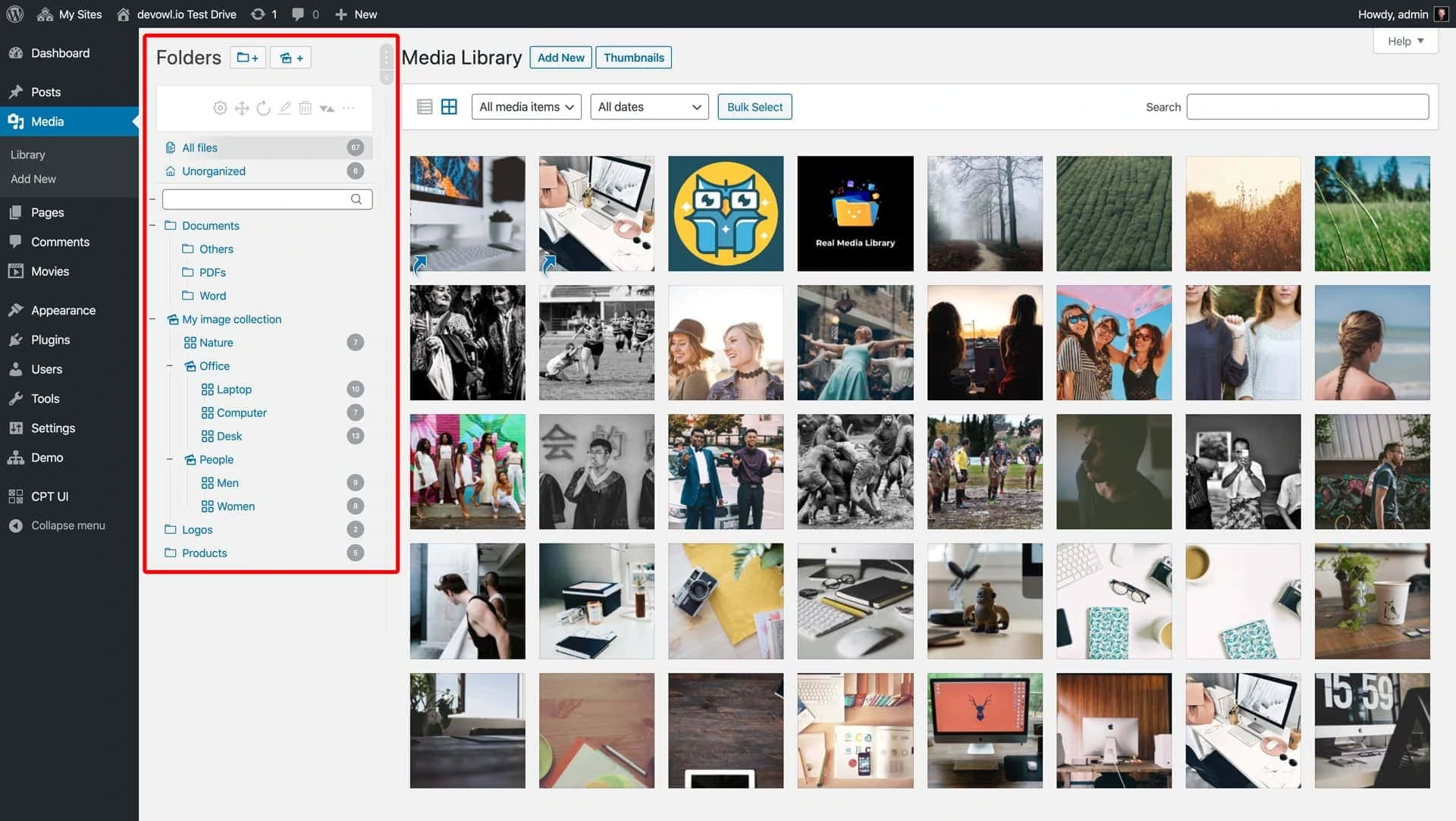
Credit: devowl.io
Media Library Basics
The WordPress Media Library is a storage place. It holds images, videos, and other files. You can find it in your WordPress dashboard. This helps keep things organized. It makes finding files easy.
Uploading files is simple. Just click “Add New”. This opens a window. You can drag files here. Or click “Select Files” to browse your computer. These files can be used in your posts and pages. It’s important to use clear file names. This helps when searching later.
Categories and tags help too. They make sorting files easier. You can add these when you upload. This saves time in the future. The Media Library is a useful tool. It keeps your site neat and organized.
Role Of Media Library Folders
Media Library Folders help organize your images and files. They keep your site tidy and easy to manage. Imagine a big box with all your toys. Without order, finding your favorite toy is hard. Media Library Folders act like drawers in this box. You put similar toys together. This way, finding what you need becomes simple and quick.
Folders make it easier to manage large amounts of media. They help you locate specific files fast. No more scrolling through endless lists. You can sort files by type or date. This saves time and reduces confusion. Managing media becomes less stressful. A neat library boosts your site’s performance.
Benefits Of Using Folders
Media Library Folders help keep files neat and tidy. Finding images and documents becomes easy. You can create folders for different types of media. For example, one folder for photos and another for videos. Everything stays in its place. No more confusion or mess. This makes your work more efficient.
Searching for files becomes faster with folders. You can quickly find what you need. Sorting files into folders helps a lot. You save time by not scrolling through endless lists. Folders make searching simple and quick. This helps you stay focused and productive.
Setting Up Media Library Folders
WordPress media library folders help organize your images, videos, and documents efficiently. They improve accessibility by categorizing media files into specific folders. This structure simplifies finding and managing media assets, enhancing website productivity.
Installing Plugins
WordPress needs plugins for extra features. To set up media folders, install a plugin. Many plugins help organize your media. Some popular ones include “Media Library Folders” and “FileBird”. These plugins are free or paid. After installation, activate the plugin. This allows you to create folders easily.
Configuring Folder Structure
Organizing files is important. It keeps your media neat. Start by creating folders for images, videos, and documents. Give each folder a clear name. This helps find files quickly. You can also create subfolders. For example, a “Photos” folder can have “Events” and “Products” as subfolders. This structure makes browsing easy. Always update folders as needed. This keeps your library organized.
Managing Media With Folders
Uploading files is easy with folders. Click on the Upload button. Choose your file. Drag and drop files into the folder. This helps keep your files organized and easy to find. You can upload images, videos, and documents. Keep everything in one place.
Moving files is simple. Click and drag the file to a new folder. This makes it easy to keep things tidy. You can also rename files. Click the file name and type a new one. This helps you know what each file is. Renaming helps when you have many files.
Best Practices For Folder Usage
Media Library Folder in WordPress helps organize images and files. It creates folders to keep everything tidy and easy to find. This makes managing media in WordPress simple and efficient.
Consistent Naming Conventions
Choose clear and simple names for folders. Use words people understand easily. Avoid long names or complex words. Keep names short. Always use the same style for naming. This helps in finding files quickly. Organize folders by categories. This makes searching faster. Use numbers if needed. For example, “01-Images”. Consistency is key in naming. It reduces confusion. It saves time.
Regular Maintenance
Check folders often. Delete old files you do not need. This keeps folders neat. Organize new files as soon as you add them. Keep the folder structure clean. This helps in easy access. Review folder contents regularly. This ensures everything is in order. Keep the library updated. This aids in efficient work. Regular checks keep folders tidy.
Popular Plugins For Folders
Media Library Folder in WordPress helps you organize your media files easily. It sorts images, videos, and documents into folders. This keeps your media library tidy and improves efficiency in finding files.
Plugin Features
Media Library Folder plugins help organize your files. They make file management easy. Some plugins offer drag-and-drop features. Others let you create unlimited folders. You can also rename files quickly. Many plugins support bulk actions. This saves time when managing many files. Look for plugins with search and filter options. They can help you find files fast.
Comparison Of Options
| Plugin Name | Main Feature | Price |
|---|---|---|
| FileBird | Drag-and-drop folders | Free/Paid |
| Media Library Folders | Unlimited folders | Paid |
| WP Media Folder | Bulk actions | Free/Paid |
Troubleshooting Common Issues
Plugins can cause problems with the Media Library Folder. Some plugins might not work well together. This can make your website slow or broken. Always check which plugin is causing the issue. Disable one plugin at a time. See if the problem goes away. This helps find the bad plugin. Update your plugins often. Use plugins that people trust. This can stop problems before they start.
Sometimes files go missing from the Media Library. This can be scary. Always keep backups of your files. Check if the files are in the right folder. Look in the Media Library settings. Make sure paths are correct. If files are still missing, ask your web host for help. They can check server issues. Regular checks can save you from big troubles later.
Future Of Media Library Folders
Media management is always changing. WordPress keeps improving. Users want better organization. Media folders help with this. They keep files tidy. Users find what they need fast. Organizing media saves time. Sorting is easier with folders. New tools may come soon. These tools will make work easier. Automation is a big trend. It helps organize files. Users see benefits quickly. This is good for bloggers. It helps websites run smooth. Efficiency is important. Media folders support this. They help with big projects. Keeping media sorted is key. Updates will likely focus on this.
WordPress updates bring new features. Media library changes will be exciting. New tools help users. They improve file search. Filtering might get better. Users want quick results. Updates can make searches faster. Organizing files will be easier. Improved designs may come. They help users see files clearly. Updates can add new layouts. This makes media viewing simple. User-friendly options are important. They attract new users. Updates help keep WordPress popular. They make tasks simple for all. Users look forward to these changes. They hope for easier media management.

Credit: wickedplugins.com
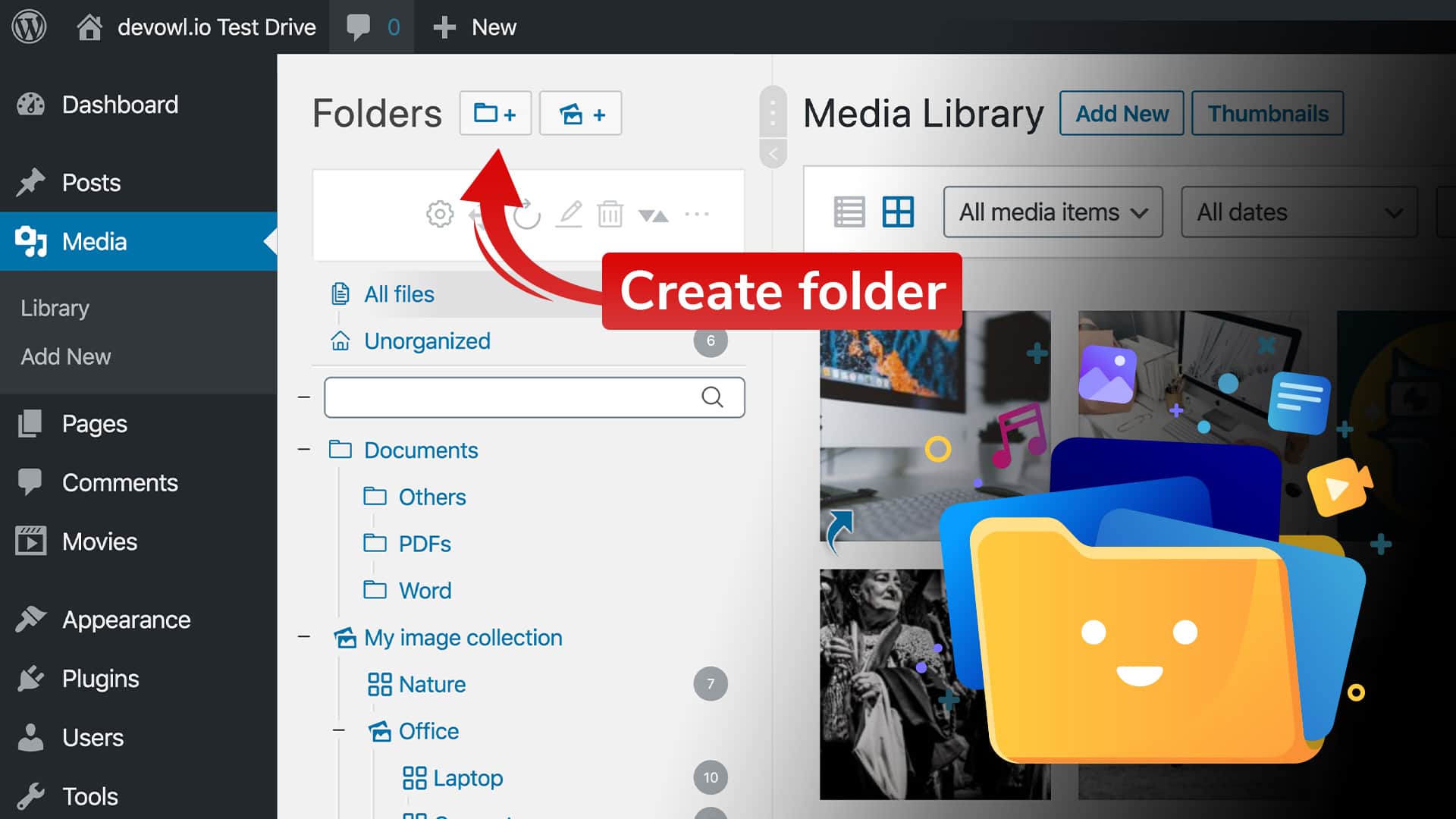
Credit: devowl.io
Frequently Asked Questions
What Is A Media Library Folder?
A Media Library Folder in WordPress is a way to organize media files. It helps manage images, videos, and documents more efficiently. By categorizing files into folders, users can easily find and edit their media content. This feature enhances site management, saving time and improving workflow.
How To Create Media Library Folders?
To create Media Library Folders in WordPress, you need a plugin. Plugins like “Media Library Organizer” offer folder creation options. Install and activate the plugin, then create folders within the media library. It simplifies file management and enhances organization. This method is user-friendly and effective.
Can Media Library Folders Improve Seo?
Yes, Media Library Folders can improve SEO by organizing media files. Organized media helps optimize images and videos better. This enhances site load speed and user experience, key SEO factors. Properly tagged and categorized media contributes to improved search engine rankings.
Are Media Library Folders Free To Use?
Media Library Folders often require plugins, which may be free or paid. Several plugins offer free versions with basic features. Advanced features may require a premium version. Assess your needs and choose accordingly. Free options can suffice for simple organization tasks.
Conclusion
A Media Library Folder in WordPress organizes your files neatly. It simplifies media management, saving you time. Finding images or documents becomes easy. No more cluttered libraries. This tool enhances efficiency for bloggers and creators. You can sort, rename, and locate files quickly.
A tidy library boosts productivity. It helps maintain focus on content creation. Enjoy a smoother workflow with organized media. Start using folders today for better file management. Explore its features and streamline your WordPress experience. Organizing media has never been so simple and effective.
Make your blogging journey easier and more enjoyable.



