
Have you ever found yourself wondering what exactly an image URL is in WordPress and why it matters? You’re not alone.
Understanding image URLs can significantly enhance your website’s performance and user experience. Think of image URLs as the secret addresses that unlock the vibrant visuals on your site. They play a crucial role in ensuring your images load quickly and look great, no matter what device your visitors use.
By grasping this concept, you can elevate your WordPress site from good to great. Dive into this article to discover how mastering image URLs can transform your website into an engaging, visually stunning destination that keeps your visitors coming back for more.

Credit: help.memberspace.com
Image Url Basics
An Image URL is a web address. It shows where an image is stored. This URL is like a home for the image on the internet. You can use it to view or share images. Every image has its own URL. This makes it easy to find.
In WordPress, uploading an image creates a URL. This URL is unique for each image. When you want to use the image, you need this URL. It helps you add images to posts and pages. It’s important for organizing your media library.
Role In WordPress
Image URLs help WordPress find and show images on your site. They are paths or links that point to where images live online. You can change or set these URLs when you upload images to your WordPress library. This makes sure they show up correctly on your posts and pages.
When you add an image to a WordPress post, it uses the image URL to display it. The URL is like a map that tells WordPress where to find the image. If the URL is wrong, the image won’t show. You can also edit image URLs if you move your images to a new place online.
Getting image URLs right is very important. Your site looks nice and works well. People see your images clearly. Search engines also use image URLs to help find your site.
Finding Image Urls
Open your WordPress dashboard and click on Media. You will see all your images there. Click an image to open its details. The URL of the image is shown in the file URL box. Copy this URL if you need it. This is how you find an image URL through the media library.
Go to a page with the image you want. Right-click on the image. A menu will appear. Choose “Open image in new tab.” The URL in the browser is the image URL. This method is quick and simple. Always make sure you have the right permissions to use the image.
Using Image Urls
An Image URL is a web link. It shows where an image is stored. In WordPress, you can use these URLs in posts. Copy the URL of an image. Then, paste it into the post editor. The image will appear in your post. It’s simple and easy. This method keeps your posts clean and neat.
Widgets in WordPress can also use Image URLs. Add a widget to your sidebar or footer. Paste the image URL into the widget settings. The image will show where you want it. This is great for logos or banners. Widgets make your site look lively. They add color and interest.
Seo Considerations
Alt text is crucial for images. It helps search engines understand them. Describing the image well is important. This boosts your site’s SEO. Alt text should be clear and concise. Use relevant keywords but avoid keyword stuffing. This helps both SEO and accessibility.
Alt Text Importance
Good alt text explains the image. It should be simple. Make sure it is relevant. This helps people who can’t see images. It is important for accessibility. It also helps search engines. Clear alt text is key for better SEO.
File Naming Practices
File names matter too. Use descriptive names for images. Avoid using random numbers or letters. This helps search engines understand the image. Include keywords in the file name. Keep it simple and relevant. This boosts your SEO efforts.
Troubleshooting Common Issues
Discover the role of image URLs in WordPress. These are web addresses linking to images in your media library. Understanding their structure helps in troubleshooting display issues on your website.
Broken Links
Broken links make websites confusing. Users get frustrated. They can’t find what they need. This happens if image URLs change. Old links break. It’s important to check links often. This keeps your site working well. Use tools to find broken links easily. Fix them quickly to keep visitors happy.
Incorrect Url Paths
Incorrect URL paths lead users to the wrong place. They see errors instead of images. This happens if images are moved. Or if the URL is typed wrong. Double-check each path for accuracy. Use plugins to manage URLs. They help keep paths correct. Always test after making changes.
Security Concerns
Understanding the image URL in WordPress is crucial for security. These URLs can expose sensitive data if not managed properly. Always ensure image URLs are secure to protect your site from potential threats.
Preventing Hotlinking
Hotlinking can slow your website. It uses your server’s resources without permission. Other sites steal your images. This is unfair and can be costly. Preventing hotlinking is important. You can use plugins in WordPress. They help stop this problem. Some plugins are free. Others have more features. These features help protect your images. Your server will be safer. Your site will load faster.
Image Url Privacy
Keeping image URLs private is smart. Anyone can see public URLs. They can misuse your images. Secure URLs protect your content. Use plugins to make URLs private. This keeps your content safe. Only people with permission can view them. Your images stay yours. Your website stays secure.
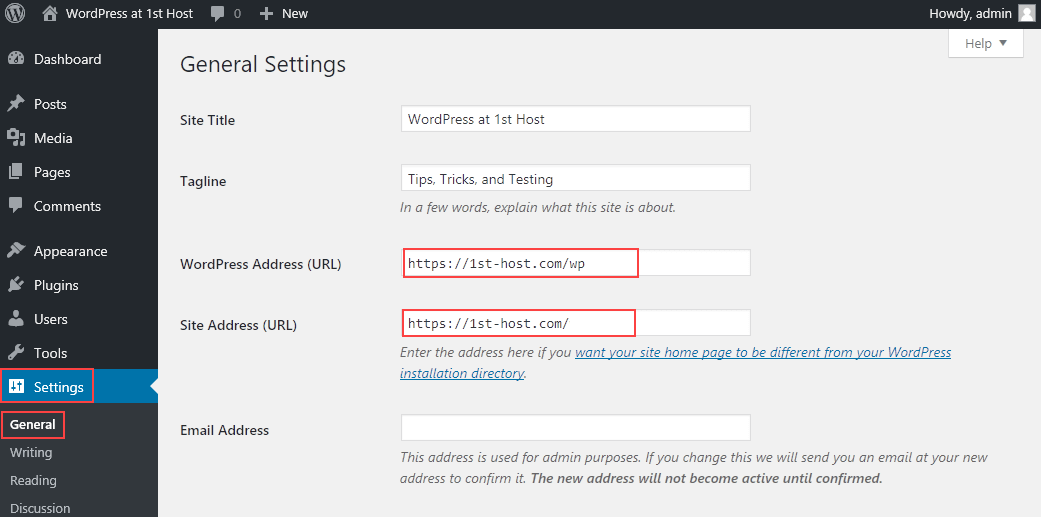
Credit: www.hostpapa.com
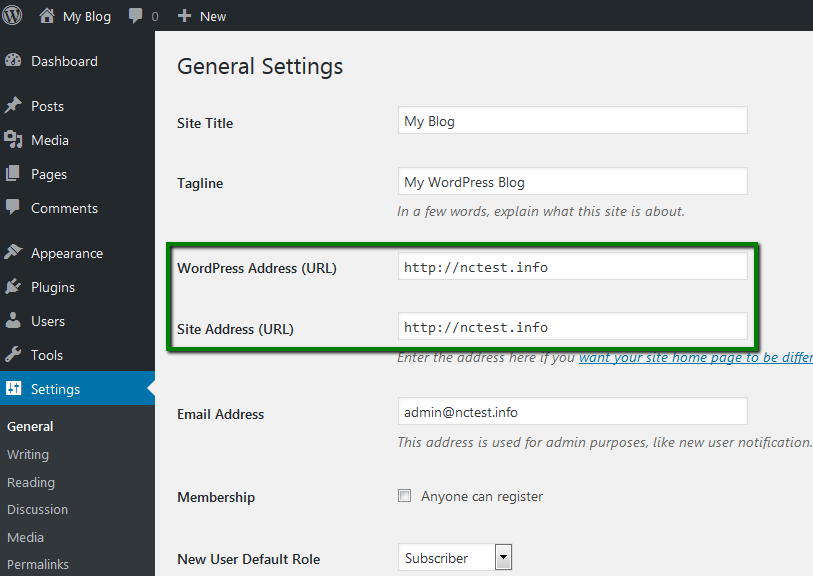
Credit: www.namecheap.com
Frequently Asked Questions
How Do I Find An Image Url In WordPress?
In WordPress, locate your image in the Media Library. Click on it to open the details window. You’ll see the image URL on the right side, under “File URL”. Copy this URL for use in posts or pages.
Why Use Image Urls In WordPress?
Image URLs help embed images directly into posts or pages. They allow for easy sharing and linking. Using URLs ensures images load faster, improving site performance and user experience.
Can I Edit An Image Url In WordPress?
No, you cannot directly edit an image URL in WordPress. The URL is generated by WordPress based on your site’s structure. To change it, you need to upload the image again.
How Do Image Urls Affect Seo?
Image URLs contribute to SEO by providing context to search engines. Use descriptive filenames and alt text to improve image search rankings. Properly optimized images can enhance overall site visibility.
Conclusion
Understanding the image URL in WordPress simplifies your website management. With this knowledge, uploading and linking images becomes easier. You can enhance your site’s visual appeal efficiently. Image URLs help organize your media library. They also ensure fast loading times, improving user experience.
Remember to choose the right image size for better performance. Keep your URLs clear and descriptive. This aids in SEO and user navigation. Now, you can confidently manage your WordPress images. Your site will look professional and function smoothly. Happy blogging!



