Have you ever stumbled upon a WordPress site that seamlessly integrates content from other websites, like videos, maps, or even entire web pages, without redirecting you elsewhere? That’s the magic of iframes at work.
If you’re curious about how iframes can enhance your WordPress site, you’re in the right place. Understanding iframes is like unlocking a secret door to a world of possibilities where you can enrich your content effortlessly. You might be wondering what exactly an iframe is and how it can benefit your website.
This article will guide you through the ins and outs of iframes in WordPress, revealing how they can transform your site into a more dynamic, interactive, and engaging experience for your visitors. Ready to discover how to elevate your content? Let’s dive in.
Iframe Basics
An iframe is a simple tool. It lets you show web pages inside other web pages. In WordPress, iframes are useful. They help display content from other sites. Using iframes is easy. Just insert a small code snippet. This code tells WordPress what to show. You can display videos, forms, and maps.
But be careful. Not all websites allow iframes. Some might block them for security. Always check if a site supports iframes first. For WordPress beginners, iframes are handy. They make adding content simple and quick.
Credit: wordpress.org
WordPress Integration
Iframes are helpful in WordPress for displaying content from other websites. It is like a window that shows another web page inside your site. This can be a video, a map, or other interactive content. You do not need to copy all the data to your site. Just use an iframe to show it.
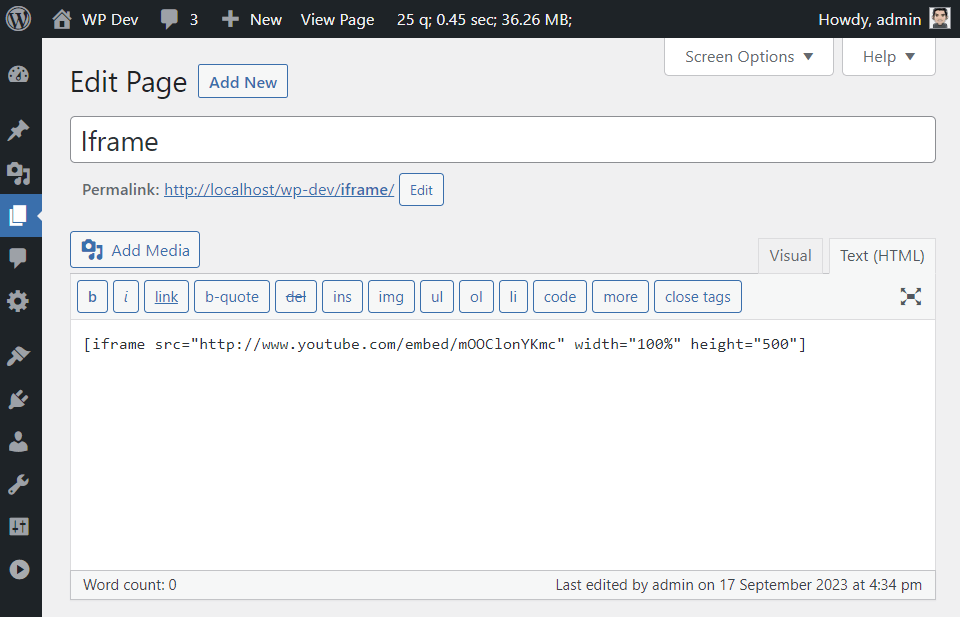
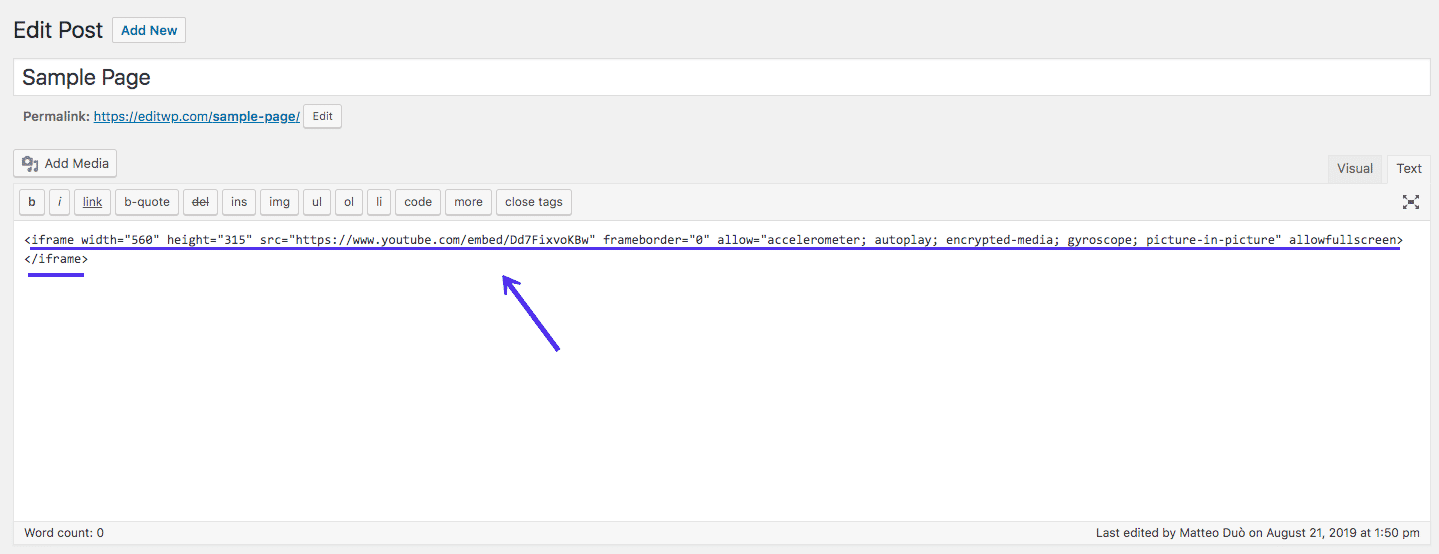
It is easy to add an iframe in WordPress. You paste the embed code into the post or page editor. It works in HTML view. Make sure to check the size. Adjust it so it fits well on your site. This keeps the page looking nice and clean.
Benefits Of Using Iframes
Iframes let you show content from other sites on your webpage. This keeps your site neat and organized. You can use iframes to add videos, maps, or forms. This saves space and improves user experience. Iframes help in making websites more interactive.
Content inside iframes loads independently. So, your main page stays fast. You can also update iframe content easily. No need to change your main site. This is useful for dynamic content. Iframes can also keep your site secure. They separate outside content from your main site.
Potential Drawbacks
Using an iframe can slow down your site. It can make the page load slower. This happens because the iframe pulls in content from another site. Users may see a delay before the page shows fully. This affects the user experience.
Iframes might not work on all devices. Some mobile devices struggle with iframe content. This can cause a poor display or missing parts. Users may get frustrated and leave your site.
Search engines may not see the iframe content. This can hurt your site’s SEO. Your page might not rank as high. It’s important to consider these issues when using iframes.
Security Considerations
Iframes can show content from other places. They might bring risks. Hackers might use iframes to harm your site. They can put bad code in them. It is important to check the source of the iframe. Trust only safe websites. Use security plugins for extra safety.
Some sites might not let their content be shown in iframes. This is to keep their site safe. WordPress users should be careful. Always keep your site and plugins updated. Regular updates help in fixing security holes.
XSS attacks are a risk with iframes. These can steal data or harm your site. Limit the use of iframes if unsure. Testing an iframe before using it can be helpful.
Seo Implications
Iframes can impact SEO in different ways. Search engines may not index content inside iframes. This is important for SEO strategy. Using iframes can affect the site’s loading speed. Slow speed may reduce user experience. Search engines prefer fast-loading sites. Fast sites rank better. Iframes can cause issues on mobile devices. Mobile-friendly sites rank higher. It is crucial to test iframes on phones. Optimizing iframes can improve SEO performance. Use iframes wisely for best results.
Customization Tips
Iframe lets you add content from other sites to your page. You can change the width and height of the iframe. This makes it fit better on your site. Adding a border can make the iframe look nicer. You can change the border color to match your site’s theme. Making the iframe scrollable is a good idea if the content is big. This lets users see all the content without leaving your page. Try not to use too many iframes. They can slow down your page. Use iframes wisely for a better user experience.
Common Use Cases
An iframe in WordPress lets you show other sites’ content. You can embed videos, maps, or forms easily. It keeps users on your page longer. The iframe acts like a window to another site. You don’t need to leave your site to view the content. This feature is helpful for showing interactive content.
You can also use iframes for social media feeds. This keeps your site fresh with the latest updates. Product demos can also be shown through iframes. This helps visitors understand products better.
Iframes are easy to add in WordPress. You just need a simple code. No advanced skills are needed. This makes it a popular choice for many site owners. Always ensure the iframe’s content is safe and trusted. This protects your site and your users.
Troubleshooting Iframes
Iframes sometimes don’t work right. Blocked content can be a reason. Check the source URL. It must be correct. Browser settings can also block iframes. Look for any security settings. These might need changes.
Plugins in WordPress affect iframes too. Disable plugins one by one. This can find the problem. Themes might also cause issues. Switch to a basic theme. See if the iframe works.
Code errors can occur in iframes. Check the HTML code. Ensure it is correct. JavaScript can break iframes. Test with different scripts. This can solve the issue.
Credit: kinsta.com
Credit: kinsta.com
Frequently Asked Questions
How To Embed An Iframe In WordPress?
Embedding an iframe in WordPress is simple. Use the Custom HTML block in Gutenberg or the Text editor in Classic Editor. Paste your iframe code directly into the editor. Preview your page to ensure proper display, and adjust settings if necessary.
Can Iframes Affect WordPress Site Performance?
Iframes can impact site performance if not used wisely. Large or multiple iframes may slow down loading times. Optimize iframes by minimizing external content and ensuring responsive design. Regularly monitor performance using tools like Google PageSpeed Insights.
Are Iframes Mobile-responsive In WordPress?
Iframes are not inherently mobile-responsive. Use CSS to make them responsive. Add custom styling to ensure iframes adapt to different screen sizes. Test on various devices to ensure proper display and user experience across all platforms.
Can Iframes Be Used For Seo In WordPress?
Iframes do not directly boost SEO. Search engines cannot index content within iframes. Use iframes wisely by complementing them with optimized, indexable content. Focus on enhancing user experience and engagement, which indirectly benefits SEO.
Conclusion
Iframe in WordPress simplifies embedding external content. It’s a handy tool. Easy for beginners. You can add videos, maps, and more. Enhances your site’s functionality. Just ensure security settings are in place. Use trusted sources. This keeps your website safe.
Iframes support interactive content. They engage visitors effectively. Remember to monitor load speed. Too many iframes can slow it down. Balance is key. Experiment with iframes on your site. See how they improve user experience. Your website can offer more.
Keep learning and exploring options. Your WordPress journey is just beginning.