
Have you ever wondered why some WordPress pages catch your eye instantly? The secret often lies in the featured image.
A featured image is not just a pretty picture; it’s a powerful tool that can make your content shine. Imagine scrolling through a sea of articles, and one image grabs your attention. That’s the magic of a well-chosen featured image.
It can entice readers, set the mood, and even boost your SEO. Curious to know how you can harness this power for your WordPress page? Let’s dive into the world of featured images and discover how they can transform your content from ordinary to extraordinary.
Credit: glorify.com
Featured Image Definition
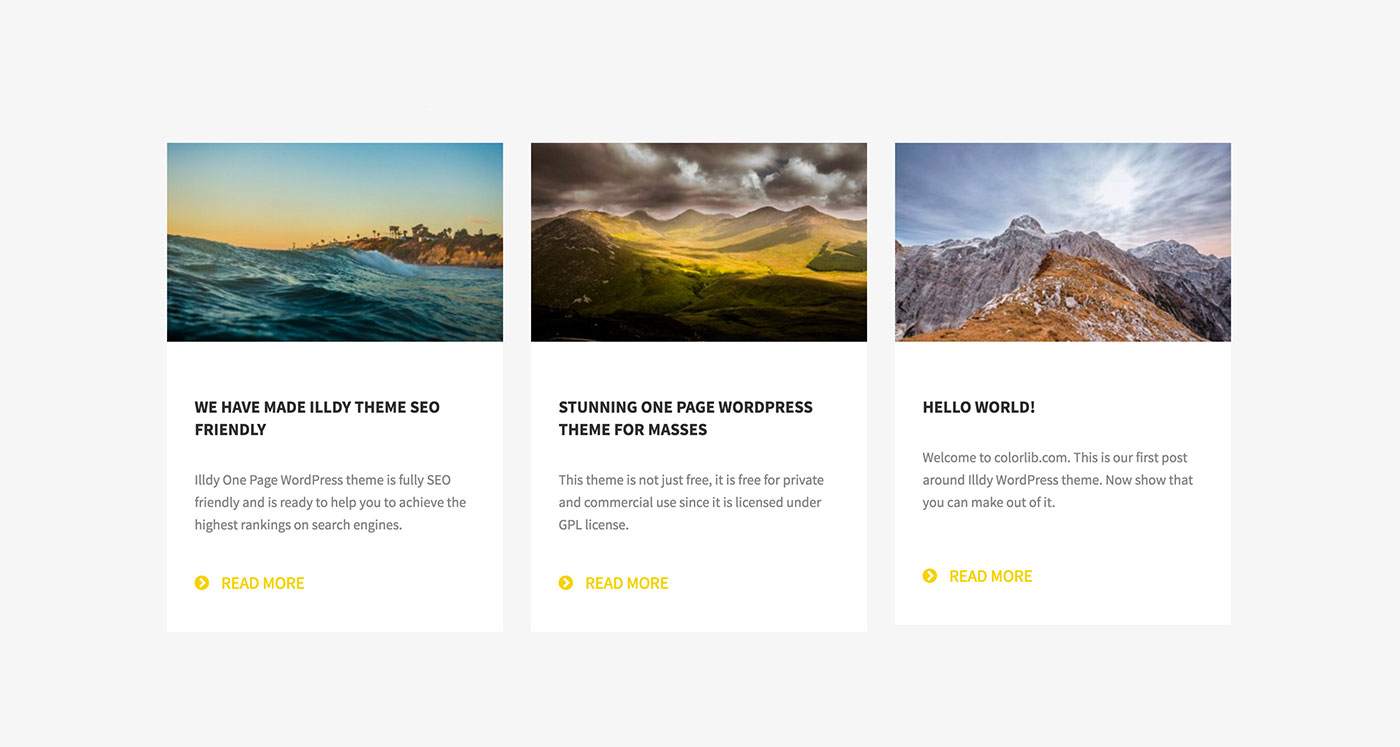
Featured images are important for blog posts. They are the main image for the page. This image grabs attention. It represents the content visually. People understand content better with images. A good image can attract more readers. It makes the page more engaging.
WordPress uses featured images in many places. These include archives and recent posts. They are part of the page’s design. Users see them on social media too. Images help in sharing posts. They make posts look appealing.
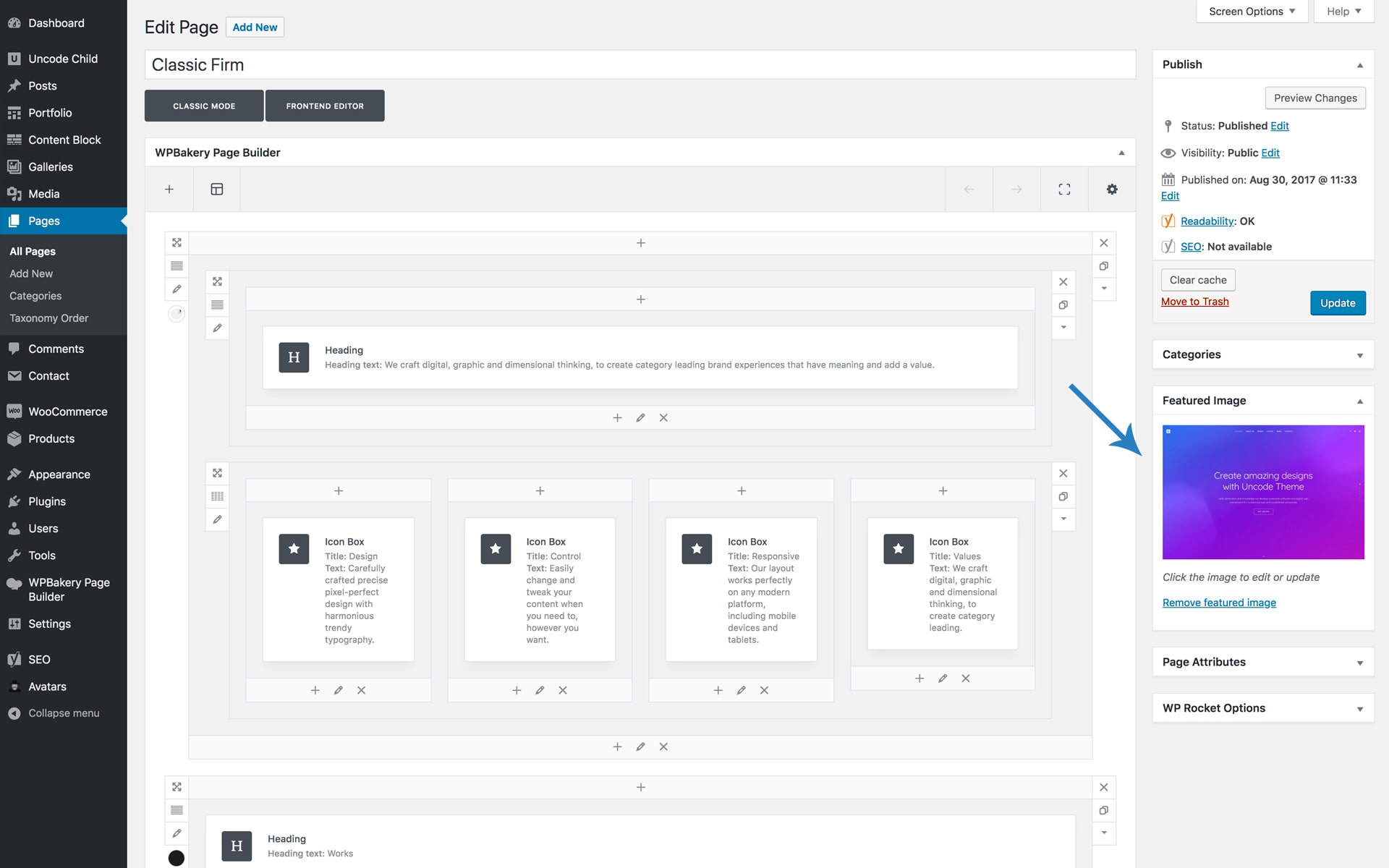
Adding a featured image is easy. It is done in the WordPress editor. Click on “Set featured image”. Choose an image from the library. Upload if needed. It is simple and quick.
Credit: support.undsgn.com
Importance Of Featured Images
Featured images make your page look better. They catch eyes fast. Colors and shapes draw people in. A good image makes your page stand out. It helps people remember your site. People like pretty pictures.
Use the same style for all your images. It builds your brand. People know your style when they see it. Colors and design should be the same everywhere. This makes your brand strong. People trust brands they know.
Images give a sneak peek of your content. They show what the page is about. This helps users decide if they want to read more. Images tell stories without words. People understand pictures quickly. Good images bring more clicks.
Setting A Featured Image
Accessing the Media Library is the first step. Click on the “Add Media” button. This opens the library for you. You can see all your pictures there. It is easy to find.
Uploading Images is the next step. Click “Upload Files” to add new pictures. You can drag and drop your image here. Make sure the picture is clear. It should be related to your post.
Assigning to a Page or Post is the final step. Select the image you want. Then, click “Set Featured Image.” This links the picture to your page. It shows up at the top. Now your post looks nice and clear.
Credit: www.hostinger.com
Best Practices For Featured Images
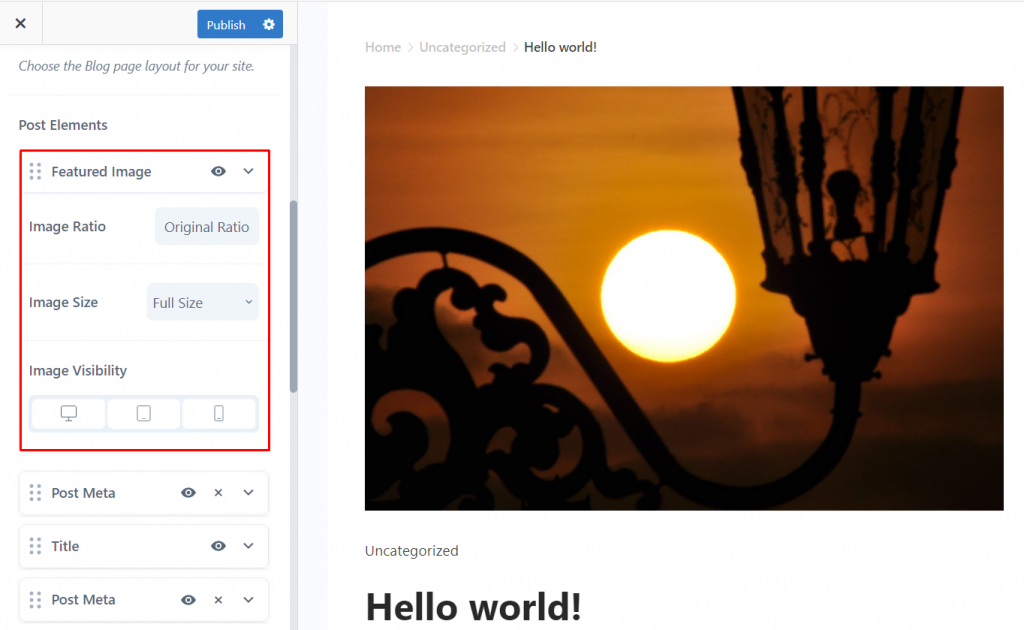
Featured images should be clear and well-sized. This means using dimensions that fit well on different screens. The typical size is around 1200 x 628 pixels. This size looks good on both computers and phones. Remember, a good size keeps the image from looking blurry.
Choosing the right file format is important. JPEG files are great for photos. They keep the image quality high but the file size small. PNG files work well for images with text or graphics. They have a transparent background which is useful for certain designs.
A featured image should match the topic of the page. It gives users a quick idea of what the page is about. Choose images that are related to the content. This helps attract readers and keeps them interested. An image that fits well will make your page more engaging.
Impact On Seo
Image Alt Text helps search engines understand the image. It describes the image content. This boosts your page’s visibility. Search engines need text to rank images. Alt text is vital for this.
Loading Speed affects user experience. Slow pages frustrate visitors. Speed impacts SEO rankings. Optimized images load faster. Smaller image files are better. They improve speed and user satisfaction.
Mobile Responsiveness is crucial today. Many users browse on phones. Responsive images adapt to screen sizes. This ensures good display on all devices. It enhances user experience and SEO.
Troubleshooting Common Issues
Sometimes, images don’t show up. Check if the image is uploaded correctly. Look for broken links or missing files. Make sure the image path is correct. Browsers can block images too.
Wrong size images can look bad. Adjust image dimensions to fit the layout. Use tools to resize and crop. Keep the aspect ratio intact. Proper sizing improves appearance.
Errors in the media library can happen. Check for file permissions. Confirm you have enough storage space. Refresh the media library page. Sometimes a plugin conflicts with images. Disable plugins if needed.
Plugins For Enhanced Image Management
Many plugins help with image tasks. Some popular ones are Smush and Imagify. These plugins make images smaller. They help your site load fast. Another good plugin is Regenerate Thumbnails. It helps when you change your theme. Your images fit better.
Seek plugins with easy use. Check if they can handle bulk images. This means you can work with many images at once. Look for automatic optimization. This saves time. Ensure they support different file types. You might use PNG, JPEG, or GIF.
Begin by downloading the plugin. Go to your WordPress dashboard. Click on Plugins. Then click Add New. Search for the plugin name. Click Install Now. Once installed, click Activate. Follow the setup instructions. Each plugin may have different steps. But they are usually easy to follow.
Alternatives To Featured Images
A featured video can grab attention quickly. Videos show more than pictures. They tell stories and share emotions. Adding a video can make your page lively. It can explain things easily. People love to watch videos. Try adding a short, clear video to your page.
A gallery display shows many images at once. It is a good way to show different views. People can scroll through the images. Galleries can be fun. They let people see more than one picture. Use clear and bright images in your gallery.
Animated GIFs are moving pictures. They catch the eye. They can be funny or serious. GIFs are short and loop again. People often share them. They are like tiny videos. Use a GIF to show a quick action. They make your page interesting.
Frequently Asked Questions
What Is The Purpose Of A Featured Image?
A featured image visually represents your page’s content. It helps attract readers and improves aesthetics. This image often appears in previews or thumbnails across your website. It enhances user engagement and SEO by giving a visual context. Ensure your featured image is relevant to your content for maximum impact.
How Do You Add A Featured Image In WordPress?
To add a featured image, navigate to your WordPress editor. Find the “Featured Image” option on the right sidebar. Click “Set Featured Image” and choose an image from your media library or upload a new one. Ensure the image is optimized for web use and relevant to your page content.
Can Featured Images Affect Website Seo?
Yes, featured images can impact SEO positively. They enhance user engagement and improve click-through rates. Optimized images with relevant alt text boost search engine visibility. Ensure your images are of high quality, properly sized, and relevant to the content. This helps search engines understand your page’s context better.
What Size Should A Featured Image Be?
Featured images should be appropriately sized for your theme. Common sizes range from 1200×628 to 1920×1080 pixels. Ensure your image is optimized for fast loading without losing quality. Check your theme’s documentation for specific size recommendations. Consistent sizing maintains visual harmony across your website.
Conclusion
Understanding featured images on WordPress pages is important. They enhance your site’s visual appeal. A good image attracts more visitors. It makes your content stand out. Always choose high-quality images. They should match your content theme. This improves user engagement.
It also boosts your SEO efforts. Featured images can define your brand’s visual identity. Ensure they load quickly for a better experience. With these tips, your WordPress pages will shine. Happy blogging!



