
Imagine stumbling upon a website and being instantly captivated by a stunning image at the top of an article. This is no accident—it’s the power of a feature image, a crucial element in WordPress that sets the tone for your content.
But what exactly is a feature image, and why should you care? As you dive into the world of WordPress, understanding how to effectively use feature images can transform your blog into a visual masterpiece. You’ll discover how these images not only enhance your site’s aesthetic appeal but also play a pivotal role in grabbing your readers’ attention, improving user engagement, and boosting your SEO performance.
Ready to unlock the secret to making your WordPress site stand out? Let’s explore the magic behind feature images and how you can leverage them to captivate your audience.
Feature Image Definition
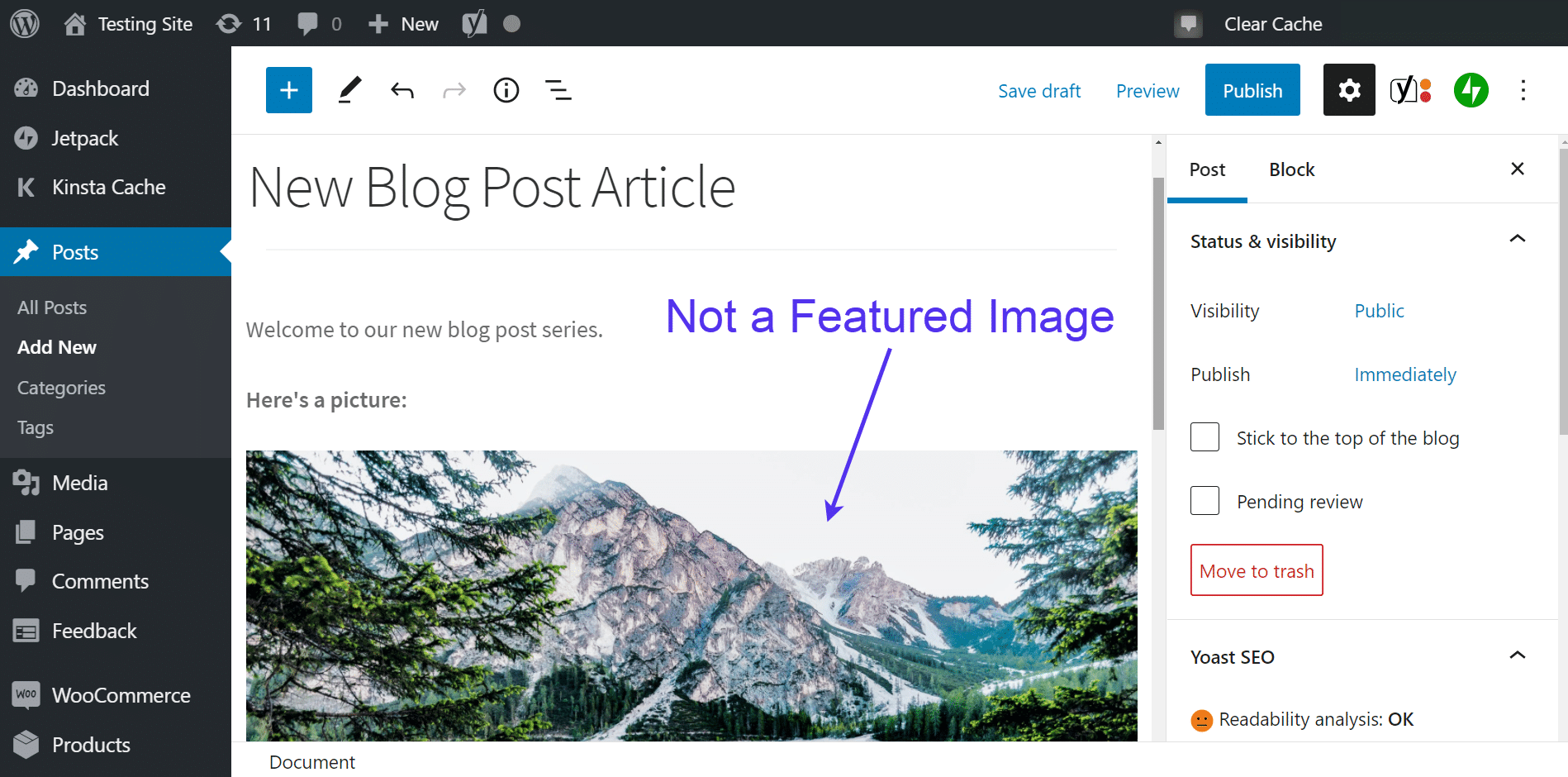
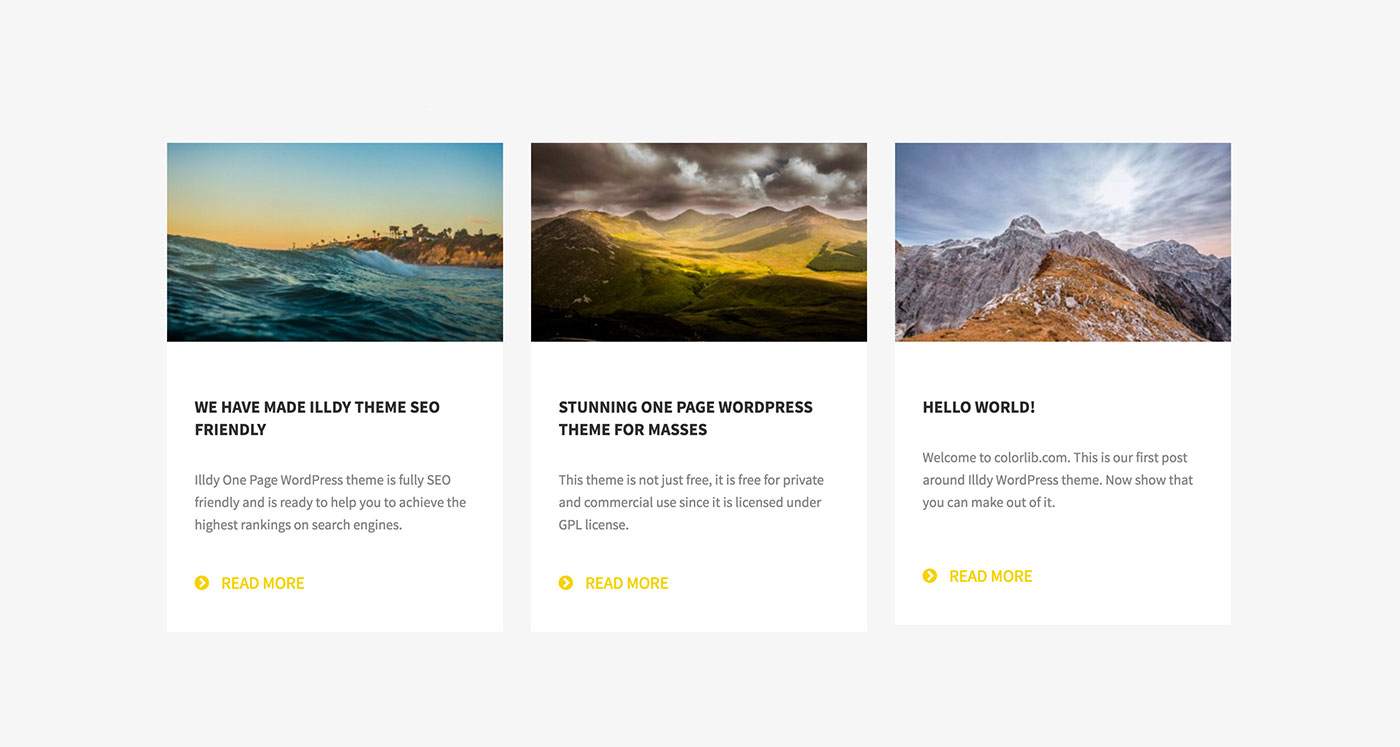
A feature image is an important picture on a WordPress page or post. It grabs attention and gives a quick idea of the content. This image often appears at the top of a post. It is also shown on the main blog page. Feature images are also used on social media when sharing links. They help to make the post look nice and appealing.
Bloggers and website owners use feature images a lot. This image is also called a thumbnail. It should be clear and related to the post topic. A good feature image helps in getting more readers. Always choose an image that is bright and eye-catching.
Importance Of Feature Images
Feature images are key to a blog’s success. They grab attention quickly. These images tell a story without words. Visual appeal can lead to more clicks. Readers often judge a post by its image. Good images make your blog look professional. First impressions are crucial. A strong image can make readers curious. They may want to read more. Feature images help with branding. They set the tone for your post. These images can show your style and theme. Consistency is important. Using similar images keeps your blog uniform. This helps with recognition.
Search engines also like images. They improve your SEO ranking. Images can lead to more traffic. Blogs with images often get shared more. Sharing increases your audience reach. Engaging images can boost your blog’s popularity. Readers love blogs with interesting images. Good feature images add value to your content. They make your blog stand out.
Setting A Feature Image
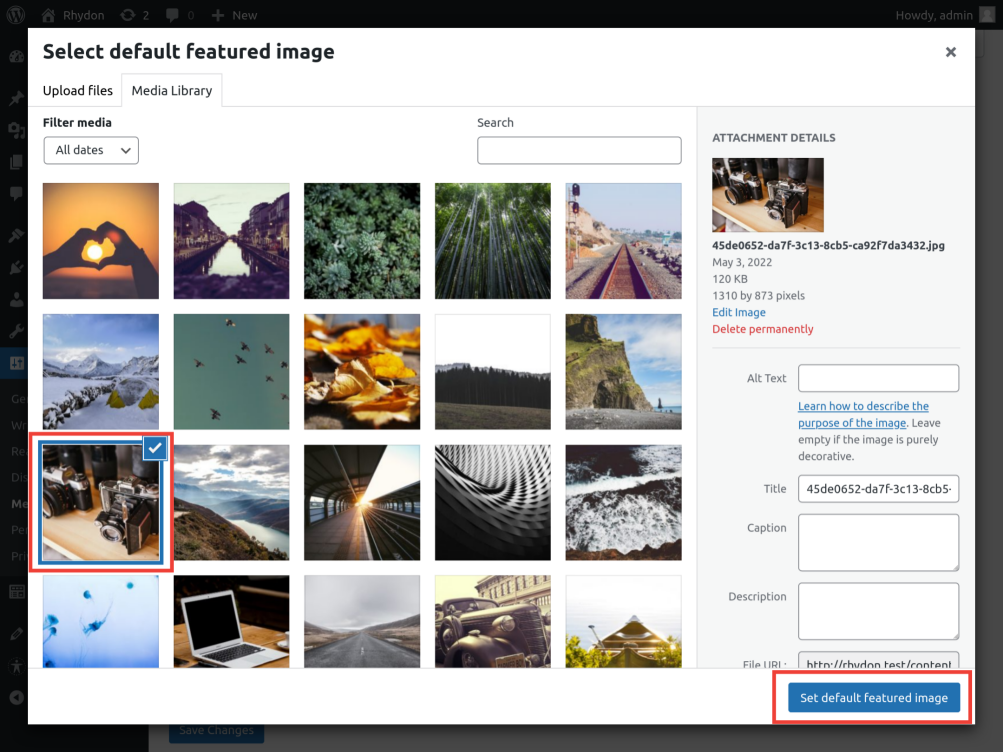
Choose a post to edit. Find the “Featured Image” box. Click on “Set Featured Image”. This opens the media library. Upload or select an image. Click on “Set Featured Image” to confirm. You can now see your image next to your post. This helps your post look attractive.
Images should be clear and high quality. The size should be around 1200×628 pixels. This is the ideal size for most themes. Use JPEG or PNG formats. These formats work best. Smaller images load faster. This is good for your website.
Best Practices
Choosing a feature image is important. It represents your blog post. It should be bright and clear. Bright colors attract attention. The image must relate to your content. Readers understand your post better with it. Avoid using confusing images. They can mislead your readers.
A blurry image is not good. It looks unprofessional. Use high-quality images. They make your post look better. Your image should fit the topic. If you write about cats, use a cat photo. This keeps readers interested. They know what to expect. Relevant images add value to your post.
Common Issues
Feature images might not show up on your site. This can confuse visitors. Sometimes, the image path is wrong. Check the URL carefully. Ensure the file name is correct. A missing image can make your site look broken. Always verify image links.
Images may not fit well. They can look blurry or pixelated. High resolution images help maintain quality. Resize them to fit your layout. Large images slow down loading time. Compress them without losing quality. Faster load times make users happy.
Credit: kinsta.com
Plugins For Feature Images
Feature images in WordPress visually represent blog posts, enhancing user engagement and SEO. Plugins simplify the process of setting these images, offering customization options and compatibility with diverse themes. They ensure your posts are attractive and consistent, improving overall site appearance.
Popular Plugins
WordPress has many plugins. They help with feature images. Some plugins are very popular. The Featured Image from URL plugin is one example. It lets you use images from other sites. Another plugin is Quick Featured Images. It helps you change many images at once. Auto Featured Image is also useful. It automatically picks an image for your post. These plugins make adding images easy. They save you time.
Enhancing Image Functionality
Plugins can enhance image functionality. They add more features. Regenerate Thumbnails helps fix image size issues. Smush makes images smaller. This helps your site load fast. Simple Image Sizes lets you create custom image sizes. These tools improve how images work on your site. They make your site better and faster.
Feature Image Seo
Feature images play a key role in your post’s SEO. These images catch the reader’s attention. They also help search engines understand your content. Use clear and high-quality images. Always add alt text to describe the image. This helps people who can’t see the image. It also tells search engines what the image is about.
Keep the file size small. This ensures fast loading times. Fast sites rank better. Use the right file type. JPEGs are great for photos. PNGs work well for graphics. Always name your image files with descriptive names. Avoid generic names like “image123.jpg”. This helps in search rankings.
Credit: glorify.com
Feature Images In Themes
Feature images need to fit with your theme. Not all themes work with them. Check if your theme supports feature images. Themes show images in different ways. Some use big images. Others use small ones.
Many themes offer customization options for feature images. You can change image size. Some themes allow you to change image position. Adjust the look of images easily. Different themes have different settings.
Explore your theme options. Ensure your images look great. Make your site unique. Stand out with custom images.
Credit: wordpress.org
Frequently Asked Questions
What Is A Feature Image In WordPress?
A feature image is a key visual element for posts or pages. It represents the content and appears at the top. This image enhances aesthetics and attracts readers. It’s essential for sharing on social media and improves SEO. You can set it in the WordPress editor.
How To Add A Feature Image In WordPress?
To add a feature image, edit your post or page in WordPress. On the right sidebar, find the “Featured Image” section. Click “Set featured image,” upload or select from the media library, and save your changes. This image will display prominently on your post.
Why Is A Feature Image Important?
A feature image is crucial for visual appeal and engagement. It captures attention and encourages clicks. It helps in branding and makes your content shareable. Feature images improve SEO and increase visibility. They are vital for creating a professional and cohesive look.
Can A Feature Image Improve Seo?
Yes, a feature image can improve SEO by increasing engagement and click-through rates. It adds visual appeal, enhancing user experience. Use descriptive alt text for better search engine indexing. Optimized images contribute to faster loading times, improving overall site performance and ranking.
Conclusion
Feature images hold great importance in WordPress posts. They grab attention quickly. A good image sets the mood for your content. It makes your blog visually appealing. These images help in creating brand identity too. Ensure your image is relevant and high quality.
Proper sizing matters for better display. Choose images that align with your topic. This enhances reader engagement. So, use feature images to boost your blog’s appeal. They make your posts more inviting and informative. A simple yet effective tool for bloggers.



