
Have you ever wondered how people find websites on the internet? Imagine you’re planning to start your own blog or business site.
One of the first things you’ll need is a domain name. But what exactly is a domain name in WordPress, and why is it so crucial for your online presence? Picture this: a domain name is like your website’s home address.
It’s the first thing visitors notice, and it tells them where to find you online. It’s not just a string of letters; it’s your brand’s identity in the vast digital world. Understanding domain names can feel overwhelming at first, but it’s easier than you think. By grasping the basics, you can make informed choices that will help your site stand out and be memorable. Stay with us as we unravel the mysteries of domain names in WordPress and show you how to choose one that truly represents your vision.
Domain Name Basics
A domain name is a website’s address. It is like your home address. People use it to find your site. It is made up of words and numbers. For example, “google.com” is a domain name. It is easier to remember than numbers. These numbers are called IP addresses. Domain names make web surfing simple.
Domain names are very important. They make your site easy to find. They help people remember your site. A good domain name is short. It is easy to spell. It tells what your site is about. It helps build your brand. A strong domain name can attract more visitors.
Credit: wordpress.com
Choosing The Right Domain
A good domain should be easy to remember. Short names are better. Try using words people use daily. Avoid hard-to-spell words. Make sure it fits your blog topic. Check if the name is available. You don’t want a name someone else owns. Think about the future. Will this name still fit your needs later?
- Use simple words in your domain.
- Pick a name that’s easy to say.
- Make sure it’s not too long.
- Avoid numbers and hyphens.
- Check for available social media handles.
- Consider using keywords related to your blog.
Domain Name Registration
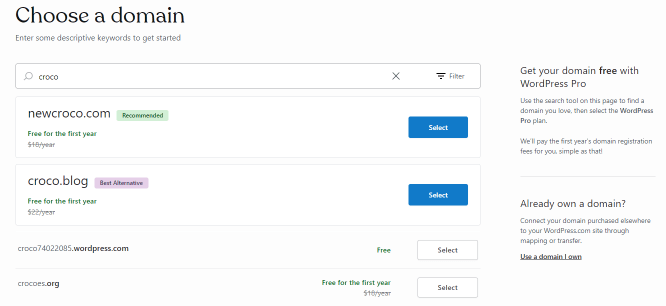
Start by searching for your desired domain name. Check if it is available. Many names are already taken, so be creative. Make sure the name is easy to remember. Once you find a name, you must register it. This means you own it. You will need to pay a fee. This fee is usually yearly. Some places offer discounts for multi-year registrations.
Choose a registrar to register your domain. A registrar is a company that sells domain names. There are many registrars online. Popular ones include GoDaddy and Namecheap. Look for a registrar with good reviews. Check their prices and services. Some offer extras like domain privacy. Compare different registrars before deciding. Make sure they have good customer support. It’s important if you need help later.
Domain Name And WordPress
A domain name is like an address. It helps people find your website. Every WordPress site needs a domain name. It makes your site easy to find. People type it in their browser. Then they visit your site.
Customization options are endless with WordPress. You can change your site look. Pick themes and plugins. These tools help you build a unique site. Customize menus and widgets too. Make your site special. Let it stand out.
| Feature | Benefit |
|---|---|
| Easy Setup | Quickly start your site. |
| Multiple Themes | Change your site’s look. |
| Plugins | Add extra features easily. |
Managing Domain Names
A domain name in WordPress serves as your website’s unique address online. It helps visitors find your site easily. Think of it as your site’s home on the web. Choosing the right domain name is crucial for your website’s identity and branding.
Renewal And Expiry
Your domain name needs regular checks. It can expire if not renewed. Set reminders for renewal dates. This prevents loss of your domain. Renewal costs money. Prices can change yearly. Check your renewal plan often. Some domains renew automatically. Others need manual renewal. Always update your contact details. This helps get renewal alerts.
Transferring Domains
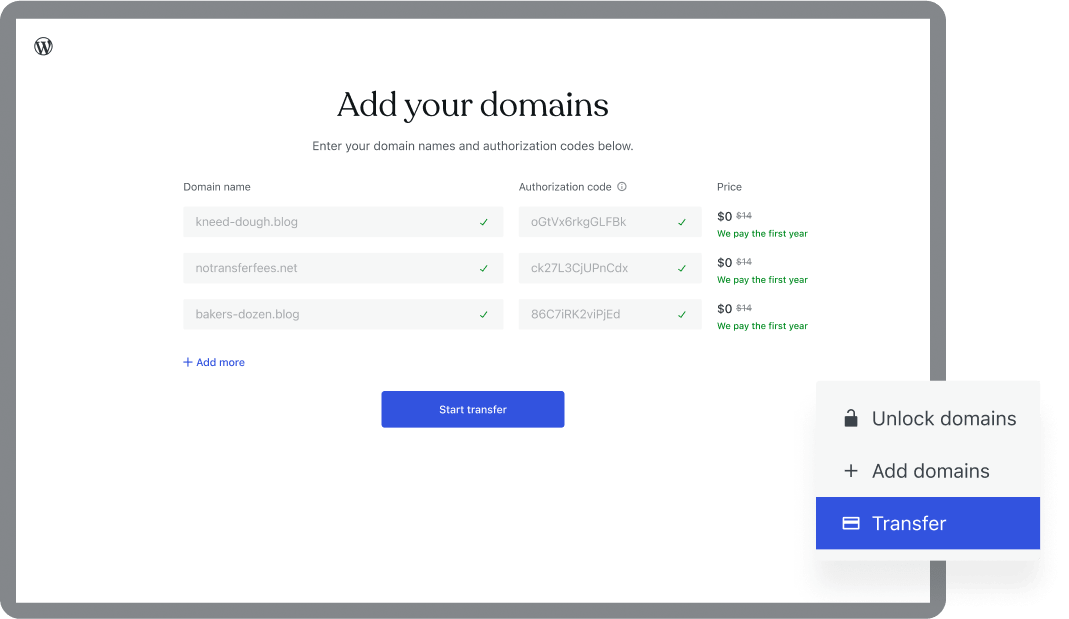
Transferring a domain is moving it to a new place. First, unlock your domain. Next, get an authorization code. Share this code with your new provider. This makes the transfer smooth. Transfers can take a few days. Keep track of the transfer status. After transfer, update your domain settings. This ensures everything works fine. Always check the transfer policy of your provider. Policies might vary.
Common Domain Issues
Domains can cause problems. They are like website names. They need to be set up correctly. Incorrect settings can lead to errors. Websites might not load. Visitors may see error messages. Expired domains can cause issues too. Websites might disappear. Incorrect DNS settings can prevent users from finding sites. Always check settings carefully.
Troubleshooting Tips
Fix domain problems with simple steps. Check DNS settings. Make sure they are correct. Renew expired domains immediately. This keeps your site online. Update domain records when needed. This helps avoid future problems. Contact support if issues persist. Professionals can help fix problems.
Avoiding Pitfalls
Choose domains wisely. Pick easy names. They should be simple to remember. Avoid complex words. They confuse visitors. Regularly renew domains. This prevents expiration problems. Review settings regularly. Check that all details are correct. This helps avoid future problems.
Future Of Domain Names
New domain extensions are becoming popular. Extensions like .tech and .shop are in demand. People want unique names for their websites. These extensions help them stand out.
Shorter domain names are also trending. They are easy to remember. It’s important to keep domains simple and clear. This trend makes them easy to type.
WordPress users are affected by these trends. They can now use creative domain names. This makes their sites unique. A good domain can attract more visitors.
Businesses can choose domains that fit their brand. A fitting domain name helps in branding. It makes WordPress sites look professional. The right domain enhances online presence.
Credit: crocoblock.com
Credit: wpengine.com
Frequently Asked Questions
What Is A Domain Name In WordPress?
A domain name is your website’s address on the internet. In WordPress, it acts as your site’s identity. It helps users find your site easily. Choosing a memorable domain is crucial for branding. It’s what users type in their browsers to visit your WordPress site.
How To Choose A Domain Name?
Choose a domain name that is simple and memorable. Ensure it’s relevant to your site’s content. Avoid using complex words or numbers. It’s best to keep it short. Use keywords related to your niche for better SEO. Check availability to ensure it’s unique.
Can I Change My WordPress Domain Name?
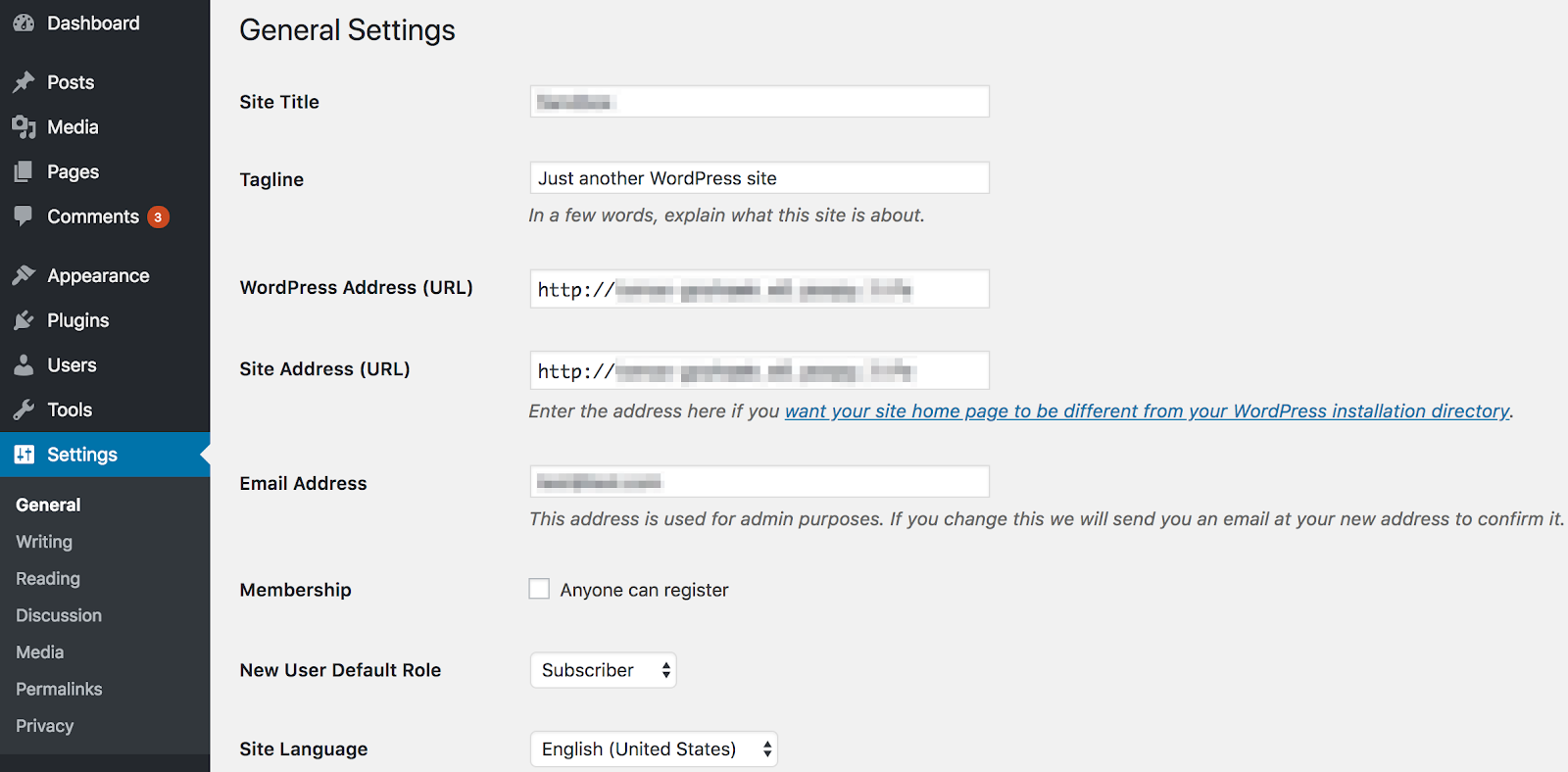
Yes, you can change your domain name in WordPress. However, it requires careful planning. Changing domains can affect your SEO and traffic. Ensure redirection from old to new domain. Update settings and inform users about the change. Back up your site before proceeding.
Is Domain Name Important For Seo?
Yes, a domain name is important for SEO. A keyword-rich domain can improve search rankings. It helps search engines understand your site topic. A relevant domain enhances user experience. It influences click-through rates from search results. Choose wisely for better SEO performance.
Conclusion
Understanding a domain name in WordPress is crucial. It’s the foundation of your online presence. A good domain name makes your website memorable. It helps in building trust and improving SEO. Choosing the right domain name requires thought and strategy.
Keep it short, relevant, and easy to spell. Avoid using numbers or hyphens. Check for availability and register it promptly. This step sets the stage for your WordPress journey. A clear domain name enhances user experience. It’s your website’s first impression.
Make it count. Invest time in selecting the perfect domain name for success.



