
Are you looking to speed up your WordPress site and enhance user experience? If so, you’ve likely come across the term “DNS Prefetch.”
But what exactly is DNS Prefetch in WordPress, and how can it benefit you? Imagine if your website loaded faster, keeping your visitors engaged and happy. With DNS Prefetch, this isn’t just a dream—it’s a reality you can achieve. By understanding and implementing this powerful tool, you can reduce page load times and keep your audience coming back for more.
Dive into this article to discover how DNS Prefetch can transform your WordPress site, making it faster and more efficient than ever before. Don’t miss out on the opportunity to elevate your website’s performance!
Understanding Dns Prefetch
DNS Prefetch is a technique that helps webpages load faster. It works by resolving domain names before you click a link. This saves time when you open a new page. The browser knows the address already. It’s like getting directions before you start a journey.
Web browsers use DNS Prefetch to speed up loading. They guess which sites you might visit next. Then, they resolve the domain in the background. This means less waiting for you. The page loads quickly once you click. It’s a smart way to make the internet feel faster.

Credit: martech.zone
Benefits For WordPress Sites
DNS-Prefetch helps sites load faster. It fetches DNS information early. This reduces wait time for users. It speeds up page loading. This makes sites quick and smooth. Faster sites keep users happy. They stay longer and explore more pages.
Better speed means better user experience. Users like fast sites. Slow sites make users leave. Fast sites attract more visitors. They make users feel valued. Happy users come back often. They trust sites that work well. DNS-Prefetch boosts user satisfaction. It helps build loyal visitors.
Implementing Dns Prefetch
Many WordPress plugins help with DNS Prefetch. These plugins are easy to use. You install them like any other plugin. After installing, they handle DNS Prefetch for you. This saves time. It also reduces errors. Popular plugins for DNS Prefetch include WP Rocket and Perfmatters. These plugins offer more than just DNS Prefetch. They improve website speed too. Just remember, too many plugins can slow down your site. Always choose plugins wisely. Only use trusted and well-reviewed plugins.
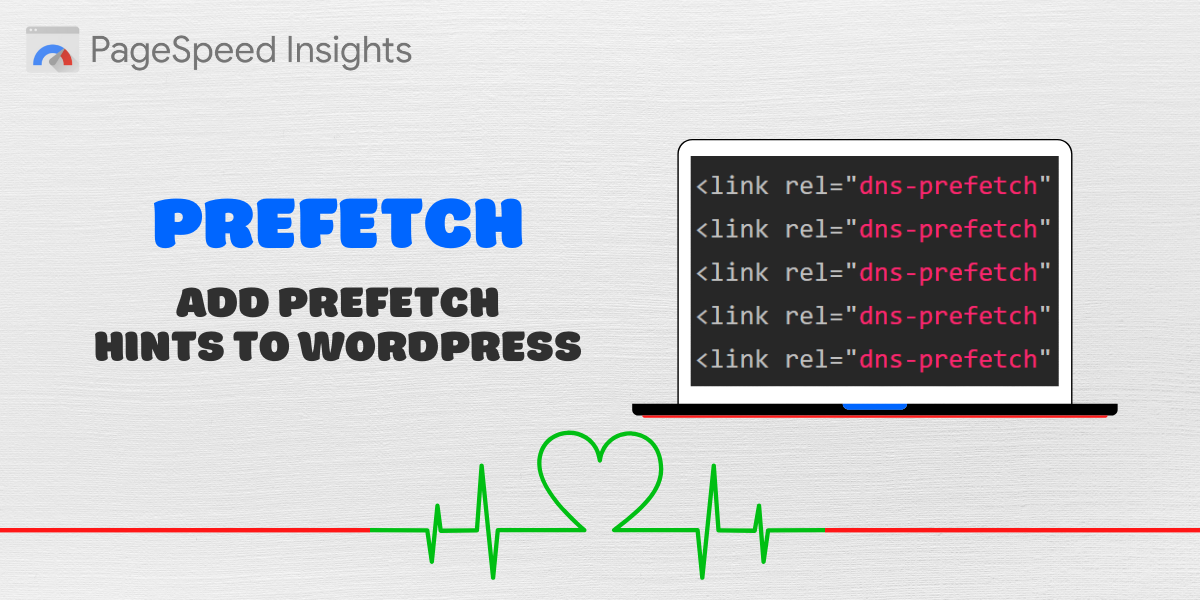
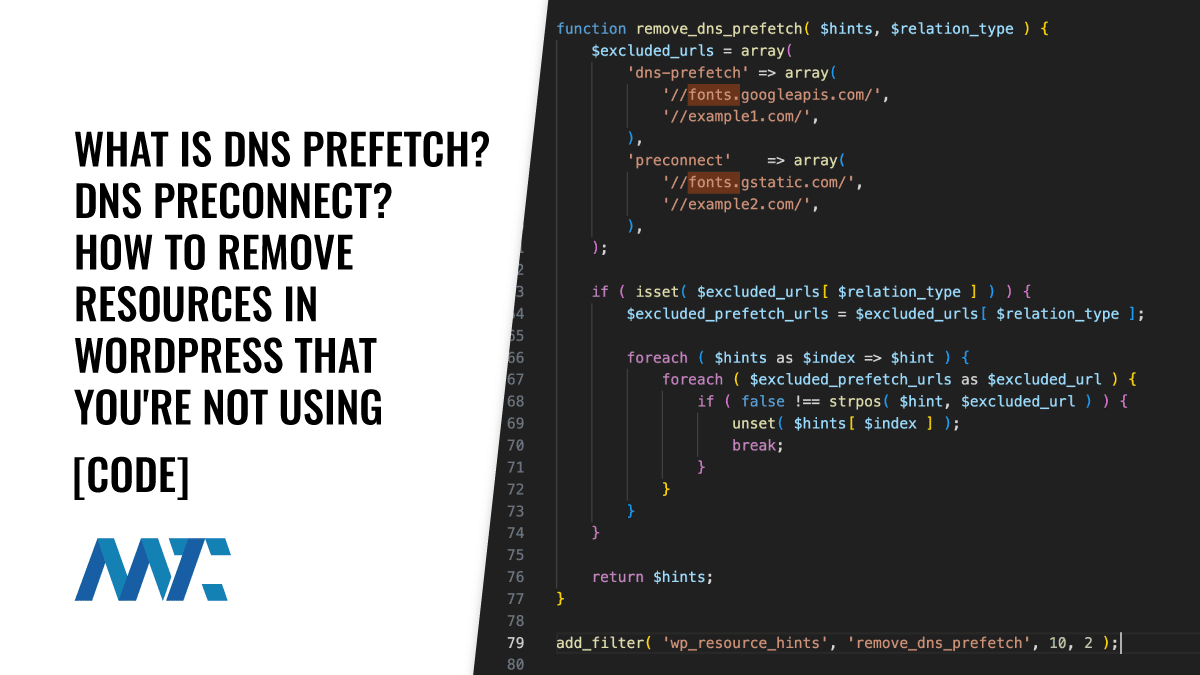
Some prefer to add code manually. This gives more control. You can add a line of code in the header. This line is for DNS Prefetch. It looks like this: . Replace “example.com” with the site you want to prefetch. It’s a simple process. But be careful. Mistakes in code can break your site. Always back up your website before making changes.
Credit: onlinemediamasters.com
Common Challenges
DNS-prefetch in WordPress can face challenges like configuration errors and compatibility issues with some plugins. Misconfigurations may lead to slower page loading times. Ensuring proper setup is crucial for optimal performance.
Potential Misconfigurations
DNS Prefetch can be tricky. Many users face misconfigurations. Setting it up wrong can cause performance issues. Pages might load slower. Incorrect DNS entries can lead to errors. It’s crucial to check settings. Ensure you have the right URLs for prefetching. Mistakes in configuration can impact user experience. Test your setup often. Adjust settings when needed. Keep your system updated. Proper configuration helps speed up website performance.
Performance Considerations
DNS Prefetch improves speed. Yet, it needs careful use. Overuse can slow things down. It can create unnecessary server requests. Balance is key. Use DNS prefetch wisely. Only prefetch important links. Too many links can cause delays. Monitor your site’s performance. Check loading times regularly. Adjust settings for optimal speed. Ensure efficient use of resources. Properly using DNS Prefetch enhances user satisfaction.
Best Practices
Choose domains wisely for DNS-prefetch. Only prefetch domains used often. This helps save time. Prefetching too many domains can be bad. It may slow the site. Focus on essential domains first. Think about your users. What do they need quickly? Pick those domains. This way, users get faster loading.
Keep an eye on your site’s performance. Use tools to monitor DNS-prefetch effects. Check if load times improve. Testing is crucial. Try different domains. See which improves speed. Repeat tests often. Site changes can affect results. Always aim for faster load times. Happy users mean success.
Real-world Examples
DNS prefetch in WordPress allows browsers to resolve domain names before users click links. This speeds up page loading times by reducing wait time. Websites use DNS prefetch to improve user experience and enhance performance.
Case Studies
Some websites use DNS-Prefetch to speed up loading times. One case study is a large news site. It wanted faster access for its readers. By using DNS-Prefetch, the site reduced its loading time by 30%. Another example is a popular online store. It had many different images and links. DNS-Prefetch helped improve its user experience. Customers noticed faster browsing.
Success Stories
A tech blog shared its story. It needed to improve the page speed. With DNS-Prefetch, the blog saw a 20% decrease in load times. Readers enjoyed quicker access to articles. A travel website also used DNS-Prefetch. It had many external links. This technique helped the site load faster. It improved visitor retention. More people stayed on the site.
Credit: martech.zone
Frequently Asked Questions
What Is Dns-prefetch In WordPress?
DNS-Prefetch in WordPress is a technique to reduce loading time. It allows browsers to resolve domain names before loading resources. This speeds up page load times by minimizing latency. It’s especially useful for external links and third-party scripts.
How Does Dns-prefetch Improve Website Speed?
DNS-Prefetch improves website speed by resolving domain names in advance. It reduces the time browsers take to connect to external resources. This leads to faster loading of pages, enhancing user experience and performance. It’s an effective optimization for sites with many external resources.
Is Dns-prefetch Safe To Use On WordPress?
Yes, DNS-Prefetch is safe to use on WordPress. It’s a widely accepted practice for optimizing web performance. It doesn’t alter content or functionality. It simply improves connection times, making it a reliable method to enhance page loading speeds.
How Can I Enable Dns-prefetch In WordPress?
You can enable DNS-Prefetch by adding specific HTML tags to your WordPress theme. Insert “ in the header. This instructs the browser to prefetch domain names. Plugins are also available to automate this process.
Conclusion
Dns-Prefetch in WordPress boosts site speed. Faster loading means happier visitors. It reduces wait times by anticipating DNS requests. This technique works silently in the background. It’s simple but effective. Your site feels quicker without major changes. A small tweak, big impact.
Users enjoy smoother browsing. Implementing Dns-Prefetch is easy. You don’t need deep technical skills. Just a bit of setup. Try it on your WordPress site. Notice the difference in speed. Keep your audience engaged. Improve user experience effortlessly. Speed matters.
Small adjustments make a big difference. Enhance your site today!


