
Are you diving into the world of WordPress and feeling a bit puzzled by the terms “pages” and “posts”? You’re not alone.
Understanding the difference between these two can feel like cracking a secret code, but it’s crucial for managing your WordPress site effectively. Imagine having the power to control how your content appears and functions, simply by knowing when to use a page and when to opt for a post.
We’ll unravel the mystery behind pages and posts, empowering you to make informed decisions for your website. Stick with us, and you’ll gain the clarity you need to enhance your site’s performance and user experience.

Credit: amandaschoedel.com
WordPress Basics
WordPress offers two main content types: pages and posts. Pages are static, ideal for timeless content like ‘About Us. ‘ Posts are dynamic, perfect for blog entries and updates. Each serves a unique purpose in organizing your site’s information effectively.
Pages Vs. Posts
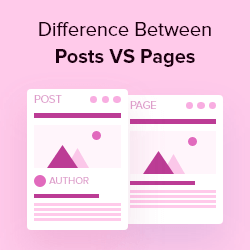
WordPress has two main types of content: Pages and Posts. Pages are static and do not change often. Examples include About and Contact pages. They are timeless and always relevant. Posts are dynamic and appear in the blog section. They are dated and show in reverse order. Newest first.
Pages do not use tags or categories. Posts do. This helps in organizing and finding content easily. Pages can have a hierarchy. This means one page can be a parent to another. Posts do not have this feature. Pages are for permanent content. Posts are for updates and news.
Pages Overview
Pages hold static content on your WordPress site. They don’t change often. Think about your home page or contact page. These pages stay the same for a long time. Visitors find important information here. It’s like a book cover for your website. Always there, always the same.
Pages can have a hierarchical structure. This means you can make parent and child pages. A parent page could be “About Us”. Under it, you can have child pages like “Team” or “History”. This helps keep your site organized. Users can easily find what they need.
Pages are used for evergreen content. This includes content that doesn’t change often. Examples are services, contact, and privacy policy pages. They are not time-sensitive. This makes them different from posts. Posts are more like news or updates. Pages are the backbone of your site.
Posts Overview
Dynamic content makes posts special. They change often and keep the site fresh. People visit to see new updates. Posts are great for news, stories, or events. Readers expect new posts regularly.
Chronological order helps organize posts. The newest posts appear first. This order lets readers see the latest content quickly. Older posts move down the list but stay available. It helps in tracking past events or stories.
Common uses of posts include blogs, announcements, and news. They are perfect for sharing thoughts and updates. People use posts to engage with their readers. Posts can also have comments. This creates a conversation with readers.
Key Differences
Pages are static. They hold timeless content. Think of contact pages or about us sections. Posts are dynamic. They display content in chronological order. They suit blogs or news updates.
Pages do not change much. They hold evergreen information. Posts can be time-sensitive. They often reflect current events. Like news or trends.
Pages can be organized in a hierarchical manner. They may have parent and child pages. Posts use categories and tags. This helps in sorting and finding. Posts are grouped by topic.
Seo Implications
Pages and posts in WordPress are indexed differently. Search engines often see posts as more dynamic. They change frequently and are usually part of a timeline. This can lead to quicker indexing. Pages are more static. They don’t change often. They are usually about permanent information. They might take longer to index.
URL structure impacts search engine ranking. Posts usually have dates in their URLs. This can make them seem more relevant to current trends. Pages have more permanent URLs. They often lack dates. This structure can make them seem less timely but more reliable.
Choosing Between Pages And Posts
Understanding the difference between pages and posts in WordPress helps organize your website effectively. Pages are static and suitable for timeless content like “About” or “Contact. ” Posts are dynamic and ideal for blog entries and news updates. Both serve unique purposes in enhancing user experience.
Content Goals
Pages are best for timeless content. They don’t change often. Think of them like your home’s main rooms. You visit them anytime. They hold important info. Like “About Us” or “Contact.”
Posts are for news or updates. They are like your home’s notice board. New ideas go here often. People check them for the latest info. They show dates and times. Posts can be stories, tips, or news. People comment on posts.
Think about what you want to share. Is it long-lasting? Use a page. Is it fresh and changing? Use a post. This choice helps you reach your content goals.
Audience Engagement
Pages don’t invite comments. They are for clear info. Visitors read and learn. Posts let people talk. They ask questions. They share thoughts. This makes a community. Posts are lively and interactive. People love to engage here.
Choose wisely for better audience engagement. Pages inform, posts involve. Both have their place. Use them smartly to connect with your readers.
Practical Examples
Pages are for content that does not change often. Use them for your About Us or Contact page. These pages hold information that is static. They stay the same for a long time. Pages are timeless. Perfect for things like a Privacy Policy. They are not for daily updates. People visit them for steady information.
Posts are for news and updates. Use them for blog articles. Posts are timely and appear in order. The newest post comes first. People read them for latest information. Posts can have categories and tags. This helps in organizing them. Readers expect posts to change and update often.
Credit: www.wpbeginner.com

Credit: media-studies.com
Frequently Asked Questions
What Are WordPress Pages Used For?
WordPress pages are used for static content such as About or Contact. They are not time-sensitive and don’t change frequently. Pages can be organized hierarchically and aren’t included in RSS feeds. They are ideal for information that remains consistent over time.
How Do WordPress Posts Differ From Pages?
WordPress posts are dynamic and appear in reverse chronological order. Posts are used for blogs or news updates. They can be categorized and tagged for easy navigation. Posts are included in RSS feeds and are designed for regularly updated content.
Can WordPress Pages Have Categories And Tags?
WordPress pages cannot be categorized or tagged like posts. Pages are meant for static content and don’t use categories or tags. They can be organized hierarchically, allowing for parent-child relationships, but don’t have the same taxonomy as posts.
Are WordPress Pages Or Posts Better For Seo?
Both pages and posts can be optimized for SEO. Posts are better for content that’s regularly updated, engaging audiences frequently. Pages are ideal for static information, benefiting from consistent keyword usage. Proper SEO strategies can enhance visibility for both pages and posts.
Conclusion
Understanding pages and posts in WordPress enhances your site management. Pages remain static, perfect for timeless content. Posts suit dynamic, time-sensitive updates. Each serves a unique purpose in content strategy. Choose wisely based on your site’s needs. Organize content for best visitor experience.
Keep learning and experimenting with WordPress features. It’s a journey to create a well-structured site. Stay curious and creative. Your site reflects your vision. Craft it thoughtfully for your audience. With practice, you’ll gain confidence in using pages and posts effectively.
Happy blogging!



