
Have you ever wondered what goes on behind the scenes of your WordPress website? Imagine your site as a bustling city, where every click, update, and interaction leaves a trace.
These traces are meticulously recorded in log files, offering a treasure trove of information about your site’s inner workings. Understanding what’s contained in a WordPress log file can empower you to enhance your site’s performance and security. Think of a log file as your website’s diary, capturing every event and storing it for future reference.
This might sound technical, but it’s crucial for anyone managing a WordPress site. These log files can help you identify errors, track user behavior, and protect your site from potential threats. By mastering the art of deciphering them, you can take control of your website like never before. Dive into this article to uncover the secrets hidden within your WordPress log files. You’ll gain insights that could transform the way you manage your site, ensuring a smoother and more secure experience for both you and your visitors. Let’s unlock the power of your WordPress log files together!
WordPress Log File Basics
Log files help track activities on your website. They record errors, requests, and other events. This helps find problems quickly. It also helps to keep your site safe. Understanding logs makes fixing issues easier.
WordPress has many types of logs. Error logs show things that go wrong. Access logs track who visits your site. Debug logs help find bugs in code. Each log has a special job. They all help your site run smoothly.
Error Logs
Common Errors Captured in a WordPress log file are helpful. They show what goes wrong with your site. Often, you will see 404 errors. These happen when a page is not found. Another common error is the 500 error. This means there is a server problem. Sometimes, you might find database connection errors. These point to issues with your database. Detecting these errors early can help you fix your site quickly.
Interpreting Error Messages is like solving a puzzle. Every error has a code. This code tells you what the problem is. Reading these codes helps you know what to fix. Some messages are easy to understand. Others might need more knowledge. Learning to read these messages is important. It helps keep your website healthy.
Access Logs
WordPress access logs help in tracking user activity. These logs show who visits your site. You can see which pages they visit. It tells you the time of visit too. This information can help keep your website safe. You can find if someone tries to hack it.
Access logs are great for analyzing traffic patterns. You learn when your site is busy. It shows which posts are popular. This helps in planning content. You can create more of what people like. It helps in understanding your audience better.

Credit: melapress.com
Debug Logs
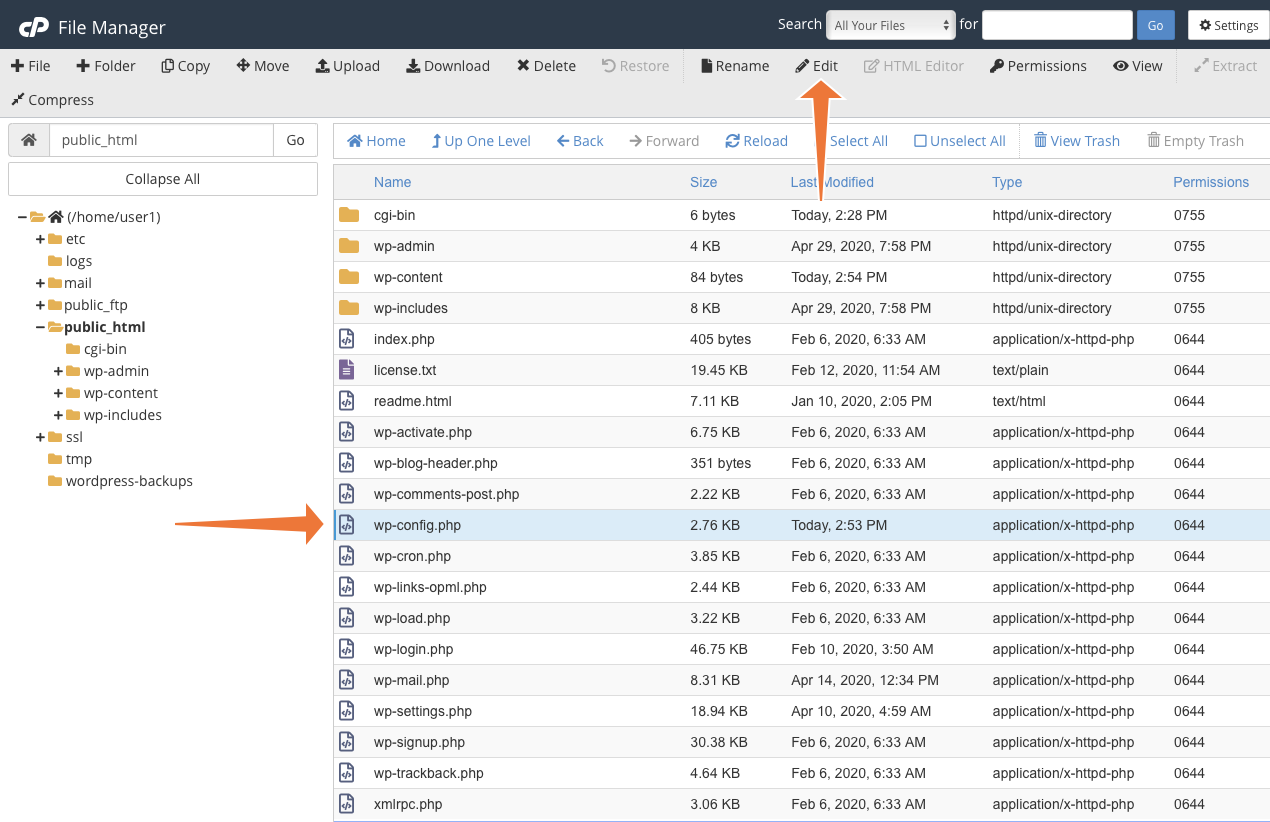
WordPress has a special mode. It is called Debug Mode. This mode helps to find errors. Debug Mode must be enabled first. Open the wp-config.php file. Find the line with WP_DEBUG. Change false to true. Save the file. Now, Debug Mode is on. Errors will show in the log file.
Debug logs help to fix problems. They show errors and warnings. Read the log file to find issues. Look for lines with error messages. These messages tell what went wrong. Fix the error by following the message. This makes the website work better. Debug logs are like a guide. They help to make WordPress safe and secure.
Security Logs
Security logs help find security threats. They show strange activities. You can see failed login attempts. This means someone tried to get in without permission. These logs show changes to important files. Spotting these changes is crucial. It helps protect your site.
Security logs track unauthorized access. They record who tries to enter your site. You can see the time and date of each attempt. This helps in tracking suspicious behavior. Logs show the IP addresses. This helps find where the threat comes from. Keeping an eye on these logs is vital. It ensures your site stays safe.
Performance Logs
Performance logs show how fast a site loads. Site speed affects user experience. Slow sites make users leave quickly. Logs help check load times. They show how fast pages open. Faster pages mean happy users. Speed logs help fix slow pages. Check them often for best results.
Bottlenecks slow down websites. Logs show where they happen. Detecting bottlenecks helps improve site speed. Check logs for slow database queries. Look for heavy images and scripts. Fix these issues to speed up your site. Logs are key to finding problems. Use them to keep your site fast.
Log File Management
WordPress log files are important. They store data about site errors. They tell you what is wrong. Keeping them safe is key. It helps fix problems faster. Organize them well. Use folders with dates. Make sure they are easy to find.
Check logs every week. Delete old logs. They can take up space. Keep only what you need. This helps your site run well. Too many logs slow it down. Update your log system. Make sure it works with new WordPress updates. Regular checks keep your site healthy.
Credit: www.cpanel.net

Credit: www.cloudways.com
Frequently Asked Questions
What Is A WordPress Log File?
A WordPress log file records activities and errors in your WordPress site. It includes details about plugins, themes, and server interactions. These logs help troubleshoot issues and monitor site health. Understanding log contents can enhance your site’s performance and security.
How Do I Access WordPress Log Files?
Access WordPress log files via your hosting control panel or FTP client. Navigate to the “wp-content” directory and locate the “debug. log” file. Alternatively, some hosting services offer built-in log access tools. Always handle log files carefully to avoid accidental data loss.
Why Are WordPress Log Files Important?
WordPress log files are crucial for diagnosing website issues and optimizing performance. They provide insights into error occurrences, plugin conflicts, and theme malfunctions. Regularly reviewing log files helps maintain site security and ensures smooth operation. Understanding log files can prevent potential future problems.
Can Log Files Affect Website Performance?
Yes, excessive log file size can impact performance. Large log files consume server resources and slow down your website. Regularly monitor and manage log size to ensure optimal performance. Consider using a log management plugin to automate this process.
Conclusion
WordPress log files hold crucial insights for website management. They capture errors, user activities, and plugin issues. This information helps in troubleshooting problems. By understanding these logs, you can maintain a healthy site. Regularly reviewing them ensures better performance and security.
Log files may seem complex but are valuable resources. They guide you in making informed decisions. So, keep exploring your WordPress logs. Discover the patterns and insights they reveal. Your website will thank you for it.



