
Imagine visiting a website where the content is neatly wrapped within a box, providing a clear and organized view without overwhelming your senses. This is the essence of a boxed layout in WordPress themes.
You might be wondering why this matters to you or your website. Well, choosing the right layout can significantly impact how visitors perceive and interact with your content. Boxed layouts offer a structured and aesthetically pleasing design that can enhance user experience and keep your audience engaged.
Dive into this article to discover how a boxed layout can transform your WordPress site, boost engagement, and elevate your brand’s online presence.
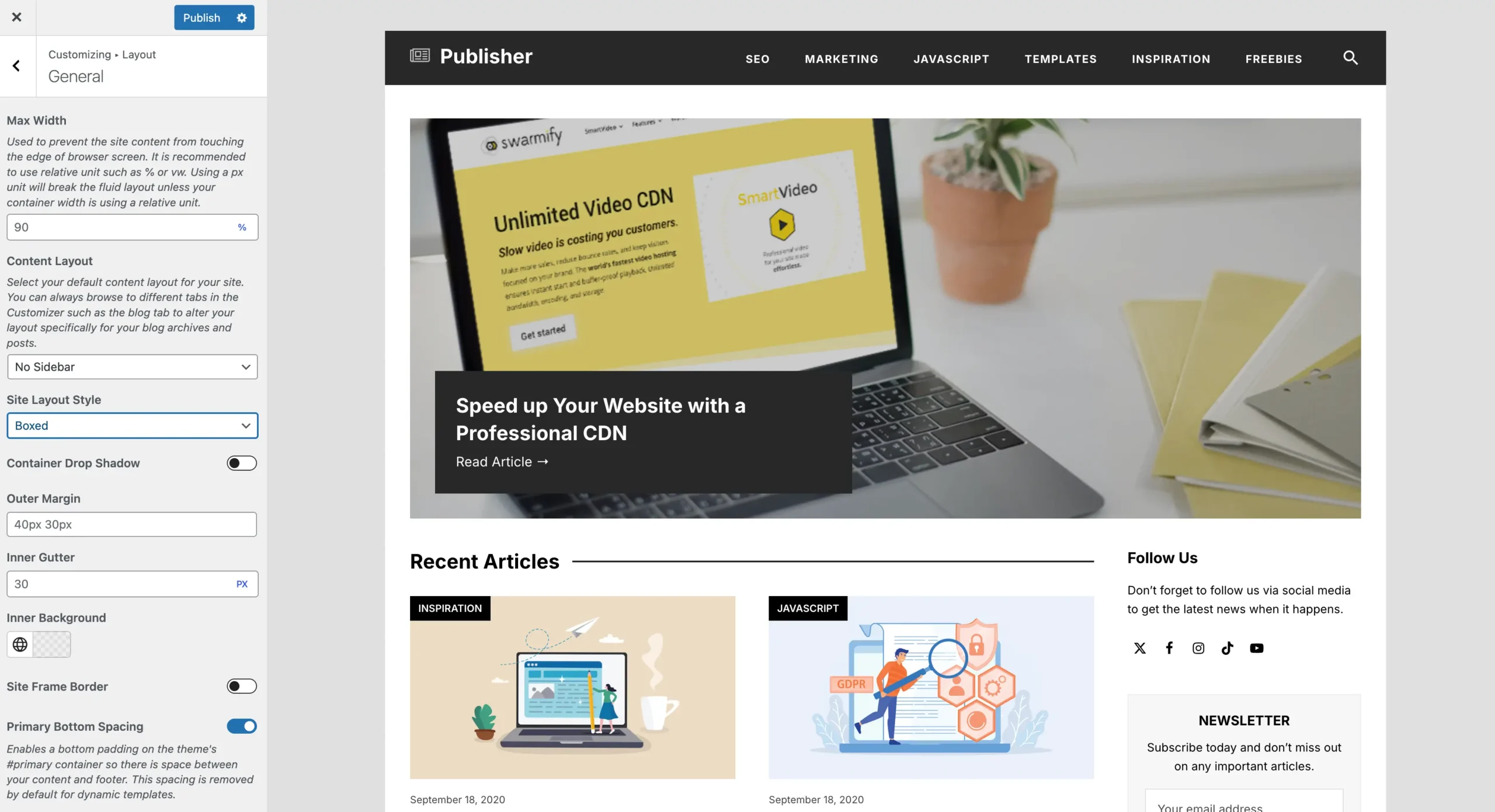
Credit: totalwptheme.com
Boxed Layout Basics
The boxed layout is a popular choice in WordPress themes. It creates a distinct frame around your site content. This style is like placing your site inside a box. It allows you to add a background color or image outside the box. The space around the box can be used creatively. Some people add patterns or solid colors. Others choose images for a personal touch.
Boxed layouts help focus on content. The design keeps visitors’ eyes on the important parts. It offers a neat appearance. Many users prefer this style for its clean look. It works well for blogs and business sites. This layout suits all screen sizes. It adapts easily to phones and tablets.
Choosing a boxed layout can enhance your website’s style. It’s simple yet effective. Try it out to see the difference it makes.
Benefits Of Boxed Layout
The boxed layout offers a cleaner look for websites. It helps in better organization of content. Everything stays within a neat frame. This makes the site look tidy. Users find it easy to focus on the main content. Distractions from the background are reduced. This layout is great for smaller screens. It ensures that everything fits well. Users have a better experience on mobile devices. Many themes support boxed layouts. It’s easy to switch to a boxed layout. No advanced skills are needed. Boxed layouts can enhance the site’s aesthetics. They give a professional touch to websites.
Boxed Vs. Full-width Layout
A boxed layout has a fixed width. It contains content in a box. This box is centered on the page. The background can be seen around the box. A full-width layout stretches to the screen edges. It uses all the space. Images and text spread across the width. Boxed layouts look neat and tidy. Full-width layouts feel open and spacious. Each style has its charm. Designers choose based on the theme. Both layouts work well for different needs.
Boxed layouts might load faster. They use less space. Less data means quicker loads. Full-width layouts use more resources. They need bigger images and files. This can affect speed. Loading time matters for websites. Users like fast sites. Optimizing images helps both layouts. Themes must be optimized for speed. Fast sites keep visitors happy. Speed impacts search rankings too. Choose wisely for better performance.

Credit: wpzita.com
Customizing Boxed Layout
Theme options offer a way to change the look of your boxed layout. Many themes provide a panel to tweak settings. You can change the background color or image. Some themes let you adjust the width of the box. This makes your site unique and stylish. Always check the theme’s documentation. It helps you understand all options available.
CSS is great for making small changes. You can modify the boxed layout with simple CSS rules. Adjust margins or padding to fit your style. Use CSS to change the box’s shadow or border. This makes your layout stand out. Always back up your CSS changes. This ensures you don’t lose your work.
Responsive Design In Boxed Layout
The boxed layout helps your site look good on small screens. Content fits well on phones. Layout adjusts to different screen sizes. Text stays readable. Images scale down. Pages load faster on mobile. Buttons remain clickable. Navigation is easy. Users find what they need.
Tablets need special care. Boxed layout makes it easy. Content is centered. Borders add style. Text is clear and big. Images look good. Tablet users enjoy the view. Buttons work well. Pages scroll smoothly. Layout adapts to screen width. Users feel at home.
Common Use Cases
Boxed layout in WordPress themes is ideal for creating clean, organized websites. It suits blogs, portfolios, and business sites needing defined content areas. This design keeps your content centered, enhancing readability and focus for visitors.
Corporate Websites
Boxed layout gives a neat look. It helps in keeping content organized. Companies use it for a clean design. It separates content from background. Content stands out more. Visitors find information easily. It creates a professional image. Navigation is simple with boxed layout. It suits formal websites. Easy to read content is essential.
Blogs And Magazines
Bloggers choose boxed layout for a fresh look. It draws readers’ attention. Articles appear well-structured. Readers can focus better. Images and text align neatly. It makes reading smooth. Magazines use boxed layout too. It keeps content tidy. Readers stay engaged longer. It’s perfect for showcasing stories. A neat layout is key.
Popular Themes With Boxed Layout
Many WordPress themes offer a boxed layout. This style helps to focus content. The boxed layout adds a border around the page. It gives a neat and organized look. Users love it for its simplicity. It often matches well with different styles. A few popular themes with this layout include Avada, Enfold, and Divi. These themes are user-friendly. They come with many features. Each one provides a unique design. Avada offers many customization options. Enfold is known for its responsive design. Divi offers a drag-and-drop builder. Each theme makes it easy to create a nice website. You can try them to see which fits best. These themes help make websites look professional. Choose one that suits your needs.
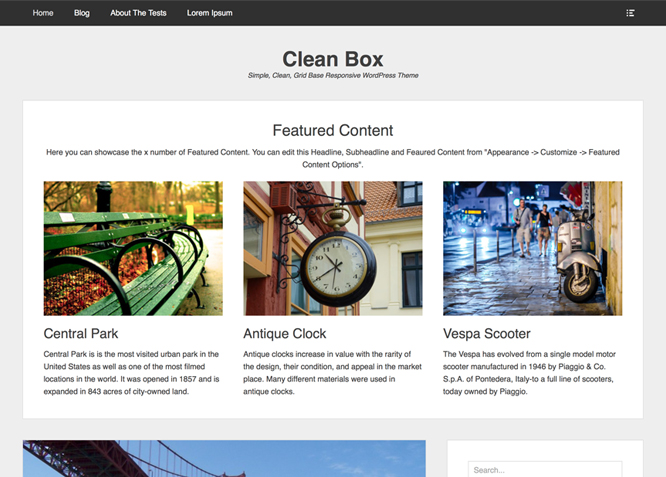
Credit: catchthemes.com
Tips For Choosing Boxed Layout
Boxed layout in WordPress themes creates a framed appearance, ideal for sites with fixed-width content. Consider the theme’s adaptability to different screen sizes and ease of customization to ensure a cohesive and visually appealing design. Always prioritize user experience when selecting a layout.
Evaluating Site Needs
Boxed layouts help focus user attention. They keep the content centered. This layout is good for smaller screens. It is important to know what your site needs. Decide if a boxed layout fits your style. Some sites need more room for images. Others need to highlight text. Think about what your visitors want to see. A boxed layout can feel cozy. It wraps the content in a neat box.
Considering User Experience
User experience is very important. A good layout makes reading easy. Users like clean and simple sites. Boxed layouts can help with this. They make content look tidy. The background and content are separate. This can help users focus. People like websites that are easy to read. Always think about what is best for users. Their experience should be smooth and pleasant.
Frequently Asked Questions
What Is A Boxed Layout In WordPress?
A boxed layout in WordPress is a design where the content is centered and enclosed. It creates a distinct border around the page content, giving it a boxed effect. This layout helps in focusing user attention and can enhance readability.
It’s popular for its clean and organized appearance.
How Does Boxed Layout Affect Website Design?
A boxed layout affects website design by creating a structured and organized appearance. It provides clear boundaries for the content, enhancing visual appeal and readability. This layout often results in a more professional look, helping to focus user attention on the main content of the page.
Can I Customize A Boxed Layout In WordPress?
Yes, you can customize a boxed layout in WordPress. Most themes provide options to adjust the width, background, and borders. You can also use custom CSS for more specific styling. Customization allows you to maintain brand consistency and enhance user experience on your website.
Is Boxed Layout Mobile-friendly?
Yes, a boxed layout can be mobile-friendly if designed responsively. WordPress themes often include responsive design features, ensuring that the boxed layout adapts to different screen sizes. This ensures a seamless user experience across devices, maintaining the layout’s visual integrity and functionality.
Conclusion
Boxed layout in WordPress themes offers a neat, organized look. This style frames content, creating a structured view that’s visually appealing. Users can easily navigate, enhancing user experience. It’s versatile, fitting blogs, portfolios, and business sites alike. Boxed layout is customizable, allowing adjustments to fit your site’s design needs.
With its clean edges and defined spaces, it makes your site look professional. Consider this layout to improve user engagement and site aesthetics. Perfect for those wanting a clear and manageable design. Try boxed layout and see the difference in your website’s look and feel.



