
Do you ever feel overwhelmed by the countless formatting options available in WordPress? If you’re nodding in agreement, you’re not alone.
Understanding the different formats can make your blogging experience smoother and more efficient, especially when it comes to the lesser-known aside format. Imagine effortlessly capturing your readers’ attention with brief, impactful snippets that enhance your content rather than clutter it.
This format is your secret weapon to achieving just that. By the end of this article, you’ll grasp the ins and outs of the aside format, empowering you to create engaging posts that keep your audience coming back for more. Your WordPress toolbox is about to get a powerful upgrade, and you won’t want to miss it!
Aside Format Basics
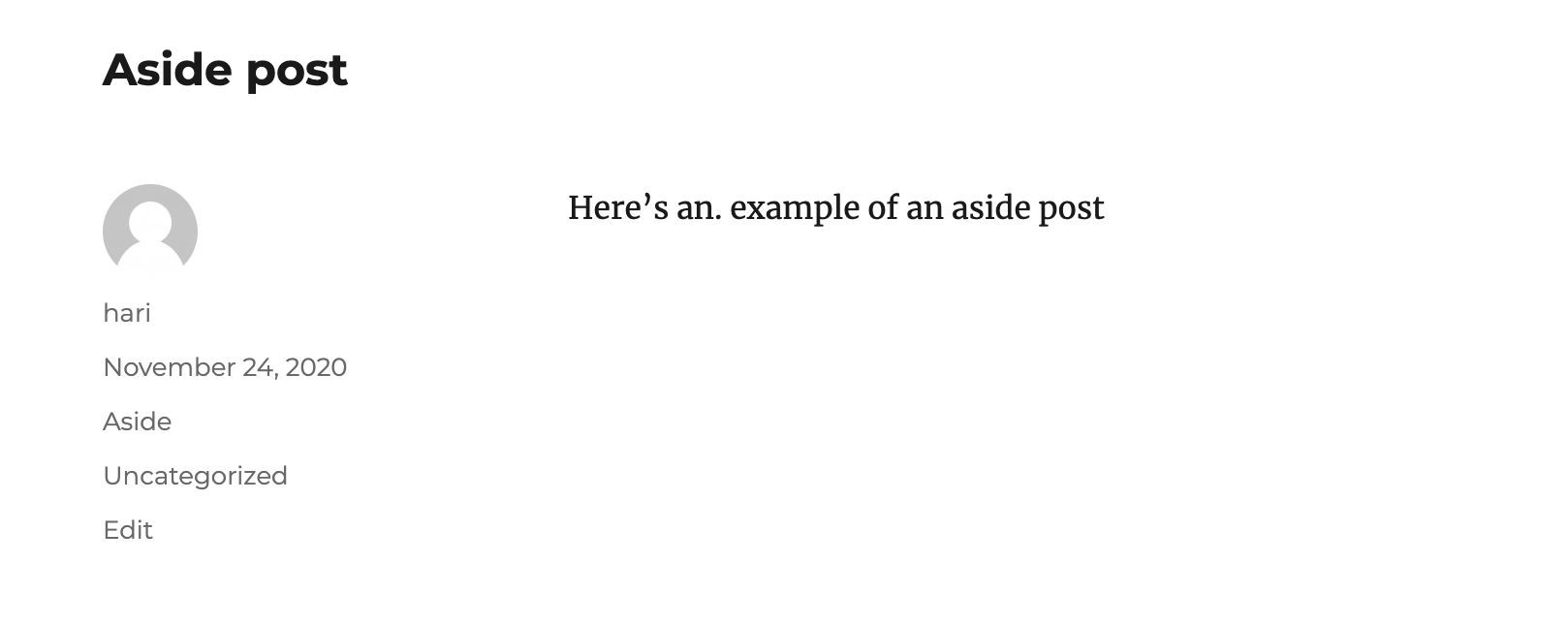
The Aside format is a special way to post in WordPress. It’s used for short notes or thoughts. These posts are usually brief. They don’t have a title. This makes them look different from regular posts. Many use Asides for quick updates or links. They can share a quick idea or a fun fact.
Asides don’t appear in the main post list. They are often found in sidebars. This keeps them separate from main content. Bloggers love Asides for their simplicity. They add value without taking much space. Asides are great for keeping readers engaged. They offer a quick way to share something new.
Purpose Of Asides
Asides are short posts. They share quick thoughts or ideas. No title needed. Asides look like status updates. They are easy to read. Perfect for small updates. You can share random thoughts. Tell a joke. Or even post a quote. Great for engaging readers. They make your blog lively. You can post often. Readers love quick reads. Keep it simple and fun. Asides add personality. They give a human touch. Readers feel connected. Ideal for busy bloggers.
Asides keep your blog fresh. They break monotony. Perfect for sharing links. You can also ask questions. Get feedback from readers. Interactive and engaging. Asides are easy to create. No need for long writing. Just a few lines are enough. Use them wisely. They can boost your blog’s appeal. Readers come back for more. Asides make reading easy. They fit in any niche. Versatile and user-friendly. Make your blog stand out. Use asides today.
Creating An Aside Post
An aside format in WordPress is quick and simple. First, open the post editor. Next, find the post format options. Select the Aside format. This format is great for short notes. It is not as long as regular posts. Asides are like quick thoughts. They are fun to use. Perfect for brief updates.
Content in aside posts should be brief. Write your main idea quickly. Use short sentences for clarity. Try to keep it under 100 words. Avoid complex words. Keep it simple. Readers like easy words. Add a link or two if needed. This helps readers find more info. Make your words clear and direct. It helps everyone understand.
Credit: wptavern.com
Benefits Of Using Asides
Asides make blogs more interesting. They add a personal touch. Readers enjoy short, casual notes. This leads to more interaction. Asides can ask questions. Or share quick thoughts. This keeps readers active and involved. They feel part of the conversation.
Asides help organize blog posts. They separate main ideas from extra details. This makes content easier to read. Readers find important information faster. Blogs become less cluttered. Asides are like small breaks in a text. They guide readers through the content. They keep blogs neat and tidy.
Customizing Aside Appearance
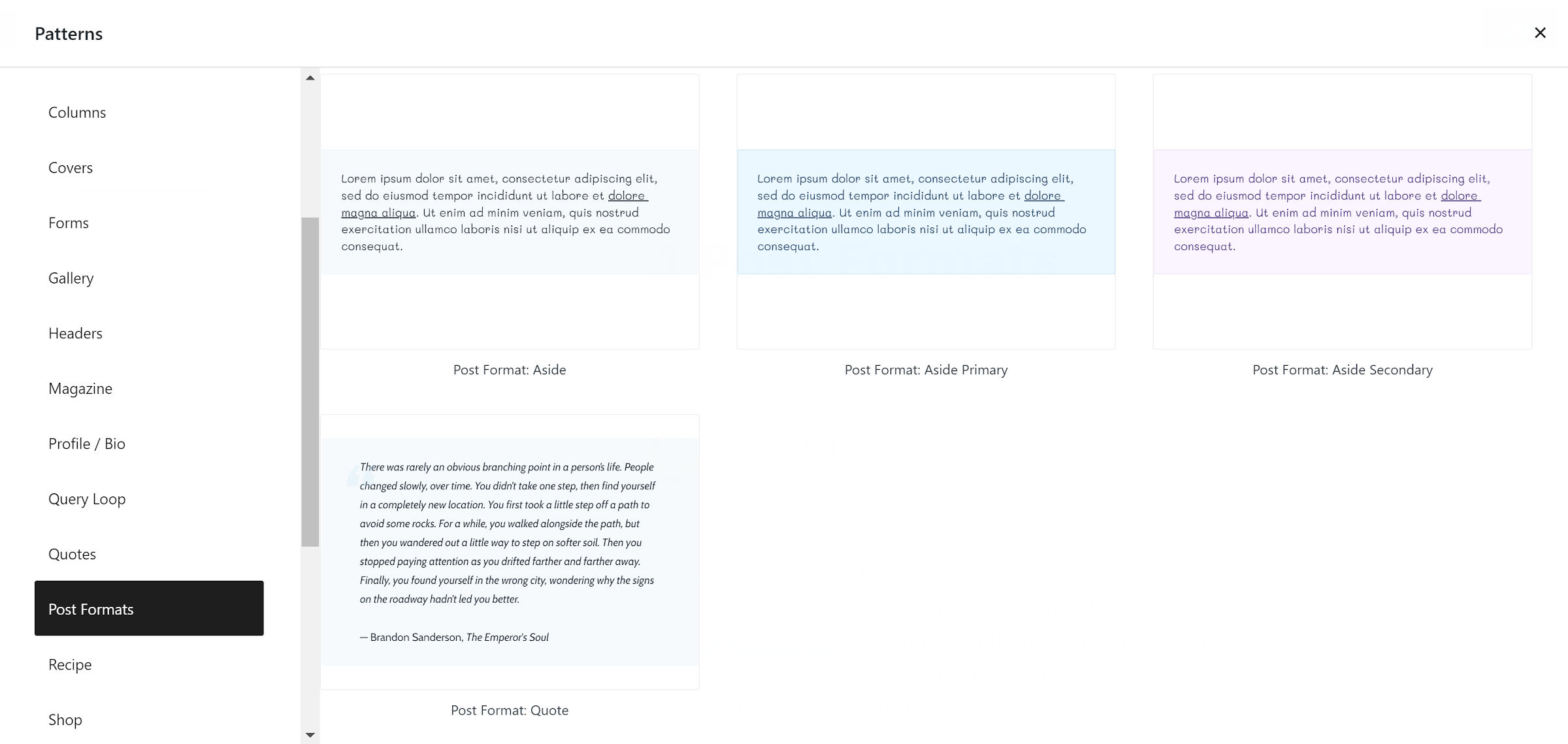
Aside format changes with different themes. Each theme offers unique styles. Check your theme’s documentation for details. Some themes support aside format by default. Others may need additional settings. It’s important to know what your theme supports. This helps in customizing the look.
Aside format has various styling options. These options enhance your posts. You can change font size, color, or background. Use the theme’s customizer tool for changes. Experiment with different styles. Keep the design simple and neat. Readers like clear and attractive posts. Make sure your choices fit the overall theme.
Credit: learn.wordpress.org
Common Use Cases
Microblogging is a great use for aside format. It allows quick thoughts to be shared. No need for a long post. These posts are short and sweet. Perfect for sharing quick ideas or insights. Often used to share brief updates. It’s like a small note to your audience. Keeps your blog fresh and lively. Readers enjoy short and to-the-point messages.
Aside format is ideal for quick updates. Share news or changes easily. You can inform readers fast. No need for detailed content. Just a few lines can do the job. Perfect for announcing new events or changes. Readers get the message quickly. It saves time for both you and your audience.
Comparison With Other Formats
Standard posts are the regular type of blog post. They include a title, content, and usually have categories. These posts are detailed and share a story or idea. The aside format is different. It is brief and used for short notes. Asides don’t need a title. They are like quick thoughts or comments. They are often used for small updates or links.
Gallery format is used for sharing many images. It shows pictures in a group. This format is great for photo collections. The aside format is not for images. It focuses on text and is very short. Galleries show many pictures together. Asides share quick text notes.

Credit: www.youtube.com
Frequently Asked Questions
What Is An Aside Format In WordPress?
An aside format in WordPress is a post type. It is used for brief snippets of information. These posts are usually without a title. They are perfect for quick thoughts or notes.
How To Use Aside Format In WordPress?
To use aside format, select it in your post editor. WordPress themes usually support it by default. It helps in creating short, title-less posts.
Why Choose Aside Format For Blog Posts?
Aside format is ideal for quick updates. It enhances user engagement with concise content. It keeps the blog dynamic and fresh.
Can All Themes Support Aside Format?
Not all themes support the aside format. Check your theme’s documentation for support. Many modern themes come with this feature pre-enabled.
Conclusion
Aside format in WordPress offers a unique way to share content. It focuses on brief and informal posts. These posts enhance user engagement. They create a more personal connection with readers. Easy to implement, this format is great for quick updates.
It doesn’t require a title, making it different from regular posts. Simple to use for bloggers. Perfect for sharing thoughts or quick news. Engaging your audience becomes easier with asides. Consider using them to diversify your content. Keep your readers interested.
Boost interaction on your site.



