
Imagine you’re diving into the world of WordPress, eager to enhance your website’s functionality and design. You might have stumbled across the term “WordPress Wrapper” and wondered what it means and how it can benefit you.
This concept could be the key to unlocking a smoother, more efficient way to manage your site’s content. But what exactly is it, and why should you care? Understanding the magic behind WordPress Wrappers can save you time, improve your site’s performance, and simplify your workflow.
Stick around as we unravel the mystery and show you how this powerful tool can transform your WordPress experience. Get ready to discover how you can take your site to the next level with ease and confidence.
WordPress Wrapper Basics
A WordPress Wrapper helps in displaying content on a website. It acts like a container for themes and plugins. This makes managing elements easy. Users can apply consistent styles across pages. Wrappers simplify theme development. Developers get more flexibility with design. This ensures a uniform appearance for users.
The core components include header, footer, and sidebar. The header appears at the top. It often contains the site’s name or logo. The footer stays at the bottom. It may include contact details or links. The sidebar can show extra information. It is usually on the side of the page. Together, these parts form a complete layout. They make navigation easier for visitors.
Benefits Of Using A Wrapper
A WordPress wrapper gives you more design freedom. You can easily change the look of your site. It allows for custom layouts without touching the core theme. This means your website can look unique. You can also change it quickly. This helps keep your site fresh and appealing.
Wrappers make development easier. Developers can work faster and more efficiently. It reduces the need for repetitive coding. This means less time spent on tedious tasks. As a result, you can launch your site sooner. This saves time and effort for everyone involved.
Having a wrapper ensures all pages look similar. This is important for user experience. Visitors will find your site easy to navigate. It provides a uniform look and feel. Such consistency builds trust. People like sites that are easy to use and look good.
How Wrappers Simplify Design
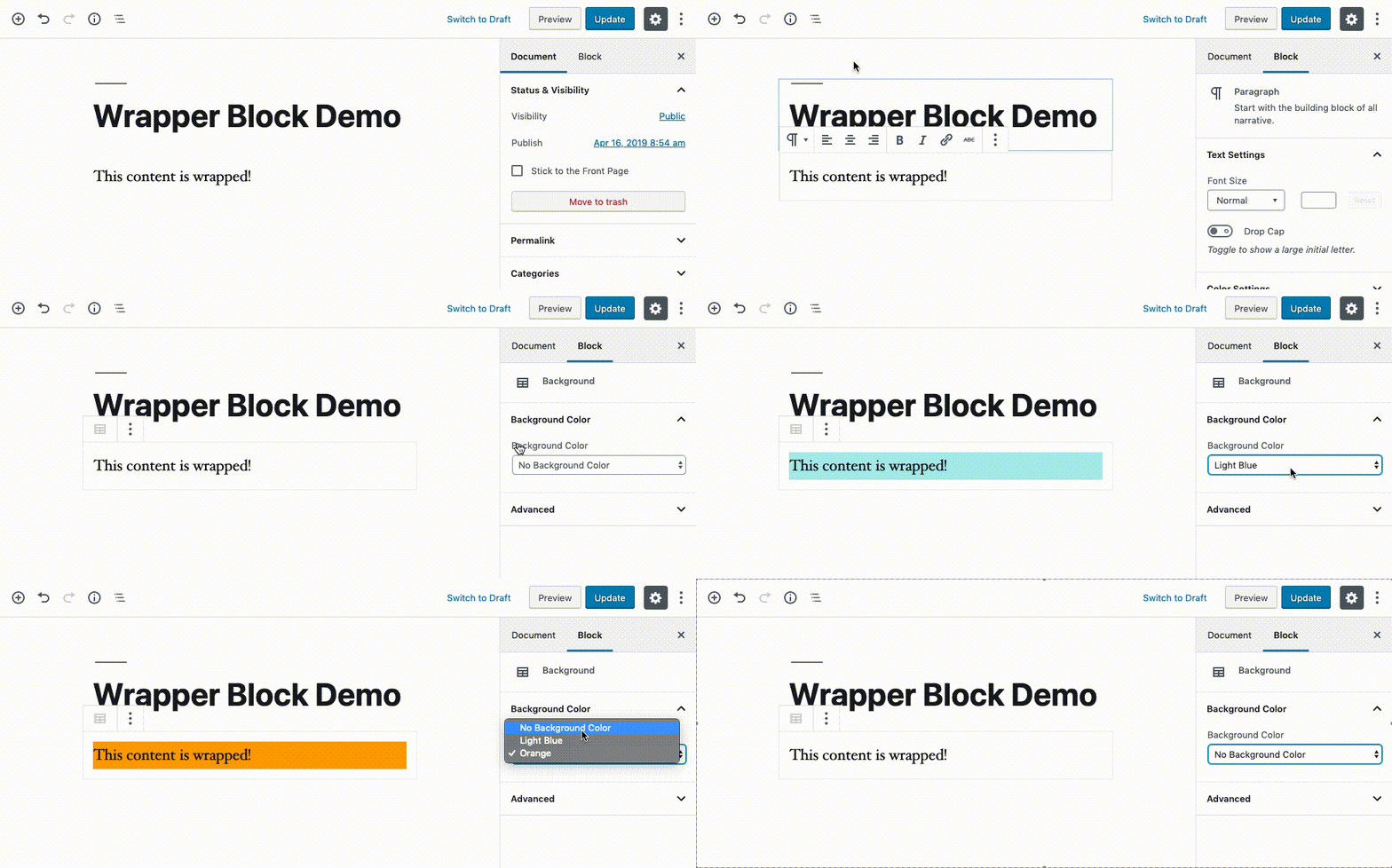
Wrappers help keep the design neat and tidy. They hold all the style rules in one place. This makes it easy to change the look. All pages can look the same with less effort. Consistency is key in design.
Templates save a lot of time. Changes are quick with wrappers. You change one part, and it shows everywhere. This helps in keeping the site updated. Saves effort in making changes.
Websites need to look good on all devices. Wrappers help with this. They make the site fit any screen. No more worrying about mobile or tablet views. Responsive design is simple with wrappers.
Credit: github.com
Setting Up A WordPress Wrapper
Begin by installing the wrapper plugin. This helps in managing your site easily. Go to the plugin section and click “Add New.” Search for a wrapper plugin and click “Install.” After installation, click “Activate” to start using it. Set up your wrapper by accessing the plugin settings. Adjust settings as per your needs. Save changes to keep the configuration.
Customize the wrapper to match your site’s style. Go to the wrapper settings. Choose colors and fonts that fit your design. Add logos and images where needed. Adjust the layout for better appearance. Ensure the wrapper is responsive on all devices. Test changes on different screens to check the look.
Integrate the wrapper with your current theme. Check compatibility first. Some themes work better with wrappers. Change theme settings to align with the wrapper. Import theme styles into the wrapper. Ensure both look good together. Adjust settings for a seamless integration. Test the site after integration.
Common Challenges
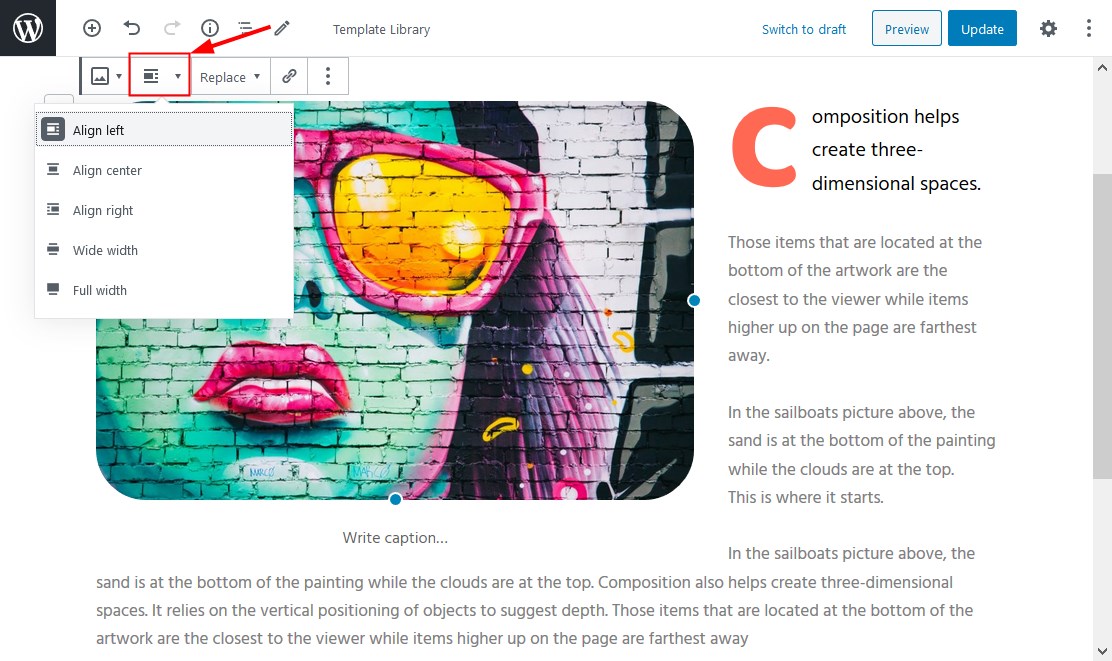
WordPress Wrappers can cause design issues. Layouts might not look right. Themes and plugins might clash. This can make sites look messy. Fixing these issues takes time. Checking theme and plugin settings helps. Sometimes, code changes are needed. This can be hard for beginners.
Compatibility problems often occur with WordPress Wrappers. Different plugins may not work together. This can break features on your site. Older themes might not support new wrappers. Updates can fix some issues. But they can also create new problems. Regular checks and updates help keep sites running smoothly.
Credit: motopress.com
Best Practices
A WordPress wrapper is a code structure that helps streamline themes and plugins. It simplifies design by organizing templates into reusable components. This practice enhances efficiency and consistency across your WordPress site.
Optimizing Performance
WordPress wrappers should be lightweight. This helps them work fast. Avoid using too many plugins. Each plugin can slow down your site. Clean up your code. Remove unnecessary parts. This makes your wrapper efficient. Use caching tools. They store data and speed up loading time. Choose a good hosting service. It affects how fast your site loads.
Regular Updates And Maintenance
Keep your WordPress wrapper updated. New updates fix bugs and add features. Check for plugin updates often. Outdated plugins can break your site. Backup your site regularly. This protects your data. If something goes wrong, you can restore it. Use a security plugin. It protects your site from hackers. Monitor your site. Look for errors or problems. Fix them quickly.
Case Studies
A WordPress Wrapper is a tool that integrates external content within a WordPress site. It allows seamless display of third-party applications. Users enjoy a cohesive website experience, while maintaining the original design and functionality.
Successful Wrapper Implementations
Many businesses have used WordPress wrappers to enhance their sites. They found it helps in organizing content better. A big tech company saw a 20% increase in user engagement. Their site became easier to navigate. A small bakery used a wrapper to showcase their cakes. Customers loved the clean and neat design. A local artist used a wrapper for their art gallery. Visitors spent more time exploring artworks. These examples show the power of a well-designed wrapper.
Lessons Learned From Failures
Some wrappers did not work well. A travel blog tried a complex wrapper. Users got confused and left quickly. A clothing store used too many colors in their wrapper. This made it hard to read. A tech firm had slow loading times due to a heavy wrapper. They lost visitors as a result. It’s clear that simplicity is key. A wrapper should be easy to use and fast. Learning from these mistakes helps in future designs.
Credit: support.idxbroker.com
Frequently Asked Questions
What Is A WordPress Wrapper?
A WordPress Wrapper is a tool or code that encapsulates content or functionality. It provides a structured way to manage themes and plugins. Wrappers ensure that the design or functionality integrates smoothly with WordPress. They enhance customization without altering core files, maintaining updates and security.
How Does A WordPress Wrapper Work?
WordPress Wrappers work by embedding code within themes or plugins. They allow developers to modify or extend functionality without changing core files. Wrappers manage how content is displayed, ensuring consistency across updates. This method maintains site integrity and enhances customization.
Why Use A WordPress Wrapper?
Using a WordPress Wrapper enhances site customization and functionality. It allows developers to implement changes without touching core files. This practice ensures compatibility with updates and maintains security. Wrappers streamline design and improve user experience while preserving the integrity of WordPress sites.
Can Wrappers Affect WordPress Performance?
Yes, WordPress Wrappers can affect performance if not implemented correctly. Poorly coded wrappers may slow down your site. It’s crucial to follow best practices and optimize code. Well-implemented wrappers enhance functionality without compromising speed, ensuring a smooth user experience.
Conclusion
A WordPress wrapper simplifies your website layout management. It helps organize content and design consistently. Using wrappers, you ensure a neat, user-friendly experience. They save time by reusing design elements. This boosts your site’s efficiency and appearance. Wrappers make updating layouts much easier.
Your site stays fresh without starting from scratch. They are crucial for web developers and designers alike. Simple, yet effective. Understanding wrappers can elevate your WordPress skills. Embrace this tool and enhance your website’s functionality. With wrappers, creating cohesive designs becomes manageable.
They truly streamline the web building process.



