
Imagine having a magic wand that lets you create a beautiful website without needing to be a tech wizard. Sounds amazing, right?
That’s what a WordPress website template offers you. It’s like having a blueprint for your online presence, allowing you to build and customize your site with ease. Whether you’re starting a blog, launching an online store, or showcasing your portfolio, these templates provide the foundation you need.
You might be wondering, “Do I really need one? ” Or “How can it make my life easier? ” Stick with us, and you’ll discover how WordPress templates can transform your vision into reality, saving you time, effort, and maybe even a few headaches along the way.

Credit: themeforest.net
WordPress Template Basics
A WordPress template is a file that controls how your website looks. It decides the layout, colors, and fonts. Templates are part of a bigger theme. Themes have many templates to choose from. Each template can show different parts of a website. Some templates show posts. Others show pages or galleries.
Templates make building a website easy. They help keep your design consistent. You don’t need to design each page from scratch. With a template, you can make changes quickly. This saves you a lot of time. Templates also ensure your site looks good on all devices. This includes phones and tablets.
Types Of WordPress Templates
Theme templates help to change the look of your website. They offer different designs and layouts. You can choose a theme that matches your style. Some themes are simple. Others are more complex. You can find both free and paid options. Themes make your site look unique.
Page templates are for specific pages. Like a home page or a contact page. Each page can have its own design. This makes your website organized. Page templates help your site look professional.
Custom templates are made just for you. They fit your special needs. You can create a custom template with help. Custom templates make your site unique. They give you full control over your website’s look.
Choosing The Right Template
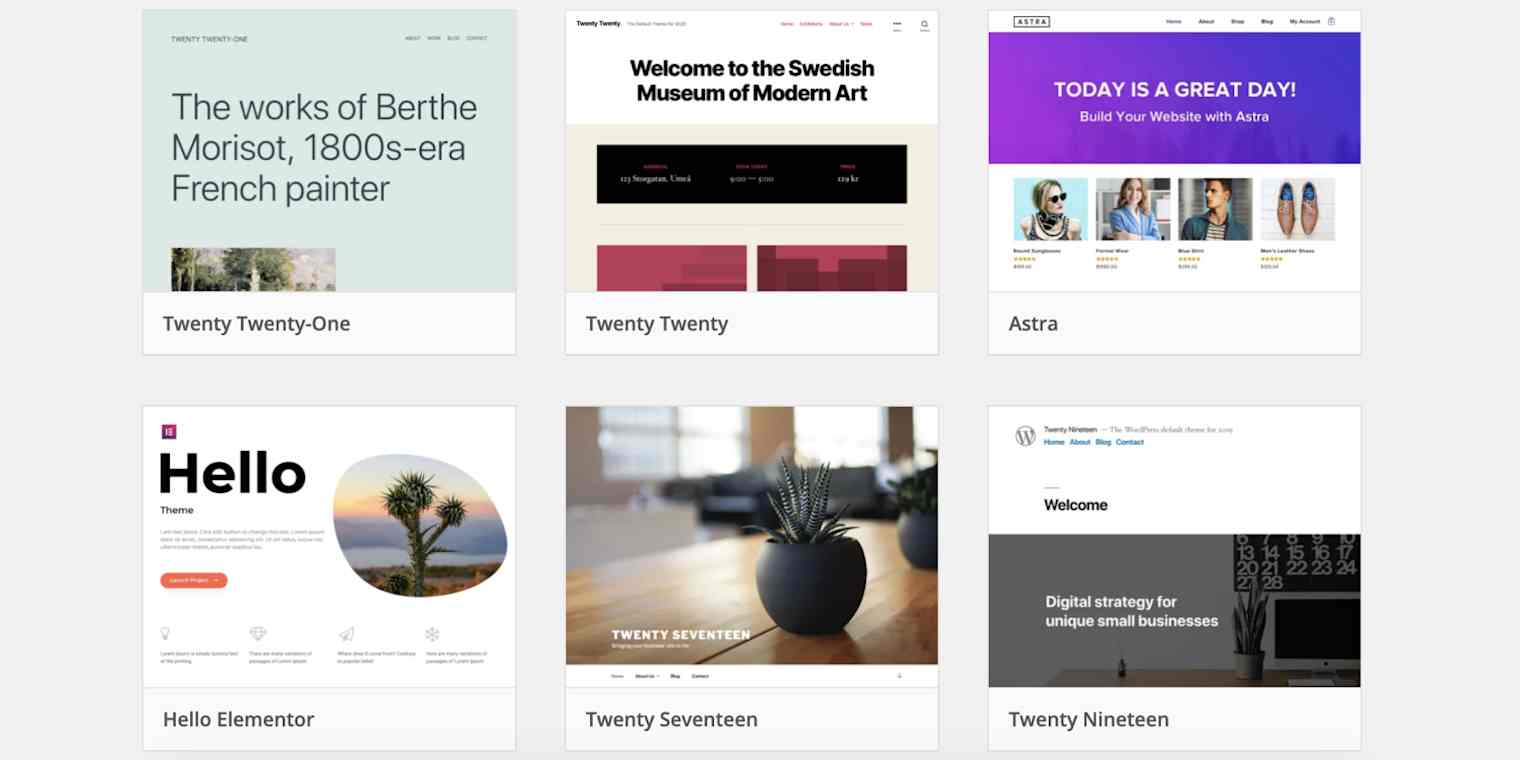
Picking a WordPress template is important. It shapes your website’s look. First, check if it is responsive. This means it looks good on all devices. Next, think about customization. Can you change colors or fonts easily? Then, see if it is SEO-friendly. This helps your site appear in searches. Also, check for support. Is there help if you have questions? Finally, look at the ratings and reviews. What do other people say about it?
Many templates offer great features. Some have drag-and-drop builders. These make design easy. Others have pre-made layouts. You can start fast. Some templates offer e-commerce support. Great for online shops. Gallery options are nice for photos. Social media integration lets you share posts easily. These features can make your site better.
Credit: zapier.com
Installing A WordPress Template
A WordPress website template is a pre-designed layout that simplifies building websites. It provides a structure and style for your site, including fonts, colors, and page layouts. Installing these templates helps create attractive and functional websites without needing advanced design skills.
Installation Process
Start by logging into your WordPress dashboard. Go to “Appearance” and click on “Themes.” You will see a button named “Add New.” Click it to find templates. Search for the template you want. Click on “Install” to start the process. After installation, click “Activate” to make it live. Your new template is now ready. It’s a simple process.
Troubleshooting Installation Issues
Sometimes templates don’t install easily. Check if your WordPress version is up-to-date. Outdated versions might cause errors. Ensure your template is compatible with your WordPress version. If still facing issues, check file permissions on your server. Incorrect permissions can block the installation. Recheck your internet connection too. Slow or broken connections can disrupt the process. If problems persist, contact your hosting provider for help. They can offer solutions.
Customizing Templates
WordPress templates can be changed easily. Use the WordPress dashboard for changes. Colors and fonts can be adjusted. Add your own logo for a personal touch. Menus can be rearranged for easy navigation. Widgets can be added or removed as needed. This helps make your site unique. Templates often come with preset layouts. Choose a layout that fits your style. Basic changes are simple. You don’t need coding skills for these. Beginners can start with basic changes.
Advanced customization needs more skills. Use custom CSS for detailed changes. Modify theme files for specific needs. This requires some coding knowledge. Plugins can add special features. Plugins can help customize functions. Child themes are helpful for advanced changes. They protect your custom work during updates. Advanced techniques make your site stand out. Learn to use these for better control. Experiment to find what works best. Practice makes it easier over time.
Benefits Of Using WordPress Templates
WordPress templates are very easy to use. They don’t need coding skills. Just choose a template and click to install. Templates make website building simple. Many people can use them without help. This is why they are popular.
WordPress templates save money. Custom websites can be expensive. Templates are cheaper than hiring a designer. Many are free or low-cost. This helps small businesses and personal sites. Templates give good design at low cost.
Templates save a lot of time. Websites can be ready in hours, not days. No need to start from scratch. Just pick a template and add your content. This means you can focus on other tasks. Templates are quick and easy.
Top WordPress Template Providers
WordPress offers both free and paid templates. Free templates are easy to find. They are good for simple websites. Paid templates have more features. They offer better support. They look more professional. Choosing between free and paid depends on your needs. Free templates are budget-friendly. Paid ones can be worth the cost for businesses.
Many companies offer WordPress templates. ThemeForest is a well-known provider. They have many options. Elegant Themes is another choice. They offer the popular Divi theme. StudioPress is famous for the Genesis framework. These providers offer quality templates. They suit different needs and budgets.

Credit: themeforest.net
Future Of WordPress Templates
WordPress website templates offer pre-designed layouts for building sites. They simplify the design process, allowing customization with ease. As technology advances, templates will likely incorporate more intuitive features, enhancing user experience and design flexibility.
Emerging Trends
WordPress templates are changing fast. People want more unique designs. Designers are now using bold colors and simple layouts. Minimalist styles are popular. Users love templates that load fast. Clean templates are easy on the eyes. Accessibility is very important now. Templates must work for everyone. This includes people with disabilities. More templates have voice search features. Smart devices are now common. This makes voice search popular. Designers keep up with these trends. They create templates that meet these needs.
Impact Of Technology Advancements
New tech changes WordPress templates. AI tools help in making designs. They give better user experiences. Augmented reality (AR) is the new buzz. Some templates now support AR. Virtual reality (VR) is also growing. Templates may soon use VR tools. Mobile devices are now a focus. Templates are more mobile-friendly. This helps in reaching more users. Security is a major concern. Templates now have better security features. All these advancements improve WordPress templates.
Frequently Asked Questions
What Is A WordPress Website Template?
A WordPress website template is a pre-designed layout used to build websites. It provides the basic structure, design, and style. Templates help users create websites without extensive coding knowledge. They come with customizable features, enabling easy changes in design and functionality.
How Do WordPress Templates Work?
WordPress templates work by providing a set design framework for your site. They control the appearance and layout of your content. Users can customize templates via the WordPress dashboard. This allows changes in colors, fonts, and layout, providing a personalized look.
Can I Customize A WordPress Template?
Yes, you can customize a WordPress template. Most templates offer options for customization through the WordPress dashboard. You can modify colors, fonts, and layout. Some templates also allow adding custom code for advanced customization, making your site unique and personalized.
Are WordPress Templates Mobile-friendly?
Most modern WordPress templates are mobile-friendly. They use responsive design to adapt to different screen sizes. This ensures your website looks good on smartphones, tablets, and desktops. Mobile-friendly templates improve user experience and are crucial for SEO performance.
Conclusion
WordPress website templates simplify web design. They offer pre-made layouts and styles. Perfect for beginners and professionals. You can easily customize them to fit your brand. No coding skills needed. Templates save time and effort. They ensure your site looks professional.
Many options are available to suit different needs. Find one that matches your vision. Create a stunning website without hassle. Start building your online presence today. Enjoy the flexibility and ease templates provide. Designing a website is now accessible to everyone.
Embrace the power of WordPress templates. Your perfect website awaits.



