
Imagine having the power to tweak your WordPress site just the way you want, without diving deep into complex coding. Sounds exciting, right?
That’s where WordPress snippets come into play. These handy bits of code offer you a simple yet effective way to customize your website, streamline tasks, and enhance functionality. Whether you’re a seasoned developer or a curious beginner, understanding WordPress snippets could be your key to unlocking new possibilities for your site.
As you explore this article, you’ll discover how these snippets can transform your WordPress experience, making website management easier and more efficient. Get ready to dive into the world of WordPress snippets and see how they can make your life easier and your site smarter.
WordPress Snippet Basics
A WordPress snippet is a short piece of code. It adds extra features to your website. Snippets help in customizing your site. They are like mini plugins. You can use them to change the look or function of your site. Many developers use snippets. They are quick and simple.
Snippets have many uses. You can use them to add custom fonts. They can change how your site loads. They help in enhancing site security. Snippets can also improve SEO. Many people use them to add tracking codes. They are useful for site optimization. With snippets, you can improve site speed.
Advantages Of Using Snippets
Snippets save a lot of time. They help you write code fast. You don’t need to type the same code again. Copy-paste and you are done. This boosts productivity. You can focus on other tasks. Less typing means less errors. Your work is more accurate. Snippets are easy to use. Everyone can use them. Even beginners find them helpful.
Snippets offer great flexibility. You can change them to fit your needs. Make your work look just how you want. They are easy to customize. You can add or remove parts. This makes your website unique. Snippets work well with many plugins. They are a good choice for any project. Use them to make your site better.
How To Add Snippets
Adding snippets to Functions.php is simple. First, find the theme folder. Inside it, locate the Functions.php file. Open it using a text editor. Copy the snippet code. Paste it at the end of the file. Save your changes. Be careful! A mistake can break your site. Always backup before editing.
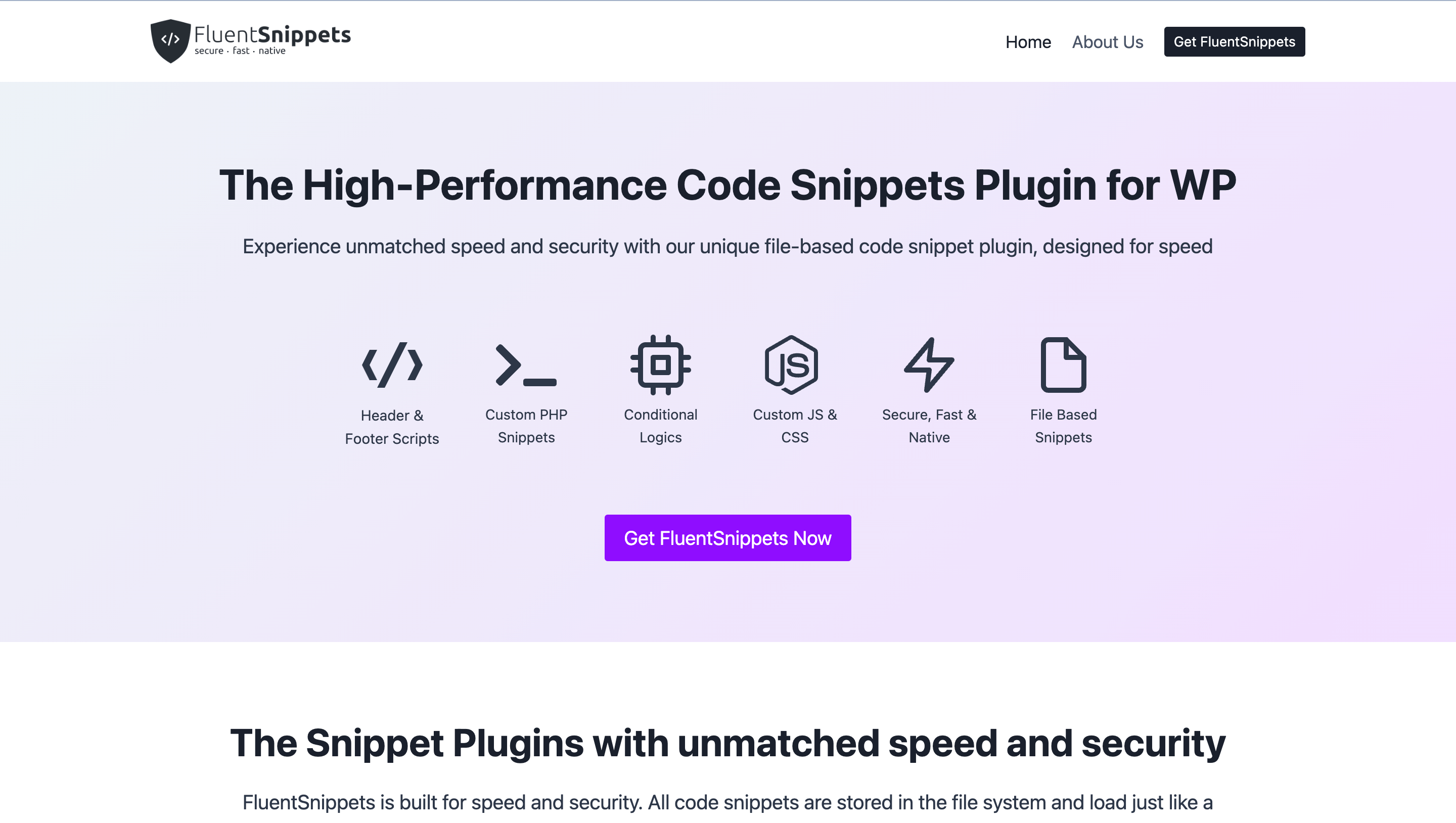
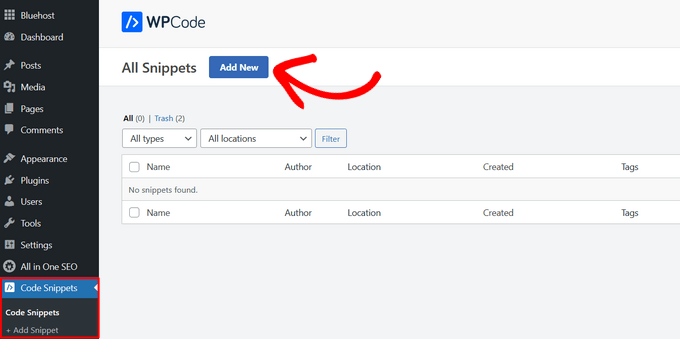
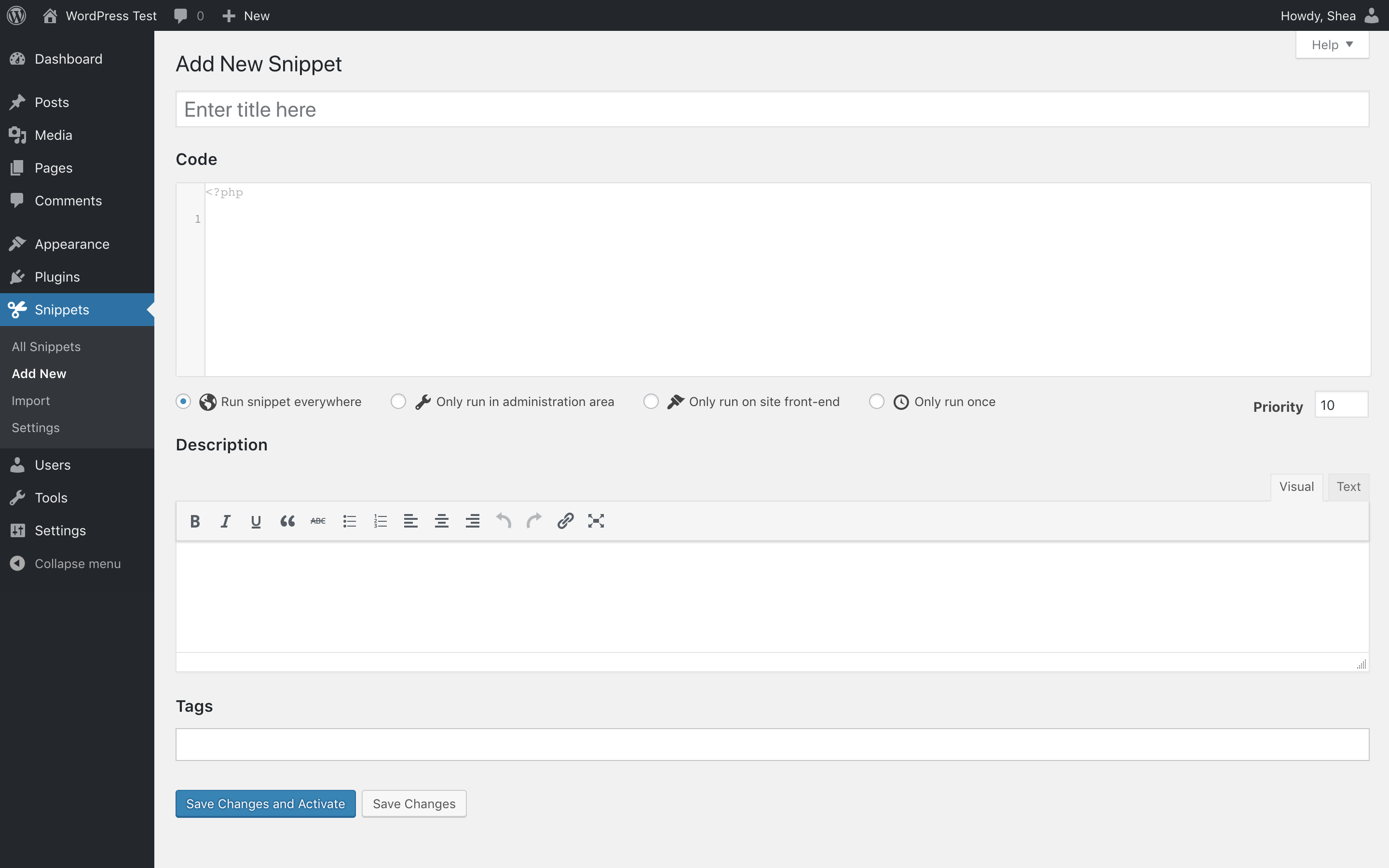
Plugins make adding snippets easy. Find a snippet plugin in the plugin store. Install the plugin. Activate it. Go to the plugin settings. Add your snippet code there. Save your changes. It’s safer and easier than editing files. Many plugins have extra features. Some help organize snippets. Others offer error checks.
Credit: wpmanageninja.com
Popular Snippets For WordPress
WordPress snippets can make your site faster. Cache your pages for speed. Minimize your CSS and JavaScript. This reduces load time. Optimize images using snippets. Smaller images load faster. Remove unused plugins. They slow down your site. Snippets help with this. Lazy loading can be enabled too. Images load only when needed. This saves resources. Use snippets wisely. They improve performance.
Snippets change how your site looks. Add custom fonts to your theme. Make text unique and fun. Change colors with ease. Match your brand style. Use snippets to alter layouts. Create custom sidebars for different pages. Hide elements that are not needed. Simplify the user view. Add extra widgets where you like. Snippets give you design control.
Best Practices For Snippet Management
Keep your snippets tidy. Use folders or tags. It helps find them fast. Make sure each snippet has a clear name. This saves time. Easy to understand names are the best. Use a snippet library. It helps manage and share snippets. Libraries make organizing easy. They also help in keeping track. Always update your snippets. Old snippets can be confusing. Remove unused snippets. This keeps your library clean.
Check if snippets work with your theme. Test snippets first. Always update plugins. They help with compatibility. Use standard code practices. This avoids errors. Make sure snippets are safe. They should not harm your site. Compatibility is crucial. Snippets must work with other codes. Regular testing ensures they do. Fix issues quickly. It keeps your site running smoothly.
Credit: www.wpbeginner.com
Troubleshooting Snippet Issues
Snippets can cause conflicts in WordPress. Plugins often clash with snippets. Check if a plugin is causing issues. Deactivate all plugins first. Then, activate them one by one. This helps find the problem. Themes can also cause conflicts. Switch to a default theme. See if the issue persists. If it does not, the theme is the problem.
Restore your site with backups. Always keep a recent backup. Use a plugin to restore it. Backups save time and stress. Check your snippet code. Errors in code can break your site. Fix any typos or mistakes. Use online tools to check code. Ask for help if you are stuck. Many forums have experts ready to help.
Credit: wordpress.org
Frequently Asked Questions
What Is A WordPress Snippet?
A WordPress snippet is a small piece of code that enhances functionality. It can be added to themes or plugins. Snippets can improve SEO, customize appearance, or add new features without heavy coding. They’re a useful tool for developers and site owners to optimize their WordPress sites efficiently.
How Do I Add Snippets To WordPress?
To add snippets, go to your WordPress dashboard. Use a code snippet plugin or edit theme files directly. Always back up your site before making changes. Adding snippets can enhance site functionality, but caution is advised to avoid errors. Proper implementation ensures smooth integration and performance.
Are WordPress Snippets Safe To Use?
WordPress snippets are generally safe if sourced from reputable developers. Always test snippets on a staging site first. This ensures compatibility and avoids issues. Check for recent updates to ensure security compliance. Properly vetted snippets can enhance site functionality without compromising security or performance.
Can Snippets Improve WordPress Seo?
Yes, snippets can enhance WordPress SEO by optimizing content structure. They can help in improving meta tags, schema markup, and site speed. Implementing SEO-focused snippets can result in better search engine visibility. This leads to increased traffic and improved user engagement on your WordPress site.
Conclusion
WordPress snippets make website customization simple. They’re small pieces of code. Easy to add and modify. Snippets help improve site functionality. They enhance user experience effortlessly. Even beginners can use them effectively. No advanced coding skills needed. Just basic understanding.
Snippets save time and effort. They are efficient and practical. You can tailor your website uniquely. With snippets, control is in your hands. They offer flexibility and creativity. Explore and experiment confidently. Your WordPress site will benefit greatly. Snippets are a valuable tool for everyone.
Start using them today. Your website will thank you.



