
Imagine having a digital space that showcases your best work, attracts potential clients, and tells your story—all without needing to be a tech wizard. That’s exactly what a WordPress portfolio site can do for you.
Whether you’re an artist, designer, photographer, or any kind of creative professional, having a portfolio site is essential. It’s like your personal gallery, open 24/7, inviting visitors to explore your talents and achievements. But what makes WordPress the go-to platform for creating these sites?
How can it transform your portfolio into a powerful tool for career growth? Dive into this article to uncover the secrets of crafting a captivating WordPress portfolio that not only stands out but also drives results. Let’s explore how you can leverage the right tools to showcase your unique flair and make your mark in the digital world.
WordPress Portfolio Basics
A WordPress Portfolio is a special website. It shows your work. Artists, designers, and writers use it. It helps them display their skills. You can share your projects and achievements. It’s like an online resume.
WordPress offers many themes. Choose one that fits your style. It’s easy to use. Even beginners can make a portfolio. Customize it with colors and fonts. Add your photos and videos.
Visitors can see your work anytime. They can contact you through it. A portfolio helps you stand out. It is important in today’s digital world. Show your best work proudly.

Credit: www.youtube.com
Benefits Of A Portfolio Site
A portfolio site lets you show your work to the world. It helps people see what you can do. You can add pictures, videos, or projects. It is like a gallery for your skills. Clients and employers can look at your work easily. They can decide to hire you based on what they see. It is your chance to impress them.
A portfolio site makes you look more professional. It shows you take your work seriously. People trust you more when they see a nice website. It tells them you are ready for business. A good website can make a big difference. It is like wearing a nice suit to a meeting.
A portfolio site helps you connect with others. People can find you online. They can reach out if they like your work. You can meet new clients or partners. It opens doors to more work and projects. A website makes it easy to share your contact details. Networking becomes simple and effective.
Key Features
A responsive design changes how a site looks on different devices. It works well on phones, tablets, and computers. Pictures and text adjust to fit the screen. This makes it easy for everyone to see your work. Users love websites that are easy to read and use.
Easy navigation helps visitors find what they need fast. Simple menus and clear labels guide them around. A good portfolio site has few clicks to important pages. This keeps people on your site longer.
Contact information is very important on a portfolio site. Visitors might want to reach out. Having an email, phone number, or contact form makes it easy. Make sure this info is easy to find. It helps people connect with you.
Choosing Themes And Plugins
Theme selection is important for your WordPress portfolio. First, choose a theme that is clean and professional. It should suit your style. Always check if the theme is responsive and looks good on all devices. A fast-loading theme is a good choice. Visitors do not like to wait. Check user reviews and ratings. They can tell if the theme is reliable.
Theme Selection Tips
Choose a theme that matches your work. If you are a photographer, pick a theme with image galleries. For writers, choose one with clean fonts. Make sure the theme supports the plugins you need. Test the theme demo. See if you like it.
Essential Plugins
Plugins add features to your site. A good portfolio site needs a contact form. Use plugins for SEO to help people find your site. Gallery plugins can show off your work. Security plugins keep your site safe. Backup plugins save your work.
Creating Content For Portfolios
Your portfolio should show your best work. Choose pieces that display your skills well. Include projects that have special elements. This can help attract attention. Your work should tell a story. A story about what you can do. Keep descriptions simple and clear. Let the work speak for itself.
Descriptions are key. They guide the viewer. Use simple language to explain your work. Short sentences work best. Tell what makes each piece special. Describe the process. Why it matters. Keep it engaging. But clear. Avoid complex words. They may confuse readers.
Images must be high-quality. They showcase your work. Blurry images can hurt your portfolio. Ensure photos are clear. Well-lit. Good images boost your portfolio. They create a strong impression. Help people understand your work. Choose the best angle. Show details. Make each image count.
Optimizing For Seo
Use keywords that match your site. Think about what users search. Pick words related to your work. Use these words in your titles and descriptions. Place them in your text but don’t overdo it.
Meta tags help search engines understand your page. Use clear and simple words in your meta descriptions. These words help your site show up in search results. Always add a title tag too.
Images make your site look good. But they must load fast. Use small image sizes. Add alt text to each image. This helps search engines understand your images. Alt text also helps people who can’t see the images.
Maintaining Your Portfolio
Keep your portfolio fresh. Add new projects often. Show what you are working on now. This keeps your site alive. It shows you are active. People like to see new things.
Check how your site works. Is it fast? Does it load quickly? If not, find ways to make it better. Use tools to see what is slow. This helps your site run well.
Talk to people who visit your site. Answer their questions. Be friendly. Ask for their thoughts. This makes them feel welcome. They will want to return to your site.
Credit: colorlib.com
Successful Portfolio Examples
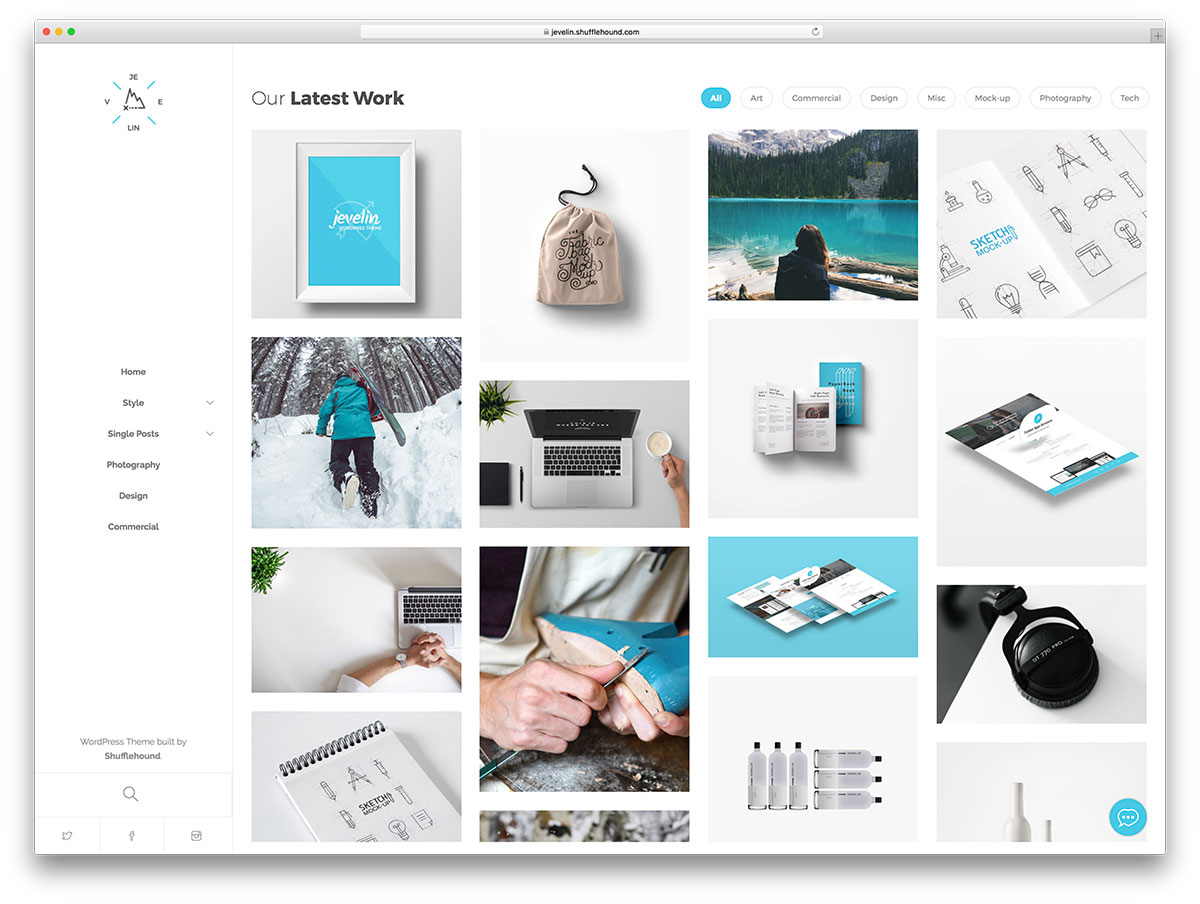
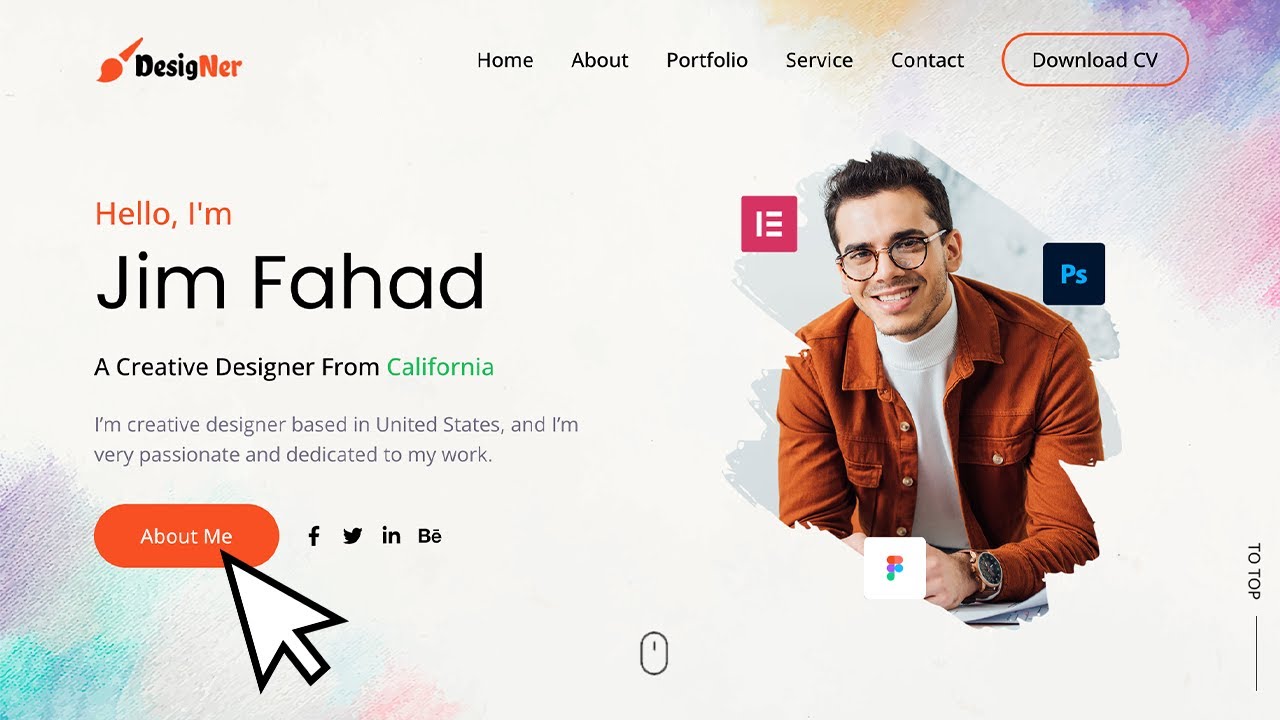
A well-designed portfolio can show your skills and creativity. Many designers use WordPress to create beautiful portfolios. A great example is a photographer’s site. It showcases stunning images with simple navigation. The use of white space makes photos stand out. Another example is a graphic designer’s site. Here, bright colors and bold fonts attract visitors. Each project has a brief description. This helps in understanding the designer’s role. A writer’s portfolio might use a minimalist theme. Clean lines and easy readability are key. Visitors can see samples of work at a glance. Each site should reflect the personality of its owner. This makes the portfolio unique and memorable.
Credit: www.youtube.com
Frequently Asked Questions
What Is A WordPress Portfolio Site?
A WordPress portfolio site is a website showcasing your work, skills, or projects. It uses WordPress, a popular content management system, to easily create and manage your portfolio. This type of site helps freelancers, artists, and professionals display their achievements online, attracting potential clients or employers.
How Do I Create A WordPress Portfolio Site?
To create a WordPress portfolio site, first choose a domain and hosting plan. Install WordPress and select a portfolio theme. Customize your site by adding your projects and personal information. Optimize for SEO to enhance visibility. Regular updates and engaging content will keep your portfolio fresh.
Why Choose WordPress For A Portfolio Site?
WordPress is flexible, user-friendly, and offers numerous portfolio themes and plugins. It supports customization, SEO optimization, and responsive design. WordPress’s large community provides extensive support and resources. These features make it an ideal choice for creating a professional and visually appealing portfolio site.
Can I Add Multimedia To My WordPress Portfolio?
Yes, WordPress easily supports multimedia integration. You can add images, videos, audio, and interactive elements to your portfolio. Use plugins like Elementor or WPBakery for enhanced media management. Multimedia enriches your portfolio, making it more engaging and informative for visitors.
Conclusion
A WordPress portfolio site is a smart choice for creatives. It showcases work beautifully and professionally. Easy to set up with many themes available. No coding skills? No problem. Customization options allow you to tailor it to your needs. Potential clients can view your work anytime, anywhere.
A portfolio site also boosts your online presence. It’s more than a digital gallery. It’s a tool to connect and grow. Start building your site today. Your creativity deserves a platform. Let your talent shine through with WordPress.



