
Imagine having the power to transform your website into a visual masterpiece that captures attention and keeps visitors engaged. If you’ve been searching for a tool that can help you achieve this, then Revolution Slider for WordPress might just be the answer you need.
You might be wondering what exactly is a Revolution Slider and how it can make a difference for your site. In simple terms, it’s a WordPress plugin designed to create stunning sliders, carousels, and presentations without needing complex coding skills.
As you delve into this article, you’ll discover how Revolution Slider can elevate your website’s aesthetic and functionality. Whether you’re a seasoned developer or a beginner, this tool offers a seamless way to showcase your content. But why should you care? Because it could be the missing piece that turns your ordinary website into an extraordinary one. Stay with us as we explore the features, benefits, and tips on how to make the most of Revolution Slider, ensuring your website not only stands out but also captivates every visitor.
Revolution Slider Overview
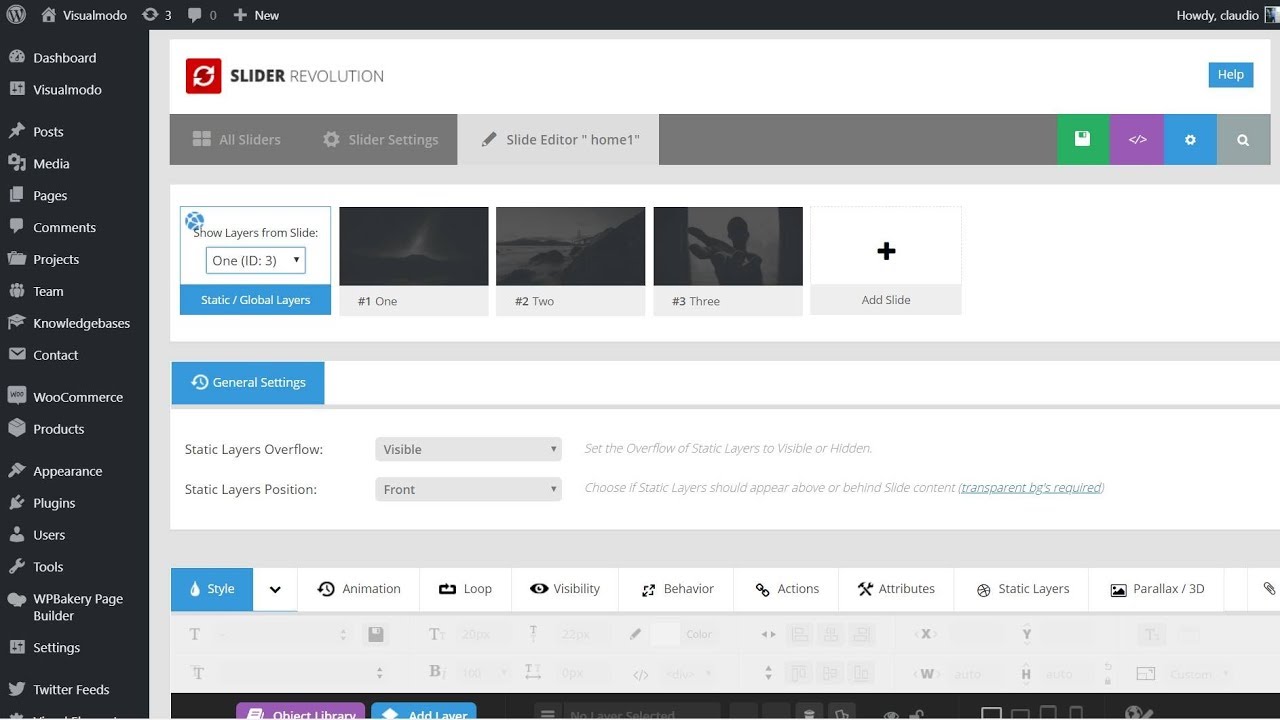
Revolution Slider is a popular tool for creating slideshows on WordPress. It helps to make websites look more attractive. Users can add images, videos, and text easily. The tool offers many features. These include animations, transitions, and effects. Each slide can have its own style. People can change them as they like. It is used by many website owners worldwide. It is simple to use. Even beginners can handle it. It improves user engagement. It helps in making a website stand out. The tool supports mobile devices. Slides look good on phones and tablets. It is a valuable addition for WordPress users.
Credit: www.youtube.com
Key Features
The Revolution Slider works well on all devices. Phones, tablets, and computers can all show the slides perfectly. Users enjoy a smooth experience. No matter the screen size, the design adapts. This feature is important for reaching more people.
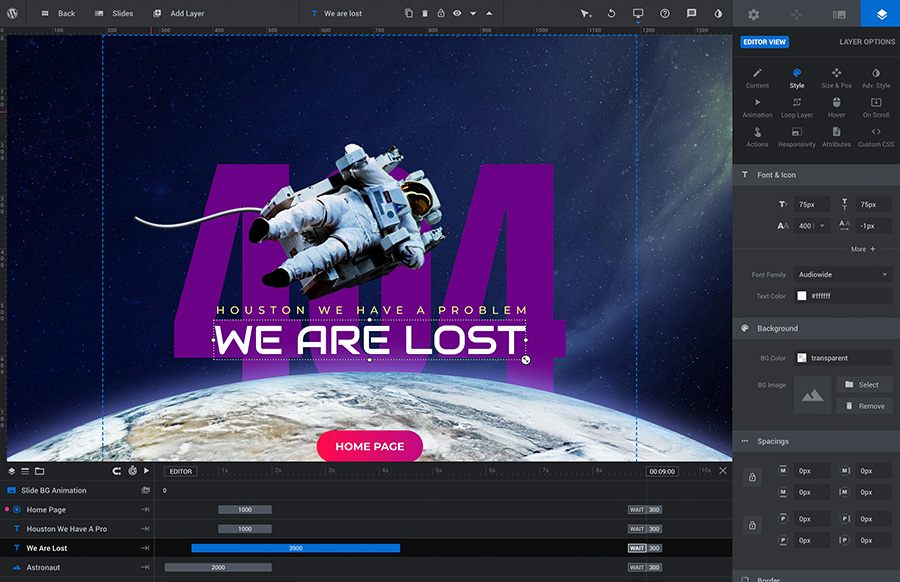
A visual editor makes creating slides easy. Drag and drop elements to design your slides. No coding skills needed. See changes instantly as you create. Users can add images, text, and other media easily.
Slides come to life with animation effects. Choose from many options to make slides dynamic. Effects can include fading, sliding, and zooming. These animations make content more engaging.
Pre-made templates save time. Pick a design and start right away. Templates offer a variety of styles. Customize them to match your needs. Great for beginners and pros alike.
Installation Process
First, locate the Revolution Slider plugin in the WordPress dashboard. Navigate to Plugins and then Add New. Search for Revolution Slider in the search bar. Click Install Now next to the plugin. Wait for the installation to finish. It takes a short time.
Once installed, click Activate. The plugin appears in the dashboard menu. Find it under Slider Revolution. Check if it is working properly. Activation is necessary to use the features. Now, you can create amazing slides.
Creating Your First Slider
Start by selecting a template for your slider. Templates help you with design. They save time and effort. You can find many options. Each has a unique look. Choose one that fits your style.
Next, add slides to your slider. Each slide can show a different message. Use images and text to create a story. Add as many slides as you want. Ensure each slide is clear and simple.
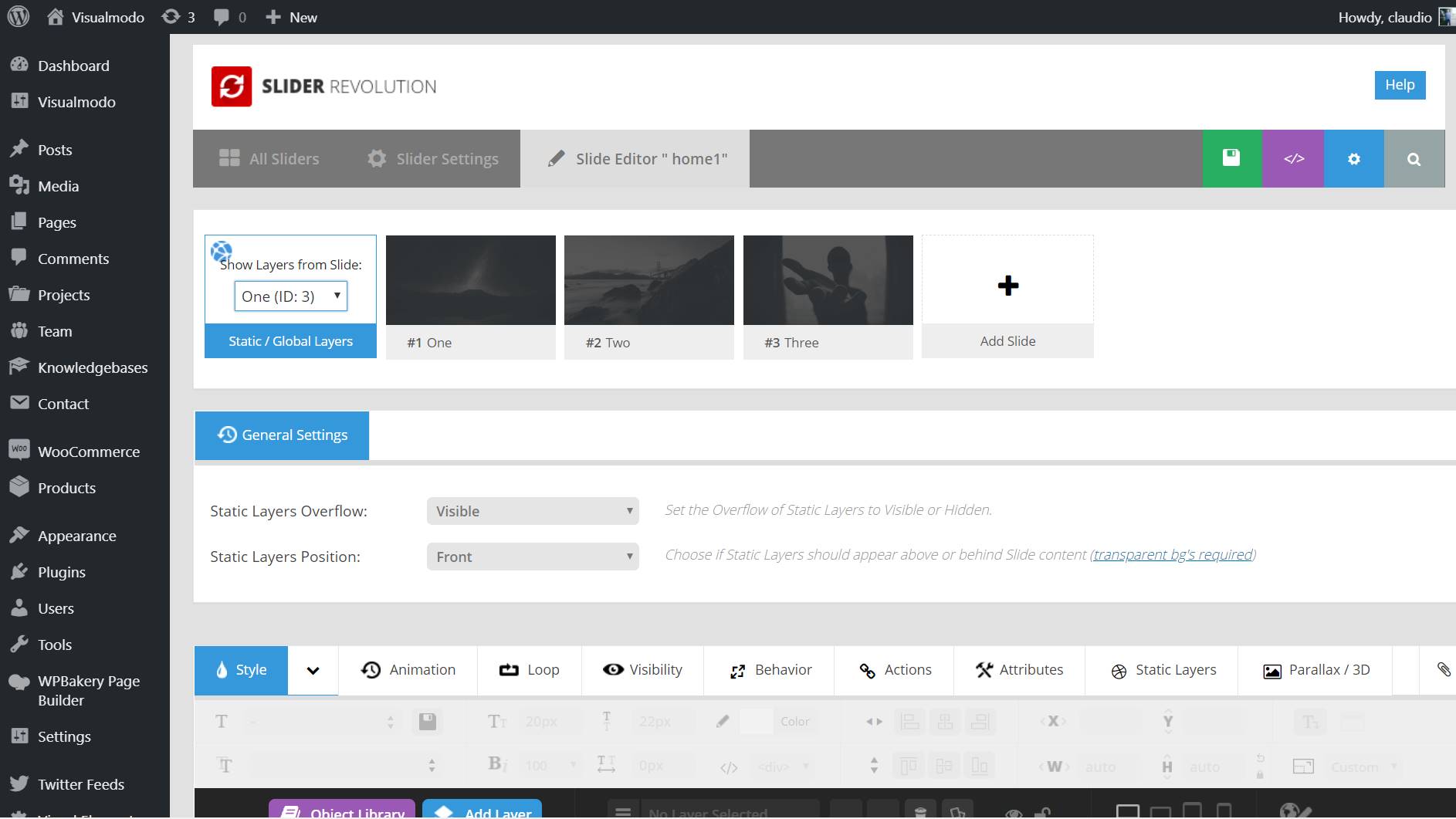
Now, make your slides unique. Change colors and fonts. Add buttons and links. Move items around. Make sure everything looks right. Check each slide before finishing. Your slider is now ready to impress!
Advanced Customization Options
Revolution Slider lets you add different layers. These layers can be text, images, or buttons. Each layer can do something special. Text layers show words on the screen. Image layers show pictures. Button layers let you click to go somewhere else. You can move layers around. Make them big or small. Change their color. These options help your slider look just right.
Using your own fonts makes your slider unique. Choose fonts from a big list. Google Fonts is one place to find them. You can also upload your own. Font size and color can be changed. This helps your words look nice. Custom fonts make your slider match your website style.
Videos make sliders more fun. Add YouTube or Vimeo videos easily. They play right in the slider. You can set them to play automatically. Or wait for a click. Adjust video size and position. This way, videos fit perfectly in your design. Adding videos makes your slider lively.
Credit: codecanyon.net
Optimizing Performance
Large images slow down your website. Make them smaller with compression tools. This helps your site load faster. Faster sites keep visitors happy. Use formats like JPEG or PNG. They keep quality high and size low.
Lazy loading only shows images when needed. This saves bandwidth. Your site loads faster. Visitors see the page before all images load. It’s like magic for your site speed.
Most people use phones to browse. Your site must work on mobile. Use responsive designs. Adjust text and images for small screens. Fast mobile sites keep users engaged. This improves your site’s performance.
Troubleshooting Common Issues
Revolution Slider for WordPress transforms your website with stunning sliders and visual effects. Troubleshooting common issues often involves checking plugin updates or resolving compatibility problems. Adjusting settings and reviewing tutorials can help in fixing errors efficiently.
Plugin Conflicts
Plugin conflicts often cause Revolution Slider issues. Some plugins don’t work well together. They can make the slider stop. Deactivate other plugins one by one. Check if the slider works. This helps find the problem plugin.
Loading Problems
Sometimes, the slider does not load properly. Check your internet speed. Slow internet can stop loading. Check the server too. A busy server can cause delays. Make sure all images are optimized. Large images slow down loading.
Design Inconsistencies
Design inconsistencies can happen. This means the slider looks different on other devices. Check the slider settings. Make sure it is responsive. This helps it look good on phones and tablets. Use browser tools to see how it looks.
Best Practices
Revolution Slider for WordPress creates engaging slideshows with ease. This tool offers various design options to enhance website visuals. Users can customize animations and transitions to create dynamic presentations.
Design Tips
Keep slides simple. Use clear and bold fonts. Choose colors that match your site. Use high-quality images. Avoid clutter. Less is more. Focus on key messages. Ensure text is easy to read. Align elements neatly. Consistent design is important.
Seo Considerations
Use alt text for all images. It helps search engines. Optimize images for fast loading. Keep file sizes small. Use keywords in slide titles. Describe images with relevant words. Avoid keyword stuffing. Balance keywords and natural language. Enhance your site’s search visibility.
User Experience Enhancements
Ensure slides load quickly. Slow slides frustrate users. Add navigation arrows. Users like easy controls. Use transitions wisely. Keep them smooth and subtle. Avoid overwhelming effects. Test slides on mobile devices. Make sure they work well on all screens. This improves user satisfaction.
Credit: visualmodo.com
Frequently Asked Questions
How Does Revolution Slider Enhance WordPress Sites?
Revolution Slider enhances WordPress sites by offering dynamic and engaging visual content. It provides customizable sliders, carousels, and animations. This tool helps attract visitors and improve user experience. It supports responsive design and integrates seamlessly with various themes. Revolution Slider is ideal for showcasing images, videos, and text attractively.
Is Revolution Slider Easy To Use For Beginners?
Yes, Revolution Slider is user-friendly for beginners. It offers a drag-and-drop interface that simplifies slider creation. Beginners can access ready-made templates and customization options. Tutorials and documentation are available to assist users. Its intuitive design helps users create professional sliders without coding knowledge.
Can Revolution Slider Improve Website Seo?
Revolution Slider can enhance website SEO by optimizing visual content. It allows alt text and metadata additions to images. Well-designed sliders improve user engagement and reduce bounce rates. Responsive sliders ensure better mobile experience, impacting search rankings positively. Properly configured sliders can contribute to overall SEO efforts.
Does Revolution Slider Support Responsive Design?
Yes, Revolution Slider supports responsive design. Sliders automatically adjust to different screen sizes and devices. It ensures a consistent and user-friendly experience for mobile users. Responsive design helps retain visitors and enhance engagement. This feature is crucial for modern websites, as mobile traffic continues to grow.
Conclusion
Revolution Slider is a powerful tool for WordPress users. It creates stunning, dynamic slideshows easily. With its user-friendly interface, anyone can build engaging content. Customization options are vast, allowing unique designs. This plugin enhances website visuals significantly. It’s a perfect choice for bloggers and businesses.
Visitors will enjoy a more interactive experience. Remember to explore its features fully. Start designing with confidence today. Revolution Slider can transform your website’s appearance. Enhance your site’s appeal with this versatile tool.



