
Imagine browsing a website and being captivated by beautiful images that seem to pop right off the page. You click on one, and suddenly, it enlarges, filling your screen with vibrant colors and crisp details.
This is the magic of a Lightbox Gallery in WordPress. If you’ve ever wondered how you can create such an engaging experience on your own site, you’re in the right place. By the end of this article, you’ll understand how a Lightbox Gallery works, why it’s a must-have for your WordPress site, and how you can easily set it up.
You’ll discover how this tool can transform your website into a visually appealing and interactive hub, keeping your visitors engaged and coming back for more. Get ready to unlock the potential of your images and enhance your site’s design with this simple yet powerful feature.

Credit: wpdevart.com
Lightbox Gallery Concept
A Lightbox Gallery is a tool on websites. It helps show images. The images look bigger and clearer. Users click a picture. The picture then pops up. It floats over the page. This makes it easy to see details. People like this feature. It feels fun and modern.
Lightbox galleries make photos stand out. They grab attention quickly. The background gets darker. This keeps focus on the image. It looks neat and professional. Websites seem more attractive. Visitors enjoy exploring more pictures. This creates a nice experience for everyone.
Key Features
A Lightbox Gallery makes photos fun to see. It lets users click on an image to make it big. This makes the photo stand out. Users can move through photos easily with arrows. They can also close the image by clicking outside of it. This makes browsing quick and easy. The gallery is smooth and quick. It keeps users happy and engaged. The simple setup helps everyone enjoy their visit.
The Lightbox Gallery works on all devices. It fits screens of all sizes. Whether on a phone or a computer, it looks great. Images load quickly without delays. The design changes to fit any screen. This makes sure everyone can see the gallery well. Users have a good experience with no matter what device they use.
Benefits For WordPress Users
A Lightbox Gallery in WordPress enhances image viewing by displaying photos in a pop-up window. This feature keeps visitors on the page while browsing images. Users find it visually appealing and it improves the overall experience.
Easy Integration
Lightbox galleries are very simple to add on WordPress. Users can add them without coding. Simply install a plugin. Then, activate it. The gallery appears right away. It makes websites look neat. Visitors enjoy seamless browsing. No need to leave the page. Images pop up nicely.
Improved User Engagement
Lightbox galleries catch attention. They make images big and clear. This keeps visitors interested. People stay longer on the site. Clicking through images is fun. It feels interactive. Users explore more. They see all the photos. It enhances the user experience.
Setting Up A Lightbox Gallery
A Lightbox Gallery in WordPress displays images or videos in an overlay on the current page. It enhances user experience by allowing viewing without leaving the page. Setting it up involves using plugins or built-in features, making it easy for users to navigate and view content.
Choosing The Right Plugin
Start by finding a plugin that suits your needs. Some plugins are free. Others might cost money. Look at user reviews. They help you understand the plugin’s quality. Check the plugin’s features. Does it support images and videos? Can you customize the design? Ensure it works with your current theme. Compatibility is crucial.
Installation Process
Begin by downloading the plugin. Go to your WordPress dashboard. Click on “Plugins”. Choose “Add New”. Use the search bar. Type the plugin name. Click “Install Now”. Wait a few seconds. Then, click “Activate”. Now, your plugin is ready. Configure it according to your preferences. Set up the gallery. Choose the images you want to display. Save your settings. View your website. Enjoy your new lightbox gallery!
Customization Options
A lightbox gallery can be very pretty. You can choose different colors and fonts. Make your gallery match your website. You can change the size of the pictures. You can also choose how they look. Like a grid or a single line. Some lightbox galleries let you change the shapes of the pictures. This makes your gallery fun and special.
Special effects make your gallery look cool. You can add fade effects. Or make pictures slide in. Add effects when you click a picture. Pictures can get bigger or spin around. Effects make the gallery interactive. You can also change the speed of the effects. Slow or fast, your choice!
Credit: elementor.com
Troubleshooting Common Issues
Explore the Lightbox Gallery plugin for WordPress to display images stylishly. It enhances user experience by opening photos in a popup window, keeping visitors on your page. Troubleshoot common issues by checking plugin settings or compatibility with your theme for smooth functionality.
Compatibility Problems
Some plugins might conflict with the lightbox gallery. Themes can cause issues too. To fix this, disable other plugins first. Check if the problem goes away. If it does, enable them one by one. This helps find the troublemaker. Sometimes, updating plugins solves the issue. Check for updates regularly.
Performance Optimization
Slow galleries frustrate visitors. Large images slow down loading. Resize images before uploading. Use plugins that compress images automatically. Caching plugins speed up galleries. Clear your cache often. Too many scripts cause lag. Minimize scripts for faster performance. A lighter theme also helps. Choose themes wisely.
Showcasing Content
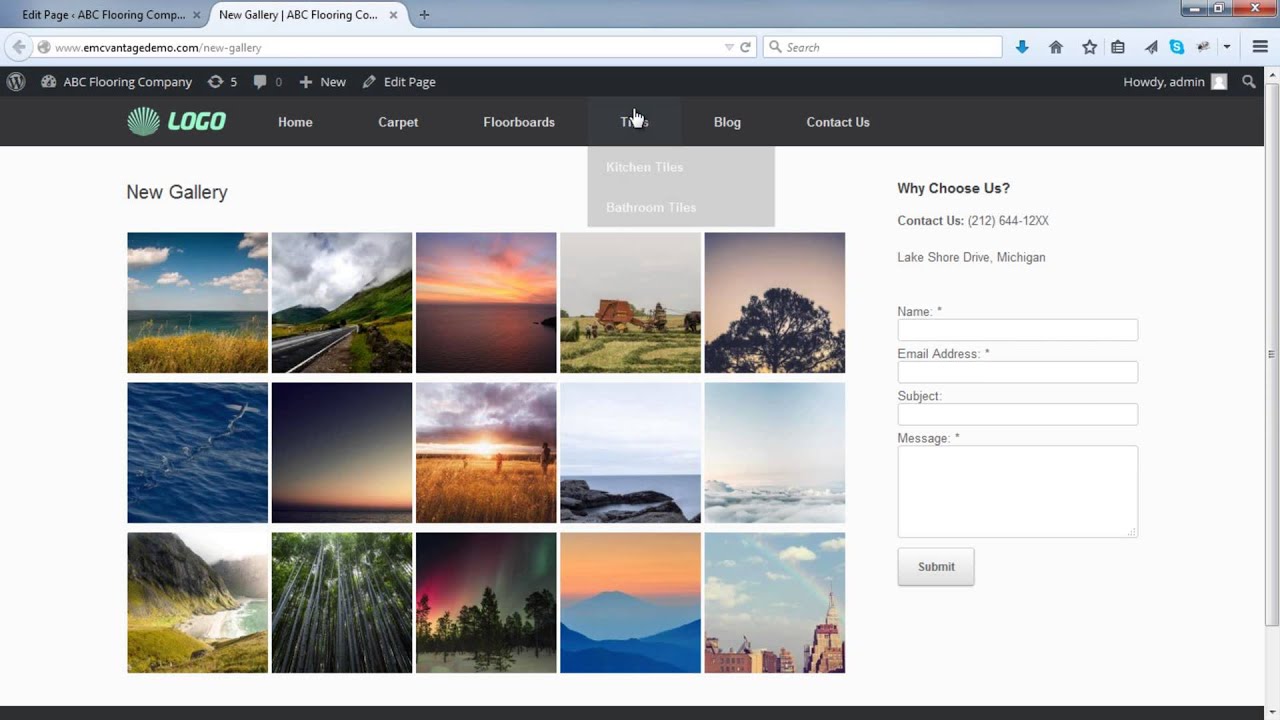
A lightbox gallery makes photos look nice. It shows pictures in a big, clear way. Users can click on any image to make it bigger. This helps viewers see details better. The gallery keeps the focus on the pictures. No distractions. Users can scroll through images easily. This makes the viewing experience smooth and fun.
Videos can also be part of a lightbox gallery. Users can click to watch. This keeps videos in the same window. No need to open a new tab. Videos play with ease. The gallery supports different video sizes. This means videos look good on any screen. Both photos and videos can be in the same gallery. This makes it simple to show all media together.
Credit: www.youtube.com
Tips For Maximum Impact
Lightbox galleries make images pop. They grab attention. Use high-quality photos. Clear images are key. Choose bright colors. They attract eyes. Arrange images well. Good layout matters. Keep it simple. Avoid clutter. Clutter confuses viewers. Proper spacing is vital. It helps focus. Add captions. They provide context. Tell a story. Stories engage people. Use a mix of images. Variety keeps interest. Test different styles. Find what works best.
Enhancing Visual Appeal
SEO helps visibility. Optimize image titles. Use descriptive names. Add alt text. It boosts search ranking. Alt text describes images. Helps search engines understand. Keep file sizes small. Fast loading is important. Compress images if needed. Use keywords wisely. They should fit naturally. Keywords improve search chances. Monitor performance. See what people like. Adjust based on feedback. Happy users stay longer. Longer visits boost success.
Frequently Asked Questions
How Does A Lightbox Gallery Work On WordPress?
A lightbox gallery on WordPress enhances image display. It opens images in a popup overlay, dimming the rest of the page. This allows visitors to focus on the images without distractions. Users can browse through images using navigation controls, improving the overall viewing experience on your website.
Why Use A Lightbox Gallery In WordPress?
Using a lightbox gallery in WordPress enhances user interaction. It offers a visually appealing way to view images without leaving the current page. This feature keeps visitors engaged and reduces bounce rates. It also provides a modern aesthetic, making your site appear more professional and user-friendly.
Can I Customize A Lightbox Gallery In WordPress?
Yes, you can customize a lightbox gallery in WordPress. Many plugins allow you to adjust settings such as transition effects, navigation style, and image captions. Customization helps align the gallery with your site’s design and improves user experience. It enables you to create a unique and engaging visual display.
Is A Lightbox Gallery Mobile-friendly?
Most lightbox galleries are mobile-friendly. They adapt to different screen sizes, ensuring images display properly on smartphones and tablets. This feature enhances accessibility and improves user experience for mobile visitors. Choosing a responsive plugin ensures your gallery looks great on all devices, boosting site engagement.
Conclusion
A Lightbox Gallery in WordPress enhances image viewing experiences. It allows users to click images and see them in a larger, clearer format. This feature keeps visitors engaged with your content. Easy to implement through plugins or built-in features. Perfect for photographers, artists, and businesses showcasing visuals.
Consider aesthetics and user experience. Choose plugins that match your site’s style and needs. Test on different devices for optimal performance. Lightbox galleries add professionalism and flair to your website. They create an inviting visual space. Explore options and find the best fit for your WordPress site.



