
Imagine having a digital space that captures your audience’s attention and effortlessly turns visitors into loyal customers. Sounds ideal, right?
That’s exactly what a landing page in WordPress can do for you. Whether you’re launching a new product, building your email list, or promoting a special offer, a well-crafted landing page is your secret weapon. But what exactly is a landing page in WordPress, and how can it transform your online presence?
In this blog post, we’re diving into the essentials of WordPress landing pages, uncovering the strategies that make them effective, and showing you how to create one that truly converts. Stick around, and you’ll discover how to make your website work harder and smarter for you.
What Is A Landing Page
A landing page is a special webpage. It captures attention quickly. Users visit it after clicking ads or links. The main goal? Convert visitors into customers. This is called a conversion. It might be a sign-up or a purchase.
Landing pages focus on one product or service. This makes them powerful. They are different from regular web pages. Regular pages have many topics. Landing pages stay on one topic. They are designed to be simple and clear.
| Element | Description |
|---|---|
| Headline | Catches attention fast. Tells what the page is about. |
| Call to Action | Encourages users to act. Like “Sign Up” or “Buy Now”. |
| Images | Visuals make the page attractive. They explain the product. |
| Testimonials | Shows what others say. Builds trust with new users. |
Credit: cyberchimps.com
Why Use WordPress For Landing Pages
WordPress offers great flexibility for landing pages. You can change layouts easily. Choose from many themes and styles. This helps create a unique look. With WordPress, you can make your page special. It’s easy to add new features too. You can adjust your page as needed.
WordPress works well with many plugins. These tools add extra features to your page. Want to add a form? Use a plugin. Need SEO help? There’s a plugin for that too. Plugins make your landing page more powerful. They are easy to install and use. WordPress plugins save you time and effort. They make your landing page better.
Setting Up A Landing Page In WordPress
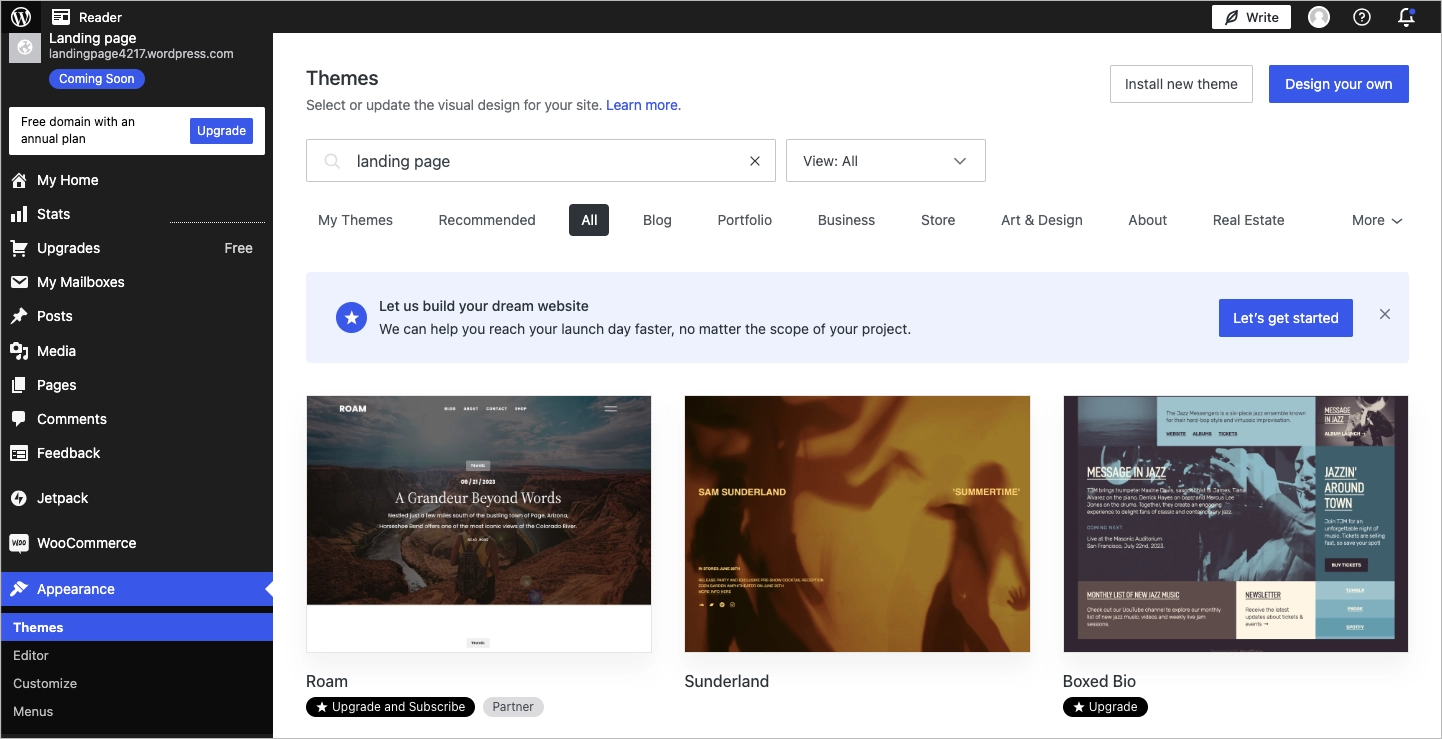
Selecting a theme is crucial for your landing page. A good theme makes your page look nice. It should be responsive so it works on all devices. Look for themes that offer customization options. This lets you change colors and fonts easily. Themes from the WordPress directory are safe. You can find many free options there.
Plugins add extra features to your landing page. Install a SEO plugin to help with search rankings. A contact form plugin lets visitors reach you. Use a page builder plugin for designing the layout. These plugins make your landing page more functional. Check reviews and ratings before installing any plugin.
Start by creating a new page in WordPress. Click on “Pages” then “Add New”. Give your page a clear title. Use the editor to add content. Add images and text that explain your offer. Set the page as a “Landing Page” in settings. Publish the page when you are satisfied.
Credit: landingi.com
Design Tips For An Effective Landing Page
A headline should grab attention. Use clear and simple words. Make it bold and catchy. It tells what the page is about. The headline should be easy to understand. It should make people want to read more.
A call-to-action (CTA) tells people what to do next. It should be clear and direct. Use words like “Buy Now” or “Sign Up”. Make the button big and easy to see. Use colors that stand out. This helps visitors know where to click.
Pictures can make a page look nice. Use them to show what you offer. Pictures should be clear and related to your text. The layout should be neat and simple. Use spaces to separate sections. This makes it easy to read.
Seo Best Practices
Use the right keywords on your landing page. Find words people search for. Include these in your titles and text. This helps people find your page easily. Make sure to use keywords naturally. They should fit well in your content. Avoid overusing them.
Meta tags are important for search engines. They tell what your page is about. Write a clear and short meta description. It should include your main keyword. This helps your page show up in search results. Make it interesting to attract clicks.
Many people use phones to browse. Your landing page should look good on all devices. This is called mobile responsiveness. Check if your page works well on phones and tablets. It should load fast and be easy to read. This helps keep visitors on your page.
Analyzing Landing Page Performance
A landing page in WordPress is a standalone web page designed to capture visitor attention and encourage specific actions. It focuses on a single goal, like signing up for a newsletter or downloading an eBook. Effective landing pages engage users and drive conversions with clear calls to action and simple design.
Using Analytics Tools
Analytics tools help you understand your landing page. They show how many people visit. You can see where visitors come from. This tells you which sources work well. Bounce rate is also important. It shows how many leave without clicking. A high bounce rate means changes are needed. Track time spent on the page too. More time can mean better engagement. Look for patterns in user behavior. This helps improve your page.
A/b Testing
A/B testing compares two versions of a page. One version has small changes. These changes could be in design or text. Visitors are split between the two versions. This shows which version works better. A/B testing helps make smart decisions. It helps find what users like. Always test one thing at a time. This keeps results clear and simple. Testing helps improve your landing page over time.
Common Mistakes To Avoid
Too much info can confuse visitors. They want simple and clear messages. Avoid long texts. Use short sentences. Highlight key points. Visitors should understand your message fast. Keep it simple. This helps visitors stay longer.
A strong call-to-action is very important. It tells visitors what to do. Use clear words like “Buy Now” or “Sign Up”. Make it easy to find. Use bright colors. Visitors should know what to do next. Keep it clear and direct.
Many people use phones to browse. A landing page must work on phones. Ensure fast loading time. Text should be easy to read. Buttons must be easy to click. Check how your page looks on phones. This helps reach more people.
Examples Of Successful Landing Pages
Some companies have made very effective landing pages. Dropbox is one example. They use a simple design. It tells users what to do. Another example is Airbnb. They show beautiful images. This makes people want to stay there. Mailchimp uses clear text and big buttons. This helps people sign up fast.
Good landing pages have bright colors. They use big and bold text. Images are often high quality. This makes the page look nice. Some pages have videos. Videos can explain things quickly. Many use a simple layout. This helps people find things fast.

Credit: blog.hubspot.com
Frequently Asked Questions
How Do I Create A Landing Page In WordPress?
Creating a landing page in WordPress is simple. You can use a plugin or theme with landing page templates. Customize the layout, add content, and optimize for conversions. Ensure it’s visually appealing and includes a clear call-to-action. Test different elements to improve performance.
What Are The Benefits Of Using Landing Pages?
Landing pages boost conversions by focusing on specific goals. They reduce distractions and streamline user experience. You can tailor content to target audiences and measure effectiveness. This helps in improving marketing strategies. Landing pages are essential for lead generation and sales.
Can I Use Plugins For Landing Pages In WordPress?
Yes, plugins like Elementor and Beaver Builder help create landing pages. They offer drag-and-drop functionality and pre-designed templates. You can customize elements easily without coding. Plugins enhance design flexibility and improve user experience. Choose one that suits your needs and budget.
Are Landing Pages Important For Seo?
Landing pages are crucial for SEO as they target specific keywords. They improve user engagement and reduce bounce rates. Optimize content, images, and meta tags for search engines. Well-designed landing pages enhance site authority and ranking. Monitor performance to make necessary adjustments.
Conclusion
Creating a landing page in WordPress is simple and effective. It helps focus on specific goals. Drive more traffic. Capture leads. Boost conversions. You can customize it easily. Use plugins and themes to enhance functionality. A well-designed landing page improves user experience.
It makes your message clear. Encourages visitors to take action. Keep content focused and engaging. Test different elements for best results. Analyze data and adjust your strategy. With WordPress, your landing page can be a powerful tool. Start building yours today.



