
Have you ever navigated a website and stumbled upon a sleek menu that gracefully expands, revealing more options? If so, you’ve encountered a flyout.
In WordPress, a flyout is not just a fancy design element; it’s a powerful tool that can enhance your site’s user experience. Imagine making your website easier to explore, more intuitive, and keeping your visitors engaged longer. Wouldn’t that be a game-changer?
Understanding what a flyout is and how it can transform your WordPress site might be the key to unlocking a more dynamic and user-friendly online presence. Dive into this article, and you’ll discover how this simple feature can captivate your audience and elevate your site to new heights. Are you ready to make your website more engaging? Let’s explore!
Credit: www.aakashweb.com
Flyout Definition
A flyout in WordPress is a hidden menu. It appears when you hover or click. This menu helps users find more pages. Flyouts save space on the screen. They are neat and tidy. Websites use flyouts for better navigation.
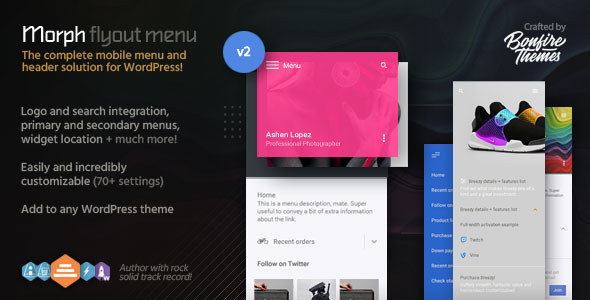
Flyouts can have links to other pages. They make sites easy to explore. Many themes in WordPress offer flyouts. Users can customize them too. This adds a nice touch to the site.
Visitors like flyouts. They find information quickly. Flyouts help keep users on your site. They are a great tool for web design. Easy and helpful.
Credit: codecanyon.net
Purpose Of Flyouts
Flyouts in WordPress are small pop-up menus. They help users navigate a website. Easy navigation is their main purpose. Flyouts show more options without cluttering the screen. They make sites look neat and clean.
Enhancing user experience is another goal. Flyouts save space on a webpage. They appear only when needed. Users can find information quickly with flyouts. This keeps visitors happy and engaged.
Flexible design is a feature of flyouts. Website owners can customize them. Flyouts fit any style or theme. This makes them popular in web design.
Flyout Vs. Dropdown Menus
Flyout menus are similar to dropdowns. But they work a bit differently. Flyouts expand horizontally to show more options. Dropdowns expand vertically. Both show hidden items. But they look different. Flyouts are often used in sidebars. Dropdowns are common in top navigation bars.
Flyouts are good for showing nested items. They save space on the screen. Dropdowns are great for simple lists. Users can see all items at once. Choosing between them depends on your website’s design. Both make websites easy to use. But they offer different ways to show information.
Design Elements
Colors make a website look nice. Choose colors that match your brand. Use bright colors to get attention. Soft colors can feel calm. Contrast helps text stand out. Keep colors simple and clear.
Fonts are important for reading. Use clear fonts for easy reading. Bold fonts can highlight words. Italic fonts add style. Big fonts are easy to see. Small fonts can be hard to read. Consistent font size helps flow.
Icons give quick info. Graphics make content fun. Use icons that are easy to understand. Graphics should be clear and clean. Simple designs work best. Too many icons can confuse. Keep graphics relevant to the content.
User Experience Benefits
Flyouts make menus simple and clear. Users find what they need fast. Flyouts keep the site tidy. No clutter. Navigation is easy for all users. Kids and adults can use it without trouble.
Flyouts catch the user’s eye. They encourage more clicks. People stay on the site longer. They explore and interact more. This keeps users interested. They might come back again.
Flyouts work well on phones and tablets. They fit any screen size. This makes them user-friendly. Users enjoy browsing without issues. Flyouts help in quick and smooth navigation on mobile.
Implementing Flyouts In WordPress
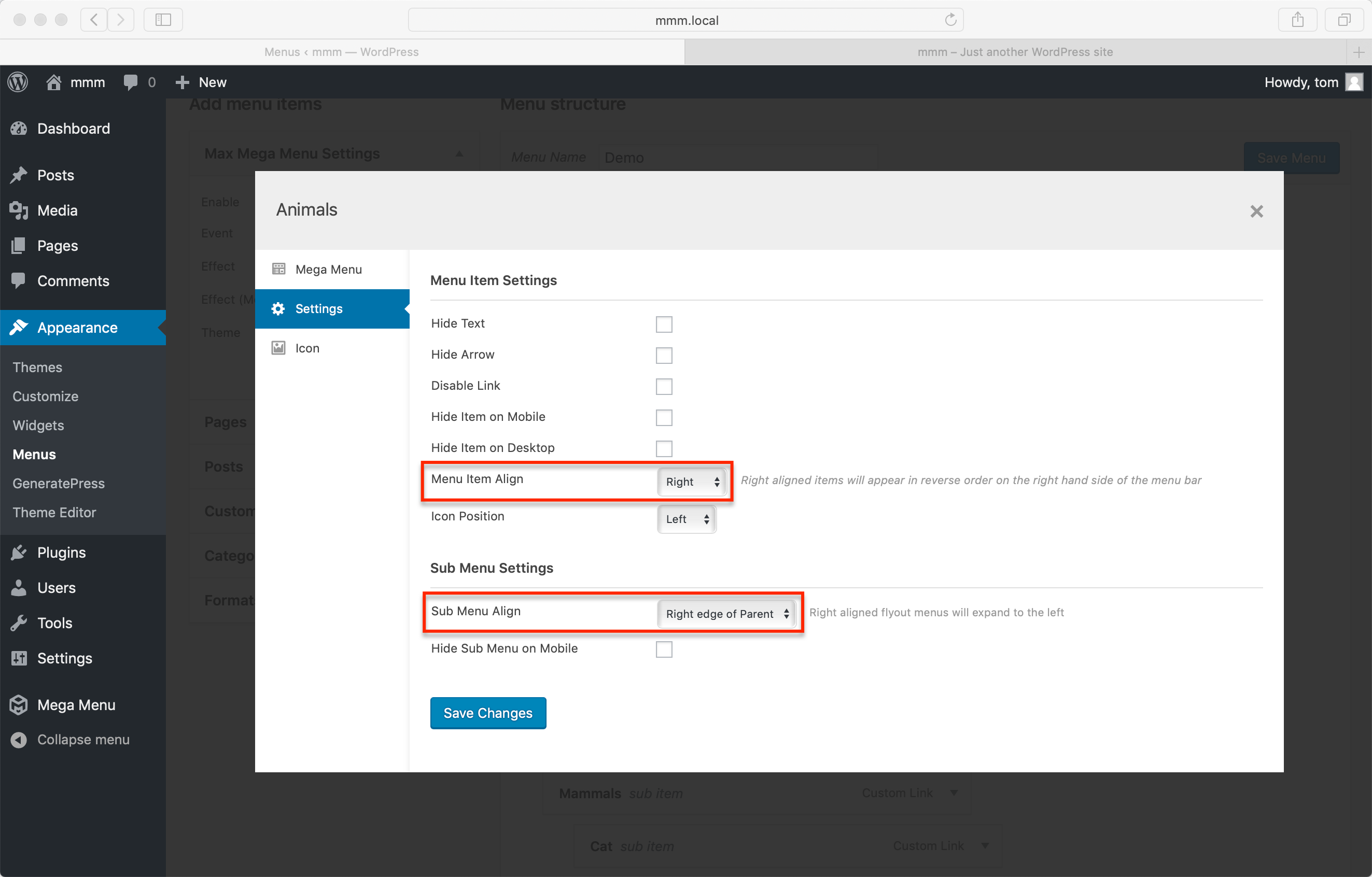
Plugins make it easy to add flyouts. They are like small helpers. You can find them in the WordPress plugin library. Some popular ones are WP Flyout and Max Mega Menu. They are easy to install. Once installed, activate them. Then, follow the settings. You can change colors and sizes. Make sure to check if they work well on your site. This method is simple. It doesn’t need coding skills.
Custom coding gives more control. You can make flyouts look special. Use HTML, CSS, and JavaScript for this. First, create a new file in your theme. Add code for the flyout. Use CSS to style it. JavaScript makes it move. This method needs some coding knowledge. It takes time but offers flexibility. Ensure it fits with your site’s design.
Not all themes support flyouts. Check if your theme has this feature. Some themes come with built-in flyouts. You can enable them in the theme settings. If not, look for a compatible theme. Use theme documentation for guidance. Some themes offer support forums. Ask questions there. It’s important to choose the right theme.
Best Practices For Flyouts
A simple flyout menu is easy to use. Avoid using too many colors. Use clear fonts. Simple designs are more user-friendly. Users find information faster with simple menus. Clutter-free designs help users focus. Keep it neat and tidy.
Everyone should be able to use flyouts. Make sure they are accessible to all. Use text that is easy to read. Colors should be visible to all. Add descriptions for images. This helps users who cannot see them. Make sure the keyboard can navigate the menu.
Flyouts should work on all devices. Test on phones, tablets, and computers. Check if they load correctly. Flyouts should be easy to use on touch screens. Make sure all links work. Keep checking for bugs. Fix them fast to keep users happy.
Credit: www.megamenu.com
Common Mistakes
A flyout in WordPress is a menu that expands when hovered over or clicked. Common mistakes include overcrowding the menu with too many options, making it confusing. Ensure clarity by organizing items logically and keeping the design simple.
Overloading With Information
Flyouts often have too much information. Users get confused. They can’t find what they need. Simple is better. Use fewer words. Make it clear. Important details should stand out. This helps users decide fast.
Ignoring Visual Hierarchy
Visual hierarchy guides the eye. Without it, users feel lost. Use headings and subheadings. Bold important items. This helps users understand. They see what matters first. Good structure makes reading easy.
Neglecting Mobile Optimization
Many people use phones now. Flyouts must work on small screens. If not, users will leave. Make sure flyouts resize. Test them on a phone. Touch-friendly buttons help too. This makes users happy.
Future Trends
AI-Driven Personalization brings magic to websites. Imagine a site that knows what you like. AI can guess what you want to see. It learns from your actions. So, your visit feels special. This makes users happy. They stay longer and click more.
Smart websites can show different content to each visitor. This is called personalization. It makes users feel understood. They find what they need faster. AI helps websites be more friendly.
Interactive Animations make websites fun. They catch your eye. Animations can guide users. They show where to click next. Moving pictures bring life to a page.
Animations can tell stories. They make websites interesting. Users enjoy exploring these sites. It’s like watching cartoons on the web. Interactive sites keep visitors engaged. They learn and play at the same time.
Frequently Asked Questions
What Is A Flyout Menu In WordPress?
A Flyout menu in WordPress is a navigation tool that expands when hovered over or clicked. It helps display additional menu items without cluttering the main navigation. Flyout menus enhance user experience by providing quick access to subcategories or pages, improving site navigation and organization.
How Do Flyouts Enhance User Experience?
Flyouts enhance user experience by offering easy access to more content without overwhelming the page. They keep navigation clean and organized, allowing users to quickly find what they need. This efficient design can lead to increased user engagement and satisfaction.
Can Flyouts Be Customized In WordPress?
Yes, Flyouts can be customized in WordPress using plugins or theme settings. You can adjust their appearance, behavior, and content to fit your site’s design and needs. Customization allows for a personalized user experience, making your site more appealing and functional.
Are Flyouts Mobile-friendly In WordPress?
Flyouts can be mobile-friendly if designed properly. Responsive themes and plugins ensure that Flyout menus work well on various screen sizes. Mobile-friendly Flyouts improve navigation on smartphones and tablets, providing a seamless user experience across all devices.
Conclusion
Flyouts in WordPress enhance website navigation. They organize content neatly and improve user experience. Users find what they need faster with flyouts. This keeps them engaged and satisfied. Implementing flyouts is easy with many plugins available. Choose one that fits your site’s needs.
Test it to ensure smooth operation. A well-designed flyout can make your site more user-friendly. It’s a small change with a big impact. Start optimizing your site today. Your visitors will appreciate it. Happy designing!



