
Are you looking to make your WordPress site stand out? A custom header might be exactly what you need.
Imagine your website greeting every visitor with a unique image or design that reflects your brand or personality. This isn’t just about aesthetics; it’s about making an unforgettable impression. You have the power to grab attention from the first glance, making visitors curious and eager to explore further.
You’ll discover what a custom header is, why it’s important, and how it can transform your site into something remarkable. Don’t miss out on learning how to captivate your audience right from the start.
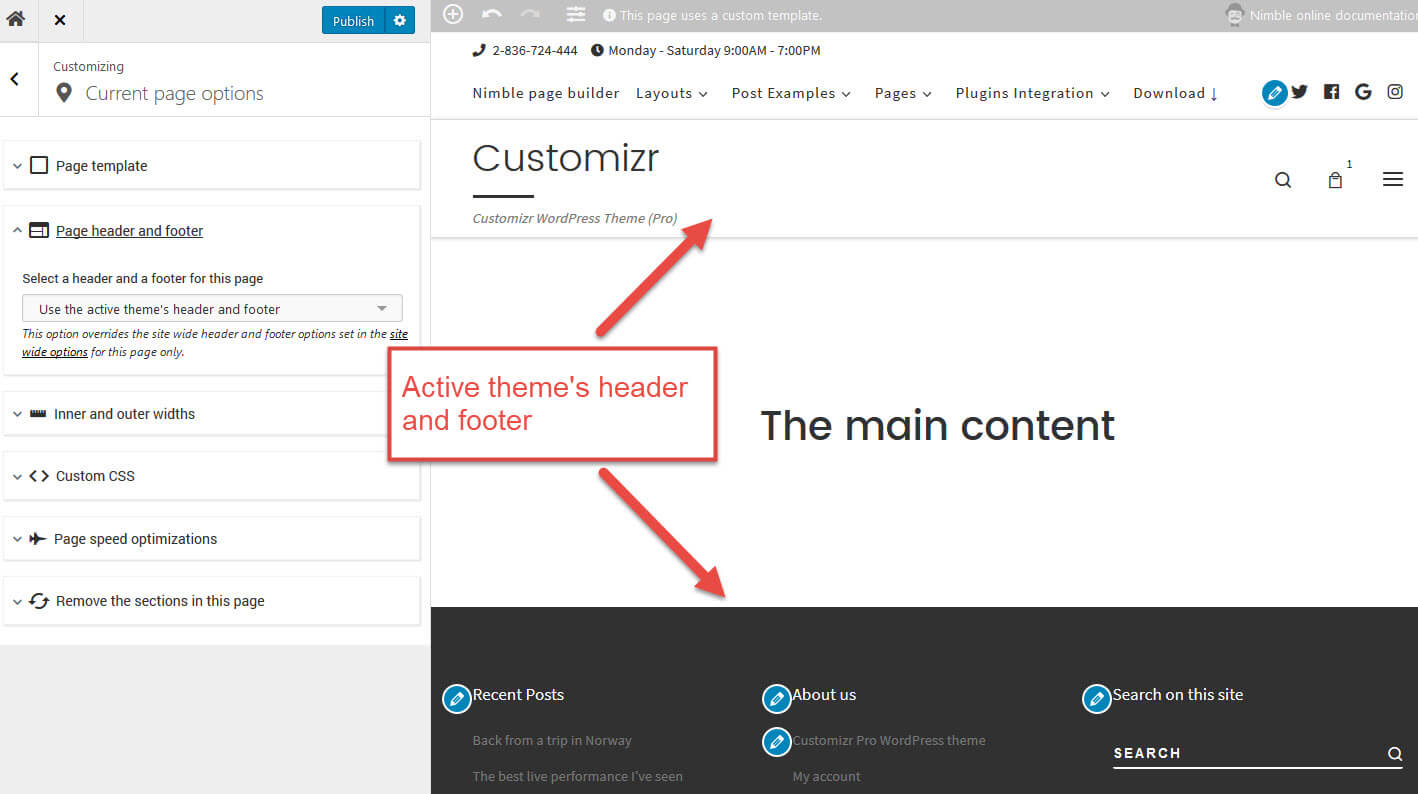
Credit: docs.presscustomizr.com
Custom Header Basics
A custom header is part of your website. It is the top area. You can add your own image or logo. This makes your site unique. WordPress allows easy changes. Use the theme customizer. Change colors, fonts, and styles. This helps your brand stand out. Visitors notice the header first. A good header keeps them interested.
Many themes support custom headers. Choose the right one for your needs. Some themes have more options. Others are simple. Check the theme details before using. Make sure it fits your style. A well-designed header is important. It improves the look of your site. Make sure it matches the rest of your site. Consistency is key.
Credit: pressidium.com
Benefits Of Using Custom Headers
Custom headers make your site look unique. They give your site a personal touch. With these headers, you can show your brand better. It helps in building a strong brand image.
Custom headers can also improve navigation. Visitors can find what they need quickly. This makes your site more user-friendly. People like sites that are easy to use.
Another benefit is that they can help with SEO. Search engines like well-organized sites. A custom header can make your site more organized. This can help your site rank better in search results.
Design Elements
Custom headers let you use unique images and logos. This makes your site stand out. A good logo tells visitors about your brand. Images can create a mood or tell a story. They should be clear and fit well on the page. Always choose high-quality images. They must load quickly to keep visitors happy.
Choosing the right text and typography is key. Simple fonts are easier to read. Big headings grab attention. Small text is used for details. Colors should match your site’s theme. Use bold or italic to highlight important points.
Colors can change how people feel about your site. They should match your brand. A bright color can make things stand out. Soft colors are calming. Use a color scheme that fits your message. Too many colors can be confusing.
How To Add A Custom Header
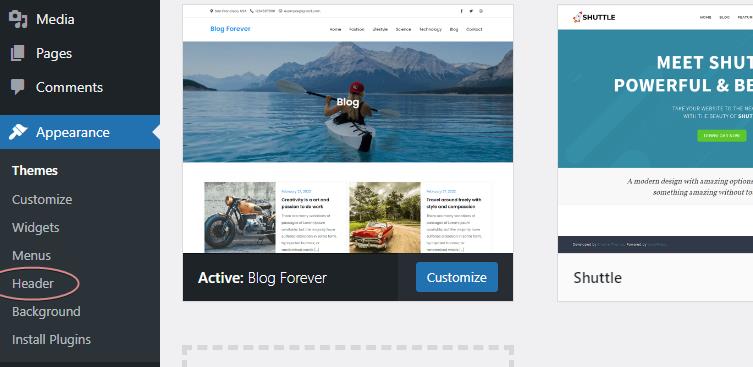
Start by accessing the WordPress dashboard. Click on Appearance and then Customize. Look for the Header option. Here, you can upload an image or choose a color. Make sure to click Save when done. The changes will appear on your site.
Some themes offer unique header options. Go to the Theme Options panel. Check for header settings. You might find extra choices like logo placement or header height. Always save after making changes. Explore what your theme offers.
Advanced users might prefer custom code. Use HTML or CSS for more control. Access the Theme Editor from the dashboard. Edit the header.php file. Add your custom code. Always make a backup before editing files. This ensures safety if errors occur.
Troubleshooting Common Issues
Custom headers might not fit well. The image could be too big or too small. Check the image size before using it. Use WordPress tools to adjust sizes. A perfect fit makes your site look nice. Always save changes after resizing.
Sometimes, headers don’t show up. This can be annoying. Clear your browser cache to fix this. Refresh the page after clearing. Also, check if the header is set correctly. Small steps help solve display problems quickly.
Not all themes support custom headers. Choose themes that allow custom headers. Check the theme details first. Some plugins can also cause issues. Disable them to see if the header works. Always back up your site before changes.
Credit: www.wpzoom.com
Tips For Effective Custom Headers
A custom header should match your brand. Use colors and fonts that tell your story. Make sure your logo is clear and visible. This helps visitors know they are in the right place. A strong brand identity builds trust.
Your header should look good on all devices. Check it on phones, tablets, and computers. A responsive design adapts to any screen size. This makes sure everyone has a good experience. Test your header on different devices.
A slow header can make visitors leave. Speed matters. Use small images and simple code. Minimize loading time for a better user experience. Fast headers keep people on your site. This helps with search rankings too.
Frequently Asked Questions
What Is A Custom Header In WordPress?
A custom header in WordPress is a personalized image or media you can add to your site’s header. It enhances branding and design, making your website more visually appealing. Many themes support custom headers, allowing for easy customization through the WordPress dashboard.
How Do You Add A Custom Header?
To add a custom header, navigate to Appearance > Customize > Header Media. Here, you can upload or select an image. Ensure your image fits the recommended dimensions for the best appearance. Once uploaded, you can preview and publish your changes to see the new header.
Can You Use Videos As Custom Headers?
Yes, WordPress supports video headers in certain themes. You can upload a video or use a YouTube link. Video headers can enhance user engagement and visual appeal. However, ensure the video is optimized for web use to maintain site performance.
Do All Themes Support Custom Headers?
Not all WordPress themes support custom headers. Most modern themes do, offering flexibility in design. Check your theme’s documentation to confirm if custom headers are supported. If not, consider switching to a theme that offers this feature for enhanced customization.
Conclusion
Custom headers in WordPress offer a unique touch to your site. They help express your brand’s identity effectively. With simple design adjustments, your website feels more personal. Visitors recognize your brand instantly through visual cues. Using custom headers enhances user engagement.
It’s a simple way to improve your site’s look and feel. Remember, a good header makes a lasting impression. Take time to design yours thoughtfully. Your site deserves a header that stands out. Start experimenting with designs today. Custom headers are key to a memorable web presence.
Give your site the attention it deserves!



