
Are you puzzled about the IP address WordPress uses to send emails? You’re not alone.
Many WordPress users find this topic confusing, yet understanding it is crucial for ensuring your emails reach their destination without a hitch. Imagine this: you’ve crafted the perfect newsletter or an important update for your subscribers, but it never arrives in their inbox.
Frustrating, right? By knowing the IP WordPress utilizes, you can enhance email deliverability and avoid those pesky spam folders. Dive into this article to uncover the mysteries of WordPress email IPs and take control of your digital communications. Your subscribers’ inboxes will thank you!
WordPress And Email Sending
WordPress uses a server to send emails. Email helps users get notifications. It also sends password reset emails. Hosting providers often manage these emails. They use SMTP or PHP mail() function. SMTP is reliable and secure. It sends emails through a dedicated server. The PHP mail() function is simpler. It uses the web server to send emails. Users can choose plugins for better control. These plugins use SMTP settings. They allow users to enter their email server details. This makes sending emails more reliable.
Credit: www.gravityforms.com
Default Email Sending Mechanism
WordPress uses the PHP mail function to send emails. This function is basic and works on most servers. It sends emails directly from the web server. So, the IP address is the server’s IP. This method is simple but not always reliable. Sometimes, emails go to the spam folder. This happens when the server’s IP is not trusted.
The wp_mail function is another way WordPress sends emails. It is a wrapper for the PHP mail function. It offers extra flexibility. You can add headers and attachments easily. The IP used is still the server’s IP. This function aims to improve email delivery. Yet, issues can still occur. Using a plugin can help. Plugins can change how emails are sent. They can use trusted email services.
Ip Address In Email Sending
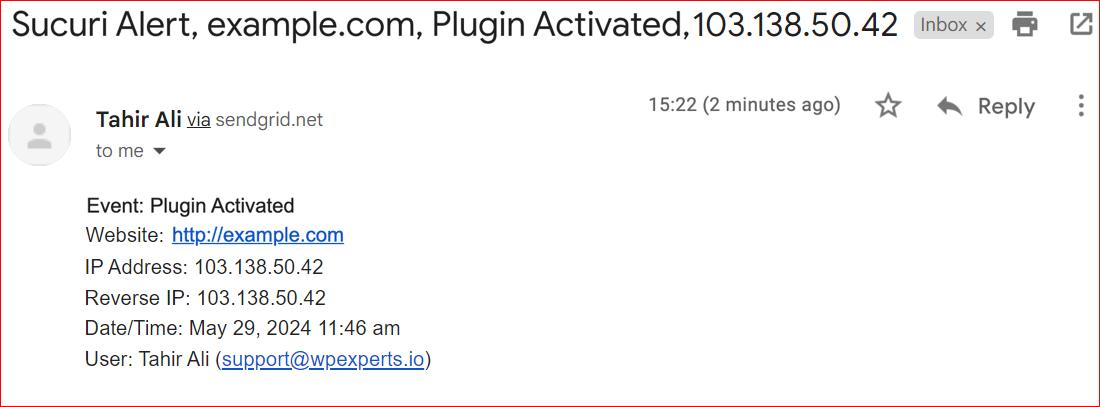
Server IP plays a key role in email sending. It helps in identifying the source of an email. For WordPress, the server IP is crucial. It helps emails reach inboxes instead of spam. IP reputation matters. A bad reputation can block emails.
The server IP acts like a fingerprint for emails. Each email sent carries this IP. It tells where the email came from. Servers use IP to check if emails are safe. This helps in stopping spam and fraud. WordPress uses server IP to send emails safely.
Shared IPs are used by many users. This can affect email delivery. If one user sends spam, everyone suffers. Dedicated IPs are for one user only. They offer more control. Users can build a good reputation. This improves email sending success.
Credit: postmansmtp.com
Challenges With Default Setup
WordPress uses the server’s default IP for sending emails, which often leads to delivery issues. Emails might land in spam because the default setup lacks proper authentication. Ensuring email deliverability requires configuring SMTP settings for better control and reliability.
Spam And Deliverability Issues
WordPress sends emails from its server IP address. This can cause spam issues. Many emails get blocked or end in the spam folder. The server IP might be blacklisted. This happens if many emails are marked as spam. Email deliverability becomes a big problem. Users may not get important emails.
Rate Limiting And Quotas
Hosting providers often set rate limits on sending emails. These limits help to control server load. WordPress emails may hit these limits quickly. Providers also have quotas for emails. Exceeding quotas means emails won’t be sent. This is frustrating for users. It can stop important notifications. Businesses might lose contact with their audience.
Using Smtp For Improved Deliverability
SMTP stands for Simple Mail Transfer Protocol. It helps emails reach inboxes. With SMTP, emails are less likely to be marked as spam. This means better deliverability. SMTP uses authentication. It checks if the sender is real. This makes email sending secure. WordPress can use SMTP for sending emails. This improves email reliability. Fewer emails get lost.
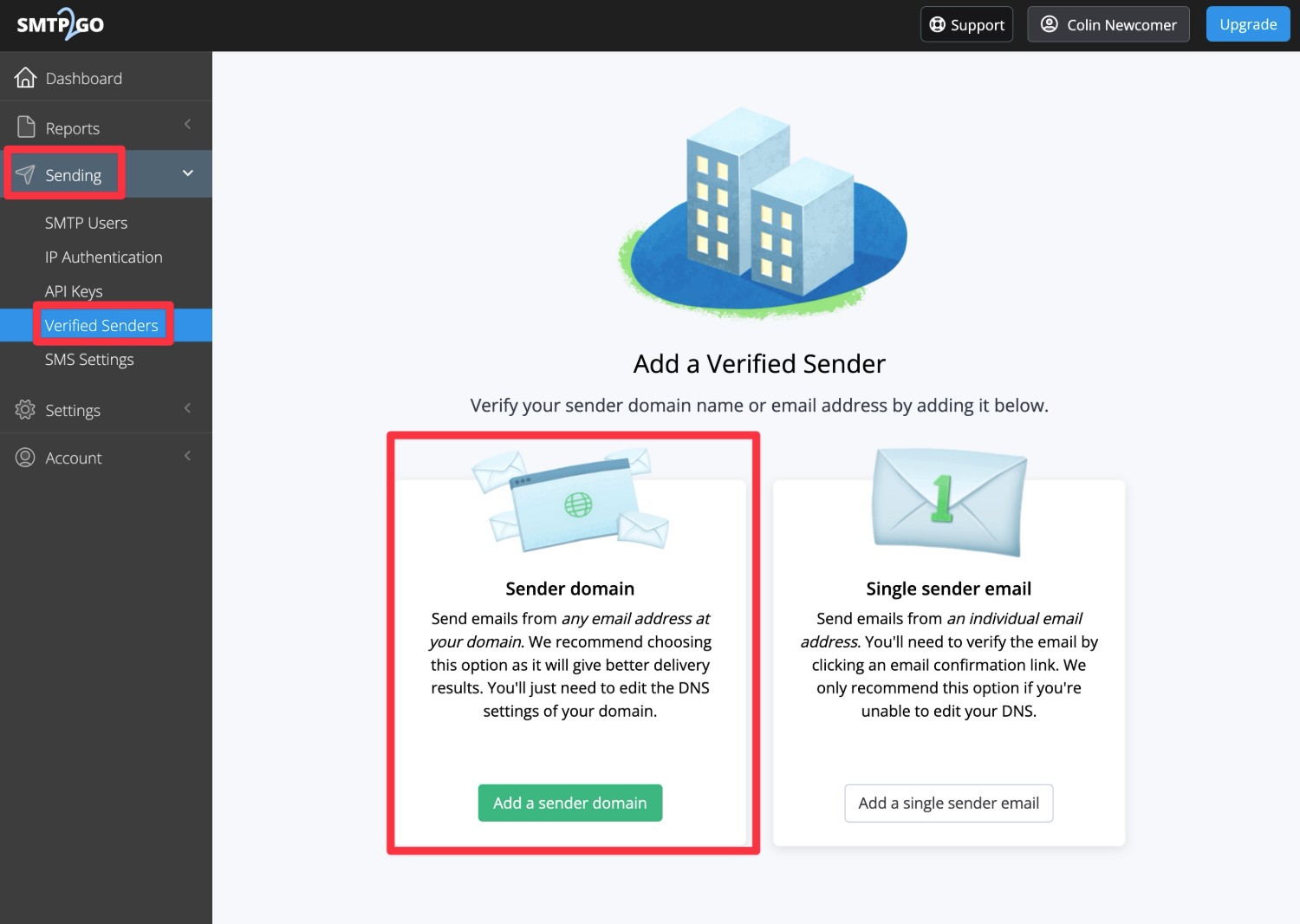
Many plugins help WordPress use SMTP. These plugins make setup easy. WP Mail SMTP is one popular choice. It has simple settings. Post SMTP is another option. It offers detailed logs. This helps track email issues. Easy WP SMTP is lightweight. It helps with basic SMTP settings. Each plugin has its own features. Choose one based on your needs.
Credit: support.smtp2go.com
Choosing An Smtp Provider
Selecting the right SMTP provider is crucial. First, consider the cost. Some providers are free, while others charge. Next, check the reliability. You want your emails to always reach the inbox. Also, look at the security features. This keeps your emails safe from hackers. Finally, consider the ease of use. An easy setup saves time and effort.
| Provider | Features |
|---|---|
| Mailgun | Cost-effective, reliable, secure |
| SendGrid | User-friendly, scalable, great support |
| SMTP.com | Long-standing, robust, easy setup |
Configuring WordPress For Smtp
First, you need an SMTP plugin. Install and activate it from the WordPress plugin store. Next, access the plugin settings. You will see fields for SMTP server, port, and authentication. Fill these with your email provider’s details. Remember to save changes after you enter them.
Use SSL or TLS for security. Choose the right encryption from the options. Some providers need specific ports. Check which port your provider uses. Often, it’s 465 or 587.
Send a test email to see if it works. Use the plugin’s test email feature. Enter a recipient email address. Click send. Check the recipient’s inbox. If the email arrives, your setup is correct.
If it fails, check settings again. Look for mistyped server names or wrong ports. Fix any errors you find. Then, test the email again.
Monitoring Email Deliverability
Keeping track of email logs is very important. It helps you see if emails are sent successfully. Logs show the status of each email. You can check if an email was delivered or bounced back. This helps understand issues with sending emails.
Analytics offer insights into email performance. You can see open rates and click-through rates. This data helps improve your email strategy. It is easy to spot patterns and make necessary changes. Regular checks ensure emails reach the right inbox.
Sometimes emails do not reach the inbox. Check your email settings first. Ensure the SMTP server settings are correct. Verify the sender’s email address. It should match the domain name. Look into spam folder issues too. Emails often end up there by mistake.
Try sending a test email. See if it goes through. If problems persist, contact your hosting provider. They can help fix any server-related issues. Keeping email deliverability smooth is essential for communication.
Frequently Asked Questions
What Ip Does WordPress Use For Emails?
WordPress doesn’t use a specific IP for sending emails. It relies on your web host’s email server. The IP can vary based on the hosting provider’s configuration. Always ensure your host’s IP is not blacklisted to avoid deliverability issues.
Can WordPress Email Ips Be Blacklisted?
Yes, WordPress email IPs can be blacklisted. This usually happens if the IP is flagged for spam. Ensure your hosting provider maintains a clean IP reputation for optimal email deliverability.
How To Check WordPress Email Ip?
You can check the IP by reviewing your email headers. The header shows the originating IP of the email server. Alternatively, consult your hosting provider for detailed information on their email server IP.
Does WordPress Use Smtp For Emails?
WordPress can use SMTP via plugins for sending emails. SMTP improves email reliability and deliverability. Plugins like WP Mail SMTP help configure WordPress to use external SMTP servers efficiently.
Conclusion
Understanding the IP used by WordPress for emails is crucial. It helps ensure reliable email delivery. Managing this can prevent emails from landing in spam. Check your hosting provider settings for details. Remember, regular monitoring is key. Keep an eye on email performance.
Use tools to track deliverability. Troubleshoot if issues arise. A proactive approach maintains smooth communication. Stay informed to optimize your WordPress email system. Consistent checks lead to better outcomes. Happy emailing with WordPress!



