
Imagine this: you’ve spent hours crafting the perfect page on your WordPress site. You’ve chosen the right words, selected stunning images, and ensured every detail is perfect.
Now, it’s time to hit that ‘publish’ button. But what really happens when you do? Your mind races with questions. Will people see it immediately? How will it impact your site? Publishing a WordPress page is more than just a simple click—it’s a crucial moment that can influence your online presence significantly.
By understanding the process, you can better manage your expectations and harness the power of your content to captivate your audience. Stick around, and let’s unveil the mystery behind publishing your WordPress page, so you can confidently share your message with the world.
Behind The Scenes Of Publishing
Publishing a WordPress page triggers database updates. The content is stored in tables. WordPress uses MySQL for this purpose. Each page is saved with a unique ID. This ID helps in identifying the page later. Changes are saved in the wp_posts table. This ensures all data is kept in one place. Database updates are crucial for smooth operation.
When a page is published, the file system also changes. The uploads folder stores images and files. Themes and plugins may create their own files. These changes are vital for page display. WordPress manages these files efficiently. This keeps your site running well.
Version control tracks changes to your page. Each edit is saved as a new version. You can revert to old versions if needed. This feature is useful for managing content. It helps maintain consistency. WordPress stores versions in the database. This ensures no data is lost.
Impact On Website Structure
Publishing a new WordPress page can change your site. The navigation menu might need updates. New pages often get added to the menu. This helps users find them easily. But too many links can make menus confusing. It’s important to keep them simple. A clean menu makes visitors happy.
A permalink is the page’s web address. WordPress generates this automatically. It’s created using the page title. You can change it for better clarity. Clear permalinks help users and search engines. They make links easy to share. Keeping them short is important.
Breadcrumbs show where you are on a site. They help users know their location. Publishing new pages can change breadcrumbs. They may need updates to reflect new paths. This keeps navigation clear. Clear breadcrumbs improve user experience. They guide users back easily.
Seo Implications
Meta tags help search engines understand your page. They tell what your page is about. These tags include the title and description. A good title attracts more clicks. A clear description tells users what to expect. Search engines use this info to rank your page. Proper meta tags improve visibility.
Publishing updates the XML sitemap. This map lists all your site pages. It helps search engines find new pages. An updated sitemap improves site navigation. Search engines prefer sites that are easy to crawl. This can lead to better rankings.
After publishing, search engines crawl your page. They look for content to index. Crawling helps in ranking your page. Fresh content attracts crawlers more often. Regular updates keep your site relevant. This process is crucial for SEO.
User Experience Enhancements
Publishing a WordPress page brings immediate changes to your website’s user experience. Visitors interact with updated content seamlessly. This process enhances navigation, ensuring a smoother, more engaging journey for users.
Improved Accessibility
Accessibility boosts user experience. Clear navigation helps users find what they need. Images with text descriptions aid visually impaired users. Simple fonts make reading easy for everyone. Colors should be contrasting for better visibility. Keyboard shortcuts speed up navigation. Accessible content means more visitors. Everyone can enjoy the website.
Content Delivery Optimization
Fast-loading pages are crucial for user satisfaction. Compress images to reduce page load times. Use a reliable hosting service for quick content delivery. Minimize the number of plugins to speed up the site. Content should load swiftly on all devices. Mobile-friendly design is essential. Users expect pages to open fast. Slow pages can frustrate visitors.
Interactive Elements Engagement
Interactive elements keep users engaged. Simple forms are easy to fill out. Buttons should be easy to click. Videos and animations should load quickly. Interactive content makes browsing fun. Users spend more time on engaging sites. Feedback forms allow users to share their thoughts. Games and quizzes attract attention. Engagement increases return visits.
Security Considerations
Protecting user data is very important. Secure connections keep data safe. Use SSL certificates for this. They encrypt the data. Always ask for minimal personal information. Only collect what you need. This reduces risk. Keep your privacy policy clear and simple. People should understand it easily.
Check your website for weak spots often. Use tools to scan for them. Update plugins and themes regularly. This fixes bugs. Bugs make websites weak. Strong passwords protect your site. Change them often. Never share them with others. Limit user access to important parts. Only trusted people should have access.
Back up your site often. Data loss can happen anytime. Use automatic backups for ease. Store backups in multiple places. This ensures safety. Test your backups regularly. Make sure they restore easily. Always have a backup plan ready. It saves time and effort.
Credit: easywpguide.com
Performance Monitoring
Loading speed is crucial for your website. A slow page can make visitors leave. Fast loading keeps users happy. Tools can help check speed. They show how long a page takes to load. Use them to improve your site.
Understanding traffic is important. Know where visitors come from. Check which pages they like. Traffic tools can show this data. They help you see patterns. This helps improve your content.
Websites need resources like CPU and memory. Too much use can slow things down. Resource monitoring helps track this. It shows which parts use more power. Fixing these issues helps your site run smoother.
Common Publishing Issues
Publishing a WordPress page can create broken links. These links do not work. They take users to error pages. Visitors get confused. It is important to check all links. Fix them before publishing. Use tools to find broken links. Keep your site user-friendly.
Formatting can change after publishing. This can make your page look messy. Text alignment might be off. Images could be in the wrong place. Check your page layout. Preview before making it live. This helps keep your page neat and tidy.
Plugins can cause issues. They may not work well together. This can break your page. Deactivate plugins one by one. Find the one causing problems. Update all plugins regularly. This helps keep your site running smoothly.
Credit: www.hostgator.com
Best Practices For Successful Publishing
Every page needs a content review. Check for errors and typos. Read it again to find mistakes. Fix them before publishing. Ask someone else to read it. They might find mistakes you missed. Make sure images are right. They should match the text. Use short sentences. Keep paragraphs small. This makes reading easier.
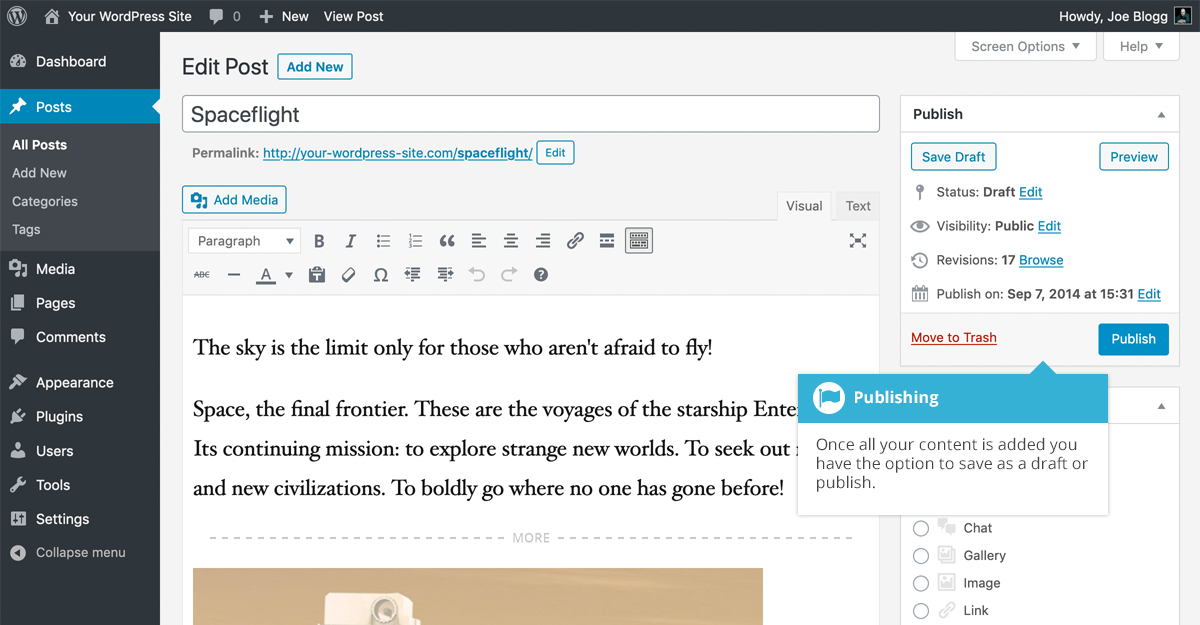
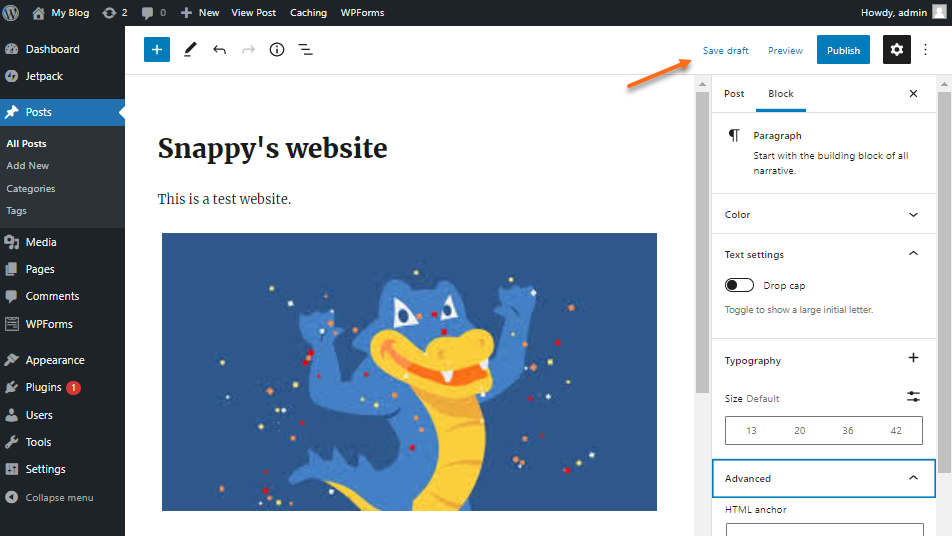
Schedule your page to publish at the right time. Pick a time when people are online. This can be in the morning or evening. Use WordPress tools to schedule. Click the calendar icon. Choose your date and time. Press ‘publish’. The page will go live automatically. This saves time. It helps you plan better.
Audience feedback is important. Add a feedback form on your page. Ask simple questions. What do they like? What do they dislike? Use their answers to improve. Keep changing your content. Update it often. This makes your page better. Happy readers come back more. They share your page with friends.

Credit: www.bluehost.com
Frequently Asked Questions
What Happens After Publishing A WordPress Page?
Once you publish a WordPress page, it becomes live on your website. Visitors can access it through its URL. The page is indexed by search engines, making it discoverable. You can further edit the page if needed. Publishing also means you can share the link on social media and other platforms.
Can I Edit A WordPress Page After Publishing?
Yes, you can edit a WordPress page after publishing it. Simply navigate to your WordPress dashboard, locate the page, and click “Edit. ” Any changes you make will be updated on the live page. This flexibility allows you to make necessary updates or corrections as needed.
How Do I Unpublish A WordPress Page?
To unpublish a WordPress page, go to the page in the editor. Change its status from “Published” to “Draft” or “Private. ” This removes the page from public view, making it inaccessible to visitors. You can republish it later if needed, without losing your content.
Will My Page Be Indexed Immediately After Publishing?
No, search engines may take some time to index your page. The indexing process can vary, ranging from a few hours to several days. You can expedite indexing by submitting your page URL through Google Search Console. Regular updates and quality content improve your site’s crawlability.
Conclusion
Publishing your WordPress page brings your content to life. Your thoughts reach others. Connection happens. People find your ideas. You inspire action. Updates are easy. Keep your page fresh. SEO benefits start. More visitors come your way. Engagement grows. Sharing becomes simple.
Your online presence expands. Building your brand takes place. Publishing is just the start. Regular updates matter. Stay active to maintain interest. Create valuable content. Keep readers coming back for more. WordPress makes it accessible. You have the tools. Use them wisely.
Reach your audience. Make an impact.



