
Have you ever hovered over the delete button, pondering the consequences of removing your WordPress database? It’s a moment filled with uncertainty, and rightly so.
Deleting your WordPress database isn’t just like deleting a file; it’s more like ripping out the heart of your website. If you’re considering this step, or if it has already happened, you might be wondering about the ripple effects it could have on your site and your online presence.
What happens to your content, your carefully crafted design, or your SEO rankings? The answers might surprise you. Keep reading to uncover exactly what it means to delete your WordPress database, and how you can navigate this digital dilemma with confidence.
Impact On Website
All website content disappears with a database delete. Blogs, pages, and images vanish. No way to recover content without backup. Users feel confused and disappointed. Search engines see nothing but empty pages.
Website links become broken. Visitors face issues navigating. Links lead to errors instead of content. Google and other search engines penalize broken links. Navigation suffers, making the site hard to use.
Deleting database affects themes and plugins. They stop functioning properly. Website appearance changes unexpectedly. Features and tools provided by plugins disappear. Users miss useful functions they rely on.

Credit: nitropack.io
Data Recovery Options
Backups are essential for data safety. They keep copies of your WordPress database. Regular backups can save your work. Use backup plugins for easy storage. These plugins are user-friendly. They also automate the backup process. Check your backup settings often. Make sure they are active and correct.
Your hosting provider can assist with data recovery. Many providers keep backup copies. They help restore lost databases. Contact them immediately if data is lost. Explain the problem clearly. They may offer a solution or guide you. Providers often have technical support teams. These teams specialize in recovery tasks. They know how to retrieve deleted data.
Database recovery tools can help retrieve lost data. They scan for deleted files. These tools are efficient and fast. Many tools offer free trials. Experiment with different tools. Check reviews for reliability. Some tools require technical knowledge. Others are easy to use. Choose based on your comfort level.
Preventive Measures
Regular backups are very important. They help protect your data. Back up your database often. Use cloud services for backups. Automatic backups are best. You can set them up easily. This way, you always have your data safe. If something bad happens, you can restore it quickly.
Plugins help manage your database. Many plugins are available. They help with organizing data. Some plugins offer backup features too. Look for plugins that are easy to use. They should have good reviews. Managing data is simple with plugins. They make work easier.
Secure access is very important. Keep your login details private. Use strong passwords. Change passwords often. Use two-factor authentication if possible. This keeps your database safe. Only allow trusted users to access it. Security helps prevent data loss.
Credit: wp-rocket.me
Common Mistakes
Many people ignore backup warnings. This is a big mistake. Data loss can happen anytime. Without backups, recovery is hard. Important files can vanish. Always make backups. They are very important.
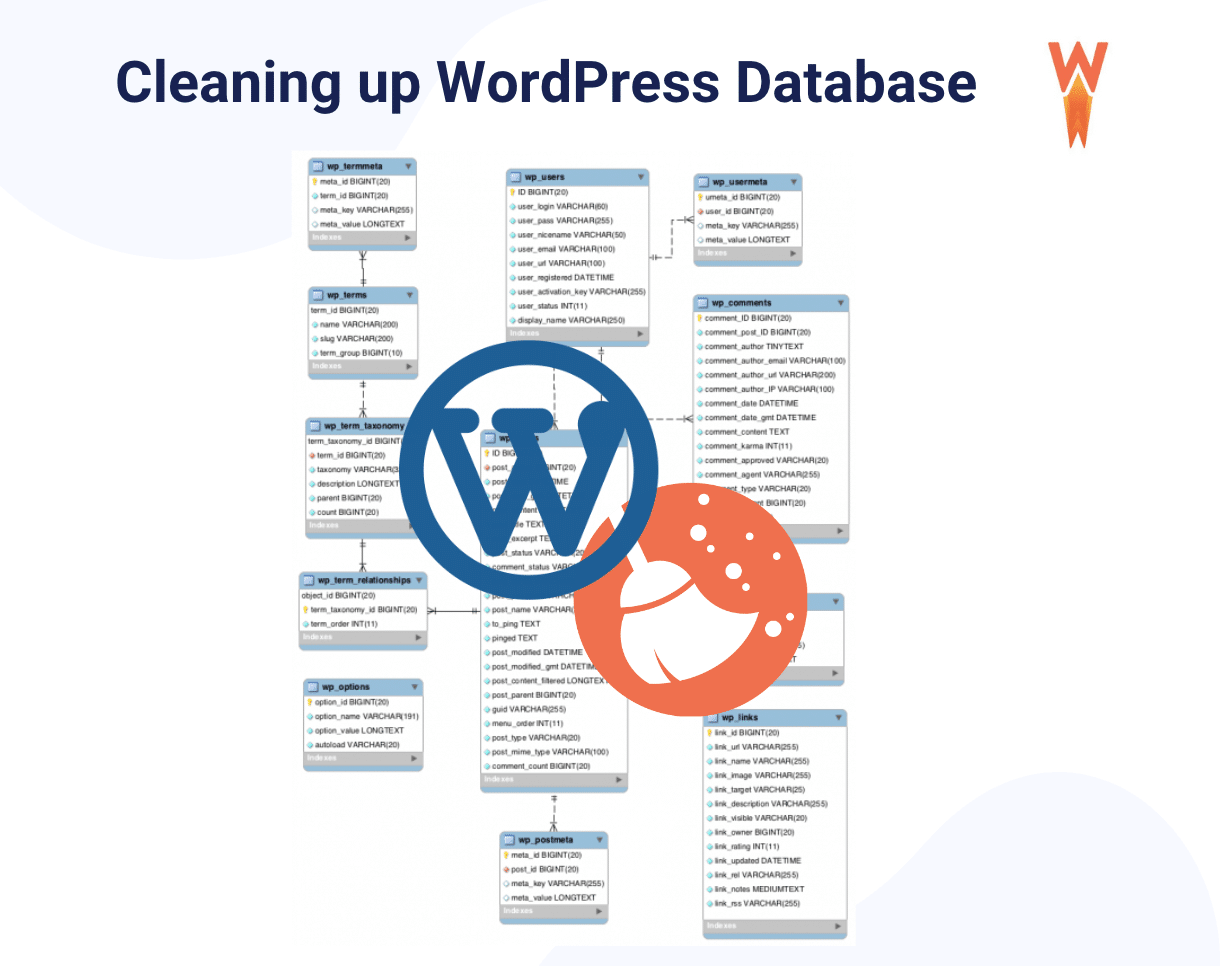
Some users don’t know how databases work. They think it’s like deleting a file. But it’s not. Deleting a database is serious. It can break your website. Understanding functions is key.
Not using strong security is risky. Hackers can attack weak sites. Passwords should be strong. Never share login details. Update your software often. Security is a must for safety.
Professional Assistance
Hiring a Developer can be a smart choice. Developers know how WordPress works. They can help fix any problems with your database. Developers know how to restore data safely. They use tools and methods to protect data. Hiring them saves time and stress.
Consulting IT Support is another option. IT Support teams have experience with databases. They can guide you through recovery steps. They know the best practices for database issues. Consulting them can prevent mistakes. They ensure your website stays safe and secure.
Engaging with WordPress Experts offers specialized help. WordPress experts have deep knowledge of the platform. They can provide advice on database management. They help avoid data loss. Engaging them ensures your WordPress site runs smoothly.

Credit: nitropack.io
Frequently Asked Questions
What Is A WordPress Database?
A WordPress database stores all site data, including posts, comments, and settings. It is crucial for site functionality. Deleting it can lead to data loss and site inaccessibility. Backup regularly to prevent issues and ensure easy recovery.
Can I Recover A Deleted Database?
Yes, recovery is possible if you’ve created backups. Regularly backing up your database helps protect against accidental deletions. Use tools like phpMyAdmin or plugins to restore your site to its previous state efficiently.
How Does Deleting Affect My Site?
Deleting your database will make your site inaccessible. Content, user data, and settings will be lost. Ensure you have backups before deletion. Recovery is vital to restore functionality and prevent data loss.
What Steps To Prevent Accidental Deletion?
To prevent accidental deletion, implement regular backups and restrict database access. Use strong passwords and consider employing a security plugin. These measures will safeguard your data and ensure site integrity.
Conclusion
Deleting your WordPress database can cause serious issues. Your site will lose content. You might face downtime. Visitors may see errors. Backups are crucial. Always back up your data before making changes. Consider using a professional service for safety. Mistakes can be costly.
Regular maintenance helps prevent problems. Understanding your site’s structure is key. Learn how databases work. This knowledge can protect your site. Keep your WordPress secure. Protect your hard work. Stay informed about database management. Your website deserves attention. Handle changes carefully.
Your site’s success depends on it.



