
Have you ever wondered what file in WordPress contains the “head” section of your website? Understanding this crucial part of WordPress can unlock a world of customization possibilities for your site.
Whether you’re a seasoned developer or a curious beginner, knowing where the head section resides can empower you to make tweaks that enhance your site’s performance and aesthetics. Imagine having the control to easily add scripts, meta tags, or styles that can elevate your site’s functionality and appeal.
This knowledge isn’t just for tech experts; it’s for anyone ready to take their WordPress skills to the next level. Dive in, and let’s uncover the secrets of the head file together. You might just find that with a few simple edits, your site can transform in ways you never thought possible.
Credit: developer.woocommerce.com
WordPress Theme Basics
Discover the key file in WordPress themes: header. php. It holds crucial details for the head section. Essential for scripts, metadata, and styles, this file shapes your site’s appearance and functionality. Understanding it helps customize and optimize your WordPress website efficiently.
Understanding Theme Structure
The theme structure in WordPress is like a puzzle. Each piece has its place. The header file, often named header.php, is crucial. It contains the head section. This section includes meta tags, title, and links to stylesheets. It is the first part that loads on a webpage. Understanding its importance helps in designing themes better.
Core Files In A Theme
Every WordPress theme has core files. These files are vital. The main ones include style.css, functions.php, and index.php. The style.css file controls the look. It defines colors and fonts. The functions.php file adds features. It is like the brain of the theme. Finally, the index.php file is the heart. It displays content on the site. Together, these files create a complete theme.
The Role Of Header.php
Header.php is a key file in WordPress themes. It contains important code. This code helps build the top of a webpage. Every WordPress theme has a header.php file. This file is like a template. It tells the webpage what to show at the top. It helps in displaying the title, logo, and menu. Without this file, a webpage may look broken.
Header.php comes with default elements. These include the site title and logo. It also has the navigation menu and stylesheets. You might see meta tags and scripts here. These elements help in building a webpage’s head section. They make the site look and function well. The default elements can be changed. This allows for unique designs.
You can change the header.php to fit your needs. Add custom scripts or styles here. You can also change the logo or title. Use WordPress functions for easy changes. This makes your site unique. But be careful. Wrong changes can break the site. Always back up the file first.
Locating Header.php
The WordPress Dashboard is the central place for website management. To find the header.php file, first log in to the dashboard. Click on Appearance in the menu on the left. Then, select Theme Editor. A new page will open with theme files on the right side. Look for the header.php file in the list. Click on it to view or edit its content.
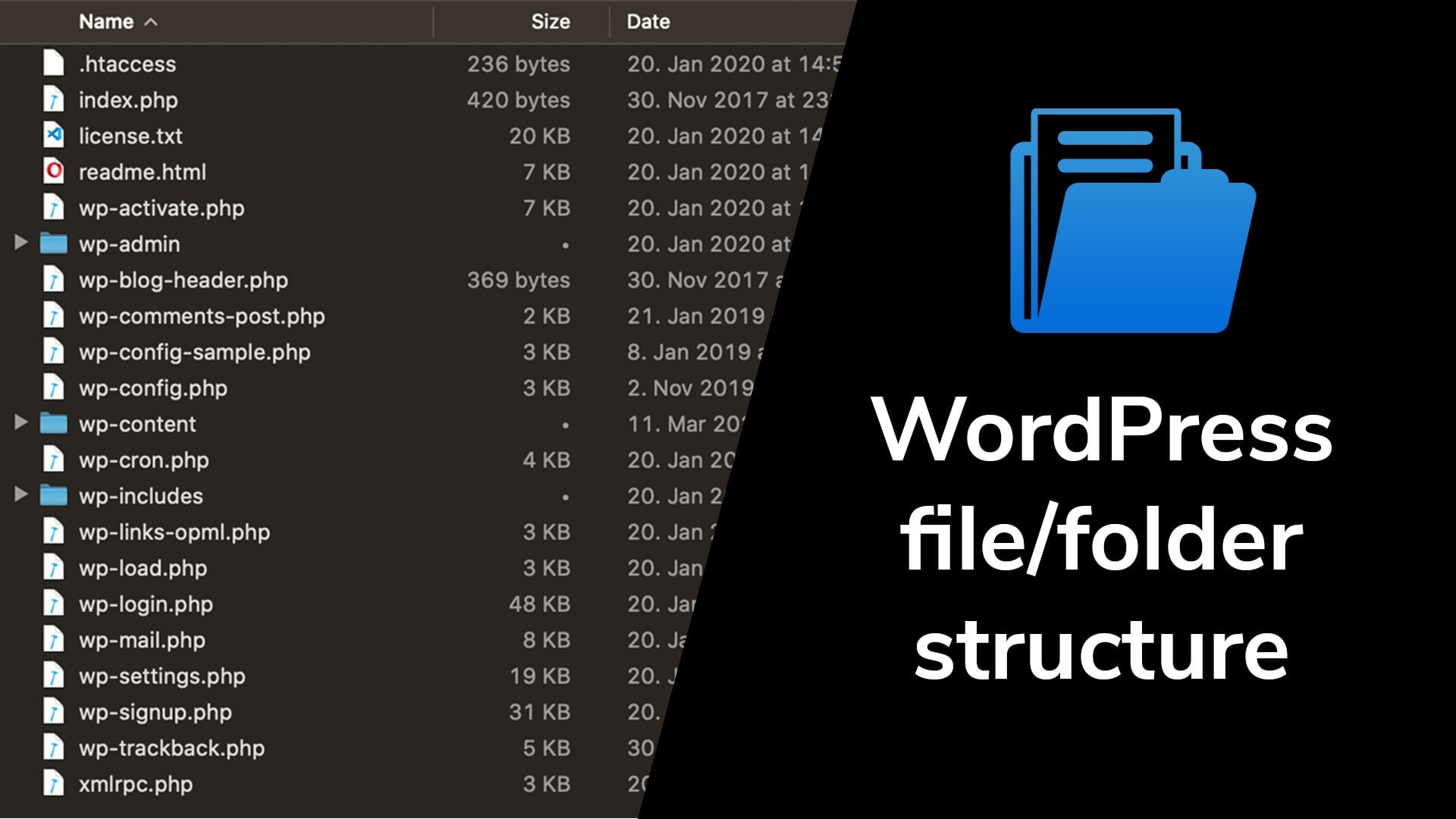
Each WordPress theme has its own directory. The header.php file is inside this directory. Start by accessing your website’s files through an FTP client. Navigate to wp-content/themes. Open the folder of your active theme. Inside, you will see the header.php file. This file contains the code for your site’s header.
Credit: devowl.io
Modifying The Header
Theme Editor is a tool inside WordPress. It lets you change theme files directly. Access it from the Appearance menu. The header file is called header.php. It holds the top part of your site layout. You can add scripts or change styles here. Be careful with edits. Wrong changes can break your site.
Child themes are safe for changes. They keep your edits separate. This way, updates won’t remove your changes. To make a child theme, copy files from the parent theme. Then, make changes in the child theme. Use a child theme for any major changes. It protects your work.
Common Customizations
Scripts and styles are important for a site. They make it look good. Add them carefully. Use the functions.php file. It is the right place. You can add JavaScript files here. Also, add CSS files here. It helps keep things tidy. Always check your code. Mistakes can break your site. Use wp_enqueue_script for scripts. Use wp_enqueue_style for styles. They ensure everything loads correctly.
Meta tags help search engines. They tell engines about your site. Add them in the header.php file. Keep them simple. Use meta description tags. They describe your page. Use keywords tags wisely. Do not overuse them. Search engines might ignore them. Title tags are crucial. They show the page title. Always update them. They impact search results.
Credit: martech.zone
Troubleshooting Header Issues
Many face problems with the header file in WordPress. Sometimes the header does not show. Other times, it breaks the site layout. First, check for missing code in the header file. The file name is usually header.php. Ensure this file exists in your theme. A missing file can cause the header to disappear.
Errors also come from plugin conflicts. Try deactivating plugins one by one. See if the header returns. This helps find the problematic plugin. Themes also have custom header settings. Visit the theme options panel. Check if any settings affect the header display.
Sometimes, changes break the header. To fix this, restore the default header file. Locate the original header.php file. Replace the current header file with it. This can fix display issues. Always back up your site first. It helps to avoid losing important data.
Advanced Techniques
Use PHP to make your headers change. This makes your site look new.
PHP can add different styles for each page. Use header.php
file for this task. It is a key file in WordPress themes.
You can set rules to change colors and fonts. This helps in making a unique look.
PHP can also include special messages or links.
This makes your website more interactive for users.
Third-party tools can add many features. They can help with tracking visitors.
Tools like Google Analytics are popular. They give useful data.
To use them, add code in the header.php file.
This code links your site to the tool. Be sure to check for updates.
This keeps tools working well. Some tools improve social media sharing.
They add buttons to share pages. This can bring more visitors to your site.
Frequently Asked Questions
What File Contains The Head Section In WordPress?
The head section is located in the `header. php` file. This file is part of your WordPress theme. It contains metadata, stylesheets, and scripts. You can customize the head section by editing this file. Always create a child theme before making changes to avoid losing them during updates.
How Do I Edit The WordPress Head File?
To edit the head file, access your theme’s `header. php` via the WordPress dashboard. Navigate to Appearance > Theme Editor, and select `header. php`. Make your desired changes and save them. Always back up your theme files before editing to prevent data loss.
Can I Add Custom Code To The Head?
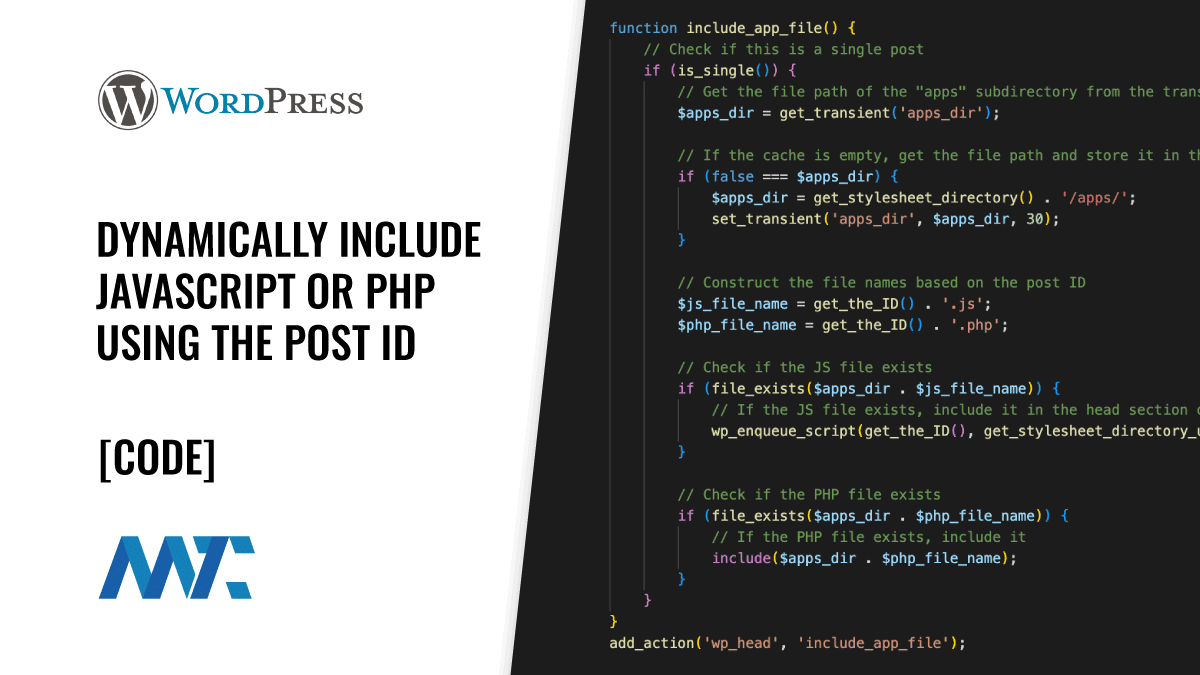
Yes, you can add custom code to the head section. Use the `wp_head` action hook in your theme’s `functions. php` file. This method is safer and won’t require direct file editing. Ensure your custom code is properly formatted to avoid errors.
Why Should I Customize The Head Section?
Customizing the head section can improve SEO and page performance. You can add meta tags, scripts, or custom styles. This optimization can enhance user experience and search engine visibility. Always test your changes to ensure they don’t negatively impact your site.
Conclusion
Understanding the head file in WordPress is crucial. It controls essential elements like metadata and scripts. Editing this file impacts your site’s appearance and functionality. Always backup before making changes. Mistakes can disrupt your site. Learning about the head file helps maintain your WordPress site better.
Regular updates ensure a smooth user experience. Pay attention to details. Small tweaks can improve site performance. Keep exploring and learning. WordPress is a vast platform. Knowledge empowers users to customize effectively. You now have a basic understanding of the head file.
Use it wisely for optimal results.



