
Are you curious about how to seamlessly integrate Facebook into your WordPress site? The Facebook Like Box is a powerful tool that can enhance your website by displaying your Facebook page’s activity, encouraging visitors to engage with your content.
Picture this: a sleek, interactive box that lets visitors like your page, see what their friends are up to, and even preview your latest Facebook posts—all without leaving your site. Sounds intriguing, right? By the end of this article, you’ll not only know what the Facebook Like Box looks like in WordPress, but you’ll also discover how it can boost your online presence and keep your audience coming back for more.
Ready to unlock the full potential of your website? Let’s dive in!
Credit: www.wpbeginner.com
Facebook Like Box Features
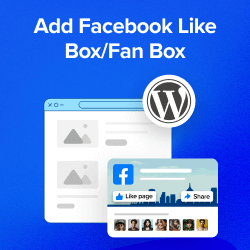
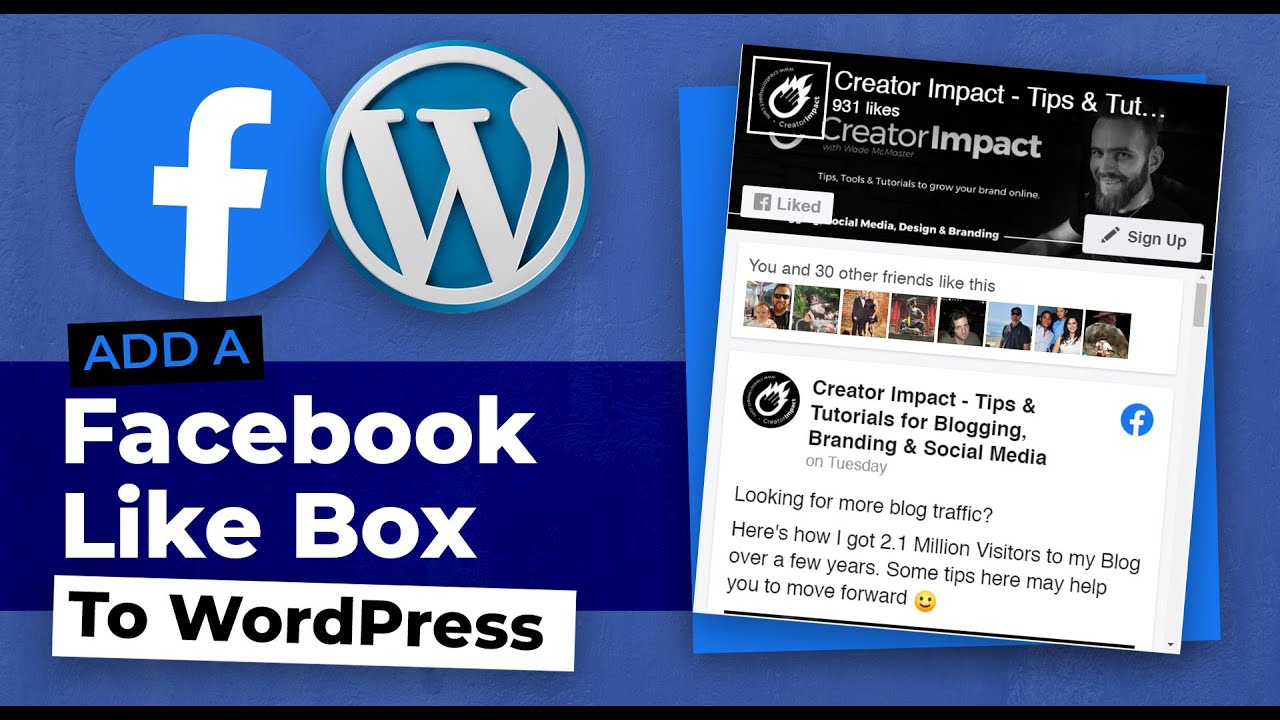
The Facebook Like Box has a simple design. It often includes a blue color theme. This theme matches the Facebook brand. Users can see a list of their friends who like the page. The box also shows the total number of likes. You can find the page’s cover photo at the top. It adds a personal touch. The design is neat and user-friendly. This makes it easy for visitors to like a page.
The Like Box is interactive. It allows users to like a page with one click. It also shows a preview of the page. This helps visitors learn more about the page. Users can see recent posts from the page. This keeps them updated. The box updates automatically. This ensures current information is always displayed.
Installation In WordPress
The Facebook Like Box in WordPress looks like a small widget. It displays your Facebook page’s feed, photos, and a like button. This makes it easy for visitors to connect with your Facebook page directly from your WordPress site.
Plugin Options
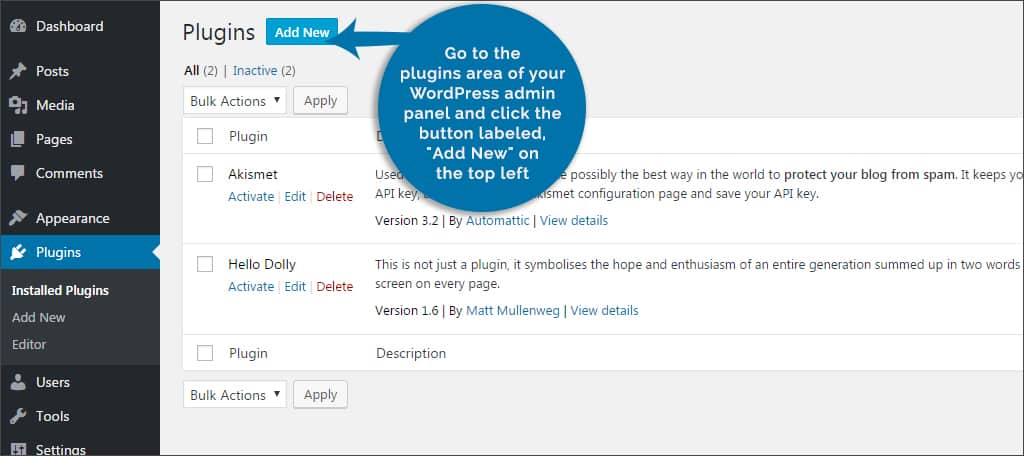
Adding a Facebook Like Box to WordPress can be simple. Use plugins to make it easy. Many plugins are free. Some plugins have advanced features. Choose a plugin based on your needs. Popular plugins include Easy Facebook Like Box and Social Media Widget. They offer customization options. Change the box size and color. Add your Facebook URL. Enable or disable faces and streams. Plugins update often. Make sure to keep them updated.
Manual Setup
Manual setup requires a bit more work. Get the code from Facebook. Go to the Facebook developer page. Create a new app. Copy the code given. Paste it in the HTML widget on your WordPress site. Adjust size and settings in the code. Manual setup allows more control. Be careful when editing code. Mistakes can cause errors. Always save changes and check your site.
Customization Options
The Facebook Like Box can change colors. You can match your site colors. Bright colors make it stand out. Soft colors blend in. Choose colors that match your brand. Style choices include the box shape. Rounded corners look friendly. Square corners look neat. You can also select the font. Big fonts are easy to read. Small fonts save space. Choose a style that fits your site.
You can show friend faces. This makes it more personal. You can choose the box size. Large boxes show more content. Small boxes save space. Decide how many posts to show. More posts give more information. Fewer posts keep it simple. You can also show or hide the header. This changes how the box looks on your site.
Credit: www.youtube.com
Benefits For WordPress Sites
The Facebook Like Box on WordPress sites shows social media engagement clearly. It displays the number of likes and recent posts. Visitors can easily follow updates without leaving the site.
Enhanced Engagement
Facebook Like Box boosts user interaction on your WordPress site. It shows your Facebook page’s latest posts. Visitors can like your page without leaving your site. This keeps them engaged longer. More likes mean more audience connection. Users feel part of a community. They return for updates and news.
Social Proof
The Like Box adds credibility to your site. It displays your page’s followers count. People trust pages with high likes. They think others find it valuable. Social proof builds trust fast. Your site looks more reliable. New visitors are likely to explore further. They might even become loyal followers. Numbers speak loudly.
Troubleshooting Common Issues
The Facebook Like Box may not show up correctly. Ensure the plugin is updated. Check if the theme supports widgets. Sometimes, themes cause issues. Clear the cache and reload the page. Verify if the Facebook page URL is correct.
Integration errors are common. First, confirm the API key is valid. Review plugin settings carefully. Ensure Facebook permissions are granted. Double-check shortcode placement. It should be in the right spot.
Credit: www.greengeeks.com
Comparing Alternatives
The Facebook Like Box in WordPress displays a compact widget showing page likes and follower photos. Easily integrates into sidebars or footers, enhancing social engagement. Customizable options allow for seamless integration, matching website design effortlessly.
Other Social Media Widgets: Pros And Cons
Social media widgets can enhance a website’s look. Facebook’s Like Box is one option, but others exist too. Twitter’s widget shows tweets and encourages interaction. Instagram’s widget displays photos in a neat way. Each widget has its pros and cons.
Twitter’s widget is easy to use. It updates live tweets. But, it can slow down your site. Instagram’s widget is visual. It makes your site colorful. Yet, it needs regular updates for fresh content. Pinterest’s widget is handy for craft or food blogs. It brings ideas to your site. But, it might not fit all niches.
Each widget serves different needs. Choose based on your site’s theme and audience. Consider speed and content updates when picking a widget. Balance is key for the best user experience.
Frequently Asked Questions
How Do I Add A Facebook Like Box In WordPress?
To add a Facebook Like Box in WordPress, use a plugin. Search for “Facebook Like Box” in the WordPress plugin repository. Install and activate your chosen plugin. Configure its settings by linking your Facebook page. Finally, use the widget or shortcode provided by the plugin to display it on your site.
Does The Facebook Like Box Affect Site Speed?
Yes, the Facebook Like Box can affect site speed. It loads external resources from Facebook’s servers. This can increase page load time. Optimize your site by using caching plugins. Minimize other external scripts to reduce overall impact on performance.
Can I Customize The Facebook Like Box Appearance?
Yes, you can customize the Facebook Like Box appearance. Most plugins allow basic customization options. You can adjust dimensions, colors, and layout. Ensure the box matches your site’s design. For advanced customization, you might need to modify CSS or use a more flexible plugin.
Is The Facebook Like Box Mobile-friendly?
Yes, the Facebook Like Box is generally mobile-friendly. Most plugins are responsive and adjust to different screen sizes. However, always test on various devices. Ensure your theme and other elements don’t interfere with its responsiveness.
Conclusion
The Facebook Like Box adds charm to WordPress sites. It boosts interaction. Visitors can like your page right there. Easy, right? It also shows your recent posts. Keeps your audience updated. Simple setup and customization make it user-friendly. Non-tech folks can handle it.
Choose the right plugin to fit your site. It enhances the site’s social media presence. Don’t overlook its benefits. It’s a handy tool for any WordPress site. Give it a try. Engage more visitors. Make your site lively and interactive.
A small addition can make a big difference.



