
Imagine having a beautifully crafted blog post, but it ends up buried beneath newer content on your site. Frustrating, right?
That’s where understanding the concept of “Stick to the Front Page” on WordPress becomes crucial. This nifty feature allows you to highlight your important content, ensuring it remains front and center for all your visitors to see. By mastering this simple trick, you can guide your readers directly to the posts you want them to notice the most.
Curious about how this can enhance your blog’s visibility and engagement? Stick around to uncover the secrets of keeping your best content in the spotlight.
WordPress Basics
“Stick to the front page” in WordPress keeps a post visible on the homepage. It ensures important content stays accessible. This feature helps highlight key information, making it easier for visitors to find.
Understanding The Dashboard
The WordPress Dashboard is your control center. It is where you manage your site. You see your site’s details here. You can find posts, pages, and comments. The dashboard has menus on the left side. These menus help you navigate. You can customize your site here. Change themes and add plugins easily. The dashboard is simple to use.
Key Features Of WordPress
WordPress has many features. It allows easy content creation. You can write and edit posts. Media like images and videos are easy to add. WordPress offers a variety of themes. Choose themes to change your site’s look. Plugins are available to enhance functions. You can improve SEO with plugins. WordPress is user-friendly. Even beginners can use it easily.
Credit: www.seedprod.com
Front Page Concept
The front page is the first page visitors see. It is like the cover of a book. The front page can be a list of latest blog posts or a special page. Many bloggers choose their best posts for the front page. This makes it interesting for new visitors. The front page is important for first impressions. A good front page can make visitors stay longer.
Front page helps show the best content first. It can make blogs more organized. It tells visitors what the blog is about. A nice front page can make people want to explore more. It can help in gaining more followers. Bloggers often update their front page to keep it fresh. This can keep readers coming back.
Sticky Posts Explained
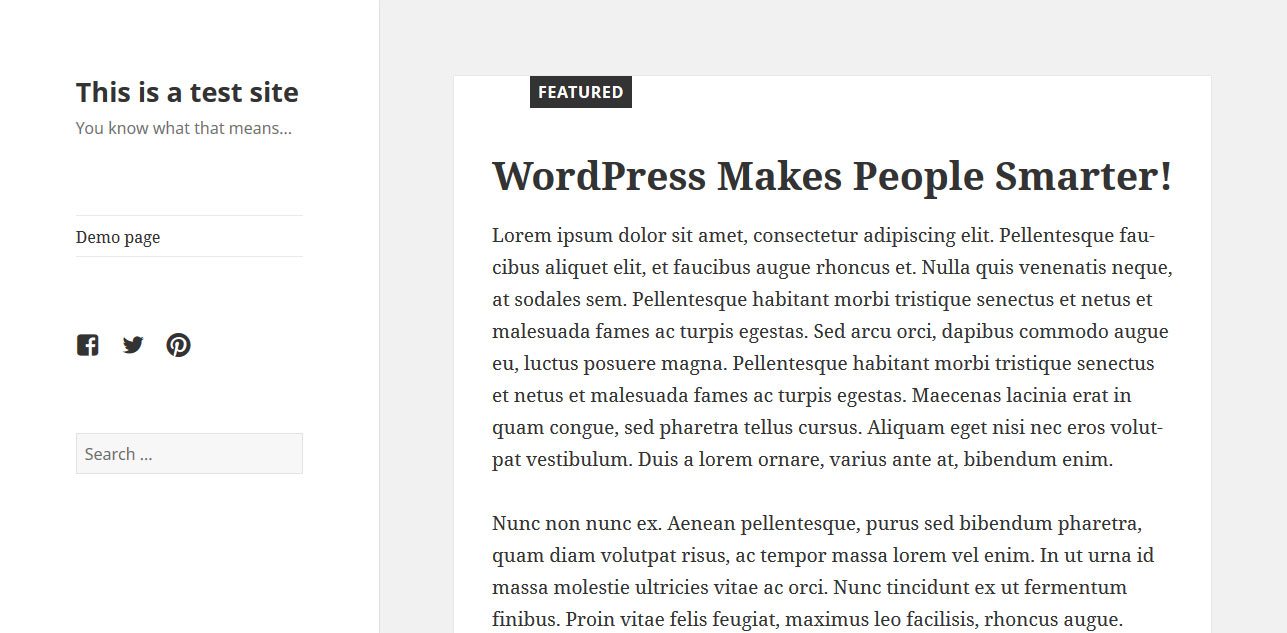
A sticky post stays on the front page. It doesn’t move down like other posts. Think of it like a pin. It keeps the post at the top. This way, everyone sees it first. It’s great for important news. Or special announcements.
Sticky posts help highlight content. Important articles stay visible. This attracts more readers. It keeps the focus on key topics. Bloggers use it for special events. Or for ongoing themes. It’s a simple tool. Yet very effective. Keeps the audience engaged.
How To Stick A Post
Sticking a post makes it stay on the front page. First, go to your WordPress dashboard. Find the post you want to stick. Click “Edit” to open the post settings. Look for the “Visibility” option. Click “Edit” next to it. Check the box labeled “Stick this post to the front page.” Save your changes. The post will now appear on top.
- Forgetting to save changes after sticking.
- Not checking the “Stick” box correctly.
- Using too many sticky posts at once.
- Thinking a sticky post changes the URL.
- Ignoring the “Visibility” settings.
Benefits Of Sticky Posts
Sticky posts stay at the top of your blog. They catch the reader’s eye first. Regular posts move down as new ones appear. Sticky posts don’t budge. This boosts their visibility.
Important content gets noticed. Readers see it every time they visit. It makes sure your key messages are read. Sticky posts are a great tool for this.
They work well for announcements. You can highlight promotions too. Use them to share important updates. Keep your audience informed with sticky posts.
Limitations Of Sticky Posts
Pinning a post to the front page of WordPress ensures it remains visible. Yet, sticky posts can clutter the homepage, making newer content harder to find. This strategy might limit engagement with fresh material.
Potential Drawbacks
Sticky posts can clutter the homepage. Old posts might stay on top, hiding newer content. This can confuse visitors. They may miss important updates. Sticky posts cannot rotate automatically. You need to unstick them manually. This takes time and effort. Search engines might not favor sticky posts. They prefer fresh content. Sticky posts can affect SEO rankings. Be careful with too many sticky posts. They can slow down your site. Site speed is crucial for user experience. Visitors dislike slow sites. They might leave early. Choose sticky posts wisely.
Best Practices
Use sticky posts for key messages only. Limit sticky posts to one or two. This keeps the homepage tidy. Update sticky posts regularly. Fresh content attracts visitors. Ensure sticky posts are valuable. Visitors should find them helpful. Check sticky posts for errors. Errors can confuse readers. Test your site’s speed. Fast sites keep visitors engaged. Review sticky posts often. Adjust them as needed. Balance sticky posts with new content. This keeps the site lively.
Alternatives To Sticky Posts
WordPress offers the option to “stick” posts to the front page for visibility. Alternatives include using featured content plugins, category-based displays, or custom widgets. These methods help showcase important posts without relying solely on sticky posts, enhancing site organization and user experience.
Featured Posts
Using Featured Posts can help highlight important content. This option allows you to showcase specific posts. You can choose posts that you want readers to see first. Featured posts are a good way to keep content fresh. New visitors will find important posts quickly. This method is simple and easy to manage.
Using Widgets
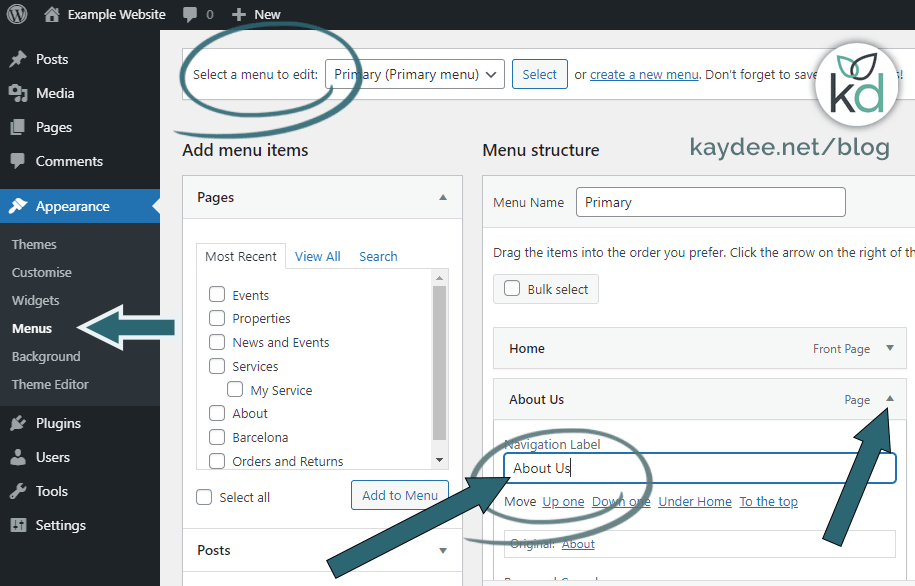
Widgets offer another way to promote posts. They can be placed in sidebars or footers. Widgets make navigation easier for users. You can use them to display recent or popular posts. This keeps users engaged with your content. Widgets are flexible and support customization. They can enhance a site’s functionality without complex changes.
Credit: kaydee.net
Case Studies
Bloggers and businesses have used the “stick to front page” feature. They keep important posts visible. This helps visitors see key information first. It boosts engagement and interaction.
A food blog used it to highlight a new recipe. Traffic to that post increased by 20%. A company used it for an event announcement. More people signed up because they saw the post right away.
Always choose posts wisely for the front page. Not all posts need to stick. Important posts should be kept visible. This keeps the site fresh and interesting.
Checking the analytics can help. See which posts get more views. Adjust your strategy based on this data. Keeping things simple is key. This makes the site easy to use.
Credit: torquemag.io
Frequently Asked Questions
What Does “stick To The Front Page” Mean?
“Stick to the front page” in WordPress means keeping a post at the top. It ensures the post remains visible on your homepage. This feature is ideal for highlighting important content. Regular posts will still appear below it. It’s a great way to feature announcements or popular posts.
How Do I Stick A Post To The Front Page?
To stick a post, edit the desired post in WordPress. In the “Publish” section, check “Stick this post to the front page. ” Save your changes. Your post will now appear at the top of your homepage. This action helps in drawing attention to specific content.
Why Should I Use Sticky Posts?
Sticky posts are useful for highlighting important content. They ensure your key messages stay visible to visitors. This feature is perfect for announcements, promotions, or evergreen content. By using sticky posts, you can improve user engagement and navigation on your site.
Can I Have Multiple Sticky Posts?
Yes, you can have multiple sticky posts in WordPress. Each sticky post will appear at the top of your homepage. They will be displayed in chronological order. This allows you to showcase various important content pieces simultaneously. Managing them is similar to regular posts.
Conclusion
Understanding the “Stick to the Front Page” feature on WordPress helps. It keeps important posts visible. Users won’t miss key updates. This tool enhances your site’s engagement. Visitors find what matters most quickly. Simplicity is the key. Easy navigation boosts user experience.
Your site becomes more effective. Try using this feature today. Watch your content get more attention. Keep your audience informed and happy. Enjoy a well-organized WordPress site.



