
Have you ever wondered how to keep important content at the top of your WordPress site? Making a post “sticky” is your answer.
Imagine having your most crucial message always visible, drawing your audience’s attention right where you want it. This simple yet powerful feature can transform how you engage your readers. You’ll discover exactly what it means to make a WordPress post sticky and why it’s a game-changer for your content strategy.
Prepare to unlock a tool that keeps your key posts front and center, ensuring they never get lost in the shuffle. Curious to learn how this can boost your blog’s effectiveness? Read on to find out more!
Concept Of Sticky Posts
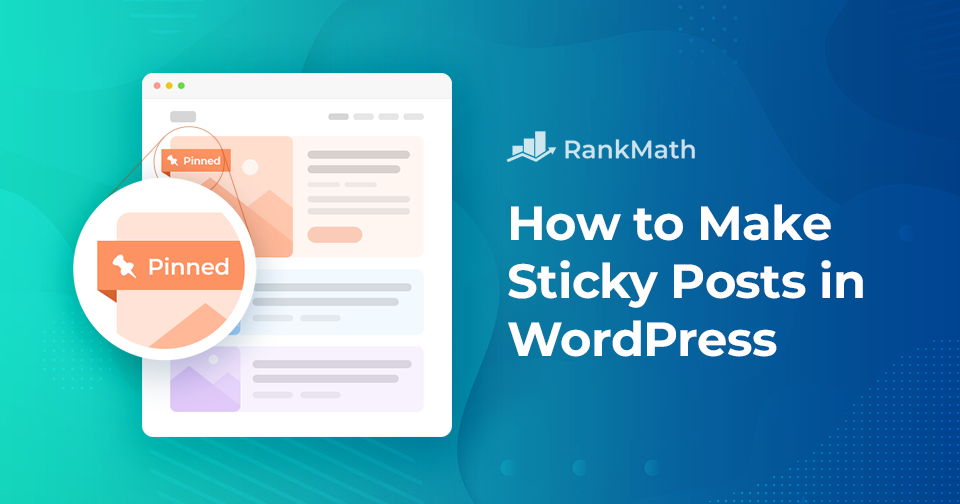
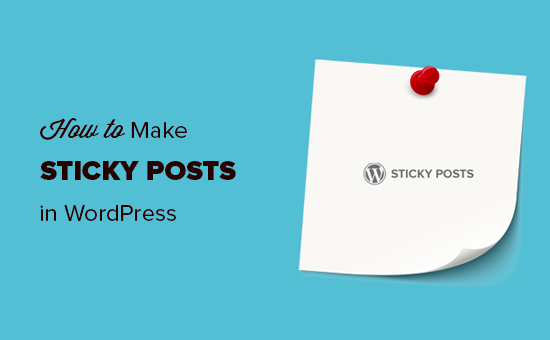
Sticky posts are special posts in WordPress. They stay at the top of your blog. Even if new posts come, sticky ones stay first. This helps you highlight important content. Imagine a note on a board. You pin it so everyone sees it first. Sticky posts work the same way. They catch the reader’s attention. You won’t lose important messages in a flood of new posts. Readers see your best posts right away. This is useful for announcements and popular articles. Sticky feature is simple to use. You can make any post sticky in WordPress easily. It is a great tool for bloggers. Keeps your main content visible.
Credit: rankmath.com
Benefits Of Sticky Posts
Sticky posts make your content stay at the top. This means more people see it. It helps your blog look fresh and active. Readers find it easy to see important messages.
Sticky posts catch eyes. They stand out. Everyone can find them easily. This helps in making your blog popular. More people come back to see your blog.
Users love to read sticky posts. They spend more time on your site. They click more links. This helps you know what users like. It makes your blog more fun.
Important news stays at the top. Sticky posts make sure everyone sees them. You can show special offers or events. This helps in keeping your content fresh.
Creating A Sticky Post
Log into your WordPress Dashboard. This is your main control area. Here, you manage your website. Look for the menu on the left. Click on “Posts” to see all posts. This is where you start.
Find the post you want. Hover over the post title. A few options will appear. Click on “Edit” to open the post. This is how you select a post.
Look for the “Publish” box. It’s on the right side. Click “Edit” next to “Visibility”. Check the box that says “Stick this post to the front page”. Click “Update” to save. Now your post is sticky!
Credit: qodeinteractive.com
Customizing Sticky Posts
Plugins help make sticky posts unique. They offer many options. Change the look of your sticky posts easily. You can add colors, styles, and more. This makes your post stand out. It’s fun to see how each change looks. Try different settings to find what you like best. Some plugins are free. Others may cost a little money. Choose what fits your needs.
Styling sticky posts adds a special touch. Use bold fonts for important words. Add images to make posts pop. Change the background color to make it bright. This makes reading fun and easy. Always check how it looks on different screens. Your post should look good everywhere. Experiment with styles often. It keeps your blog fresh and exciting.
Managing Multiple Sticky Posts
Sticky posts help readers find important content. It’s like having a special badge. Choose carefully which posts to make sticky. Think about the most popular posts. Maybe the ones with helpful tips or important news. These should stay at the top. Sticky posts are like guides for your blog. They help people know what to read first. Too many sticky posts can confuse readers. Keep it simple. Make the best posts sticky.
Making too many posts sticky can be a problem. It makes the blog look messy. Overusing sticky posts can hide new content. Readers may miss fresh updates. Limit sticky posts to just a few. The important content should shine without clutter. This keeps the blog neat and easy to read. Balance is key. Only sticky the most important posts. It makes the blog look clean and organized.
Troubleshooting Common Issues
Making a WordPress post sticky keeps it at the top of your blog, regardless of the publishing date. This feature ensures important content remains visible to visitors, enhancing user engagement and content accessibility.
Sticky Posts Not Displaying
Sticky posts might not show up due to theme or plugin issues. Some themes do not support sticky posts. Check your theme settings. Some plugins can also cause problems. Disable plugins one by one to see if the post shows. This way, you can find the conflicting plugin.
Updating WordPress, themes, and plugins is also important. Older versions might have bugs. Bugs can affect sticky posts. Always keep everything updated to avoid issues.
Conflicts With Themes Or Plugins
Themes or plugins sometimes conflict with sticky posts. Check theme settings for options related to sticky posts. Some plugins might override sticky settings. Look for plugin settings that may affect post visibility.
You can try using a different theme. Or try disabling plugins temporarily. This helps in finding out if conflicts exist. Contact support if you can’t solve the issue. They can give specific advice for your theme or plugin.
Sticky Posts Best Practices
Making a WordPress post sticky means keeping it at the top of your blog. This ensures important content is always visible. Sticky posts can highlight announcements or popular articles, drawing attention from readers.
Regular Updates
Regularly update your sticky posts. Fresh content keeps readers interested. Outdated posts may confuse readers. Stay relevant with the latest information. This builds trust with your audience. It also helps with SEO rankings. Search engines like new and updated content.
Monitoring Performance
Track the performance of sticky posts. Use analytics tools to measure views and engagement. Check if readers spend time on these posts. Low engagement may need a content refresh. High engagement means content is working well. Adjust content based on reader interest. This keeps your posts effective and helpful.
Credit: www.wpbeginner.com
Frequently Asked Questions
What Is A Sticky Post In WordPress?
A sticky post in WordPress is a featured post that remains at the top of your blog page. It ensures important content is highlighted and easily accessible to readers. This feature is especially useful for announcements or evergreen content.
How Do You Make A Post Sticky?
To make a post sticky, go to your WordPress dashboard. Edit the desired post and check the “Stick to the front page” option. Save your changes. This will keep the post at the top of your blog.
Why Use Sticky Posts On Your Blog?
Sticky posts are used to highlight important or relevant content. They increase visibility and engagement for key articles. This ensures that crucial information reaches your audience effectively, regardless of new posts being added.
Can Sticky Posts Improve Website Engagement?
Yes, sticky posts can improve engagement by keeping important content visible. They attract more views and interactions by ensuring key articles remain accessible. This encourages readers to spend more time on your site.
Conclusion
Making a WordPress post sticky helps prioritize important content. Readers can easily find vital information at the top of your blog. This feature ensures visitors see your key messages first. It’s a simple way to enhance user experience. Sticky posts keep your content organized and accessible.
They can boost engagement by highlighting essential posts. Remember, not every post needs this feature. Use it wisely for the best impact on your audience. By understanding sticky posts, you can improve your blog’s effectiveness and reach. Keep your readers engaged and informed with this useful tool.



