Imagine this: you’re navigating through your WordPress dashboard, ready to make some updates, and suddenly you encounter a perplexing message – “Expired Nonce.” If you’ve ever wondered what this cryptic term means, you’re not alone.
Understanding the ins and outs of WordPress can sometimes feel like decoding a secret language. But don’t worry, you’re in the right place to demystify this jargon. You’ll uncover what an expired nonce is, why it appears, and how it can impact your website’s security and functionality.
Discover practical tips to handle expired nonces effectively and ensure your WordPress site runs smoothly. By the end, you’ll not only grasp the concept of a nonce but also gain confidence in managing your WordPress site like a pro. Ready to unravel the mystery and turn this potential obstacle into a learning opportunity? Let’s dive in and empower your WordPress journey!
Nonce In WordPress
A nonce in WordPress is a special code. It is a mix of numbers and letters. This code helps keep data safe. It stops bad people from doing harmful things. Nonces are like keys. They open doors only for the right person. WordPress uses nonces to keep your website secure.
Nonces play a big part in website security. They protect against threats like CSRF. CSRF stands for Cross-Site Request Forgery. This happens when someone tricks you into doing something bad. Nonces make sure every action is safe. They check if the right person is doing the action. If the nonce is wrong, the action stops. This keeps your data safe and sound.
How Nonces Work
Nonces are special keys in WordPress. They help keep your site safe. A nonce is created for a specific action. This can be editing a post or deleting a comment. The nonce is then sent to the server. The server checks the nonce. If it’s correct, the action is allowed. If not, the action is blocked. This process stops bad people from doing harmful things.
Nonces do not last forever. They have an expiration time. Usually, they expire after 12 or 24 hours. After this time, the nonce is no longer valid. This means the action cannot be completed. The expiration helps keep your site secure. It ensures nonces are not used for too long. Expired nonces protect your website from repeated attacks.
Expired Nonce Explained
A nonce in WordPress is like a secret code. It keeps your site safe. Once it expires, the code is no longer valid. This is to ensure security. It helps prevent unauthorized actions on your site.
An expired nonce means the action won’t work. You may need to refresh the page. Sometimes, you might need to try again. Actions like saving or deleting may not happen. This is because the code is old. A new code is required to continue.
Nonces expire after a set time. Usually, this is 12-24 hours. Closing a browser can also cause expiration. Long periods of inactivity have the same effect. Sometimes, server time settings lead to this. Changes in security settings may also trigger expiration.
Impact Of Expired Nonce
An expired nonce can cause frustration for users. They may see error messages. This can make them confused. Users might think they did something wrong. They have to repeat actions. Like submitting forms again. This can lead to poor user experience. People may leave the site. They might not come back. Keeping users happy is important.
Expired nonces are also important for security. They help protect against attacks. Like CSRF attacks. If a nonce expires, it can’t be reused. This keeps the site safe. But, users must act quickly. They should not delay actions. Always refresh pages with expired nonces. This ensures safety. Protecting user data is crucial.
Handling Expired Nonces
Create clear error messages for users. This helps when nonces expire. Users need to understand the issue. Use simple words. Avoid technical jargon. A good error message guides users. It tells them what to do next. For example, “Session expired. Please refresh the page.” This keeps users informed.
Developers should set nonce lifespan carefully. Short lifespan makes errors more likely. Long lifespan can weaken security. Balance is key. Test and adjust nonce settings. This ensures a smooth experience. Users should not face frequent errors. Proper settings help maintain security too.

Credit: www.malcare.com
Preventing Issues With Nonces
Expired nonces in WordPress mean that a security token has surpassed its validity period. These tokens help protect website actions from unauthorized use. Regularly refreshing nonces prevents issues, ensuring safe and reliable website operations.
Extending Nonce Lifespan
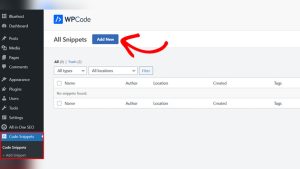
Nonces are short-lived codes. They keep WordPress secure. Extending nonce lifespan can help. A longer lifespan means fewer problems. You can use hooks to change their life. Security risks can increase if nonces last too long. Find a balance. Code snippets can adjust nonce time. Use them wisely. Test changes before going live. This helps avoid mistakes. Always check for updates. WordPress changes may affect nonce life. Regular checks ensure smooth operation.
Efficient Nonce Management
Manage nonces carefully. They protect your site. Keep them organized. Use clear names. This helps identify each nonce. Tracking nonces is crucial. It prevents confusion. Use tools for better management. They simplify tasks. Always log nonce actions. This helps track usage. Review logs often. Look for unusual activities. This can signal issues. Quick action can prevent damage. Nonce management requires attention. Regular updates are key. Stay informed to keep your site safe.
Common Mistakes
Many people think a nonce is for security. But it is not. A nonce is a number used once. It helps check user actions. Nonces are for form submissions. They stop repeated actions, like double-clicking. Nonces do not replace security checks. Always use other security measures too. This is a common confusion among users.
Some developers use nonces the wrong way. They might forget to check them. Or, they do not add them to forms. This causes errors. Always include nonce verification. It ensures correct action tracking. Nonces must expire after use. This limits their time of use. Check nonce every time for safe actions. Proper use helps WordPress run smoothly.
Credit: github.com
Tools And Plugins
Expired nonces in WordPress mean that a security token has timed out. This can block actions like form submissions. Users might need to refresh the page or log in again for a new nonce. Understanding this helps maintain secure and smooth website operations.
WordPress Plugins For Nonce Management
Managing nonces can be tricky. Some plugins help you with this. These plugins make nonce tasks simple. They handle expired nonces. They also keep your site secure. WP Nonce Manager is one popular plugin. It tracks and refreshes nonces. This ensures smooth functionality. Another option is Nonce Checker. It monitors nonce usage. It alerts you when issues arise. These tools are vital for site health.
Third-party Solutions
Not every solution comes from WordPress. Third-party tools offer alternatives. They provide advanced nonce controls. They work with WordPress sites. They enhance security and function. Nonce Guard is one such tool. It protects against nonce misuse. It integrates easily with your site. Another tool is External Nonce Manager. It offers cross-platform support. These solutions broaden your options.

Credit: sdlccorp.com
Frequently Asked Questions
What Is A Nonce In WordPress?
A nonce in WordPress is a unique token used to verify user actions. It helps protect URLs and forms from unauthorized access. Nonces ensure security by preventing CSRF attacks, safeguarding your site’s integrity. They are temporary and expire after a set time, enhancing security.
Why Do Nonces Expire In WordPress?
Nonces expire to maintain security and prevent reuse. This ensures actions are performed by authenticated users only. Expiry limits the time window for potential attacks. It minimizes the risk of unauthorized access. Expired nonces require users to refresh or reauthenticate, ensuring ongoing protection.
How To Fix Expired Nonce Error?
To fix an expired nonce error, refresh the page or log in again. This generates a new nonce, resolving the issue. Ensure your browser settings allow cookies. Also, verify your server time is correct. These steps help maintain nonce functionality and security.
Can Expired Nonce Affect WordPress Security?
Expired nonces prevent unauthorized actions, enhancing WordPress security. They limit the time for potential CSRF attacks. By expiring, nonces ensure users are authenticated. This protects sensitive data and site integrity. Regularly refreshed nonces reduce security risks significantly.
Conclusion
Understanding expired nonce in WordPress is crucial. It helps protect your site. Nonce ensures safe actions by users. Once expired, it prevents unauthorized access. Regular site maintenance can avoid nonce issues. Keep plugins updated. Monitor site settings closely. This safeguards user data and site integrity.
Troubleshoot promptly if nonce errors appear. An informed approach keeps your site secure. Remember, security is key in WordPress management. Stay vigilant. Keep learning. Your site’s health depends on it.