
Have you ever wondered why some websites load faster on your phone than others? It’s not just luck or a better internet connection.
The secret often lies in a powerful tool called AMP, or Accelerated Mobile Pages. If you’re using WordPress, you might be asking, “What does AMP do for WordPress, and why should I care? ” You’re not alone. Understanding AMP can revolutionize your website’s performance, keeping your visitors engaged and coming back for more.
Imagine your WordPress site loading in the blink of an eye, impressing your audience, and climbing up the search engine rankings. Intrigued? Let’s delve into how AMP can transform your WordPress experience, making your site faster, more efficient, and ultimately more successful.
Amp Basics
AMP stands for Accelerated Mobile Pages. It helps websites load faster on phones. Google created AMP to improve user experience. Pages load in less than a second. Faster pages keep visitors happy. This means more traffic and better SEO for sites. AMP removes extra code. It uses simple web standards. This makes websites quick and light.
AMP uses a special HTML version. It has fewer tags. It works with JavaScript in a limited way. AMP uses CSS for style. Pages are stored in the AMP cache. Google stores these pages. This helps them load faster. The cache is like a library. It keeps copies of pages ready to show. Websites with AMP show content quickly. Visitors enjoy this speed. More people stay longer on fast sites.
Credit: deliciousbrains.com
Benefits For WordPress
AMP makes web pages load very fast. Fast pages keep visitors happy. Slow pages make them leave. With AMP, your site can be quick. This means more people stay and explore.
Many people use phones to browse. AMP helps pages look good on phones. It makes pages simple and clean. This is good for users. They find what they need fast.
Google likes fast sites. AMP can help your site rank better. Better rank means more visitors. More visitors mean more success. AMP helps your site be noticed.
Setting Up Amp On WordPress
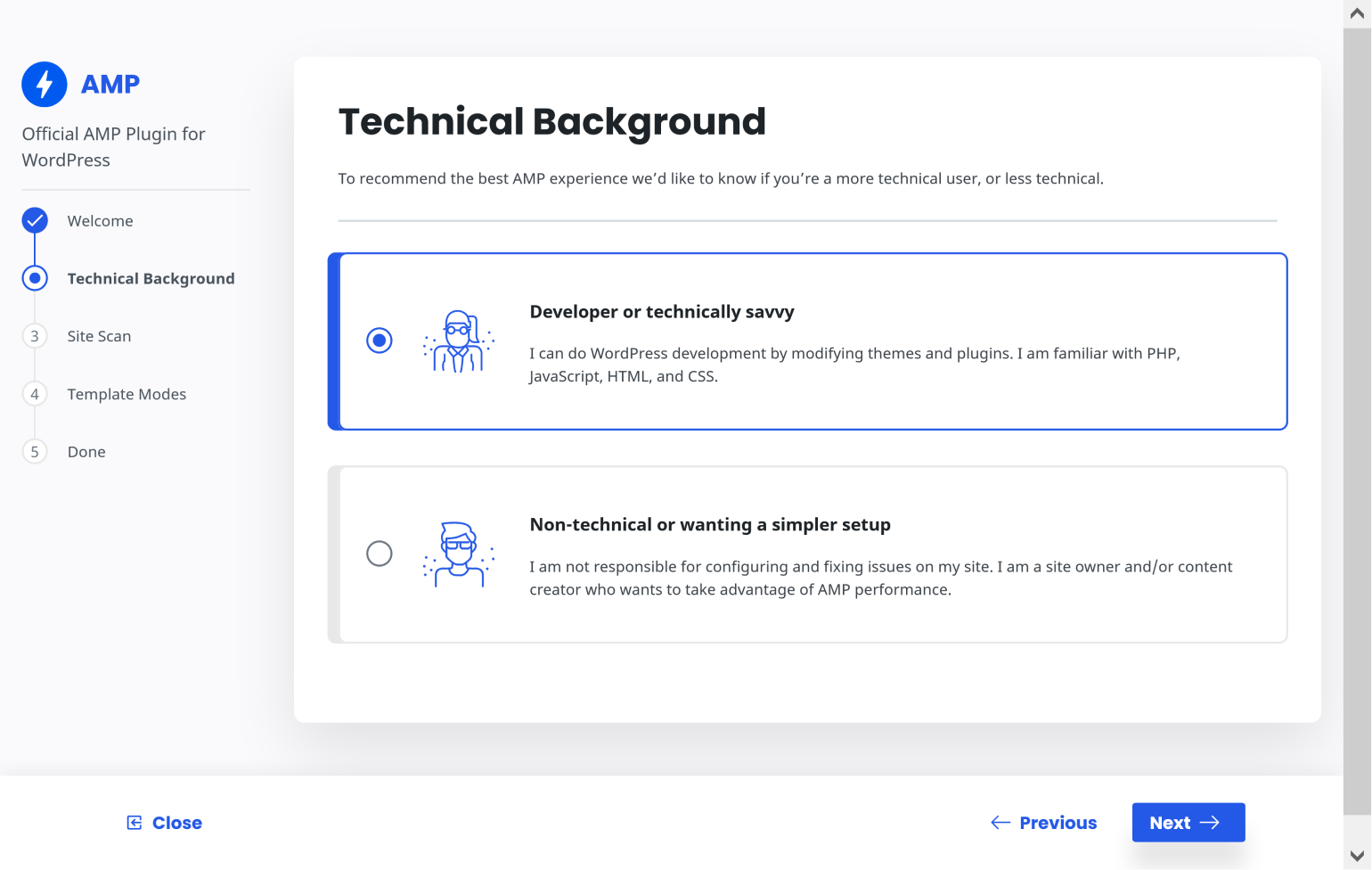
Several AMP plugins are available for WordPress. Some popular choices are AMP for WP and Official AMP Plugin. It’s important to select one that fits your needs. Check user reviews and ratings. Consider the features each plugin offers. Installation and support are also crucial aspects.
Installing an AMP plugin is simple. First, access the WordPress dashboard. Click on “Plugins” then “Add New.” Use the search bar to find your chosen AMP plugin. Click “Install Now,” then activate it. Ensure the plugin is compatible with your theme. Some plugins might need extra steps. Follow the instructions carefully.
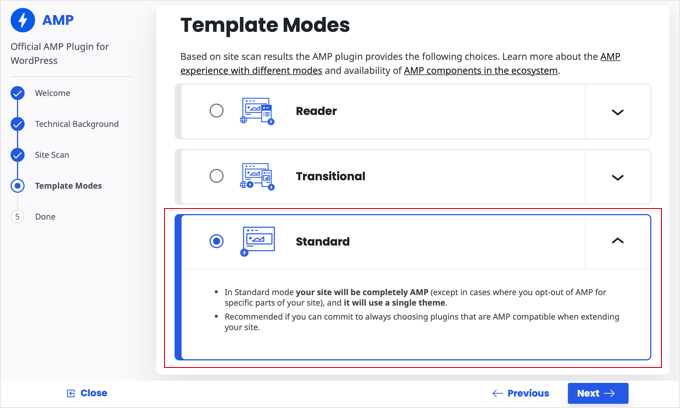
Once installed, configure the plugin. Access settings from the plugin menu. Choose the design and layout options that suit your site. Enable features like analytics and ads if needed. Always check the preview before saving. Test your site speed and performance. Make adjustments as necessary to improve functionality.
Customizing Amp Pages
Styling AMP pages is fun and easy. Use simple CSS rules. Limited JavaScript is allowed. This keeps pages fast and lightweight. Change colors, fonts, and layouts. Make your page unique and user-friendly. Keep it consistent with your site’s theme. Users will love the smooth experience.
Adjusting content for AMP is crucial. Keep images small and optimized. Use clear and simple text. Ensure content loads quickly. This improves the user experience. Too much content can slow pages. Keep it short and informative. Users will stay engaged.
Tracking is important for AMP. Use Google Analytics to track users. It helps understand traffic and behavior. Add analytics code in the AMP HTML. Check how users interact with your page. This helps to improve content. Keep the code light to ensure speed.
Common Challenges
AMP can cause problems with some plugins. Not all plugins work well with AMP. Some features might stop working. Updates can help fix these problems. Check plugin details before installing. Test compatibility in a safe environment. This avoids site crashes.
AMP limits design choices. Basic layouts are common. Fancy designs may not show well. Customization is tricky. Some themes might not work. Experiment with AMP-friendly themes. Keep it simple for best results.
Start with simple steps. Clear cache often. Check settings for errors. Disable plugins one by one. See which causes the problem. Look for updates regularly. Check forums for advice. Seek help if needed. Better safe than sorry.
Case Studies
AMP, or Accelerated Mobile Pages, speeds up website loading on mobile devices. It helps WordPress sites perform better by improving page speed. Faster pages enhance user experience, leading to more engagement and lower bounce rates.
Success Stories
Many websites have shared their success stories with AMP. Some sites saw faster loading times and more visitors. Readers enjoyed a smoother experience. One site reported a 20% increase in user engagement. Another noticed a drop in bounce rates. These results show how AMP can help.
Lessons Learned
AMP has taught many lessons. Web owners found that simplicity matters. Keeping pages simple and clean is key. Too many features can slow a site. AMP also highlighted the importance of speed. Quick load times keep users happy. Lastly, testing is crucial. Always test AMP changes before going live.
Future Of Amp In WordPress
AMP speeds up WordPress sites by making pages load faster on mobile. This helps keep visitors engaged. Faster loading times improve user experience and can boost search engine rankings.
Evolving Web Standards
Web standards are always changing. AMP helps websites load fast. This is important for mobile users. Fast sites keep users happy. Happy users stay longer. They might also come back. This is great for websites.
New tools will help AMP grow. More websites will use it. WordPress is popular. Many sites run on WordPress. So, AMP and WordPress go well together. Developers will make more tools. These tools will make AMP easier to use.
Predictions And Trends
AMP will get better over time. More people will use smartphones. Fast-loading sites will become normal. This means more sites will need AMP. Trends show that users like fast sites. They do not like waiting.
New trends will come. AMP will change with them. It will stay important for websites. Sites that use AMP will do well. They will meet user needs. They will get more visitors. This helps them grow.
Credit: www.outbrain.com
Credit: www.wpbeginner.com
Frequently Asked Questions
What Is Amp For WordPress?
AMP for WordPress enhances website speed by optimizing mobile performance. It reduces page load times, improving user experience and search rankings. By implementing AMP, your WordPress site becomes more mobile-friendly, attracting more visitors and increasing engagement. Faster pages can lead to lower bounce rates and higher conversions.
How Does Amp Improve WordPress Seo?
AMP improves SEO by boosting page speed, a vital ranking factor. Faster load times lead to better user experience, increasing dwell time and reducing bounce rates. This can result in higher search rankings. AMP pages are also prioritized in mobile search results, enhancing visibility and organic traffic.
Can Amp Affect WordPress Site Design?
Yes, AMP can affect site design by simplifying elements for speed. Some design features may be altered or removed to ensure faster loading. It’s crucial to balance design aesthetics with performance. Proper implementation helps maintain visual appeal while optimizing speed and functionality.
Is Amp Necessary For All WordPress Sites?
AMP is beneficial for sites with significant mobile traffic. It’s not mandatory for all WordPress sites but recommended for those seeking improved mobile performance. Evaluate your audience and mobile traffic before deciding. Faster mobile pages can enhance user experience and boost engagement.
Conclusion
AMP benefits WordPress sites by enhancing speed and performance. Faster loading times improve user experience significantly. This can lead to higher engagement and better retention rates. AMP also helps in improving search engine rankings. Mobile users appreciate quick access to content.
Thus, AMP makes your WordPress site more competitive. Balancing design and speed is key. Users expect a seamless experience. So, integrating AMP can be a smart move. Consider your specific site needs. Then decide if AMP is right for you.
Keep your audience in mind. Deliver content they can access quickly and easily.



