
Imagine you’re crafting the perfect WordPress document. You want it to stand out, to captivate your audience, and to deliver your message flawlessly.
But as you dive into the creative process, you hit a snag. There are certain elements that just won’t embed, no matter how hard you try. Frustrating, isn’t it? You’re not alone. Many WordPress users, whether beginners or seasoned pros, encounter this roadblock.
Understanding what can’t be embedded in a WordPress document is crucial to enhancing your content strategy and saving you time. We’ll uncover these elusive elements and offer you effective alternatives to keep your creative juices flowing. Keep reading, and discover how to make your WordPress content not only functional but also irresistible.
Media File Limitations
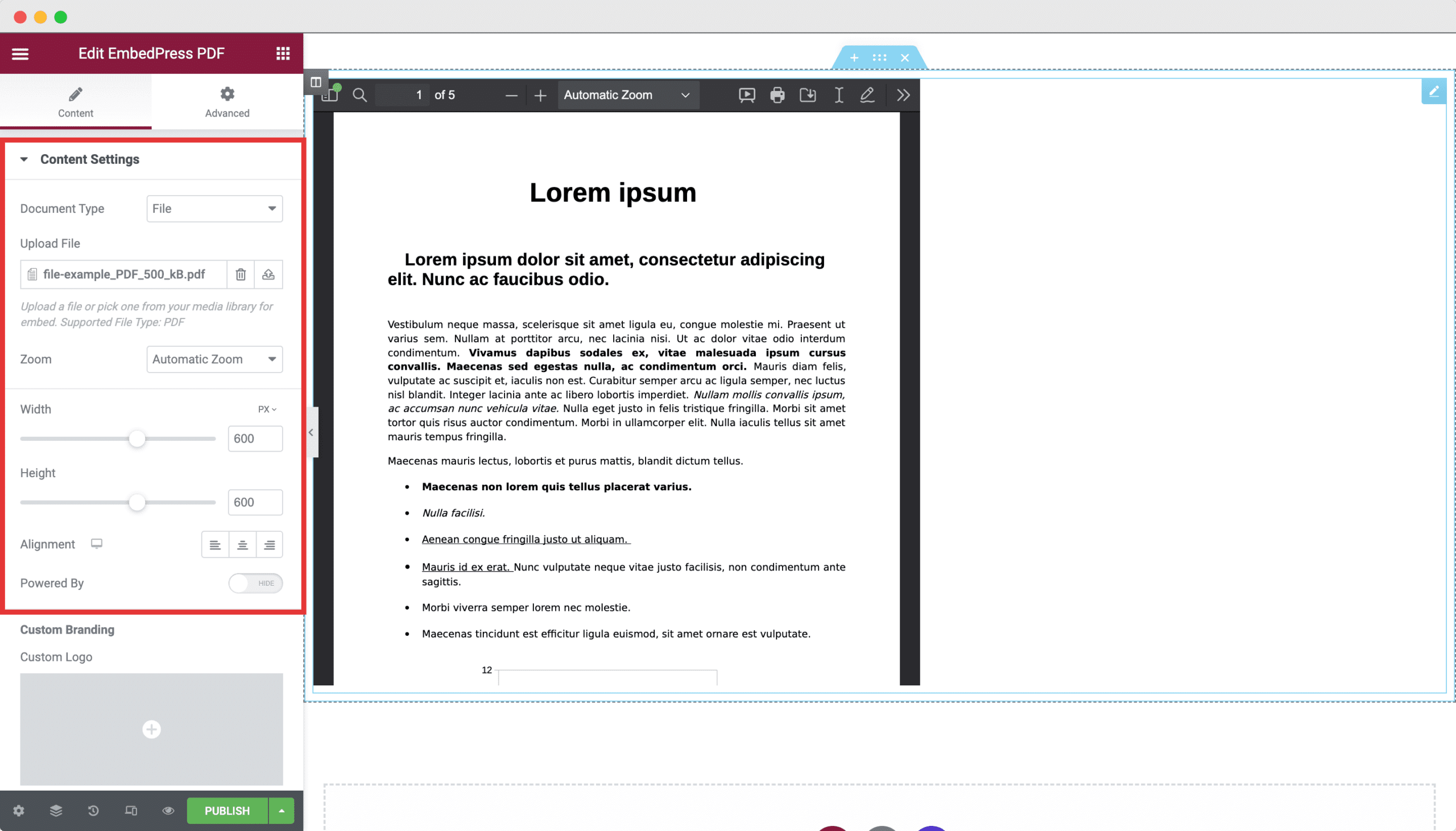
WordPress does not support every file type. Some files just won’t upload. Unsupported file types include .exe, .bat, and .svg. These files might pose security risks. So, WordPress blocks them. It keeps your site safe. You must convert unsupported files. Use a supported type like .jpg or .pdf. This way, you can still share your content.
File size can be a problem, too. Large files may not upload. WordPress has a file size limit. This limit is often set by your host. It can vary from 2MB to 128MB. If a file is too big, you must make it smaller. You can compress it. Or, you can split it into smaller parts. This helps fit the file within the allowed size.
Credit: embedpress.com
Script Constraints
WordPress has limits on JavaScript embedding. Some scripts may not work. This is due to security settings. WordPress blocks scripts it sees as risky. These scripts can harm your site. Always test new scripts. Check if they work safely. Use trusted sources for scripts. This helps keep your site safe. WordPress does this to protect your data. It also protects your visitors. Safe scripts keep your site running smoothly.
Security rules can block some scripts. Plugins might also cause issues. Conflicts happen when two plugins don’t agree. They might block each other’s functions. This can make your site act strange. Always update your plugins. This can help reduce conflicts. Choose plugins from trusted developers. They are often more reliable. Checking plugin reviews can be helpful. This way, you know how well they work. Good plugins make your site better.
Interactive Content Challenges
HTML5 widgets can be tricky. They often need special code to work. This makes them hard to embed in WordPress. Some widgets might not show up correctly. They can break the page layout. Users might find them confusing. Not all browsers support them well. This can cause more problems for users.
iFrames can cause issues too. They can slow down a website. They might not display content properly. Some iFrames might not fit the page design. Users might see broken content. Security is also a concern. iFrames can sometimes be risky. They might expose users to threats. It’s important to handle them with care.
Credit: www.greengeeks.com
Third-party Integration Barriers
Embedding certain third-party applications into WordPress can be difficult. Some APIs are unsupported directly by WordPress. Developers may face hurdles when trying to integrate complex systems. These limitations can restrict functionality and customization.
Custom integrations often require additional coding skills. Without proper support, these can lead to technical challenges. Users may need external plugins to bridge gaps. This can complicate the process further. Finding suitable solutions might take time and effort.
Unsupported Apis
Some APIs are not compatible with WordPress. This makes integration complex and tricky. Developers must find alternative methods to connect systems. It can require extensive coding. Compatibility issues can arise often. These problems can slow down projects.
Sometimes, external tools are needed. Plugins may help, but they are not always perfect. Users must evaluate if it’s worth the trouble. This can lead to frustration and delays. Understanding API limitations is crucial for smooth operations.
Complexity Of Custom Integrations
Custom integrations can be challenging. They demand advanced coding skills. Developers might need to write custom scripts. This adds complexity to projects. Each integration is unique and requires special attention.
Projects can become time-consuming. Testing and debugging may take long. Users must be patient during the process. Sometimes, hiring experts is necessary. This can increase costs significantly.
Data Security Concerns
Sensitive information must be protected. This includes passwords, credit card numbers, and personal data. Embedding such data in WordPress can be risky. Hackers might find ways to steal it. Keeping it safe is very important. Always ensure that this data is stored securely. Use secure plugins and services.
Compliance with laws is necessary. Laws like GDPR and CCPA protect personal data. Failing to comply can lead to legal trouble. This means serious fines or penalties. Always understand the rules of your region. Ensure that your website follows them. This keeps your site safe and legal.

Credit: barn2.com
Frequently Asked Questions
What Media Can’t Be Embedded In WordPress?
WordPress supports many media types, but Flash files can’t be embedded directly. This is due to modern web security standards. Flash is outdated and not recommended for web use. Use HTML5 alternatives for interactive content. WordPress provides plugins to manage media embedding effectively.
Can Custom Scripts Be Embedded In WordPress?
Yes, but with limitations. WordPress restricts direct embedding of JavaScript for security reasons. Use plugins or widgets for safe embedding. Alternatively, you can add scripts to theme files. Always ensure your scripts are secure and compatible with WordPress updates.
Why Can’t I Embed Certain Widgets In WordPress?
Embedding issues often arise from incompatible code or security restrictions. WordPress limits certain widgets for safety. Use compatible plugins or update your WordPress version. Always check widget documentation for WordPress compatibility. Proper configuration can resolve most embedding problems.
Are There Security Risks In Embedding Content In WordPress?
Yes, embedding can introduce security vulnerabilities. Malicious code or outdated plugins pose risks. Ensure all embedded content is from trusted sources. Regularly update plugins and themes. Use security plugins to monitor and protect your site from threats.
Conclusion
Understanding what can’t be embedded in WordPress is crucial. It helps maintain a smooth user experience. Some items are simply incompatible. They may affect your site’s performance. Keep your content clean and efficient. Avoid unsupported elements. This ensures your website runs smoothly.
Focus on proven tools and plugins. These enhance functionality without issues. Simplicity is key. Always consider your audience’s needs. Tailor your content for easy access. By doing so, you ensure a seamless browsing experience. Stay informed about updates. This keeps your site optimal and secure.
Happy blogging!



