
Imagine having the power to create a stunning website without spending a dime. With free WordPress, this dream can become your reality.
Whether you’re thinking of starting a blog, showcasing your portfolio, or launching an online store, WordPress gives you the tools to build a site tailored to your needs. It’s flexible, user-friendly, and packed with features that can help you stand out online.
But the real question is: how can you make the most of it? This article will guide you through the endless possibilities that free WordPress offers, unlocking the potential to express yourself and grow your online presence effectively. Dive in, and let’s explore how you can transform your ideas into a thriving digital space.
Setting Up A Free WordPress Site
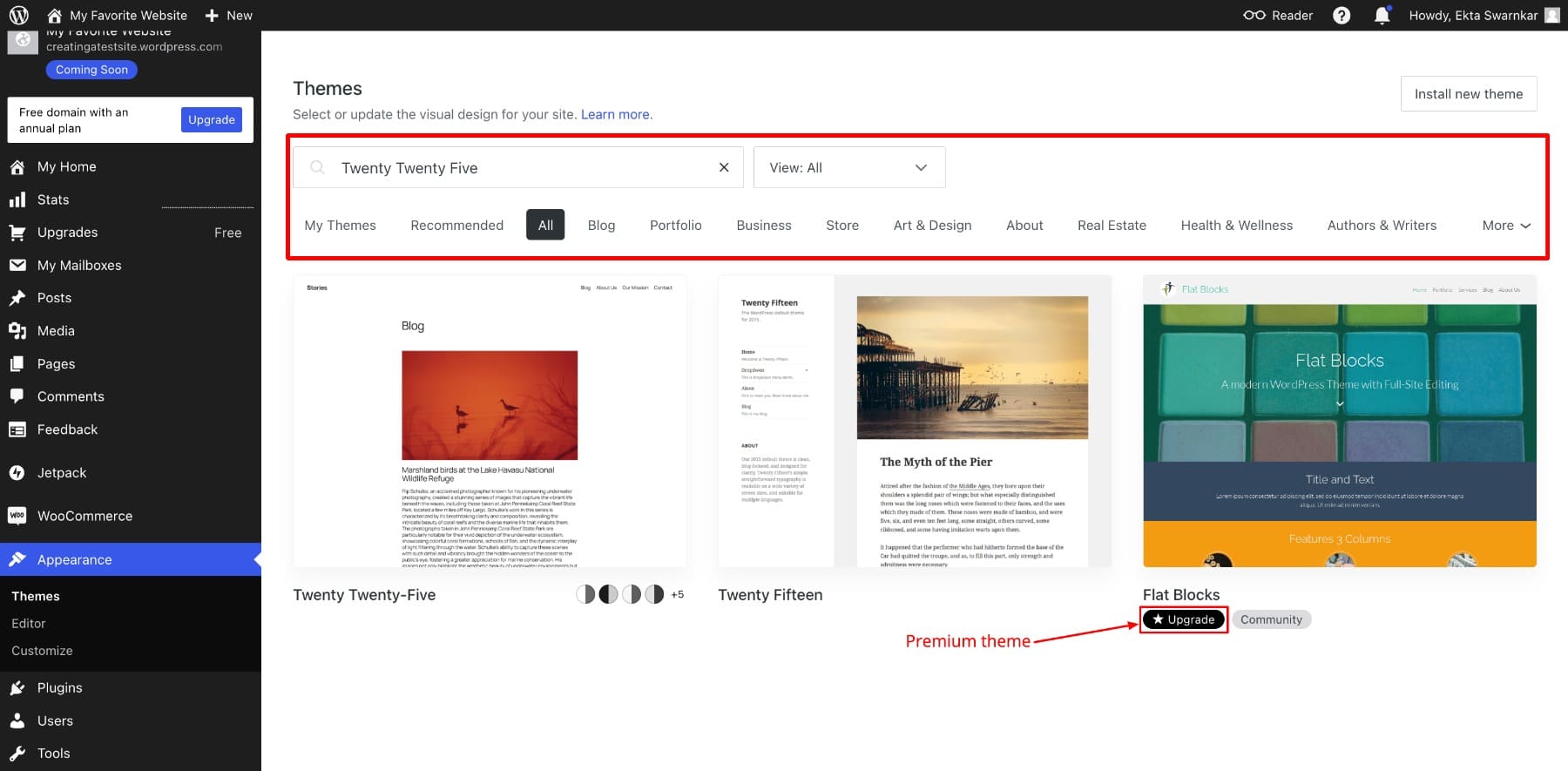
Start by choosing a free theme. Themes make your site look nice. You can change themes later. Pick one that fits your style. Next, set up your site title. This tells people what your site is about.
Add a catchy tagline. Taglines give more info about your site. Create some pages. Common pages are “About” and “Contact”. Pages help people know you better. Write posts to share ideas. Posts are the main part of your site.
Use simple words. This helps more people understand. Add images to make posts interesting. Images grab attention. Use the media library to store images. Organize your site. Categories and tags help users find posts.
Test your site on mobile. Most people use phones. Check if everything looks good. Improve site speed. Faster sites keep visitors happy. Use plugins to add features. Plugins are tools that help your site do more.
Customizing Themes And Layouts
WordPress offers many free themes. Themes change how your site looks. Some themes are simple. Others are detailed. You can try different themes. Find the one you like best. Themes can be changed anytime. Each theme has different styles. Some have bright colors. Others are plain. Choose what fits your site.
Personalizing makes your site special. Add your own pictures. Use colors you love. Change fonts to match your style. Make your site unique. WordPress lets you adjust layouts. Move things around. Add widgets for extra features. Widgets can show recent posts. Or a calendar. Make your site easy to use.
Utilizing Plugins
Plugins add extra features to WordPress. Some plugins are very useful. Yoast SEO helps with search engine settings. It makes your site easy to find. Akismet blocks spam comments. This keeps your site clean. Jetpack offers security and speed. It makes your site run better. Contact Form 7 lets visitors send messages easily. WooCommerce is great for starting an online store. These plugins are simple but powerful tools. They help beginners build a strong website.
Plugins can make your site more fun. Social media plugins help share content. This connects you to more people. Image gallery plugins show your photos beautifully. Page builder plugins like Elementor let you design pages. They make creating pages easy. Security plugins protect your site from hackers. They keep your data safe. Using these plugins can improve user experience. They make your website more engaging and secure.

Credit: www.youtube.com
Creating And Managing Content
Free WordPress helps you write and share your ideas. You can start by writing a new post. Use the editor to add words and pictures. Keep your posts simple and clear. Use short sentences. Make sure your message is easy to read. Add headings to organize your content. This keeps readers interested. Save your work often. Then, publish it for others to see. Writing on WordPress is a fun way to share your thoughts.
Keeping your pages organized is important. Create categories for your posts. This helps readers find what they like. Use clear names for your categories. Add new pages for important topics. Each page should have a purpose. Use a simple layout to make pages easy to read. Keep your menu neat. This helps visitors find things quickly. Good organization makes your site look professional and tidy.
Engaging With Visitors
Comments allow visitors to share thoughts. Enable comments for more interaction. Respond to comments quickly. This makes visitors feel valued. Moderate comments to keep the space friendly. Remove spam or mean words. Use plugins to help with this task. They make it easier.
Social media connects you to more people. Add social buttons to your posts. Visitors can share your work with their friends. It brings in new readers. Use a plugin to link your accounts. Share updates about new posts. This keeps your audience engaged. Integrate feeds for real-time updates. Visitors can see your latest activities.
Analyzing Site Performance
Built-in analytics in WordPress can help understand site performance. These tools show how many people visit your site. They also show which pages are popular. You can see how long visitors stay on each page. This helps in understanding what works well. Knowing these details can help improve the site.
Using Built-in Analytics
WordPress provides easy access to site data. You can track visitor numbers daily. It’s simple to see which posts get more views. This data helps in creating better content. Keep an eye on bounce rates. High bounce rates mean visitors leave quickly. You need to make pages engaging. Analytics helps in measuring success.
Improving Site Speed
Site speed is very important. Slow sites can lose visitors fast. Use tools to check speed. WordPress plugins can help improve speed. Compressing images can make pages load faster. Remove unused plugins to boost speed. Faster sites keep visitors happy. They also improve search engine rankings.
Monetizing Opportunities
Start your own blog on WordPress. Write about things you love. Add affiliate links in your posts. When people click and buy, you earn money. It’s a simple way to make extra cash. Choose products that match your content. This makes it easier for readers to trust you. Always be honest with your audience. Tell them when you use affiliate links. This builds trust and keeps them coming back.
Companies pay you to write about their products. This is called sponsored content. Make sure the product fits your blog’s theme. Write honest reviews. Share your real experience. This keeps your readers happy. Always label sponsored content. This way, your audience knows what is paid. It’s a fun way to earn from your blog. And you get to try new things!
Credit: www.elegantthemes.com
Securing Your WordPress Site
Keeping your WordPress safe is very important. First, use a strong password. Mix letters, numbers, and symbols. Change it often. Next, update your plugins. This helps fix security problems. Also, install a security plugin. It can stop attacks before they start.
Limit login attempts to keep hackers out. If someone tries too many times, block them. Use a firewall. This is like a gate for your site. Only good traffic gets in. Trust only trusted plugins and themes. Sometimes, bad ones have hidden dangers.
Backups are like a safety net for your site. If something breaks, you can go back. Use a backup plugin. It saves your site’s data. Store these backups in a safe place. On the cloud or a hard drive. Make it a habit to backup often. Once a week is good. This way, you always have a recent copy.

Credit: afthemes.com
Frequently Asked Questions
What Features Does Free WordPress Offer?
Free WordPress offers essential blogging tools, customizable themes, and basic SEO capabilities. Users can create posts, pages, and manage media. It provides a user-friendly interface for beginners. The free version also includes community support and regular updates. However, it has limitations on storage and customization compared to premium plans.
Can I Monetize A Free WordPress Site?
Monetizing a free WordPress site is challenging. WordPress. com restricts direct ads on free plans. However, you can use affiliate links in your content. Upgrading to a paid plan allows more monetization options. Consider moving to WordPress. org for greater flexibility and revenue opportunities.
How Customizable Is Free WordPress?
Free WordPress offers limited customization. Users can choose from a selection of themes and modify basic settings. Custom CSS and advanced design options are unavailable without upgrading. For extensive customization, consider a WordPress. com premium plan or WordPress. org. This allows more control over the site’s appearance and features.
Can I Add Plugins To Free WordPress?
You cannot add plugins to a free WordPress site. Plugin installation is restricted to paid plans on WordPress. com. Plugins enhance functionality and customization. For access to plugins, consider upgrading or switching to WordPress. org. This version provides full control over plugin installation and website features.
Conclusion
WordPress offers many opportunities for creativity and growth. With its free version, you can start a blog, create a portfolio, or build a business website. Customizable themes and plugins make it flexible and user-friendly. You don’t need to be a tech expert.
Just explore and experiment. As you grow, WordPress grows with you. Community support and resources are available. Get started today. Discover what you can achieve. It’s simple, fun, and cost-effective. A perfect platform for beginners. Start your journey with WordPress now.
Your online presence awaits.



