
Imagine your WordPress site as a blank canvas, waiting for your creative touch. You’ve chosen a theme, but something feels off.
It’s not quite capturing your unique vision. Luckily, WordPress themes are incredibly flexible, allowing you to tweak them to fit your style perfectly. Whether it’s changing the color scheme, adjusting fonts, or rearranging layouts, there are countless modifications you can make to breathe life into your site.
By understanding what you can change, you unlock the power to transform your online presence. Curious about the possibilities? Dive in and explore how you can personalize your WordPress theme, making it truly yours.
Credit: 10web.io
Choosing The Right Theme
Picking a WordPress theme is fun. Many options exist. A good theme should fit your blog style. Check for easy customization. Look for themes with simple settings. Make sure it’s responsive. This means it looks good on phones. Color and fonts matter too. Choose colors that match your brand. Fonts should be easy to read. A theme should also load fast. Fast loading helps with SEO. Users like fast websites. Try different themes. Test them on your site. Adjust settings as needed. Keep an eye on user feedback. Feedback helps improve your site.
Customizing Theme Colors
Changing colors in a WordPress theme is fun. Use the theme customizer to start. Look for the colors section. Pick a new color for the background. Choose a bright or calm color. Make sure it fits your style. You can also change the color of text. Make it easy to read. Try using a dark color for text on a light background. You can change the link colors too. Make them stand out. But make sure they match the theme. Sometimes, small changes make a big difference. Always preview changes before saving. This helps you see how it looks. Enjoy making your theme unique!
Typography Adjustments
Changing the fonts in your WordPress theme can make it look better. Pick a font that is easy to read. Adjust the font size to suit your needs. Bigger fonts can help people see better.
Colors matter. Choose a font color that contrasts with the background. This makes text stand out. Make sure links and headings are easy to spot.
Spacing is important. Adjust the line height for readability. More space between lines can make it easier to read. Set letter spacing for a clean look.
Use bold and italic styles wisely. Highlight important words with bold. Italics can emphasize text too. Keep it simple and clean.
Remember to preview changes. Check how your site looks. Make sure it is easy to read for everyone.
Layout Modifications
You can change the header and footer easily. Use your own logo or title. Pick different colors for the background. Add or remove menu items. Make the header sticky, so it stays on top. For the footer, include extra links or a contact form. Show your social media buttons too. These changes make your site unique and easy to use.
Sidebars are useful for showing extra content. Change the sidebar’s position or remove it. Add widgets like a search bar or recent posts. Use the sidebar for ads or special offers. You can also add a list of categories or tags. This helps visitors find what they need quickly.
The content area holds your main text and images. You can change the font style or size. Adjust the width for better readability. Add more space between lines. Insert images or videos where needed. Use bullet points for lists. This keeps your content clear and engaging.
Adding Custom Widgets
Custom widgets make websites unique. They let you add special features. Like a weather widget. Or a news ticker. These small tools can make a big difference. You can place them in sidebars. Or in the footer. It’s easy to do this in WordPress.
First, find the widget area in your theme. It’s usually under the Appearance section. Click on Widgets. Here, you can drag and drop widgets. Choose the ones you like.
Some themes allow more flexibility. They let you add widgets anywhere. If your theme doesn’t, consider a plugin. Many plugins add new widget areas. Make your site more interesting with these small changes.
Credit: www.greengeeks.com
Using Page Builders
Page builders help to change your WordPress theme easily. They let you drag and drop elements. You can move text, images, and buttons. This makes creating pages simple. You can also customize layouts without coding. Pick colors, fonts, and backgrounds. This gives your site a unique look.
Many page builders are popular. Elementor and Beaver Builder are two examples. They work with most themes. You can find them in the WordPress plugin store. Some are free, and some cost money. Choose one that fits your needs.
Incorporating Custom Css
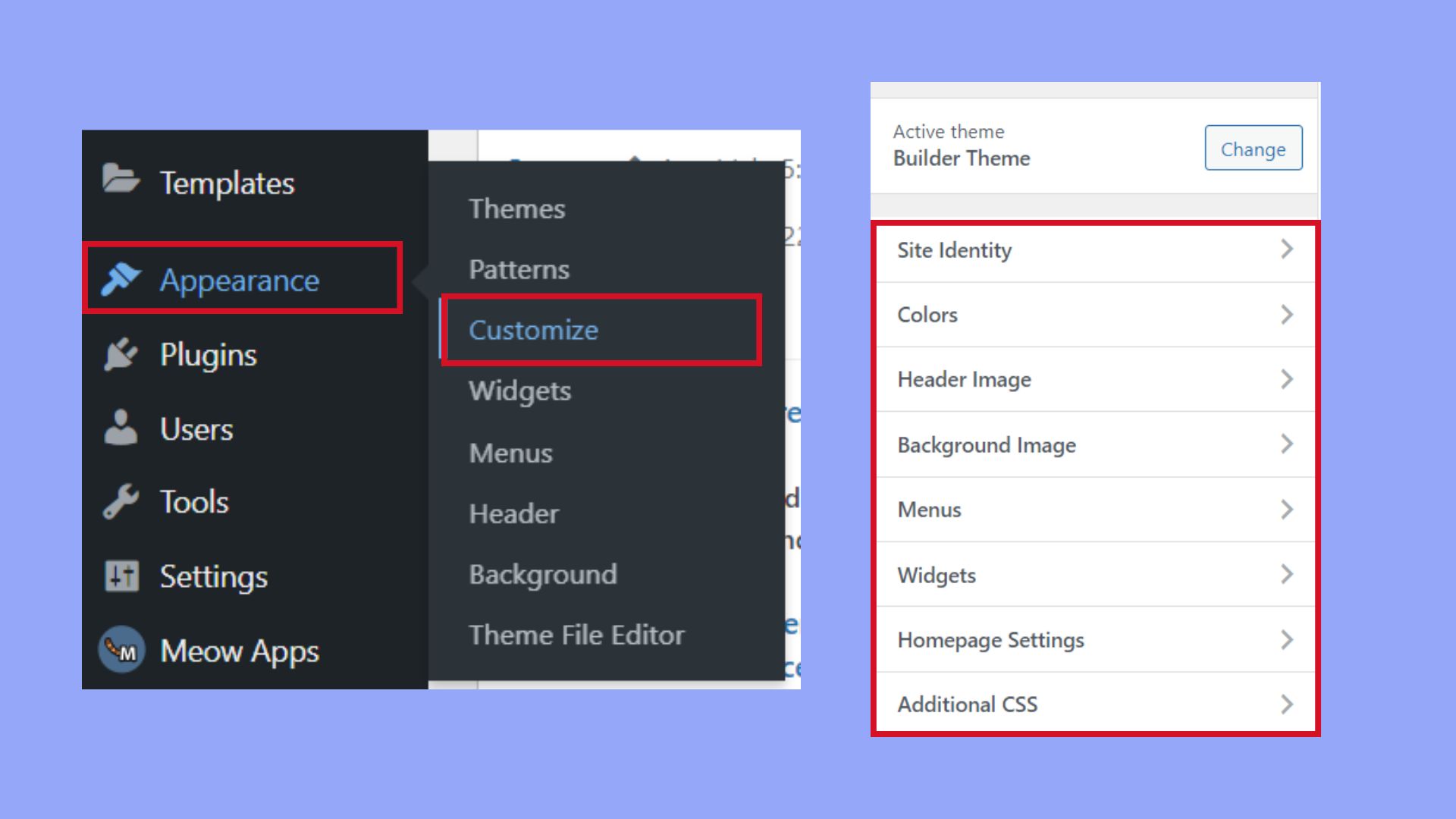
Custom CSS allows you to change your website’s look. You can change colors and adjust fonts. It gives you control over your site’s style. Begin by accessing the WordPress dashboard. Find the “Appearance” section. Click on “Customize.” Here, select the “Additional CSS” option. A text box will appear. Type your CSS code there. Save changes to see your updates.
This method is simple. No need for advanced skills. Experiment with different styles. Small changes make a big difference. Ensure your CSS is correct. Mistakes can break your site’s design. Test your changes regularly. Preview your site to check improvements. Keep your site fresh and unique.
Integrating Plugins
Plugins make websites more functional. They add new features. You can install many plugins. Each plugin changes a different part of your site. Some plugins help with SEO. Others help with social media. Choose the right plugins for your needs.
Be careful with too many plugins. They can make your site slow. Test each plugin before using it. Read reviews. Check ratings. Make sure the plugin is updated. This helps keep your site safe and fast. Plugins must fit your site’s theme. They must not break the design. Check compatibility before installing.
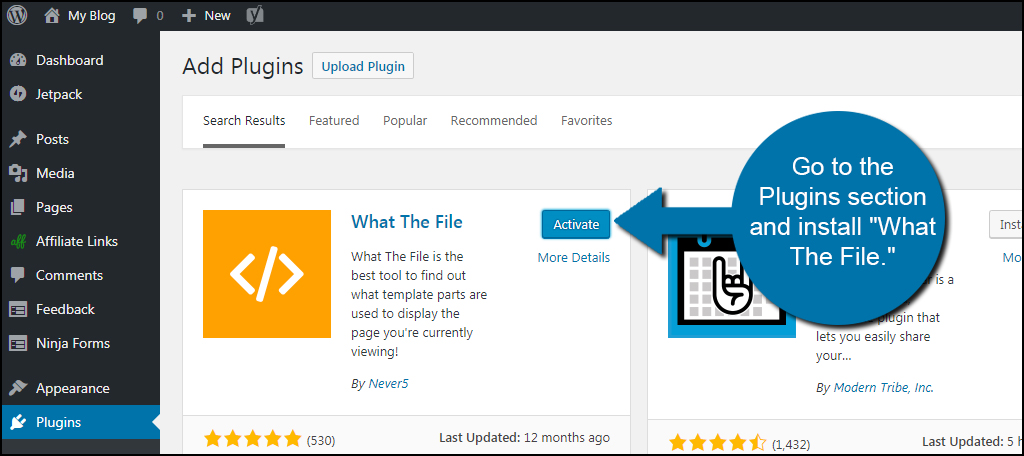
Using plugins is easy. Find plugins in the WordPress menu. Click “Add New”. Search for the plugin you want. Click “Install”. Then click “Activate”. Now the plugin is ready to use. Always update plugins. This keeps your site safe. Updates fix bugs. They add new features.
Optimizing For Mobile
Mobile users need quick and easy access. A responsive design is key. Themes should adapt to different screen sizes. Modify font sizes for readability. Adjust images to fit screens. Use mobile-friendly menus. Test on various devices. Ensure buttons are easy to click. Make forms simple to fill. Focus on loading speed. Compress images for faster loads. Avoid large files. Keep navigation intuitive. Users should find content quickly. Mobile optimization increases user satisfaction. More people will stay longer on your site.
Testing And Feedback
Testing is important for your WordPress theme. It helps find mistakes. Check if the theme looks right. Make sure all buttons work. Feedback from others is helpful. They see things you may miss. Ask friends to try your site. Listen to what they say. Make changes if needed. This will improve your site.
Small changes can make a big difference. Test after each change. This ensures everything works well. Testing and feedback make a strong theme. It makes your site better for visitors.
Credit: kinsta.com
Frequently Asked Questions
How Can I Change My WordPress Theme Design?
You can modify your WordPress theme design through the Customizer tool. Access it via the WordPress dashboard under Appearance > Customize. You can change colors, fonts, and layout without coding. For advanced changes, editing theme files or using a child theme may be necessary.
Can I Edit WordPress Theme Code Safely?
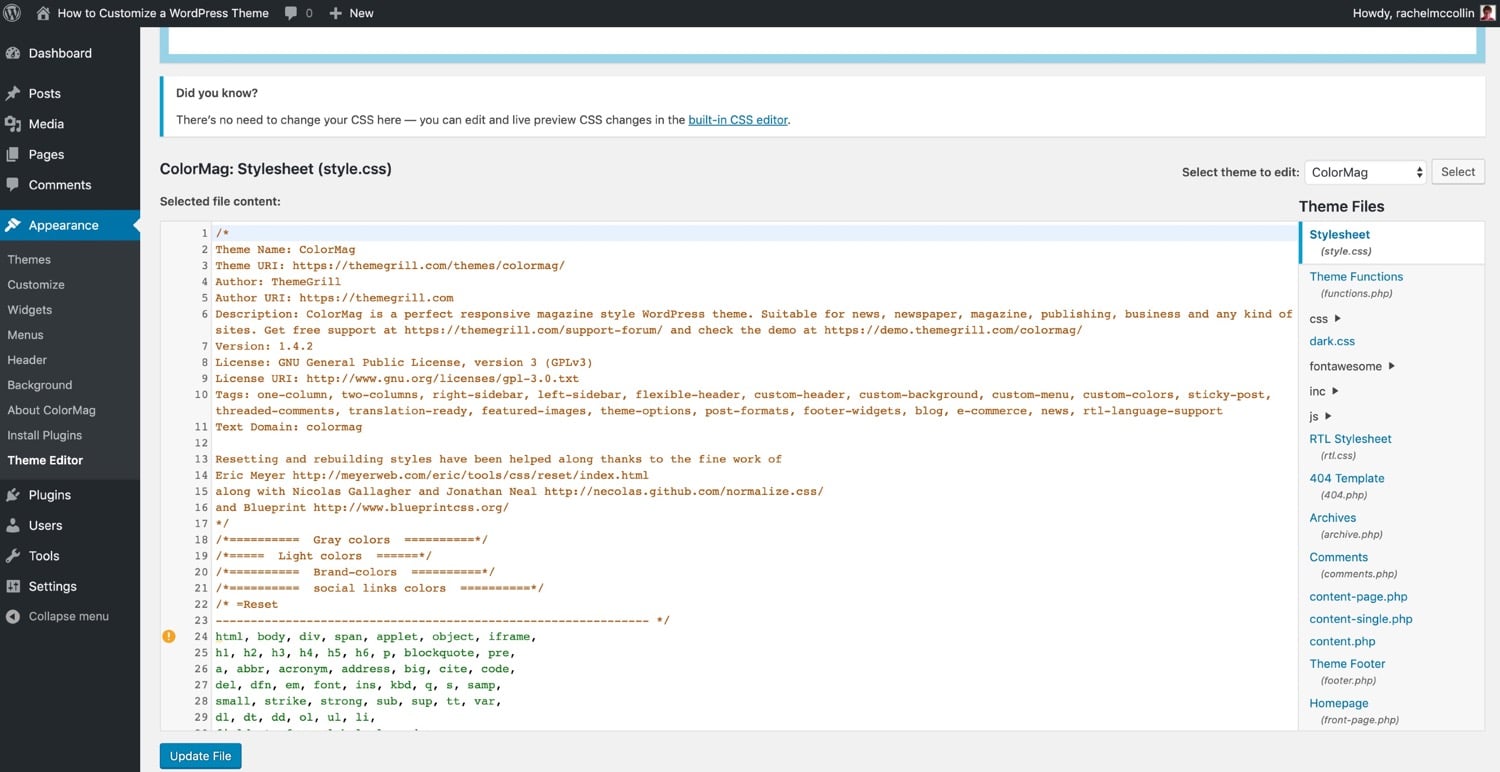
Yes, you can safely edit WordPress theme code using a child theme. A child theme allows you to make changes without affecting the parent theme. This ensures your customizations remain intact during updates. Use FTP or a file manager to access and edit theme files.
What Plugins Help Modify WordPress Themes?
Several plugins help modify WordPress themes, including Elementor, Beaver Builder, and Visual Composer. These plugins offer drag-and-drop functionality to customize layouts and design elements easily. They are user-friendly and require no coding skills, making theme customization accessible to everyone.
Is It Possible To Change Theme Fonts?
Yes, changing theme fonts is possible using the WordPress Customizer or plugins like Easy Google Fonts. The Customizer provides basic font options, while plugins offer extensive font libraries and customization features. This allows you to adjust typography to match your website’s style.
Conclusion
Modifying a WordPress theme boosts your site’s uniqueness. Simple changes enhance user experience and design. Adjust colors, fonts, and layouts to suit your brand. Custom widgets and plugins add functionality. Responsive design ensures your site looks great on all devices.
Keep your audience in mind when making changes. Test updates to maintain site performance. WordPress themes offer flexibility and creativity. Explore different options to find what works best. With thoughtful changes, your website can truly reflect your vision. Happy customizing, and enjoy the process of making your site your own!



