
Imagine having the power to shape your website exactly the way you want it. As a WordPress administrator, you hold the key to unlocking endless possibilities for your online presence.
Whether you’re managing a personal blog or a complex business site, understanding what a WordPress administrator can do is crucial for maximizing your site’s potential. You might be wondering what exactly you can do in this role, how you can optimize your site, and how to ensure it runs smoothly.
This post will guide you through the diverse responsibilities and tools at your disposal, empowering you to enhance your website’s performance and user experience. Stay with us to discover how you can transform your WordPress site into a dynamic digital hub.
Credit: jetpack.com
Role Of A WordPress Administrator
A WordPress Administrator has many important tasks. They manage the website’s content and settings. They make sure everything runs smoothly. Administrators can add or remove users. They also change user roles. They can update themes and plugins.
They keep the website secure by updating software. This helps protect the site from hackers. Administrators can also change the website’s appearance. They use themes to do this. They ensure the website is mobile-friendly.
Administrators check the website’s performance. They use tools to measure speed. They fix problems to make the site fast. They also create backups to save website data. If something breaks, they can restore the site.
Managing User Accounts
A WordPress administrator can create new user accounts. This helps manage who can access the site. Each user gets a username and password. These details are important. Administrators can also delete users. This removes access from unwanted users. It keeps the site secure.
Roles define what a user can do. An administrator can assign roles like editor or author. Each role has different permissions. Editors can change posts. Authors can write and publish. Permissions are important for site control. They keep the site organized. Users can have one role at a time. Administrators can change roles if needed.
Customizing Themes
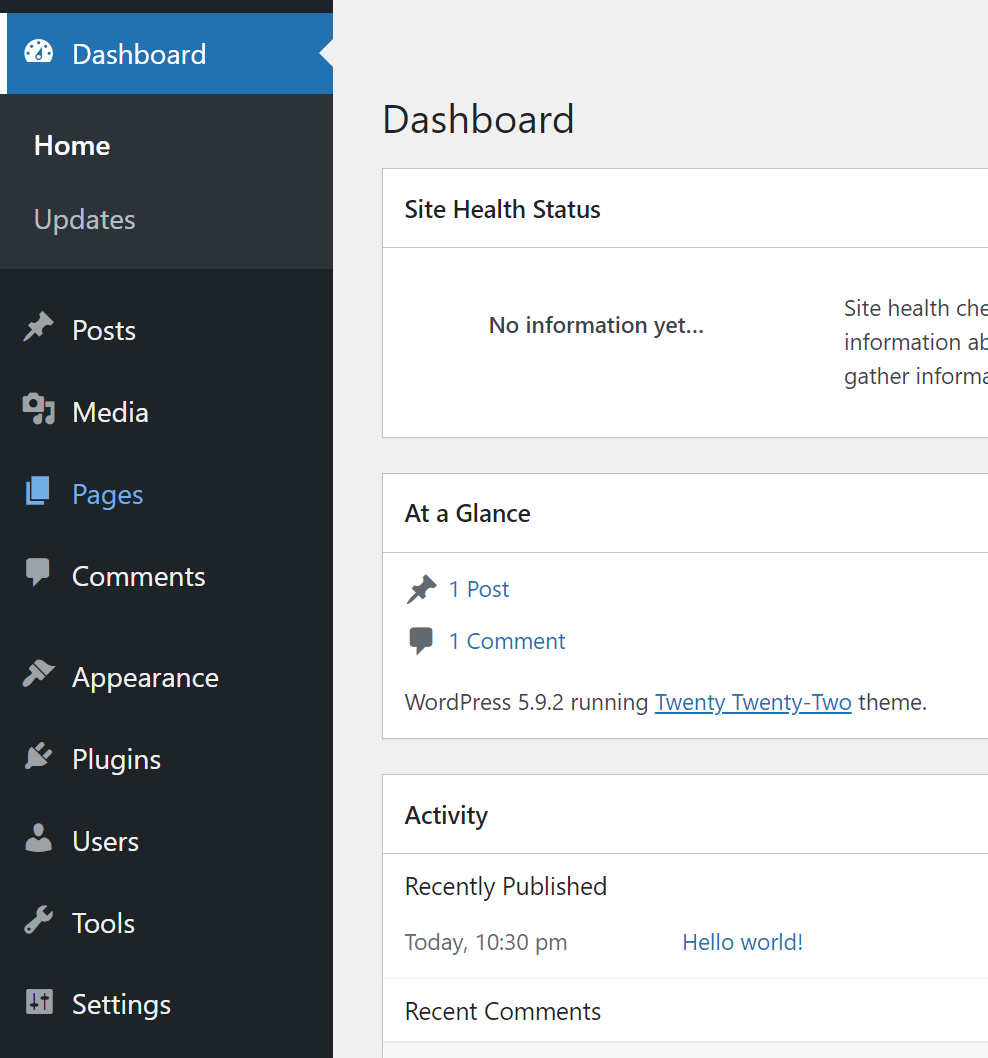
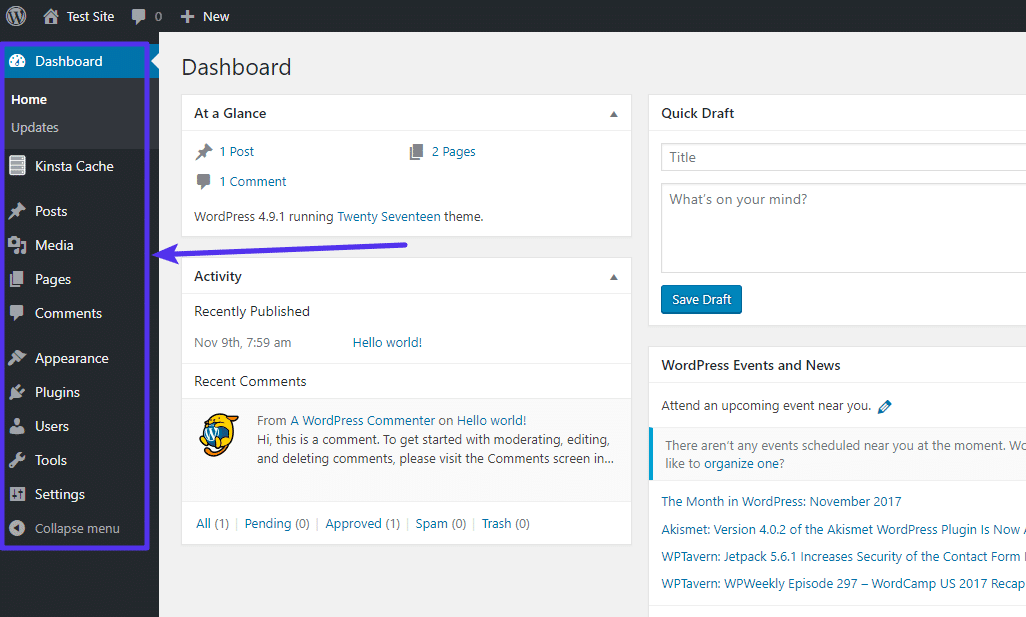
WordPress administrators can easily install new themes. First, go to the dashboard. Click on Appearance, then choose Themes. You will see a button that says Add New. Clicking this shows many theme options. Find a theme you like. Click Install, then Activate. Your website now has a new look!
Theme settings change how your site looks and feels. Go to the Customizer under Appearance. Here, adjust colors and fonts. You can also change layouts and add widgets. Each change updates your site instantly. This helps make your site unique and personal. Always save changes before leaving.
Overseeing Plugins
A WordPress Administrator can install new plugins with ease. This helps add new features to a site. Each plugin has its own purpose. It could be for security, design, or SEO. Keeping plugins up to date is crucial. Updates fix bugs and improve functions. They can also add new features. Regular checks for updates are necessary.
Compatibility is key for a smooth website. Not all plugins work well together. Some may cause errors. An administrator tests plugins before use. This prevents site issues. Compatibility checks keep the site running smoothly. Always ensure plugins work with the current theme. This avoids conflicts and potential downtime.
Content Management
Publishing and editing posts is a key role of a WordPress administrator. They help to create new posts. They also edit existing ones. This ensures content is accurate and fresh. Formatting is important. Administrators style posts for better readability. They use headers, lists, and images. This makes content engaging. They schedule posts for future publishing. Timing matters. It helps reach the audience effectively.
Organizing the media library is another duty. The library stores images and videos. Administrators upload new media. They also label items. This helps in finding them later. Proper organization is crucial. It keeps the website tidy. It makes media easy to use. Categories and tags are useful tools. They help sort items. This improves efficiency and saves time.
Site Security
WordPress administrators play a big role in keeping a site safe. They set up strong passwords and install security plugins. These plugins block unwanted visitors. Administrators also update software regularly. This stops hackers from finding gaps. Creating backups is important too. Backups save copies of the site. If something bad happens, the site can be restored quickly.
Monitoring helps spot trouble early. Administrators check logs for strange activity. They look for failed login attempts. This shows if someone is trying to break in. Scanning files is part of the job too. Scans find bad code that could harm the site. Alerts can be set up. These alerts notify administrators if something looks wrong. Keeping an eye on the site helps keep it safe.
Performance Optimization
Load times matter for every website. Fast websites keep visitors happy. A WordPress Administrator can make websites faster. They reduce image sizes and use caching plugins. Caching saves parts of the site. It loads them quicker next time. They also choose good hosting. Good hosting speeds up sites. Removing unused plugins helps too. Less clutter means faster pages.
Databases store important site data. Administrators keep databases tidy. They remove old data to free space. This makes sites run better. They also check database settings. Right settings mean faster data access. Administrators backup data regularly. Backups protect against data loss. They update database software too. Updated software keeps sites secure.
Credit: kinsta.com
Backup And Recovery
A WordPress administrator ensures site safety. They set up regular backups. Backups are like copies of your site. If something breaks, the copy helps. Regular backups prevent data loss. Use plugins for easy backup. Some plugins save copies every day. Others save every week. Choose the best option for your site. Backups are stored in the cloud or locally. Cloud storage is safer. Local storage is on your computer. Always check if the backup worked. Test it often. Safe backups keep your site secure.
Restoring a site means bringing it back. If something goes wrong, use the backup. This makes things normal again. WordPress administrators know how to do this. They use the backup files. The process can be fast. Follow steps in the plugin. Some plugins make it easy. The site returns to how it was. Restoring a site is important. It saves time and stress. Always have a backup ready. This keeps your work safe.
Seo Management
A WordPress administrator manages website SEO by optimizing content, updating plugins, and ensuring fast site speed. They also monitor analytics to improve search engine rankings. This role involves keeping the site secure and user-friendly.
Optimizing Site Structure
A good site structure helps users find information easily. This can improve search rankings. Organize pages into clear categories. Use easy-to-understand URLs. Keep important pages close to the homepage. Avoid too many clicks to reach a page. This helps search engines understand your site. A logical structure makes navigation simple. It helps users stay on your site longer.
Utilizing Seo Plugins
SEO plugins can be a helpful tool. They guide you in optimizing content. Yoast SEO is a popular choice. It checks your posts for keywords. It suggests improvements. Rank Math is another option. It offers advanced features. These plugins simplify SEO tasks. They help improve your site’s visibility. Easy to install and use. Plugins can enhance your site’s performance. They assist in managing meta tags and sitemaps.
Credit: jetpack.com
Analytics And Reporting
A WordPress administrator can track how users engage with the site. They use tools to see what pages users visit. They check how long users stay on each page. This helps in understanding user interests. Tracking user engagement is crucial for improving content. It also helps to make the website more friendly for users.
Traffic reports show how many people visit the website. Administrators use these reports to see what days get more visitors. They can also find out which pages are the most popular. Generating traffic reports helps in planning content strategies. It is important for keeping the website updated and engaging.
Frequently Asked Questions
What Tasks Can A WordPress Administrator Perform?
A WordPress Administrator manages site settings, user roles, and content updates. They ensure site security and handle plugin installations and configurations. Administrators also monitor site performance, troubleshoot issues, and optimize for SEO. Their role is crucial in maintaining a seamless user experience and effective site functionality.
How Does A WordPress Administrator Secure A Website?
A WordPress Administrator secures a website by implementing strong passwords and regular updates. They install security plugins and configure firewall settings. Administrators also monitor for malware and suspicious activity, ensuring backups are regular. Their proactive measures protect the site from potential threats and vulnerabilities.
Can A WordPress Administrator Customize Site Design?
Yes, a WordPress Administrator can customize site design by modifying themes and templates. They adjust layouts, colors, and fonts to match branding needs. Administrators may also use custom CSS for advanced styling changes. Their design skills enhance user engagement and site aesthetics.
How Does A WordPress Administrator Handle User Roles?
A WordPress Administrator assigns and manages user roles to control access levels. They define permissions for editors, authors, and contributors. Administrators ensure users have appropriate rights based on their responsibilities. This role management maintains site security and content integrity.
Conclusion
A WordPress administrator plays a crucial role. They manage website settings efficiently. This includes updating plugins and ensuring security. Content management becomes easier with their skills. They optimize site performance for better user experience. Troubleshooting technical issues is part of their job.
They handle user roles and permissions with care. Backups and restores are in their expertise. Regular maintenance keeps the site healthy. Their skills help the website run smoothly. Understanding these tasks can enhance your website’s success. A well-managed site attracts more visitors.
It’s essential for business growth. WordPress administrators are vital for your online presence.



