
Ever found yourself tangled in the web of WordPress layouts, trying to make your website look just right? You’re not alone.
If you’ve ever wished for a simpler way to design your site, WordPress Blocks might be your new best friend. These little gems are revolutionizing how you create content, making it easier and more intuitive than ever before. Imagine having the power to craft stunning pages with just a few clicks, without needing a degree in web design.
Sounds like a dream, right? You’ll discover how WordPress Blocks can transform your website into a masterpiece with minimal effort. Get ready to unlock the secrets of effortless web design and take your site to the next level. Keep reading, and let’s turn your website into a digital delight.
WordPress Block Basics
WordPress blocks help you build web pages easily. Each block serves a specific purpose. They can be text, images, or videos. You can arrange them as you like. This makes your page look good. Blocks are easy to use. Drag and drop them where you want. They save time and effort. You don’t need to know coding. Blocks come with different styles. Choose one that fits your design. You can also customize them. Change colors, sizes, and more. This makes your site unique. Blocks are like building blocks. Each one adds to your page’s look and feel.
Some blocks are special. For example, the gallery block shows many pictures at once. The embed block lets you add videos from other sites. These blocks make your site interactive. They help you share more content. WordPress updates often add new blocks. This keeps your site fresh and modern. Blocks are simple but powerful. They help you create great content.
History Of WordPress Blocks
WordPress Blocks started in 2018. They were introduced with the Gutenberg Editor. This was a big change for WordPress. Before, users used shortcodes and HTML. It was not easy for everyone.
With Blocks, creating websites became simple. You can add text, images, and videos easily. Just pick a Block and add it. No coding needed. This made WordPress more user-friendly.
Many people now use Blocks. Businesses, bloggers, and more. Blocks are easy to use and flexible. They change how we build websites. WordPress keeps adding new Blocks. This helps users do more with less effort.
Core WordPress Blocks
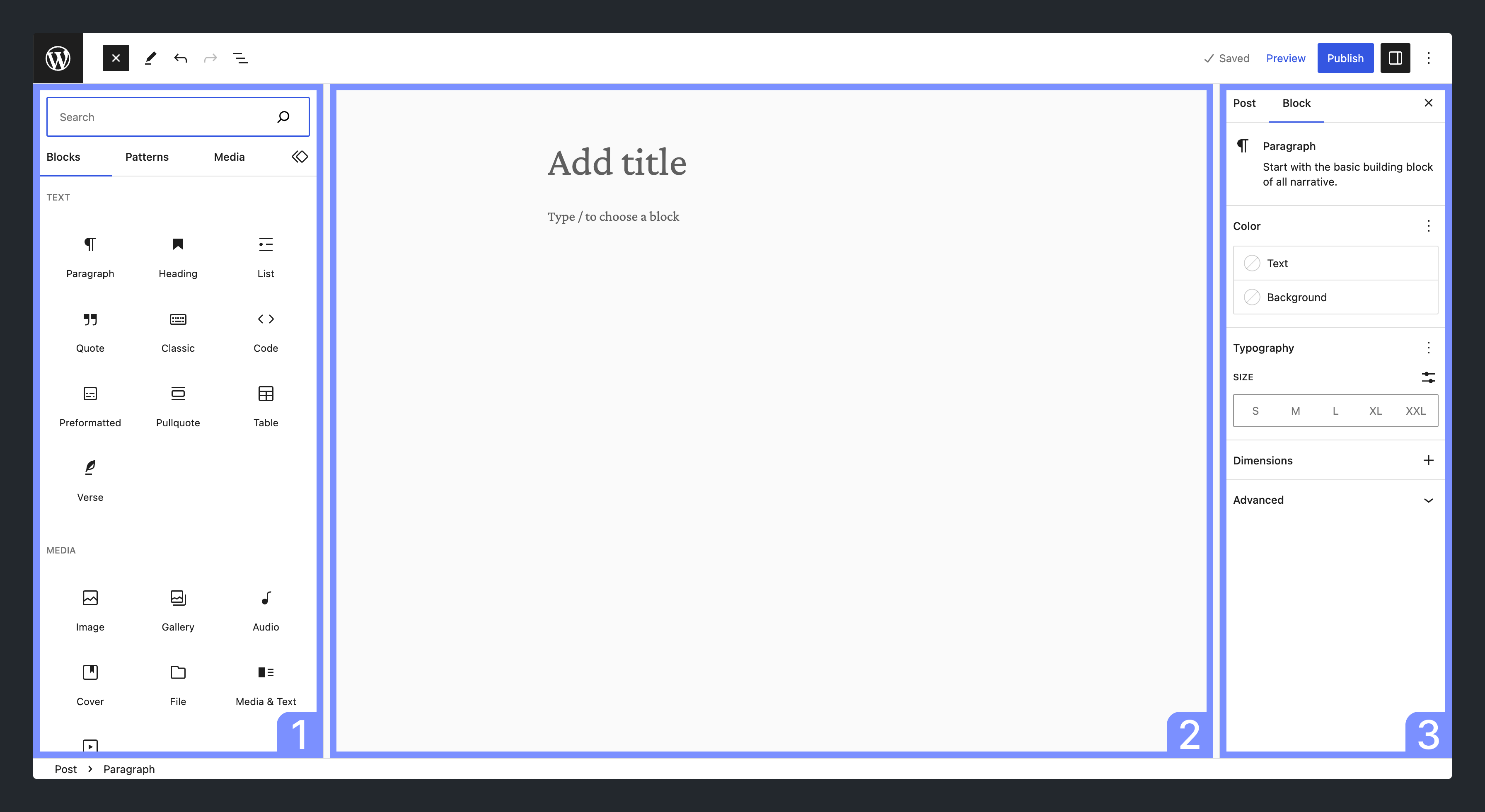
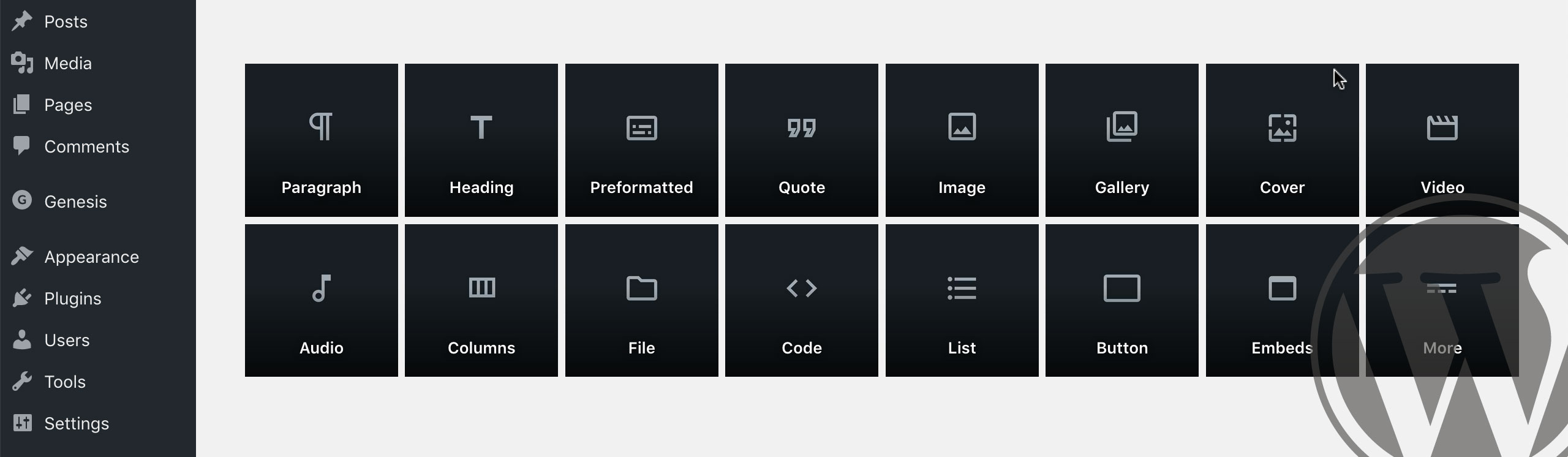
Text Blocks help you add words to your page. The Paragraph Block is the most used. It lets you write text easily. Heading Blocks make your text stand out. You can choose from different sizes. List Blocks help you make bullet points or numbers. These are great for making simple lists.
Media Blocks are for pictures and videos. The Image Block lets you add pictures. You can also write captions. The Video Block is for adding videos. You can upload or link them. Gallery Blocks let you show many images together. This makes your website look nice.
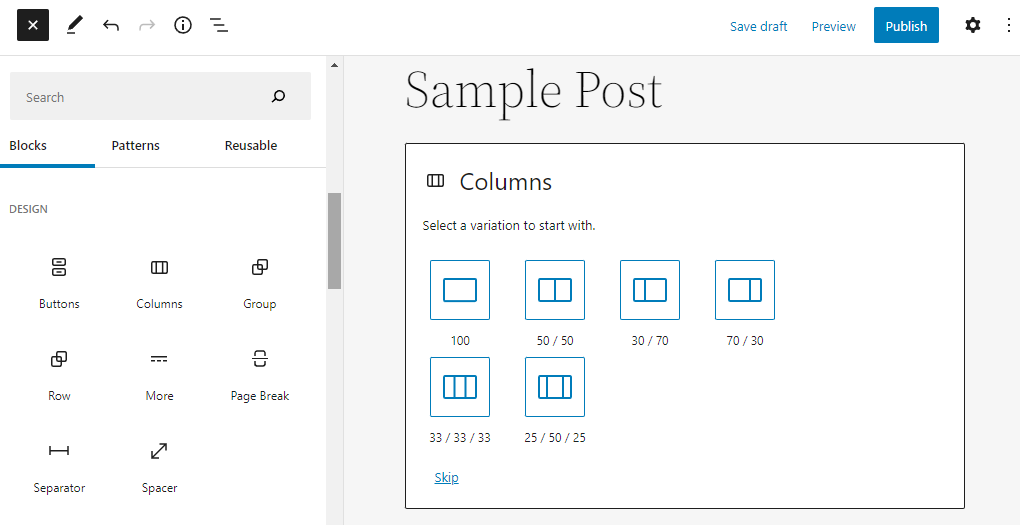
Layout Blocks help you arrange your page. The Columns Block lets you split the page into sections. You can have two or more columns. Spacer Block helps add space between things. This makes your page look neat. Group Block lets you put different blocks together. It helps keep things organized.
Credit: developer.wordpress.org
Customizing Blocks
Blocks in WordPress are easy to change. Each block has its own settings. These settings help you make your website look nice. You can change text size or color. Add images or videos to your blocks. Customize everything to fit your needs. The block settings are found on the right side of the screen. Click on a block to see its settings. It’s simple!
Design options give your site a unique look. Choose different styles for each block. Make backgrounds colorful or add borders. Use bold or italic text styles. Change font to make text stand out. Align text to left, right, or center. Add padding to space out elements. These options help improve your site’s appearance.
Creating Custom Blocks
WordPress blocks help you create unique layouts. Many tools can assist in crafting these blocks. Gutenberg editor is quite popular. It’s simple and user-friendly. Advanced Custom Fields plugin offers great flexibility. You can design blocks that fit your needs. Block Editor Handbook is also useful. It guides you step by step. JavaScript helps in coding complex blocks. React library is powerful for building interactive blocks. These tools make block creation easier. You can add text, images, or videos. Blocks can change your site’s look. They bring creativity and style.
Coding custom blocks can be fun. Start with basic HTML. Then add CSS for styling. JavaScript gives blocks functionality. You can make blocks do cool things. React works with JavaScript. It helps build dynamic blocks. Webpack is useful for bundling code. Node.js can help manage tools. Blocks can be simple or complex. You decide their purpose. They can be interactive. They can improve site experience. Practice makes coding easier. The more you code, the better you get.
Credit: winningwp.com
Block Patterns And Reusability
Block patterns help in creating designs quickly. They are pre-made layouts in WordPress. You can use them again and again. This saves time and effort. Patterns can be text blocks, images, or other elements.
Reusing blocks is easy. Just copy and paste where needed. This makes your work consistent and neat. You don’t have to design from scratch. Patterns make websites look professional. They are perfect for beginners. Start with a block pattern and build your page.
Common Block Plugins
WordPress offers many block libraries. These libraries enhance site functionality. Kadence Blocks is a popular choice. It provides easy-to-use block options. CoBlocks is another favorite. It offers flexible design features. Stackable is known for its sleek designs. Ultimate Addons for Gutenberg adds creative blocks. Users enjoy their responsive options. Gutentor focuses on custom designs. It helps create unique web pages. Each library has its own strengths. Users choose based on needs.
Block plugins make websites better. They add new features and designs. Advanced Gutenberg Blocks is a top pick. It adds maps and contact forms. Qubely helps with layout and design. GenerateBlocks offers lightweight options. They improve speed and efficiency. Elementor integrates well with blocks. It enhances page building experience. Plugins offer endless possibilities. They transform simple sites into rich experiences.
Troubleshooting Block Issues
WordPress blocks are building elements. They help structure content in posts and pages, like text, images, and widgets. Troubleshooting block issues involves identifying errors and finding solutions for smooth content creation.
Common Problems
Blocks in WordPress can act weird sometimes. They may not display right. A block might not save changes. Another might not align properly. These issues can be annoying.
Solutions And Tips
First, check the block settings. Make sure settings are correct. Try refreshing the page. Sometimes, a simple refresh fixes the problem. Clear browser cache if needed. Cache can cause display errors. Update WordPress plugins regularly. Outdated plugins cause block issues. Disable conflicting plugins if necessary. Conflicts can make blocks misbehave. Reach out to WordPress support for help. They can assist with tricky issues. Always backup your site before making changes. This prevents loss of content.
Future Of WordPress Blocks
WordPress blocks are the building parts of a website. They help create pages easily. Many people use them to make websites look nice. Developers add new blocks often. This helps sites stay fresh. Gutenberg editor uses blocks to make editing simple. Users can move blocks around. This makes designing fun and easy.
New features come out often. They make WordPress more powerful. Improved blocks help users. They save time for everyone. Designs get better each year. This means more choices for users. Easy and quick site building is the goal. WordPress blocks will help more people. They make website creation simple.
Credit: www.hostinger.com
Frequently Asked Questions
What Are WordPress Blocks Used For?
WordPress blocks are used to create and design content easily. They allow users to add various elements like text, images, and multimedia. By using blocks, you can build visually appealing pages without coding. Blocks provide flexibility and customization options to enhance the website’s appearance and functionality.
How Do I Add Blocks In WordPress?
To add blocks in WordPress, click the “+” button in the editor. Choose the block type you want from the menu. Drag and drop it into your content area. Customize the block’s settings to fit your design needs. Blocks can be easily rearranged and edited for a seamless content creation experience.
Can WordPress Blocks Improve Seo?
Yes, WordPress blocks can improve SEO by organizing content efficiently. Blocks help structure pages with headings, images, and multimedia elements. This enhances user experience and boosts search engine visibility. Properly used blocks can optimize content layout, increase engagement, and improve page load speed, contributing to better SEO performance.
Are WordPress Blocks Beginner-friendly?
Yes, WordPress blocks are beginner-friendly and intuitive. They offer a simple drag-and-drop interface, making content creation easy. Blocks eliminate the need for coding, allowing users to focus on design. With straightforward customization options, even beginners can create professional-looking pages with minimal effort.
Conclusion
WordPress blocks make content creation simple and efficient. They allow for easy customization and help organize your content visually. By using blocks, you can create appealing layouts without coding skills. This tool empowers users to design unique pages effortlessly. It enhances your website’s functionality and appearance.
Understanding these blocks will improve your WordPress experience. Experiment with different blocks to see what works best. Enjoy the creativity and flexibility they offer. Dive in and explore the endless possibilities. WordPress blocks are essential tools for any content creator.
Happy building!



