
Have you ever wondered how you can enhance your WordPress website with just a few clicks? If you’re aiming to add features, improve functionality, or simply make your site more user-friendly, then understanding WordPress plugins is a game-changer.
Imagine having the power to transform your website into a dynamic platform that stands out, without needing to write a single line of code. Intrigued? You’re not alone. Many WordPress users are curious about how plugins can effortlessly elevate their websites.
This guide will uncover the secrets behind plugins, explaining what they are, how they work, and why they’re essential for your online success. Ready to unlock the full potential of your WordPress site? Let’s dive in and explore how plugins can make all the difference.
Basics Of WordPress Plugins
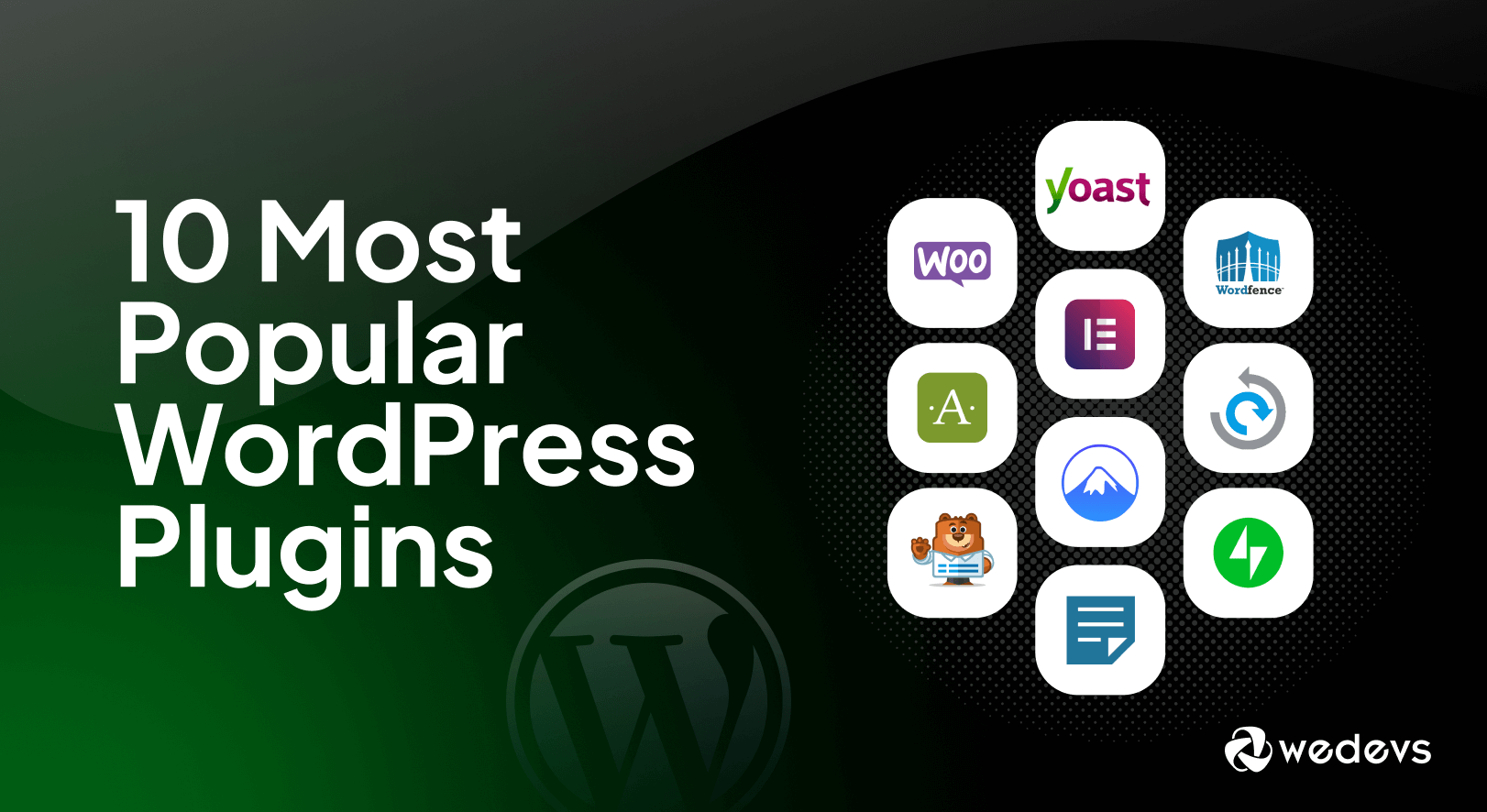
WordPress plugins are like small tools. They add extra features to your website. Think of them as apps on a phone. They help make your site better.
Plugins can help with many tasks. They can make your site faster. They can help you get more visitors. They can even help with security. There are plugins for almost anything.
Some plugins are free. Others cost money. You can find them in the WordPress plugin directory. Always check reviews before installing. This ensures they are safe and work well.
Plugins are easy to use. Just find the one you like. Click to install. Then, click to activate. It’s that simple. Always keep them updated. This keeps your site running smoothly.
Credit: wedevs.com
Functionality Enhancement
WordPress plugins help you change your website’s look. Themes can be altered with ease. New plugins add special features. You can make your site unique. These tools help you stand out. They bring creativity and control. Users enjoy the flexibility they offer.
Plugins boost your site’s power. They add more functions. You can create an online store. You can also add a contact form. These tools help do more with your site. They are like building blocks. Each plugin serves a purpose. They make your site better and stronger.
Types Of WordPress Plugins
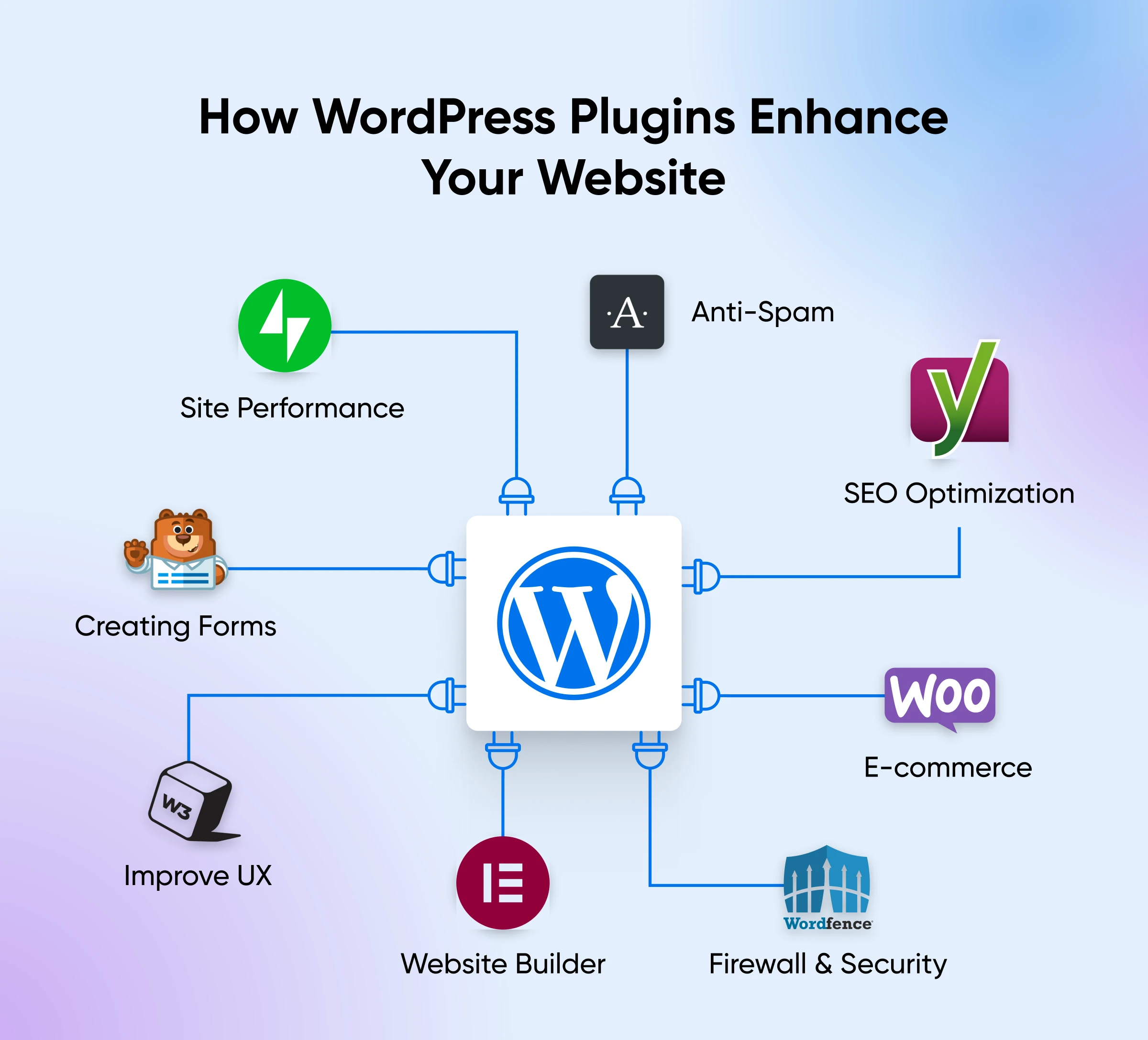
WordPress plugins enhance website functionality without coding. There are plugins for SEO, security, and design. Some help improve site speed, while others assist in creating forms and galleries. These tools are essential for customizing and optimizing your WordPress site.
Free Vs Premium
WordPress offers many plugins. Some are free and some are premium. Free plugins are available for everyone. They can be downloaded easily. Premium plugins need payment. They offer extra features. Free plugins are good for small sites. Premium ones help bigger sites.
Niche-specific Plugins
Some plugins are made for specific tasks. They help with certain needs. If you have a shop, there are plugins for selling. If you write blogs, there are plugins for writing. These plugins make tasks easier. They are useful for niche markets.
Multipurpose Plugins
Multipurpose plugins do many things. They are helpful in different areas. One plugin can help with SEO, security, and more. They save time and space. Many people use them for their sites. Multipurpose plugins are popular.
Credit: www.dreamhost.com
Popular WordPress Plugins
Plugins help websites rank better on Google. Yoast SEO offers easy settings. It helps with meta tags and keywords. All in One SEO Pack is another option. It has tools for beginners. Both plugins are popular choices.
Keeping websites safe is important. Wordfence Security protects against hackers. It has a firewall and malware scanner. Sucuri Security also offers strong protection. It monitors activities and alerts users. Both plugins keep websites secure.
WooCommerce turns WordPress into a store. It manages products and sales easily. Users can set up payment gateways. Easy Digital Downloads is for digital products. It helps sell files and downloads. These plugins boost online sales.
WP Super Cache speeds up websites. It creates cached pages. W3 Total Cache improves site speed too. It optimizes resources and reduces load times. Faster sites mean happier visitors.
Installing WordPress Plugins
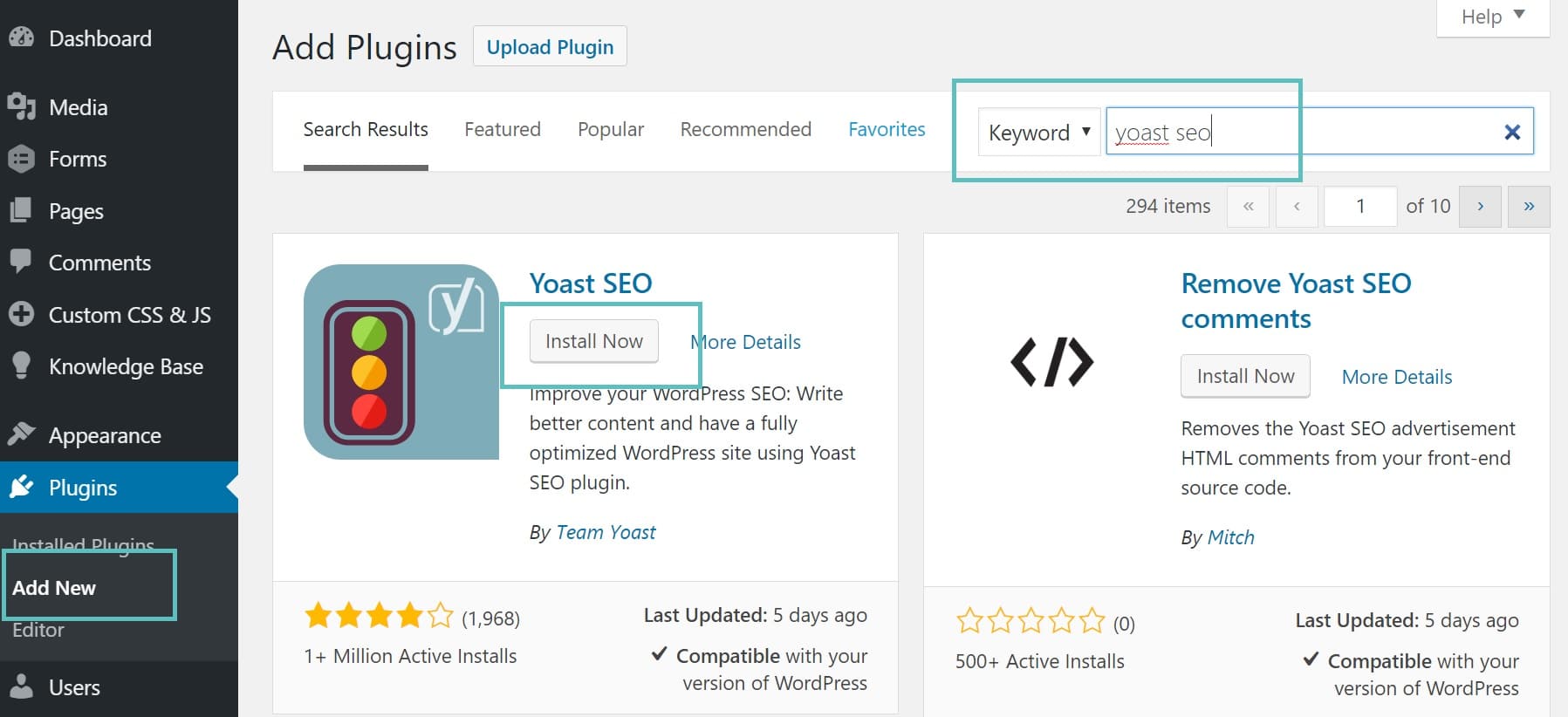
WordPress plugins are easy to find. Visit the WordPress Repository for choices. Search for the plugin you need. Click on the Install Now button. After installation, click Activate to start using it. Plugins help you add features to your site. Choose plugins wisely. Too many plugins can slow your site. Keep your site fast and clean. Check plugin ratings before you install. High ratings are usually better. Read reviews from other users. Good reviews mean the plugin works well. Stay updated with plugin versions. Updates bring new features and security.
Sometimes, plugins need manual installation. FTP is a method to do this. First, download the plugin file. Use an FTP client like FileZilla. Connect to your server. Find the wp-content folder. Open the plugins folder. Upload the plugin file here. Go to your WordPress dashboard. Find the new plugin under Plugins. Click Activate to start using it. Manual installation is not hard. Just follow these steps carefully. Make sure you know your FTP details. Check the plugin after activation. Ensure it works correctly.
Managing Plugins Effectively
Plugins in WordPress are tools that add features to your site. They can improve functionality and enhance user experience. Managing them well keeps your website efficient and secure.
Updating Plugins
Keep your plugins updated for better performance. New updates fix bugs and add new features. To update, go to the Plugins page. Click Update Now if an update is available. Always check the plugin’s changelog before updating.
Deactivating And Deleting
Sometimes, plugins slow down your website. Deactivate them to stop them from running. You can do this from the Plugins page. Click Deactivate under the plugin name. To remove it completely, choose Delete after deactivating. This frees up space and improves speed.
Troubleshooting Common Issues
Plugins can cause errors on your site. If this happens, deactivate all plugins. Reactivate them one by one. This helps find the problem plugin. Use the WordPress support forum for help. Always keep a backup before making changes.
Choosing The Right Plugin
Always ensure the plugin is compatible with your WordPress version. This helps avoid conflicts. Check the plugin’s page for version details. If you notice any issues, it might not be compatible. Look for plugins that receive regular updates. This indicates they are maintained well.
Ratings and reviews provide valuable insights about a plugin. High ratings often mean users are happy. Read reviews to learn about user experiences. Some might mention problems they faced. Positive reviews can build trust. Negative reviews can warn about potential issues.
Good support is crucial for solving issues. Check if the plugin offers support. This can be through forums or direct contact. Documentation helps understand how to use the plugin. It provides step-by-step guides and explanations. A plugin with thorough documentation is often easier to use.
Credit: kinsta.com
Custom Plugin Development
Custom plugins are useful when existing plugins don’t meet your needs. They offer unique functions specific to your website. Custom plugins allow for better control over features. They help in optimizing the site as required. It’s important to assess the need before starting development. Consider the site’s long-term goals and user experience.
Understanding plugin development begins with knowing PHP. PHP is the primary language for creating plugins. Start by learning how to write simple PHP scripts. Explore WordPress’s Codex for guidelines and tutorials. Familiarize yourself with WordPress’s hooks and filters. They are tools for modifying site behavior. Testing your plugin is crucial. It ensures compatibility with WordPress updates. Use debugging tools to find and fix errors quickly.
Frequently Asked Questions
What Are WordPress Plugins Used For?
WordPress plugins enhance functionality and features. They allow customization without coding. Plugins can add contact forms, optimize SEO, or improve site speed. They’re essential for tailoring websites to specific needs and improving user experience.
How Do I Install WordPress Plugins?
Installing plugins is simple. Go to the WordPress dashboard. Click on “Plugins” and “Add New”. Search for the desired plugin, click “Install Now”, then “Activate”. Your plugin is ready to use.
Are WordPress Plugins Free?
Many plugins are free. They offer basic features for users. Premium plugins provide advanced functionalities and support. Prices vary depending on features and developer. Always check if a free version meets your needs before upgrading.
Can Plugins Slow Down My Website?
Yes, plugins can affect site speed. Poorly coded plugins may slow down loading times. Regularly update and review plugins for optimization. Choose reputable plugins to ensure efficiency and minimize impact on performance.
Conclusion
WordPress plugins offer endless possibilities for enhancing your website’s functionality. They help customize features to meet specific needs. Whether adding social media buttons, optimizing SEO, or improving speed, plugins have you covered. Choose wisely, as too many can slow your site down.
Always check reviews and updates to ensure compatibility. Start with essential plugins that best support your goals. Remember, each plugin should serve a clear purpose. With careful selection, plugins can significantly enrich your WordPress experience. Your website can become more user-friendly and efficient.
Explore and find the right tools for your needs.



