
Are you looking to spice up your WordPress blog with fresh and engaging content? Understanding the different post styles in WordPress can be your secret weapon.
These styles aren’t just for aesthetics; they can transform your blog into a vibrant and dynamic space that captures your audience’s attention. Imagine having the power to choose exactly how your posts will look and feel, each tailored to fit your unique message.
This flexibility not only enhances your reader’s experience but also keeps them coming back for more. Dive in to discover how you can leverage these post styles to make your WordPress blog stand out and truly resonate with your readers.
Credit: toolset.com
Standard Posts
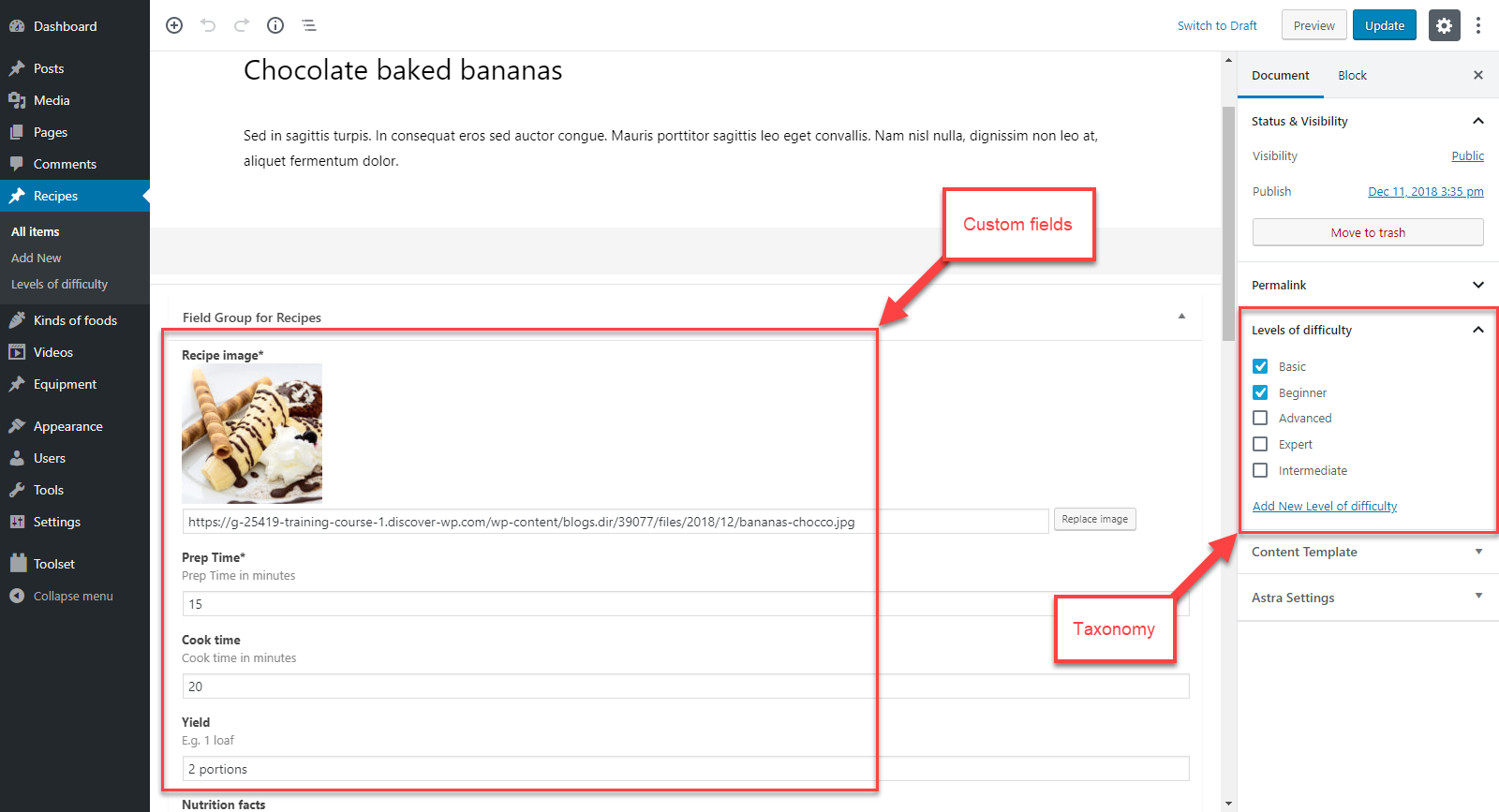
Standard posts are a common way to share content. They mix text and images seamlessly. Readers enjoy the balance. Images break up large blocks of text. This makes the content easier to read. It also enhances engagement. Text provides detailed information. Images offer a visual appeal. Together, they create a rich reading experience.
Formatting options help improve posts. Use headings to organize content. Bullets can list key points. Tables show data clearly. Italics can emphasize parts. Bold can highlight important ideas. These options make posts appealing and easy to follow.
Gallery Posts
Gallery posts let you show many images. These posts are great for photo collections. You can arrange pictures in a grid. This makes them look neat and tidy. Visitors can click to see a bigger image. This is called a lightbox effect. It makes viewing easier and fun.
It’s fun to create photo collections with gallery posts. Choose your best pictures. Arrange them in a way that tells a story. Use different sizes to make it interesting. Don’t forget to add captions. Captions help explain what the picture shows. Remember, a good gallery is clear and easy to look at.
Video Posts
WordPress makes video sharing easy. Use the embed feature for this. Just copy the video link. Paste it in the post editor. WordPress handles the rest. It supports YouTube, Vimeo, and many others. Videos make posts lively. They hold readers’ attention longer.
Fast playback matters. Large files slow sites down. Compress videos before uploading. Choose the right video format. MP4 works well. Check video settings. Ensure good quality. Use responsive design. Videos should play well on all devices.
Credit: multilingualpress.org
Audio Posts
Uploading audio files to WordPress is simple. Click on the “Add Media” button. Then, select your audio file. Make sure the file is in MP3 format. This is the most compatible format. Once uploaded, you can add a title and description. This helps people know what the audio is about.
WordPress can integrate podcasts easily. Use plugins like PowerPress or Seriously Simple Podcasting. These plugins allow you to manage podcasts efficiently. They offer features like podcast feeds and episode management. You can also track your podcast listeners. This helps in understanding your audience better.
Quote Posts
Quote posts make words stand out. They highlight key quotations. This draws readers’ attention. Quotes can be from books, speeches, or famous people. They break text into small parts. This makes reading easy.
Design is important for quote posts. Use different fonts for quotes. Bold text makes quotes strong. Italics can add style. Color can make quotes pop. Align text to the center for focus. Borders or lines can frame quotes well. Use short quotes for better impact.
Link Posts
WordPress offers diverse post styles, including link posts, which highlight external content by turning the title into a clickable link. This style is ideal for sharing resources, articles, or references, guiding readers directly to external sites with ease. Link posts enhance user experience by providing direct access to valuable information.
Sharing External Resources
Link posts help share external resources
Links can look different. Customize link appearance to stand out. Change the text color. Make it bold or italic. Use icons or images. They catch the eye. Ensure links are easy to find. Use different styles for visited links. This helps users know what they’ve seen. Make links clear and readable. Avoid tiny fonts. Adjust link styles for mobile. Mobile users appreciate this.Customizing Link Appearance
Aside Posts
Aside posts are short. They are like small notes. Use them for quick updates. Share a thought or idea. They keep readers engaged.
Keep content brief. Use simple words. Make each word count. Readers prefer short content. It saves time. It keeps attention.
Aside posts improve blog layout. They add variety. They break up long texts. This makes the page look better. Readers enjoy this style.
Credit: www.wpzoom.com
Status Posts
Status posts are short and simple. They help in sharing quick updates. Think of them like a sentence or two. Just like social media posts.
You can use them to tell followers what you’re doing. They are great for quick news. Keeping your audience in the loop.
Status posts easily link with social media. You can share them on platforms like Facebook. This helps you reach more people.
Your followers on social media see your updates. This keeps them engaged. It can also bring new visitors to your site.
Frequently Asked Questions
What Are WordPress Post Formats?
WordPress post formats are predefined styles that dictate the layout and presentation of a post. They enhance the visual appeal and functionality. Common formats include Standard, Gallery, Video, Quote, and Link. Each format serves a distinct purpose, offering users flexibility in content presentation and design customization.
How Do I Change Post Style In WordPress?
To change a post style, navigate to your WordPress dashboard. Edit the desired post and locate the “Post Format” option. Select your preferred format from the dropdown menu. Update or publish the post to apply the changes. This simple process allows for easy customization and style adjustments.
What Is The Standard Post Style In WordPress?
The Standard post style is WordPress’s default format, ideal for text-centric content. It supports a variety of elements, including images, videos, and links. This versatile format is perfect for traditional blog posts, providing a clean and straightforward layout for readers.
Why Use Different Post Styles In WordPress?
Different post styles enhance content presentation and user engagement. They allow for diverse content types, like videos, quotes, and galleries. By using varied formats, bloggers can deliver a more dynamic and visually appealing experience, catering to different audience preferences.
Conclusion
Exploring WordPress post styles enhances your site’s engagement. From standard to video posts, each style serves unique needs. Choosing the right one can boost your content’s appeal. Experiment with different styles to find what resonates best. Remember, clarity in presentation matters.
Your audience will appreciate well-structured posts. Easy navigation keeps readers interested longer. Stay creative, but keep it simple. With practice, selecting post styles becomes second nature. Keep learning and adapting. Your WordPress journey will become more rewarding.



