
Are you curious about the default WordPress themes that come pre-installed when you set up your website? You’re not alone.
Many people wonder what these themes are all about and how they can impact the look and functionality of their site. Whether you’re new to WordPress or simply exploring your options, understanding the default themes is crucial. These themes are designed to offer a balance of simplicity and flexibility, ensuring your site runs smoothly while looking professional.
We’ll dive deep into the world of WordPress default themes, helping you make informed decisions about your website’s design and usability. Get ready to discover how these themes can be the perfect starting point for your digital presence.
Default Themes Overview
WordPress has many default themes. Each theme has unique features. These themes help make your site look good. They are easy to use.
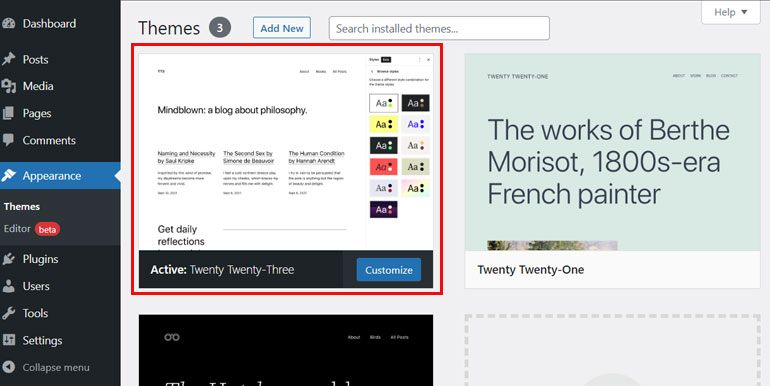
Twenty Twenty-Three is a popular theme. It is modern and clean. It works well on phones. You can change colors and fonts easily.
Twenty Twenty-Two is another theme. It is simple and clear. You can add your own pictures. It is good for blogs and shops.
Twenty Twenty-One is also a default theme. It is calm and soft. It has gentle colors. It loads fast on all devices.
History Of WordPress Themes
WordPress started in 2003. It offered a simple blogging platform. Over time, themes became an important part. The first default theme was Kubrick. It was clean and simple. Later, more themes followed. Each theme had new features. In 2010, Twenty Ten arrived. It was the first of many “Twenty” themes.
Themes like Twenty Eleven and Twenty Twelve offered more styles. Users loved their flexibility. Every year, a new theme appeared. Each one improved on the last. These themes set trends in design. They influenced how websites looked. Many sites use these default themes today. They are free and easy to use. Perfect for beginners.
Features Of Default Themes
Default WordPress themes have a clean and simple design. Their layout is easy for users to navigate. They often have a modern look. These themes use basic colors and shapes. They make your site look neat and tidy.
Users can change many parts of these themes. You can select different colors and fonts. Adjusting layouts is simple. Add your own images and logos. These options help make your site unique. You can easily make it your own.
These themes work well on all devices. Whether it’s a phone or computer, they adapt. The content looks good everywhere. This makes browsing easy for visitors. No matter the screen size, the site stays user-friendly.
Popular Default Themes
The Twenty Twenty-Three theme is simple and clean. It offers a modern look. The theme is flexible and easy to use. Customizing it is very simple. You can change colors and fonts quickly. It fits well on all devices. Perfect for beginners.
Twenty Twenty-Two has a minimal design. It focuses on readability. The theme is lightweight and fast. It supports full-site editing. This makes it versatile for various needs. A great choice for blogs.
Twenty Twenty-One is calm and soothing. It uses soft colors. The theme is accessible and eco-friendly. It includes a dark mode option. The design is simple yet elegant. Ideal for personal websites.
Benefits Of Using Default Themes
Default themes are very simple to use. Beginners find them easy. They come with a user-friendly interface. This helps people who are not tech-savvy. You can set them up quickly. There is no need for coding skills. Everything is straightforward. You can start your website without hassle.
WordPress updates default themes often. These updates bring new features. They fix bugs and improve performance. You get the latest design elements. Your site stays fresh and modern. Updates ensure themes work with new WordPress versions. This keeps your site running smoothly.
Default themes are secure. Developers test them for vulnerabilities. Security updates protect against threats. Using default themes keeps your site safe. They follow WordPress security standards. This reduces the risk of hacks. Your site stays protected.

Credit: codex.wordpress.org
Comparison With Premium Themes
Default WordPress themes are free. There’s no need to spend money. Premium themes, on the other hand, often have a cost. They can be expensive. Some cost hundreds of dollars. Many people choose free themes due to this. It’s a big factor in their choice.
Default themes offer basic features. They are good for simple websites. Premium themes have more features. They may offer custom designs. Some have advanced options. These include SEO tools and special layouts. Users choose based on their needs. Some need just the basics. Others want more.
Customization Tips For Default Themes
The Customizer is a powerful tool. It helps change your site’s look. Adjust colors, fonts, and layout easily. Preview changes instantly. Make your site unique without coding. Use sliders and toggles for quick edits. This tool is part of every WordPress theme.
Custom CSS allows more control. Style elements your way. Change colors, fonts, and sizes. Add borders and backgrounds. Use simple CSS rules. Make small tweaks for big effects. Access through the Customizer under ‘Additional CSS’. Ensure your site looks just right.
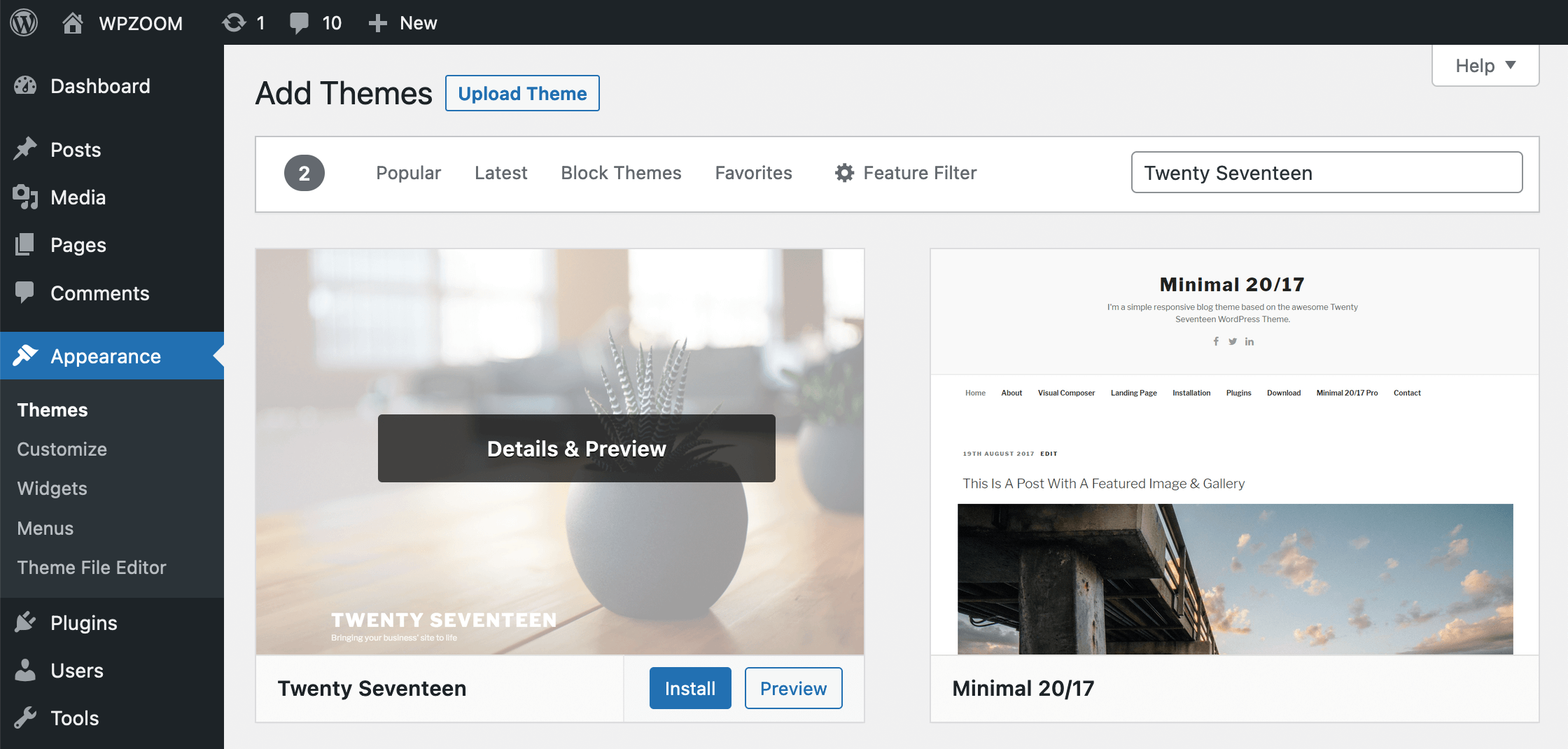
Child themes protect your changes. Keep your edits safe during updates. Create a folder for the child theme. Use a style.css file for new styles. Copy functions.php for extra functions. Parent theme updates won’t affect your work. Child themes are great for beginners.
Credit: www.wpzoom.com
Common Issues And Solutions
Default WordPress themes often cause issues like limited customization or compatibility problems. Solutions include installing plugins for customization or switching to a theme that better fits your needs. Regular updates and backups can also help prevent potential issues.
Troubleshooting Compatibility
WordPress themes sometimes have compatibility issues. Plugins might not work. Themes can break with updates. Check plugin compatibility first. Look for theme update notes. Always test on a staging site. Avoid direct changes on live sites. Use simple plugins for testing. Disable plugins one by one. See which causes problems.
Fixing Design Flaws
Design flaws can make themes look strange. Colors might clash. Text may be hard to read. First, check the customization options. Use simple colors. Choose fonts that are easy to read. Test on different devices. Check mobile views. Use browser tools for inspection. Simple changes can fix many issues. Avoid complex design tweaks.
Future Of Default Themes
Default WordPress themes shape the look and feel of new websites. Every year, new themes bring fresh features. These themes are essential for beginners, offering simplicity and style.
Upcoming Features
WordPress themes keep getting better. The future holds many changes. Themes will be faster and more flexible. New features will make websites more fun. Mobile-friendly designs will be common. This means sites work well on phones. Customization will be easier for everyone. Users can change colors and fonts with clicks. Accessibility is a focus. This means more people can use the web. Themes will support more languages. This helps people all over the world.
Trends In Theme Development
Developers follow some trends. Minimalist designs are very popular. These designs use less clutter. They make pages load faster. Dark mode is another trend. Many people like it for night use. AI tools help in creating smart themes. They can suggest changes to improve sites. Integration with social media is also key. This helps connect with more people online. Themes will keep evolving with these trends.
Credit: themegrill.com
Frequently Asked Questions
What Are WordPress Default Themes?
WordPress default themes are pre-installed with every new WordPress installation. They are designed by the WordPress team to showcase the latest features. These themes are lightweight, responsive, and optimized for performance, making them ideal for beginners. Each year, a new default theme is released, reflecting modern design trends.
How Often Are New Default Themes Released?
New default WordPress themes are released annually. Each theme is named after the year of release, such as Twenty Twenty-Three. These themes highlight WordPress’s evolving features and design capabilities, offering users a fresh template. They ensure compatibility with the latest WordPress version and provide a seamless starting point.
Can I Customize Default WordPress Themes?
Yes, default WordPress themes are customizable. You can modify layouts, colors, fonts, and widgets using the WordPress Customizer. They also support child themes, allowing advanced customizations without altering the original theme. This flexibility ensures that users can tailor the design to match their brand or personal preferences.
Are Default Themes Suitable For Businesses?
Default WordPress themes can be suitable for businesses. They are responsive, ensuring a great mobile experience. While they offer basic design, their simplicity can be ideal for small businesses or startups. For more complex needs, businesses can customize them or consider premium themes for advanced features.
Conclusion
Exploring default WordPress themes offers a glimpse into site design basics. These themes provide simplicity and ease for beginners. With each new WordPress version, themes evolve to enhance features. Customization options allow users to adapt themes to their needs. Default themes often ensure compatibility and security.
They serve as a solid starting point for new websites. Understanding their core elements helps in making informed design choices. Choosing the right theme can impact your site’s look and feel. Keep experimenting to find what suits your vision best.
A well-chosen theme lays the foundation for a successful website.



