
Imagine having the power to effortlessly manage your blog posts, ensuring they reach your audience at just the right moment. Whether you’re sipping coffee in the morning or winding down in the evening, the magic of scheduled posts in WordPress makes this possible.
Have you ever wondered how some bloggers maintain a consistent posting schedule without seemingly lifting a finger? The secret lies in mastering scheduled posts. By the end of this article, you’ll discover how this feature can revolutionize your blogging experience, offering you both convenience and control.
Dive in, and unlock a new level of efficiency that will keep your readers engaged and coming back for more.
Credit: www.hostinger.com
Scheduled Posts Basics
Scheduled posts let you set a time for your blog post. You don’t need to be online. Your post will go live at the time you choose. This helps you plan your content ahead. You can write many posts and set them to publish later. This keeps your blog active.
WordPress makes it easy to schedule posts. You can find the option in the publish settings. Set the date and time. Make sure to check time zones. This way, your post will publish at the right moment.
Remember, it’s important to keep track of scheduled posts. Sometimes, you might need to update them. Or change the time. Always double-check your schedule. This ensures everything is correct.
Benefits Of Scheduling
Scheduled posts help you keep a steady flow of content. Your readers will know when to expect new posts. This builds trust with your audience. A consistent schedule helps you engage more readers. They will visit your site regularly. This is good for your site’s health. More visitors can lead to more success.
Scheduling gives you control over your time. You can write when you have time. Then, set your posts to go live later. This way, you won’t feel rushed to publish. This helps you focus on quality content. Writing ahead also gives you more free time. You can plan your days better.
How To Schedule A Post
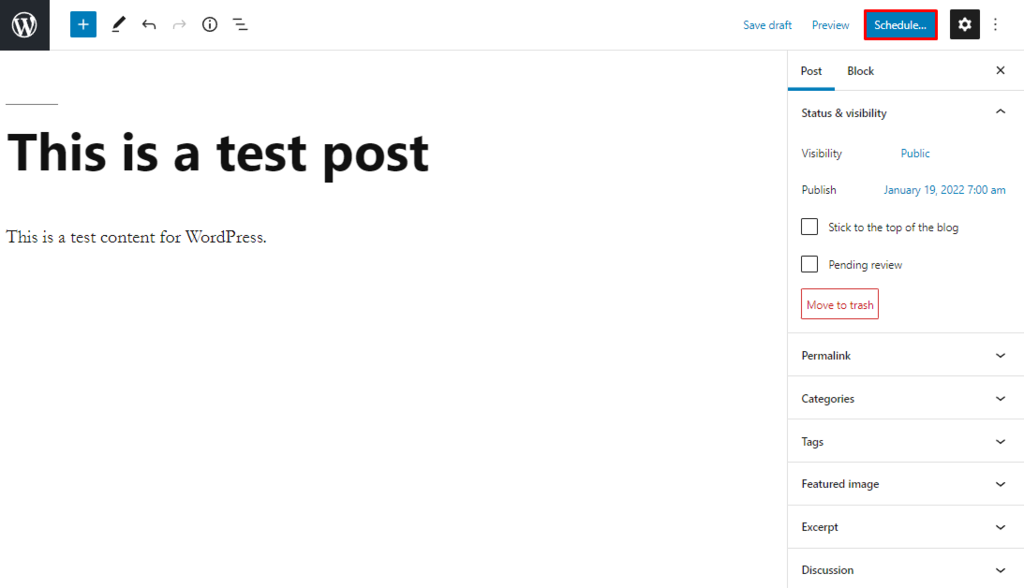
Scheduling posts in WordPress is easy. First, write your post. Then, look for the “Publish” box. It is on the right side. Click on “Edit” next to “Publish immediately”. Now, set your desired date and time. Make sure to choose the correct year. Don’t forget the month and day too. After setting the date, click “OK”. Finally, hit the “Schedule” button.
Pick the right time for your audience. Choose the hours and minutes carefully. Double-check the AM or PM setting. This ensures your post goes live at the right time. Time zones matter too. Make sure your site is set to the correct time zone. This helps avoid any mistakes in scheduling.
Credit: wordpress.org
Common Challenges
Scheduled posts in WordPress help streamline content planning but pose challenges like missed schedules and plugin conflicts. Users often face issues with time zone settings or server configuration, affecting post timing. Regular updates and proper settings can prevent these common problems.
Missed Schedules
Missed schedules can be a big problem. Blogs may not post on time. This can confuse readers. It’s important to check your settings. Make sure the time and date are correct. Always double-check your schedule settings. This can help prevent missed posts. If posts are missed, try rescheduling them. Plugins can also help fix this issue.
Timezone Issues
Timezone settings can cause issues. If the timezone is wrong, posts may go up late. This can upset your schedule. Always check your WordPress settings. Ensure the correct timezone is set. This helps keep your posts on time. Remember, each country has its own timezone. Choose the right one for your audience. It makes a big difference.
Plugins For Enhanced Scheduling
Scheduled posts in WordPress let you plan when your content goes live. This feature helps manage time efficiently. Plugins for enhanced scheduling offer more control, allowing seamless content management.
Top Plugin Recommendations
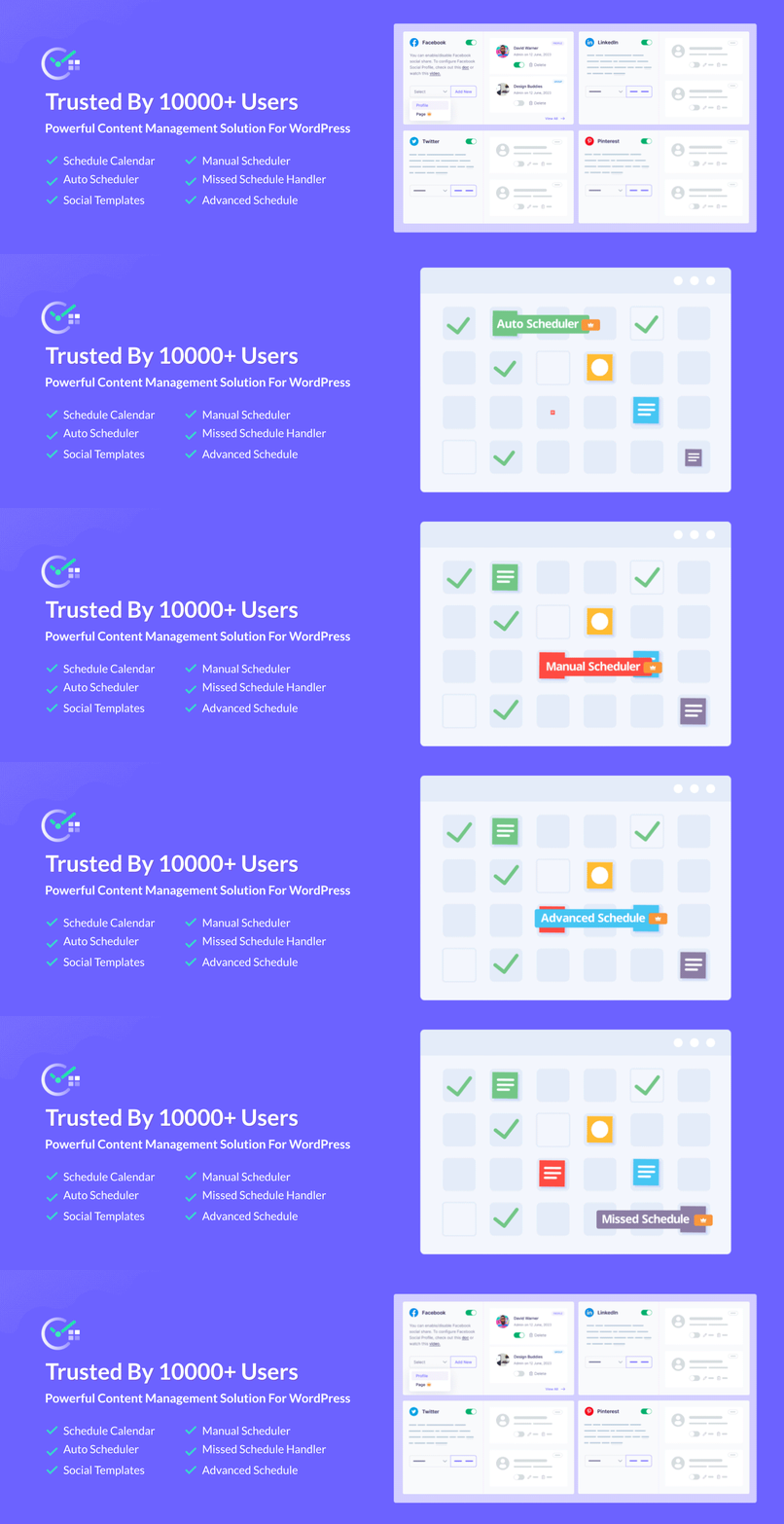
WordPress offers many plugins for scheduling posts. These tools help manage content effectively. Editorial Calendar is a popular choice. It shows your posts in a calendar view. You can drag and drop to change dates. Another option is SchedulePress. It allows automated posting at set times. WP Scheduled Posts is also recommended. It provides better control over post timings. Each plugin has its unique features.
Plugin Features
| Plugin Name | Features |
|---|---|
| Editorial Calendar | Drag and drop feature, calendar view, easy rescheduling. |
| SchedulePress | Automated posting, custom schedules, post management. |
| WP Scheduled Posts | Advanced scheduling, intuitive interface, control over timing. |
Best Practices
Scheduled posts are important for bloggers. They help in managing content flow. Picking the right time to publish is key. Early morning works well. People often read blogs at breakfast. Evening times are also good. Readers relax after work. Study your audience’s habits. This helps find the best times.
Planning is crucial for successful posts. Create a content calendar. This helps organize ideas. Write down topics and dates. Think about your audience’s interests. Keep them engaged. Focus on variety. Mix text, images, and videos. Fresh content attracts readers. Always update your calendar. Change plans if needed. Stay flexible.
Case Studies
Scheduled posts in WordPress allow users to plan content publication in advance. This feature helps maintain a consistent posting schedule by automatically publishing posts at a chosen date and time. It is ideal for managing content efficiently without constant manual updates.
Success Stories
Many bloggers use scheduled posts in WordPress. It helps them keep a steady flow of content. One blogger saved time by scheduling posts a month ahead. Her readers loved the regular updates. Another business increased customer engagement. They posted during peak times.
Scheduled posts also help with international audiences. A travel blogger schedules posts for different time zones. This ensures readers worldwide see new content at the right time. These success stories show the power of planning.
Lessons Learned
First, always check your time zone settings. Mistakes here can cause posts to publish at odd times. Next, review your content before scheduling. Errors can slip through without a fresh look. Use a calendar to track your posts. This helps maintain a balanced content mix.
Finally, stay flexible. Sometimes, current events may need a quick post. Keep room in your schedule for these important updates.

Credit: kinsta.com
Frequently Asked Questions
What Is A Scheduled Post In WordPress?
A scheduled post in WordPress is a blog post set to publish automatically at a future date and time. This feature helps bloggers maintain a consistent posting schedule, even if they are not available at the time of publication.
How Do I Schedule A Post In WordPress?
To schedule a post in WordPress, go to the post editor. In the “Publish” box, click on the “Edit” link next to “Publish immediately. ” Select your desired date and time, then click “Schedule” to save changes.
Why Should I Schedule Posts In WordPress?
Scheduling posts in WordPress ensures consistent content delivery, improves audience engagement, and boosts SEO. It allows bloggers to plan content ahead of time and maintain a regular posting schedule, which is crucial for building a loyal readership.
Can I Edit A Scheduled Post In WordPress?
Yes, you can edit a scheduled post in WordPress. Simply go to the “Posts” section, find your scheduled post, and click “Edit. ” Make the necessary changes, and ensure the scheduled date and time are still correct before updating.
Conclusion
Scheduled posts in WordPress simplify content management. They save time. Also, they ensure consistency in publishing. You can plan ahead. Set posts for specific times and dates. No stress about missing deadlines. Just schedule and relax. This tool helps maintain regular engagement with your audience.
It’s easy to use and boosts productivity. Regular posting keeps your blog active. Readers will return for fresh content. Scheduled posts offer a reliable solution for bloggers. Try using them for better time management. Enhance your blogging strategy with this simple feature.
Your blog will thrive with consistent updates.



