
Imagine transforming your website into a captivating showcase of your work, effortlessly guiding visitors through your creative journey. This is exactly what portfolios in WordPress can do for you.
Whether you’re a photographer, designer, or artist, having a portfolio is essential to display your creations beautifully and professionally. You might be wondering how to make your website stand out or how to attract more clients. Portfolios are your answer.
They not only organize your work but also enhance your site’s visual appeal, making it easier for visitors to engage with your content. As you explore this article, you’ll discover how portfolios can become a powerful tool in your WordPress arsenal, helping you to express your creativity and grow your audience. Get ready to unlock the potential of portfolios and elevate your online presence!
Defining WordPress Portfolios
WordPress portfolios showcase your best work online. They are like digital albums. People use them to share photos, projects, or artwork. Portfolios help users display work in an organized manner. Each item in the portfolio is called a portfolio entry. Entries can have pictures, descriptions, and links.
Portfolios are great for freelancers and artists. They help show skills to clients. WordPress makes it easy to create these portfolios. Users can choose from many themes and plugins. This makes each portfolio unique.
Importance Of Portfolios
Portfolios in WordPress show off your work. They let you share your skills online. A good portfolio can help you get new jobs. It shows what you can do. You can add pictures and texts. This makes your work look nice. People can see your past work. They can also see your best projects.
Portfolios help you stay organized. You can sort your work by type or date. This makes it easy for others to find what they want. Having a portfolio builds trust. People know you are skilled. It is a tool for success.
Creating A Portfolio
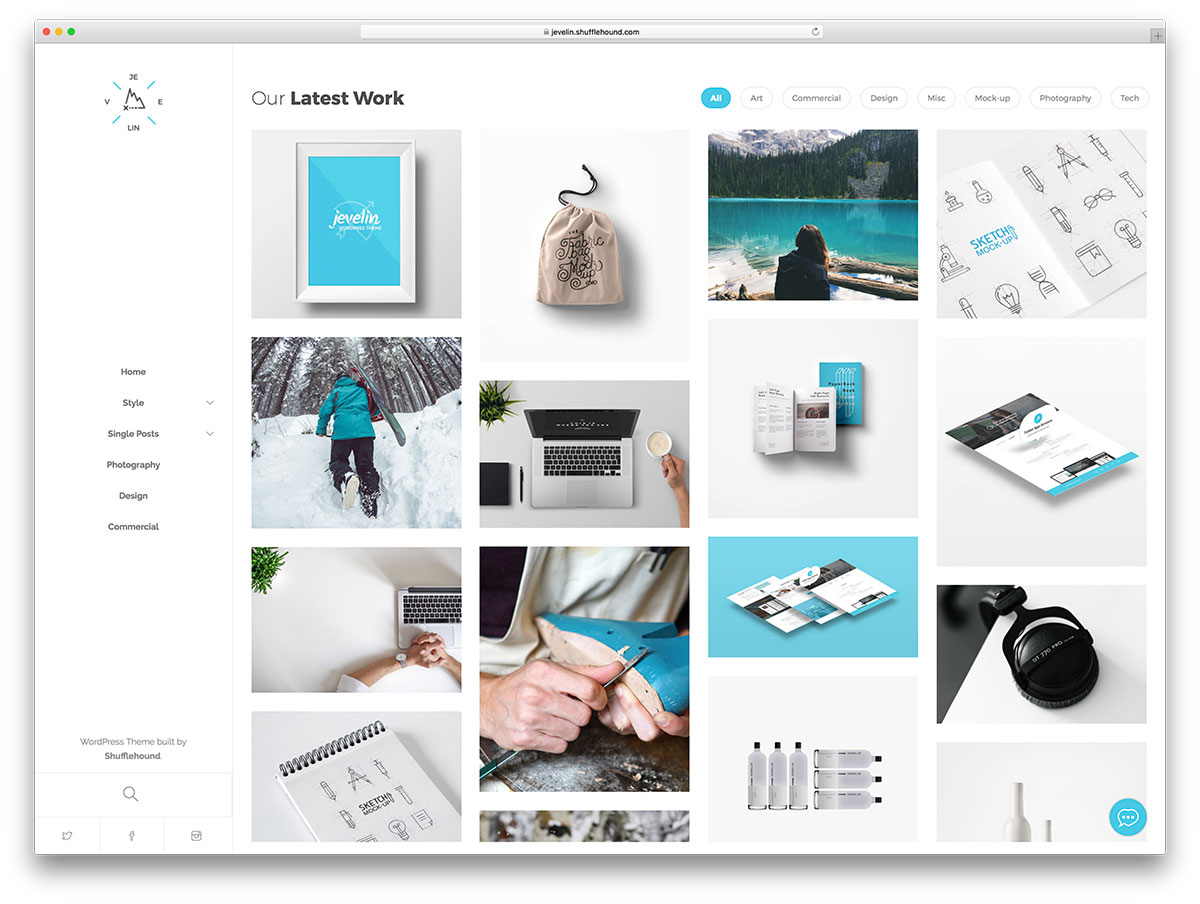
The right theme is key for a great portfolio. Themes decide how your portfolio looks. Choose a theme that matches your style. Some themes are free. Others cost money. Look for a theme that is responsive. This means it looks good on phones and computers. Check if the theme supports portfolio features. Some themes have special layouts. These layouts help show off your work better.
Plugins add more features to your portfolio. Portfolio plugins help display your work. Some plugins let you add galleries. Others let you add slideshows. SEO plugins help people find your portfolio online. Use plugins that are easy to use. Too many plugins can slow down your site. Pick only what you need. Always update plugins for best performance. This keeps your portfolio running smoothly.
Credit: colorlib.com
Customizing Your Portfolio
Choosing the right layout is important. It helps your portfolio look neat. Many themes offer different styles. Explore these options to find the best fit. Your design should match your brand. Colors and fonts create mood. Pick colors that match your work. Fonts should be easy to read. The design should not distract from your content.
Content needs to be clear. Use categories to group similar items. This makes it easy to find things. Tags help with searching. They guide visitors to the right place. Use short sentences for descriptions. Clear text is easy to understand. Images should have captions. They explain the picture. Organize your work by date or type. This keeps the portfolio tidy.
Showcasing Work Samples
Portfolios in WordPress help show your best work. Choose projects that shine. Make sure they show your skills. Pick work that tells a story. Show different styles and ideas. This makes your portfolio strong.
Selecting projects can be fun. Look for your best work. Pick projects that are unique. Show work that is important to you. This helps others see your talent. It also tells them what you can do.
Multimedia makes your portfolio exciting. Use videos to show your work. Pictures tell a story too. Add audio for more feeling. These tools make your portfolio interesting. They help people understand your work better.

Credit: wordpress.org
Optimizing For User Experience
Ensuring Easy Navigation is crucial for a good user experience. Make menus simple and clear. Users should find what they need quickly. Use clear labels for menu items. This helps visitors understand where each link goes. A search bar can also be helpful. It allows users to find specific content easily. Keep the design consistent on every page. This makes the site feel familiar.
Enhancing Mobile Responsiveness is important too. More people use phones to browse websites now. Make sure your site looks good on small screens. Text should be easy to read. Buttons should be large enough to tap. Images should load quickly and fit well on the screen. Test your site on different devices. This ensures it works everywhere. A mobile-friendly site keeps visitors happy and engaged.
Promoting Your Portfolio
Social media can help showcase your work. Post your best projects on platforms. Use images to grab attention. Describe each piece in simple words. Make sure to include links to your portfolio. Engage with followers by responding to comments. This builds relationships and interest in your work. Consistent posting keeps your audience engaged.
Networking is important for getting noticed. Attend industry events to meet people. Share your portfolio during conversations. Ask others about their work too. This builds trust and friendships. Online forums are also good for networking. Join groups related to your field. Participate in discussions and share your ideas. This can lead to new opportunities.
Credit: m.youtube.com
Measuring Portfolio Success
Checking the traffic on your portfolio is crucial. How many visitors does your site get? Are they clicking around? Looking at traffic numbers can show how popular your portfolio is. High numbers mean people like your content. Engagement is also important. Are visitors spending time reading? Do they click on links? These actions show interest. A site with high engagement means people enjoy it. Tools like Google Analytics help track these metrics.
Feedback helps improve your portfolio. Ask visitors what they like. What do they find confusing? Use surveys or comment sections. Feedback can guide updates and changes. Positive feedback is good, but listen to criticism too. It shows where to improve. Regular feedback keeps your portfolio fresh and relevant. Encourage honest opinions for better results.
Frequently Asked Questions
What Is A Portfolio In WordPress?
A portfolio in WordPress is a feature that allows you to showcase your work. It is ideal for creatives like designers, photographers, and artists. Portfolios can display images, videos, and descriptions, providing a professional look to your projects. They help attract potential clients and improve your online presence.
How Do I Create A WordPress Portfolio?
To create a portfolio, go to your WordPress dashboard. Click on “Portfolio” and then “Add New. ” Add your project title, images, and descriptions. You can also use plugins or themes designed for portfolios. Finally, publish it to display on your website.
It’s simple and effective.
Can I Customize My WordPress Portfolio?
Yes, WordPress portfolios are highly customizable. You can change layouts, colors, and typography to match your brand. Use themes or plugins for additional features. Advanced users can edit CSS for more customization. This flexibility allows you to create a portfolio that reflects your personal style.
Are There Plugins For WordPress Portfolios?
Yes, many plugins enhance WordPress portfolios. Popular ones include Elementor, WP Portfolio, and Jetpack. These plugins offer additional features like sliders, lightboxes, and filtering options. They make managing and displaying your work easier. Choose a plugin that fits your needs for the best results.
Conclusion
Portfolios in WordPress offer a simple way to showcase your work. They help attract potential clients or employers. Easy to set up, they require minimal technical skills. You can customize them to match your brand. Choose from various plugins and themes to enhance appearance.
Regular updates ensure your portfolio remains fresh. This tool is ideal for artists, designers, and freelancers. It provides a professional platform for displaying your skills. Start using portfolios today and elevate your WordPress website. Engage visitors with a well-organized display.
Make your projects shine online effortlessly.



