
You’ve just installed WordPress and now you’re wondering, “What’s next?” It’s an exciting moment, but it can also feel overwhelming.
You’re eager to see your ideas come to life, but the endless possibilities can leave you unsure where to start. Don’t worry, you’re not alone, and this is the perfect place to get the guidance you need. Imagine transforming your blank canvas into a vibrant, engaging website that attracts visitors and keeps them coming back for more.
This article is your roadmap to success, breaking down essential steps into easy, actionable tasks. You’ll gain confidence with every click and soon realize that creating a stunning website is well within your reach. Stick with us, and let’s unlock the potential of your WordPress site together!
Setting Up Your WordPress Site
Picking a theme is fun! Many themes are free. Some are paid. Choose a theme that fits your site. Themes change how your site looks. Try a few themes. See which one you like best. Themes can be changed anytime.
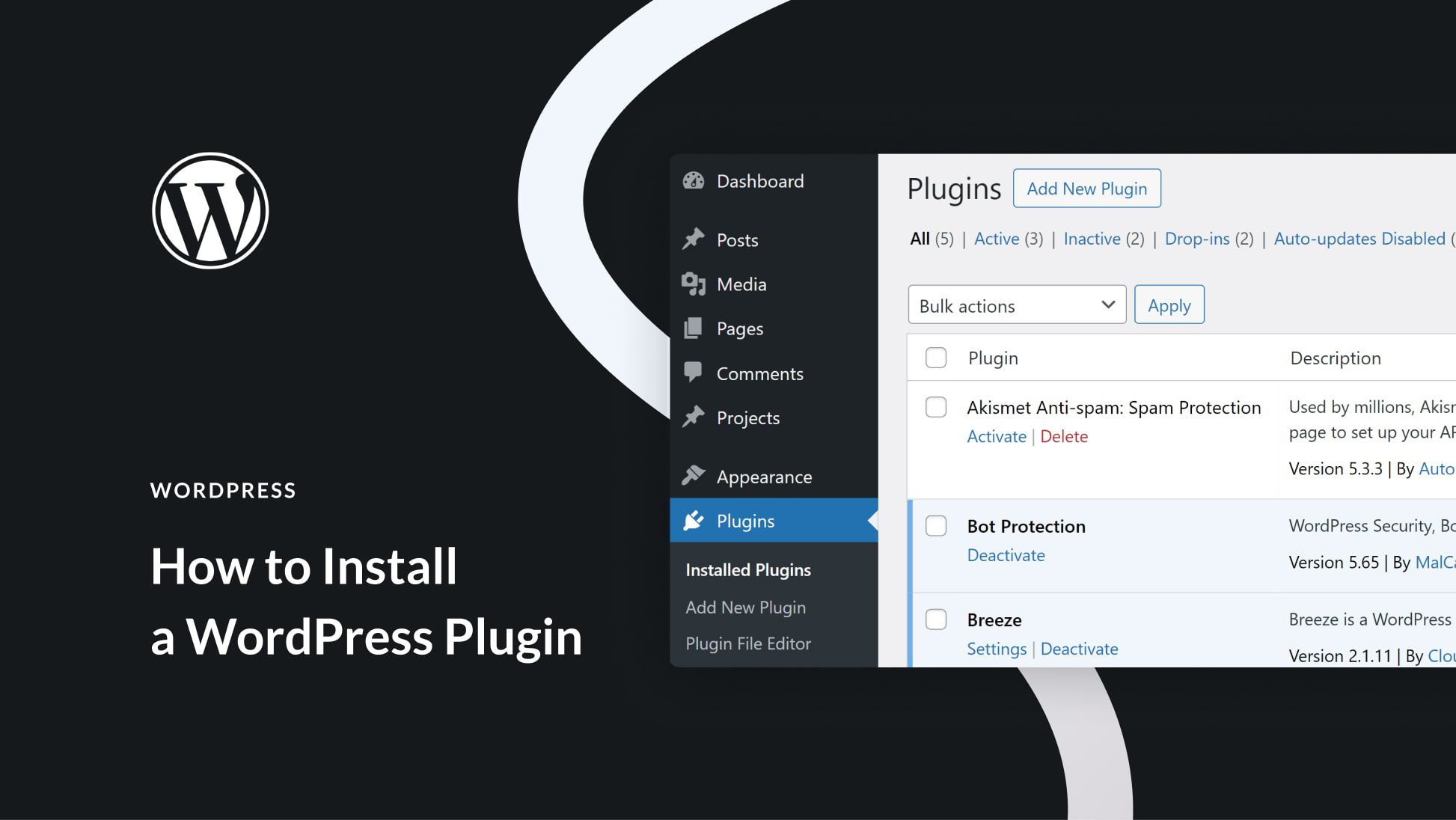
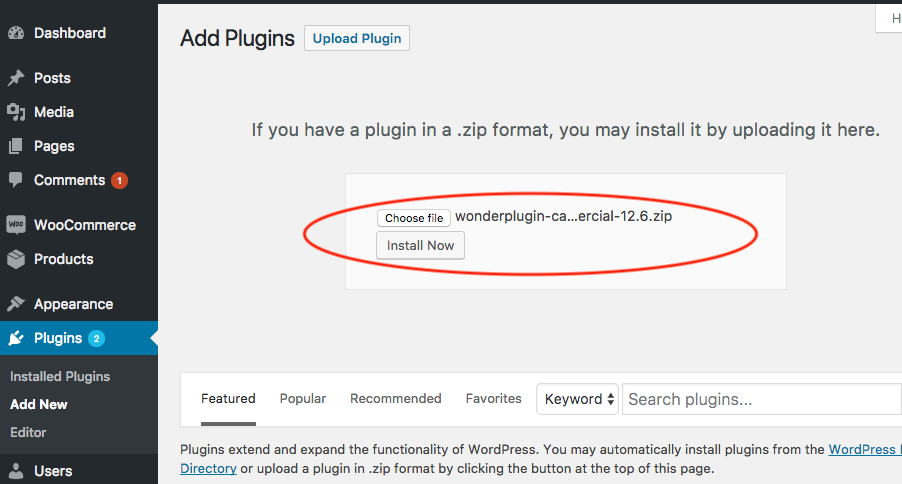
Plugins add features to your site. Essential plugins help with SEO, security, and performance. Yoast SEO is good for search engines. Wordfence helps protect your site. WP Super Cache speeds up your site. Plugins are easy to install. Go to the plugins menu. Click “Add New” to find and install them.
Make your site unique! Change colors and fonts. Add your logo. Use the customizer tool. It’s simple to use. Find it under “Appearance”. Click “Customize” to start. Adjust your site to match your style. Preview changes before saving. Have fun creating your perfect look!
Configuring Basic Settings
Begin with the site title and tagline. It should reflect your website’s purpose. Email address must be correct. This is for admin notices. Set your timezone to match your location. Choose the date format you prefer. Make sure the language is right. This affects the site interface.
Choose a permalink structure. This is how URLs look. Most people prefer the post name option. It’s simple and clean. It helps with SEO too. Go to the settings menu. Click on permalinks. Select the option you want. Save changes to apply it.
Discussion settings manage comments. Decide if you want comments on posts. Choose who can comment. Set rules for comment moderation. Protect from spam by enabling comment filters. Configure notifications for new comments. Adjust settings for comment display. Save settings to keep changes.
Enhancing Site Security
Implementing security plugins is key to keeping your site safe. Plugins help protect against hackers and malware. They can block suspicious activity and alert you. Popular options include Wordfence and Sucuri. Always choose a trusted plugin for your site.
Using strong passwords is crucial. They keep your site safe from intruders. Avoid simple words or numbers. Mix letters, numbers, and symbols. Longer passwords are harder to crack. Change passwords regularly to stay secure.
Regular backups save your site data. Backups help you recover lost information. They are essential during attacks or errors. Use plugins like UpdraftPlus for easy backups. Store backups in a safe location. This ensures you always have access to your site data.
Optimizing Performance
Caching plugins help your website load faster. They store parts of your site for quick access. This reduces load time, improving user experience. Many plugins are free and easy to use. Choose one that fits your needs. Install it, and your site becomes faster.
Large images slow your site. Make them smaller but keep them clear. Use tools to compress images. This helps pages load quickly. Faster pages make visitors happy. Use formats like JPEG or PNG. These are better for web use.
Your host affects your site’s speed. Pick a provider known for speed. Check reviews to see if they are good. Reliable hosting keeps your site online. Fast servers improve load times. A good host is worth the cost.
Creating Content
Writing your first blog post can be fun. Start with a simple idea. Describe it in clear words. Make sure it is interesting for readers. Use short sentences. Keep paragraphs small. Add some pictures. Pictures help explain things better. End with a strong point. This makes readers think.
Categories group similar posts. Tags are like labels. They help find things fast. Choose categories wisely. They should match the post topic. Tags should be specific. Too many tags can be confusing. Organize your content well. It helps readers and search engines.
The home page is the first thing visitors see. It should be clear and welcoming. Add a title and a short description. Include links to other pages. Make sure it is easy to navigate. Use a simple design. Simple designs are easy to read. Highlight important sections. This guides the visitors.
Credit: matomo.org
Improving Seo
SEO plugins make your site better. They help with search engines. Yoast SEO is popular. It gives simple tools. Rank Math is another choice. It has easy guides. These plugins are free and paid. They help with keywords and links.
Meta descriptions show under your site’s link. They tell users what your page is about. Make them short and catchy. Use important words in them. They help search engines. Write clear and simple sentences. Each page needs its own meta description.
Keywords are important for SEO. They help people find your site. Use them in titles and headers. Put them in the first paragraph. Don’t overuse them. This can harm your site. Choose words that fit your content. Be sure they are easy to understand.
Engaging With Your Audience
Starting your journey with WordPress opens a world of possibilities. Connect with your audience by sharing helpful content regularly. Encourage comments and interaction to build a lively community.
Setting Up Comments
Comments help you connect with readers. Enable comments in WordPress settings. Choose to allow or moderate comments. This keeps your blog safe from spam. Respond to comments quickly. This shows you care about your audience. Ask questions in your posts. This encourages more comments.
Integrating Social Media
Social media boosts your blog’s visibility. Use plugins to add share buttons. Connect your blog to Facebook and Twitter. This lets readers share your posts easily. Share your posts on your own social media. Use attention-grabbing images. This increases engagement and shares.
Building An Email List
An email list keeps readers informed. Use a plugin to add a sign-up form. Offer something in return for signing up. This could be a free eBook or tips. Send regular updates to your subscribers. Keep your messages short and clear. This keeps them interested and engaged.
Credit: www.elegantthemes.com
Monitoring Site Performance
After installing WordPress, keeping track of site performance becomes essential. Check loading speeds and uptime regularly. Use tools like Google Analytics to monitor traffic patterns and user behavior.
Using Analytics Tools
Google Analytics is a powerful tool. It helps you track website performance. You see how users interact with your site. Set up an account on Google Analytics. Link it to your WordPress site. Check daily visitors and page views. Look for patterns in user behavior. This data shows what works well on your site.
Tracking User Engagement
Measure user engagement with specific metrics. Time on site and bounce rate are important. A high bounce rate means users leave quickly. Lower bounce rates are better. More time on site shows user interest. Use this information to improve your content. Make it more engaging and useful.
Analyzing Traffic Sources
Understand where your traffic comes from. Traffic sources can be direct, referral, or search. Direct traffic comes from users typing your URL. Referral traffic comes from other websites. Search traffic comes from search engines like Google. Knowing your top traffic sources helps you focus efforts. Improve SEO and gain more visitors.
Exploring Advanced Features
WordPress has many themes. But sometimes, you want more. You can use custom code to change looks. Use HTML, CSS, or JavaScript. These help you change design and layout. You can make your site unique. Be careful with code. Always save a copy first. Broken code can cause problems.
Want to sell online? Add e-commerce plugins. WooCommerce is popular. It helps you set up a store. You can sell products easily. Add details like price and pictures. People can buy from your site. Make sure to secure payment methods.
You can create special areas for members. Use a membership plugin. These plugins help manage users. Decide who can see what. Offer exclusive content for members. Encourage users to join. Memberships can help grow your site.
Credit: www.wonderplugin.com
Frequently Asked Questions
What To Do After Installing WordPress?
After installing WordPress, customize your site with a theme. Install essential plugins like SEO and security tools. Set up your website’s navigation and create key pages such as Home, About, and Contact. Regularly update WordPress and your plugins for security.
Finally, start creating engaging content to attract visitors.
How To Choose A WordPress Theme?
Choose a WordPress theme based on your site’s purpose and style. Ensure it’s responsive, SEO-friendly, and regularly updated. Check user reviews and support options. Test its performance and compatibility with plugins. A well-chosen theme enhances your site’s appearance and functionality, improving user experience.
Which Plugins Are Essential For WordPress?
Essential WordPress plugins include SEO tools like Yoast SEO or Rank Math. Use security plugins such as Wordfence or Sucuri. Install a caching plugin like W3 Total Cache for speed. Consider a backup plugin like UpdraftPlus. These plugins improve your site’s performance, security, and search visibility.
How To Secure A WordPress Site?
Secure your WordPress site by using strong passwords and changing the default admin username. Regularly update WordPress, themes, and plugins. Install a security plugin like Wordfence or Sucuri. Enable two-factor authentication and back up your site frequently. These steps protect your site from vulnerabilities.
Conclusion
You’ve installed WordPress. Great start! Now, dive into its features. Explore plugins to enhance functionality. Customize themes for a unique look. Write engaging content to captivate readers. Keep your site updated for security. Learn SEO basics to improve visibility. Monitor performance and gather insights.
Engage with your audience through comments and social media. Practice makes perfect. Keep experimenting and learning. Enjoy your journey with WordPress!



