
Are you diving into the world of WordPress and feeling overwhelmed by the sheer number of themes available? You’re not alone.
Choosing the right WordPress theme is crucial for your website’s success, but it can feel like finding a needle in a haystack. The good news? We’re here to make this process a breeze for you. In this guide, you’ll discover simple tips and tricks to identify the perfect theme that aligns with your goals and vision.
Imagine your website not only looking stunning but also delivering an exceptional user experience that keeps visitors coming back for more. Curious about how to achieve this? Read on to unlock the secrets to mastering WordPress themes with confidence.
Credit: themeforest.net
Choosing The Right Theme
Think about what your website needs. Is it a blog or a store? Blogs need simple designs. Stores need features for shopping. List down important features. Keep the list short and clear.
Themes come in many types. Some are for blogs, others for stores. There are themes for artists and businesses too. Choose a theme that fits your website’s type. Make sure it has the features you need.
A theme must look good and work well. Aesthetics matter for first impressions. Functionality is important for user experience. Check if the theme is easy to use. Make sure it loads fast and works on phones.
Credit: oceanwp.org
Installing A WordPress Theme
Find themes in the WordPress Theme Directory. Search for a theme. Click on the theme’s picture. Click “Install” to add the theme. Wait for it to install. Now, it’s ready to use. Enjoy your new look!
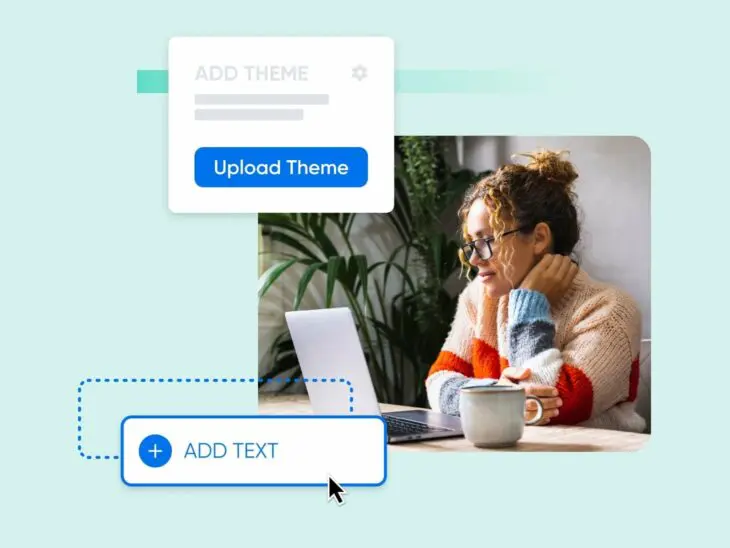
Download a theme zip file. Open your WordPress dashboard. Go to “Appearance” then “Themes”. Click “Add New”. Select “Upload Theme”. Choose the zip file. Click “Install Now”. Wait for the upload. The theme is now in your site.
Go to “Appearance” in your dashboard. Find your new theme. Click “Activate”. Your site now has a fresh design. Check your site to see changes. Enjoy the new style!
Customizing Your Theme
The WordPress Customizer is a powerful tool. It helps you change your theme easily. You can adjust colors, fonts, and layouts. Preview changes live without saving. This tool makes your site unique. Experiment with different settings. Find what looks best for your site.
Custom CSS lets you change your theme’s style. You can add your own code. Change colors, sizes, or fonts to fit your needs. It gives you more control over the look of your site. Be careful not to break any existing styles. Always check changes in a preview.
Widgets add extra features to your site. You can use them for search bars or social links. Menus help visitors navigate your site. Place them in your header, footer, or sidebar. Both widgets and menus make your site more user-friendly. Arrange them to suit your site’s needs.
Optimizing For Performance
Fast websites are happy websites. Slow sites make users leave. Reduce image sizes for speed. Use a plugin to compress images. Pick a lightweight theme. Heavy themes slow down sites. Fewer plugins are better. Too many plugins slow things down.
Many users browse on phones. Your site must look good on phones. Choose a responsive theme. Test your site on different screens. Use the mobile-friendly test tool. Keep text readable on small screens. Make buttons easy to tap. Avoid pop-ups on mobile.
Good SEO helps people find your site. Use keywords in titles and text. Write short and clear descriptions. Use alt text for images. This helps search engines understand images. Link to other pages on your site. Update content regularly for better SEO.
Ensuring Theme Security
Regular updates keep your theme safe. Developers fix bugs and security issues. Always update to the latest version. Updates protect from hackers. Check for updates often. Missing updates can be dangerous. Your site could be at risk. Do not ignore update alerts.
Child themes help keep changes safe. They protect customizations during updates. Your edits remain intact. Main theme updates do not affect child themes. Use a child theme for custom designs. It’s a smart choice for theme changes. Child themes make updates simple.
Security plugins offer extra protection. They block malicious activities. Install a good security plugin. Plugins provide alerts for suspicious actions. They keep your site secure. Choose plugins with high ratings. Regularly update security plugins. They are important for site safety.
Troubleshooting Common Issues
Themes sometimes show display errors. This can make your site look bad. Check if the CSS files are loading right. Sometimes, clearing the browser cache helps. You can also try using a different browser. If problems continue, check the theme settings. Ensure everything is set up correctly.
Plugins can sometimes cause conflicts. This can break your theme. Start by disabling all plugins. Then, turn on each plugin one by one. This helps find the problematic plugin. Once found, look for a plugin update. If no update, search for an alternative plugin.
Changes sometimes mess up settings. Restore the default settings to fix this. Go to the theme options. Look for the reset button. Click it to return to original settings. This can solve many issues. Always backup your settings first. This keeps your hard work safe.
Resources For Further Learning
Discover valuable resources that enhance your understanding of WordPress themes. Online tutorials offer step-by-step guidance, making complex concepts accessible. Explore forums and community discussions for diverse insights and troubleshooting tips.
Online Courses And Tutorials
Explore many courses on websites like Coursera. These sites offer beginner-friendly tutorials. Learn step-by-step with video guides. The lessons are easy to follow. They help you understand how themes work.
Community Forums
Join forums to ask questions. Get advice from experienced users. Share your own tips too. It’s a great place for learning. People help each other. Everyone shares their ideas. You will find a lot of helpful information.
Recommended Reading
Read books about WordPress. Books explain themes in detail. They cover everything you need to know. Find guides online. Some are free to read. Authors share their expertise. Reading helps you grow your knowledge.
Credit: www.dreamhost.com
Frequently Asked Questions
What Is A WordPress Theme?
A WordPress theme is a collection of files that dictate the appearance and functionality of your website. It includes layout design, color schemes, fonts, and widget placement. Themes allow you to customize your site without altering its underlying code, offering flexibility and a unique look.
How Do I Choose A WordPress Theme?
Choose a WordPress theme based on your site’s purpose and audience. Consider its responsiveness, customization options, and user reviews. Ensure it supports plugins you need and offers regular updates. A well-coded theme can improve site speed and security, enhancing user experience.
Can I Customize My WordPress Theme?
Yes, you can customize your WordPress theme using the built-in Customizer tool. This allows changes to colors, fonts, and layouts. Advanced users may edit theme files directly. Child themes are recommended for major customizations to avoid losing changes during theme updates.
Are Free WordPress Themes Reliable?
Free WordPress themes can be reliable if sourced from reputable developers. They offer basic functionality without cost but may lack advanced features. Always check user reviews and ratings. Regular updates and support indicate a trustworthy theme, ensuring compatibility with WordPress updates.
Conclusion
Understanding WordPress themes can seem tricky at first. Yet, it’s quite simple with practice. Explore different themes to find your style. Check theme reviews for user experiences. Always consider your website’s needs and goals. A good theme enhances both user experience and aesthetics.
Be patient while learning. Customize themes to fit your brand perfectly. Keep experimenting with design features. Your WordPress journey will get easier with time. Soon, selecting themes will be a breeze. Stick with it. You’ll create a site that truly represents you.
Happy designing!



