
Are you looking for a reliable and affordable way to manage your domain names and web hosting? Namecheap might just be the solution you need.
As one of the leading domain registrars and web hosting providers, Namecheap offers a simple yet powerful platform that can help you establish your online presence with ease. But where do you start, and how can you make the most of its features?
In this guide, you’ll discover step-by-step instructions on how to use Namecheap to its full potential. Whether you’re launching a new website or managing an existing one, understanding Namecheap’s tools can make all the difference. Stay with us, and unlock the secrets to a seamless and successful online experience.
Getting Started With Namecheap
Starting with Namecheap is easy. Visit their website, create an account, and explore their affordable domain registration options. Enjoy user-friendly interfaces and efficient customer support to manage your domain needs.
Getting started with Namecheap is your first step towards managing your domain and hosting needs effectively. Whether you’re launching a personal blog or setting up an online store, Namecheap offers a user-friendly interface and affordable pricing. Let’s dive into the basics of how you can begin your journey with Namecheap.Creating An Account
Creating an account on Namecheap is straightforward. Visit Namecheap’s website and click on the “Sign Up” button. Fill in your details like your name, email, and password. Ensure your password is strong to keep your account secure. Once you submit the form, you’ll receive an email to verify your account. Click on the link in the email, and you’re all set. If you’ve ever felt the frustration of forgotten passwords, Namecheap’s password recovery is a lifesaver. Just click “Forgot Password?” on the login page, and follow the steps to reset it.Exploring The Dashboard
Once logged in, you’ll find yourself on the Namecheap dashboard. This is your control center for managing domains, hosting, and other services. On the left side, you’ll see a menu with options like “Dashboard,” “Domain List,” and “Hosting List.” Click on “Domain List” to view all the domains you own. To make navigation easier, Namecheap includes a search bar at the top. This is handy if you have multiple domains or services. If you’re like me and tend to misplace things, this feature is a game-changer. Have you ever wondered how to change DNS settings? Simply select a domain and use the “Manage” button next to it. You’ll see options for DNS settings, WhoisGuard, and more. The dashboard might feel overwhelming at first, but give it a few minutes. Soon, you’ll be navigating like a pro. Remember, every expert was once a beginner. Are you ready to take control of your online presence with Namecheap?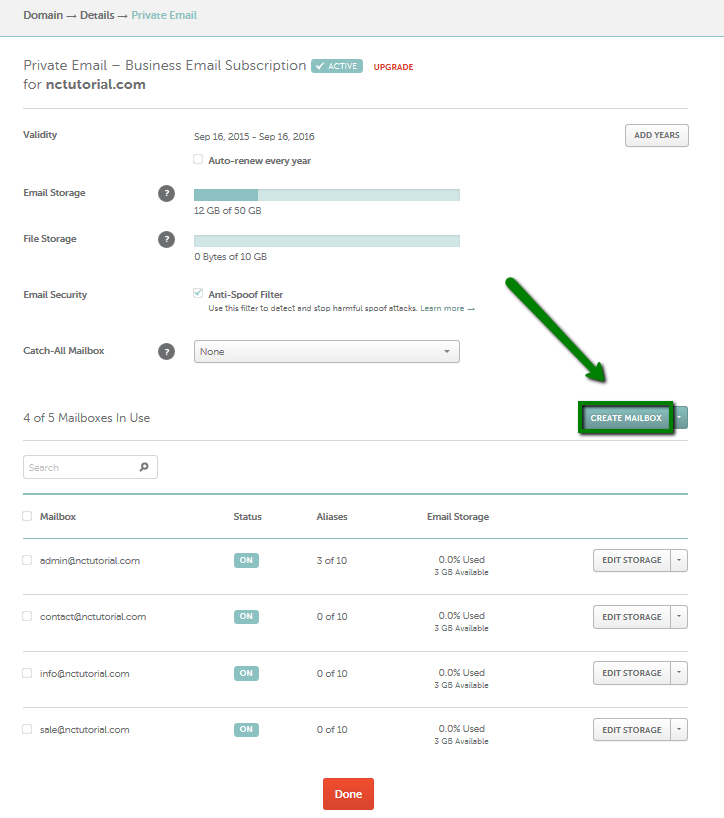
Credit: www.namecheap.com
Domain Registration Process
Registering a domain with Namecheap is a straightforward and rewarding experience. Whether you’re launching a personal blog, an online store, or a business website, securing the perfect domain name is your first step. Let’s break down the process, from searching for your ideal domain name to managing your domain settings, so you can get online quickly and efficiently.
Searching For Domain Names
Your domain name is your digital identity. It’s essential to choose something memorable and relevant to your brand or idea. Begin by using Namecheap’s search tool to check availability. Enter keywords that reflect your brand or purpose. Consider different extensions like .com, .net, or even niche ones like .store.
Have you ever had a brilliant domain name idea only to find it taken? It’s a common hurdle. Use Namecheap’s suggestion tool for alternatives. Sometimes, a slight tweak can lead you to an even better option. Think creatively and broadly while keeping your target audience in mind.
Purchasing Your Domain
Once you’ve found your ideal domain, the next step is purchasing. Add your chosen domain to the cart. Namecheap often offers promotions, so keep an eye out for discounts. Don’t forget to consider add-ons like privacy protection which helps keep your personal information secure.
Are you worried about the cost? Namecheap provides competitive pricing, making it affordable to secure your digital space. With the purchase process being quick and simple, you can have your domain registered within minutes. Ensure your payment details are accurate to avoid any hiccups.
Managing Domain Settings
After purchasing, managing your domain settings is crucial for customization and security. Access your Namecheap dashboard to update DNS settings, create email addresses, or redirect your domain to another site. This control ensures your domain serves its intended purpose.
Consider how you want to present your website to the world. Regularly check your settings to ensure they align with your goals. Keep an eye on renewal dates to maintain ownership. With Namecheap, you have the tools to manage everything efficiently.
Do you feel overwhelmed by technical terms? Namecheap offers extensive support and resources to guide you. Taking the time to understand these settings can empower you to make informed decisions about your online presence.
Setting Up Domain Hosting
Discover how to set up domain hosting with Namecheap. Follow simple steps to register your domain and connect it to a hosting plan. Enjoy an easy-to-use platform for managing your online presence.
Setting up domain hosting with Namecheap can be a smooth process if you know the steps to follow. Whether you’re launching a personal blog or a business site, the right domain hosting is crucial. It ensures your site is accessible, reliable, and fast. Let’s dive into the steps you need to take to set up your domain hosting effectively.Choosing A Hosting Plan
Start by evaluating your website’s needs. Are you planning a small personal blog or a large e-commerce site? Namecheap offers various hosting plans like Shared, VPS, and Dedicated Hosting. Shared Hosting is perfect for personal blogs or small businesses. It’s budget-friendly and easy to manage. If you’re expecting high traffic, consider VPS or Dedicated Hosting for better performance.Configuring Dns Settings
Once you have your hosting plan, the next step is configuring your DNS settings. DNS, or Domain Name System, is like your website’s address book. It tells the internet where to find your site. Log into your Namecheap account. Go to the “Domain List” and select “Manage” next to your domain. Under “Advanced DNS,” add or modify the records as needed. Don’t rush through this process. Incorrect DNS settings can lead to downtime. Remember the time I accidentally entered the wrong IP address? My site was down for hours. Double-check every entry. Engaging with these steps ensures your site runs smoothly. Are you ready to get your website live with Namecheap?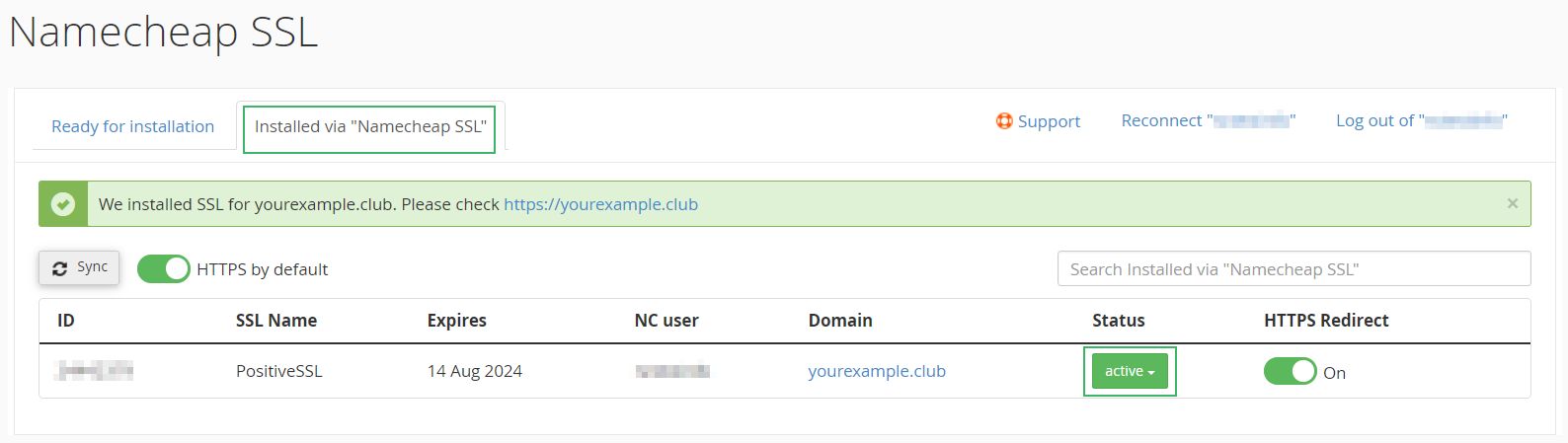
Credit: www.namecheap.com
Security Features
Explore Namecheap’s security features to protect your online assets. Tools like two-factor authentication safeguard accounts from unauthorized access. SSL certificates encrypt data, ensuring safe interactions for visitors.
When you’re setting up your online presence with Namecheap, keeping your domain safe should be a top priority. Namecheap provides several security features to help protect your domain and website. These tools ensure that your personal information stays private and your site is secure for visitors.Enabling Domain Privacy
One of the easiest ways to protect your personal information is by enabling domain privacy. When you register a domain, your contact details are added to a public database called WHOIS. This means anyone can find your name, address, and email. With Namecheap, you can enable domain privacy for free. This service hides your personal information from the public eye, replacing it with generic contact details. Imagine having peace of mind knowing that your private information is shielded from prying eyes.Using Ssl Certificates
Have you ever noticed the little padlock icon in the browser address bar? That indicates a site has an SSL certificate, and it’s crucial for keeping data secure. Namecheap offers SSL certificates to encrypt the data exchanged between your site and its visitors. Using an SSL certificate not only protects sensitive information but also boosts your site’s credibility. Visitors feel more comfortable interacting with a site that shows it’s secure. Plus, search engines like Google favor websites with SSL, which can improve your site’s ranking. Are you ready to take your site’s security to the next level? By leveraging these Namecheap security features, you can protect your domain and build trust with your audience.Utilizing Namecheap Apps
Utilizing Namecheap apps can simplify your online experience. Namecheap offers various tools to enhance your digital presence. These apps are easy to use and help you manage your online tasks efficiently. Explore email hosting and website builder tools to maximize your site’s potential.
Email Hosting Options
Namecheap provides reliable email hosting services. These services keep your communication professional and secure. You can choose from different email plans. These plans cater to various needs and budgets. Each plan ensures your emails are safe and accessible. The user-friendly interface makes management simple. You can easily set up and configure your email. This helps maintain a seamless workflow. Your business communication remains efficient and organized.
Website Builder Tools
Building a website is easy with Namecheap’s tools. The website builder offers customizable templates. These templates suit various industries and styles. You don’t need coding skills to create a site. The drag-and-drop functionality simplifies the design process. Add text, images, and videos effortlessly. You can preview changes before publishing. This ensures your site looks perfect. The builder supports mobile-friendly designs. Your site will look great on any device.
Troubleshooting Common Issues
Encountering issues with Namecheap can be frustrating. But most problems have easy fixes. Understanding these issues can save time and stress. Common problems include renewal and domain transfer issues. Knowing how to address them will help.
Renewal Problems
Renewal issues can disrupt your website’s operation. Start by checking your payment details. Ensure your card information is correct and up-to-date. Sometimes, payment declines due to expired cards. Verify if the card has sufficient funds. Also, review your renewal settings in your Namecheap account. Automatic renewal should be enabled if preferred. Contact Namecheap support for assistance if the issue persists. Their team can offer guidance and solutions.
Domain Transfer Challenges
Domain transfer can be tricky. Ensure your domain is unlocked before initiating the transfer. Check the current registrar settings. Obtain the authorization code from your current registrar. This code is essential for the transfer. Verify that your domain’s WHOIS information is accurate. Incorrect details can delay the process. Ensure the domain is not within the 60-day transfer lock period. This lock applies after new registrations or transfers. Contact Namecheap if you face complications. They provide detailed support for smooth transfers.
Tips For Maximizing Value
Maximize your experience with Namecheap by exploring its affordable domain options and user-friendly interface. Take advantage of its reliable hosting services and excellent customer support to enhance your online presence. Utilize the security features offered to protect your website and enjoy seamless management of your domains and hosting plans.
Maximizing the value you get from Namecheap doesn’t have to be complicated. Whether you’re a seasoned website owner or just starting, there are strategies to ensure you’re getting the most bang for your buck. Here are some practical tips to help you make the most of your Namecheap experience.Promotional Deals
Namecheap frequently offers promotional deals that can significantly reduce your costs. These deals are often available during special occasions like Black Friday or Cyber Monday. Keep an eye on their website or subscribe to their newsletter to stay updated. Once, I saved over 50% on hosting services just by waiting for a holiday sale. Imagine what you could do with those extra savings!Referral Program Benefits
Did you know that Namecheap has a referral program? By recommending Namecheap to friends and colleagues, you can earn credits. These credits can be used to pay for your own hosting and domain services. Think about it—how many people in your network might benefit from Namecheap’s services? Each referral not only helps them but also rewards you. It’s a win-win situation that can significantly stretch your budget. By being strategic and proactive, you can maximize the value of your Namecheap services. What steps will you take to make the most of these opportunities?
Credit: www.youtube.com
Frequently Asked Questions
How Does Namecheap Work?
Namecheap offers domain registration, web hosting, and SSL certificates. Users create an account, choose services, and manage them through the dashboard. Affordable pricing and reliable customer support enhance user experience.
What Are The Disadvantages Of Namecheap?
Namecheap’s customer support can be slow. Limited advanced hosting features might not satisfy tech-savvy users. Renewal costs are higher than initial prices. Server performance sometimes fluctuates, affecting website speed. Limited server locations may impact global website reach.
How To Create A Website On Namecheap?
Sign up on Namecheap. Choose a domain name. Use their website builder or install WordPress. Customize your site with templates. Publish your website.
How To Manage A Domain In Namecheap?
Log into Namecheap account and access the “Domain List” section. Choose your domain to manage settings like DNS, renewal, and contact information. Utilize Namecheap’s dashboard for easy domain management tasks.
Conclusion
Namecheap simplifies your online presence management. Buying a domain is easy. Hosting setup is straightforward. SSL certificates enhance security. Domain transfers are swift. Their user-friendly interface makes navigation simple. Affordable prices suit budgets. Customer support assists promptly. Namecheap tools enhance efficiency.
You can customize settings effortlessly. Namecheap supports your growth online. Explore its features and expand your reach. Keep your site secure and fast. Start your journey with Namecheap today. Embrace the simplicity it offers. Make your online projects succeed.


