
Are you eager to dive into the world of web design and create your own unique WordPress theme? If you’ve ever wondered how to transform your ideas into a functional and beautiful website, you’re in the right place.
Programming a WordPress theme might seem daunting at first, but with the right guidance, it can be a rewarding and even enjoyable experience. Imagine having complete control over the look and feel of your site, tailoring it precisely to your needs and branding.
Not only will this skill empower you to personalize your online presence, but it can also open doors to a wealth of opportunities in the digital landscape. In this guide, we’ll break down the process into simple, manageable steps. Whether you’re a complete beginner or have some coding experience, you’ll find valuable insights that will help you bring your vision to life. Ready to unlock the potential of your creativity and boost your web development skills? Let’s get started!
Getting Started
Start with a simple computer. A fast computer is not needed. Install WordPress locally. Use tools like XAMPP or MAMP. These tools help you set up a local server. Next, download a text editor. Examples are Atom or Visual Studio Code. These editors help you write code. Keep your files organized. Create folders for themes and plugins. This makes your work easier.
Choose tools that fit your needs. A good text editor is key. Look for one with syntax highlighting. It helps you see code better. Use a version control system. Git is popular for this. It tracks changes in your code. Also, learn some basic PHP. WordPress themes use PHP a lot. Basic HTML and CSS are also needed. They help in designing the theme. Start simple, then build from there.

Credit: nicepage.com
Theme Anatomy
A WordPress theme is made of many files. Each file has a job. The style.css file controls how the site looks. The index.php file shows posts and pages. Other files are for parts of the site. Like the header.php file for the top part. The footer.php file for the bottom. Together, these files make the theme work.
WordPress uses a template hierarchy. This means it picks which file to use for each page. The home.php file is for the homepage. The single.php file is for single posts. The page.php file is for pages. If a file is missing, WordPress finds another file to use. This system helps keep the site running smoothly.
Creating A Theme
Start with a new folder for your theme. Name it something simple. Inside this folder, create a file called index.php. This file is important. It tells WordPress how your theme looks. Add a file named style.css too. This file will hold your theme’s style rules. Next, build a file called functions.php. This file helps add features to your theme. All these files are essential. They make up the basic structure of your theme.
CSS changes how your theme looks. You can make colors bright or soft. Change fonts to make text easy to read. Use CSS rules to set spacing between elements. Add borders or shadows for effect. You can even make buttons look different. CSS makes your site look good. Keep your CSS simple at first. As you learn, you can add more complex styles.

Credit: www.accuwebhosting.com
Customizing Functionality
The functions.php file helps you add custom features. It is like a toolbox for your theme. You can add code here to change how things work. Want to add a new menu? Put the code in functions.php. Need a custom logo? Use this file to set it up. Keep your code tidy. It makes it easier to find later. Remember, this file is important. One wrong line can break your site. So, always check your code before saving.
Custom widgets let you add special boxes to your site. These boxes can show different things. Like recent posts or your favorite quotes. You can create them in functions.php. First, write the code for your widget. Then, register it with a special function. This will make it appear in the widget area. Widgets make your site look unique. They also help visitors find information easily.
Advanced Features
Adding JavaScript makes your theme more lively. It helps in creating interactive elements. You can use it for sliders, pop-ups, and dynamic content. Remember to keep scripts light for faster loading. Use libraries like jQuery for easy coding. Always test your scripts in different browsers. Make sure everything works smoothly.
APIs bring extra data and features to your theme. They allow you to fetch data from other websites. For example, you can show live weather updates or social media feeds. Make sure to understand the API documentation. This helps you in using it correctly. Secure your API keys to protect your data. Keep an eye on any changes in the API terms.
Testing Your Theme
Debugging is like solving a puzzle. You find what is wrong. Use tools like WP_DEBUG to spot errors. Check your code line by line. Always save before making changes.
Break your code into small parts. Test each part one by one. This makes bugs easier to find. Patience is key. Bugs can be tricky. Stay calm and think clearly.
Your theme must work on all browsers. Test on Chrome, Firefox, and Safari. Each browser shows things differently. Use tools to check compatibility. Fix any issues you see.
Ensure your theme looks the same everywhere. This makes users happy. They can use any browser they like. Testing is very important for success.
Theme Optimization
Fast websites are better. They keep visitors happy. Optimize your WordPress theme for speed. Use fewer plugins. Plugins slow down your site. Choose lightweight themes. Lightweight themes load faster. Compress images before uploading. Smaller images load quicker. Use lazy loading for images. Lazy loading saves bandwidth.
Enable caching. Caching reduces server load. Many caching plugins are available. Use a Content Delivery Network (CDN). CDNs speed up content delivery. Minimize CSS and JavaScript files. Smaller files improve loading speed. Use clean and efficient code. Efficient code reduces processing time.
Good SEO means more visitors. Use descriptive title tags. Title tags tell search engines about your page. Include keywords in title tags. Keywords help search engines find your page. Use meta descriptions. Meta descriptions explain your page. Include keywords in meta descriptions.
Use headers properly. Headers organize content. They make it easy to read. Include alt text for images. Alt text describes images. It helps search engines understand your content. Create a sitemap. Sitemaps guide search engines through your site. Use clean URLs. Clean URLs are easier to read and share.
Deploying Your Theme
First, check if everything is working well. Make sure all links and buttons do what they should. Look for any typos or errors on your site. Test the theme on different devices like phones and tablets. See if it looks good everywhere.
Always back up your work before changes. This keeps your data safe. Use FTP to upload your theme. Your site must be live now. Share it with friends and get their feedback. Fix any issues they find.
To submit, create a readme.txt file. This file tells about your theme. Include a license to show how others can use it. Follow the WordPress guidelines carefully. They have rules for themes.
Upload your theme to the WordPress site. Wait for their team to review it. They check if everything is fine. If they find issues, fix and resubmit it. Once approved, your theme is live for others to use.
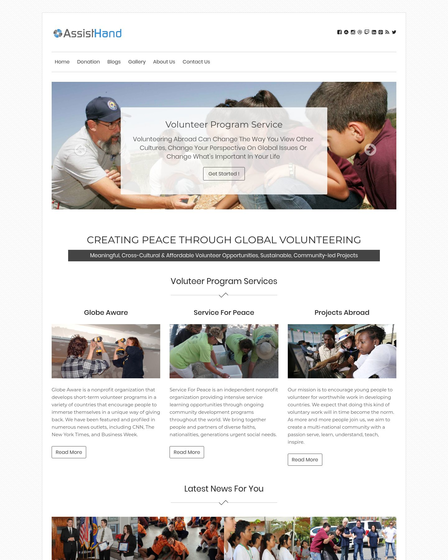
Credit: www.inkthemes.com
Frequently Asked Questions
What Is A WordPress Theme?
A WordPress theme is a collection of files that dictate the design and functionality of a WordPress site. Themes include templates, stylesheets, and images, allowing users to customize the appearance of their website. They help in creating visually appealing sites without extensive coding knowledge.
How To Start Programming A WordPress Theme?
Start by setting up a local development environment using tools like XAMPP or MAMP. Create a new folder in the wp-content/themes directory. Develop essential files like style. css and index. php. Use WordPress functions and hooks to add custom features and designs.
Which Languages Are Used For WordPress Themes?
WordPress themes primarily use PHP, HTML, CSS, and JavaScript. PHP handles server-side functionality and dynamic content. HTML structures the content, CSS styles the layout, and JavaScript adds interactivity. Understanding these languages is crucial for creating custom WordPress themes.
How To Customize A WordPress Theme?
Customize a WordPress theme by editing its CSS, PHP, and JavaScript files. Use the WordPress Customizer for basic changes like colors and fonts. Advanced customization requires altering theme templates or creating child themes to ensure updates don’t overwrite changes.
Conclusion
Creating a WordPress theme can be a rewarding experience. With practice, coding becomes easier. Remember to keep your design simple and user-friendly. Use clear and clean code. This ensures your theme runs smoothly. Regular testing is crucial. It helps spot issues early.
Don’t hesitate to seek help from online forums. They offer great support and guidance. Keep learning new techniques. This enhances your skills over time. Programming a WordPress theme opens doors to creativity. Dive in and enjoy the process.



